How to get notifications from google forms


Maximize efficiency with Google Forms notifications stay informed instantly as responses roll in with these steps.
Keeping track of responses to your Google Forms is crucial for timely and effective communication. Fortunately, Google Forms offers a straightforward method to receive notifications, ensuring you stay informed whenever someone completes your form. In this step-by-step guide, we'll walk you through the process of setting up notifications for Google Forms, streamlining your response management and enhancing your overall efficiency.
How to get notifications from google forms
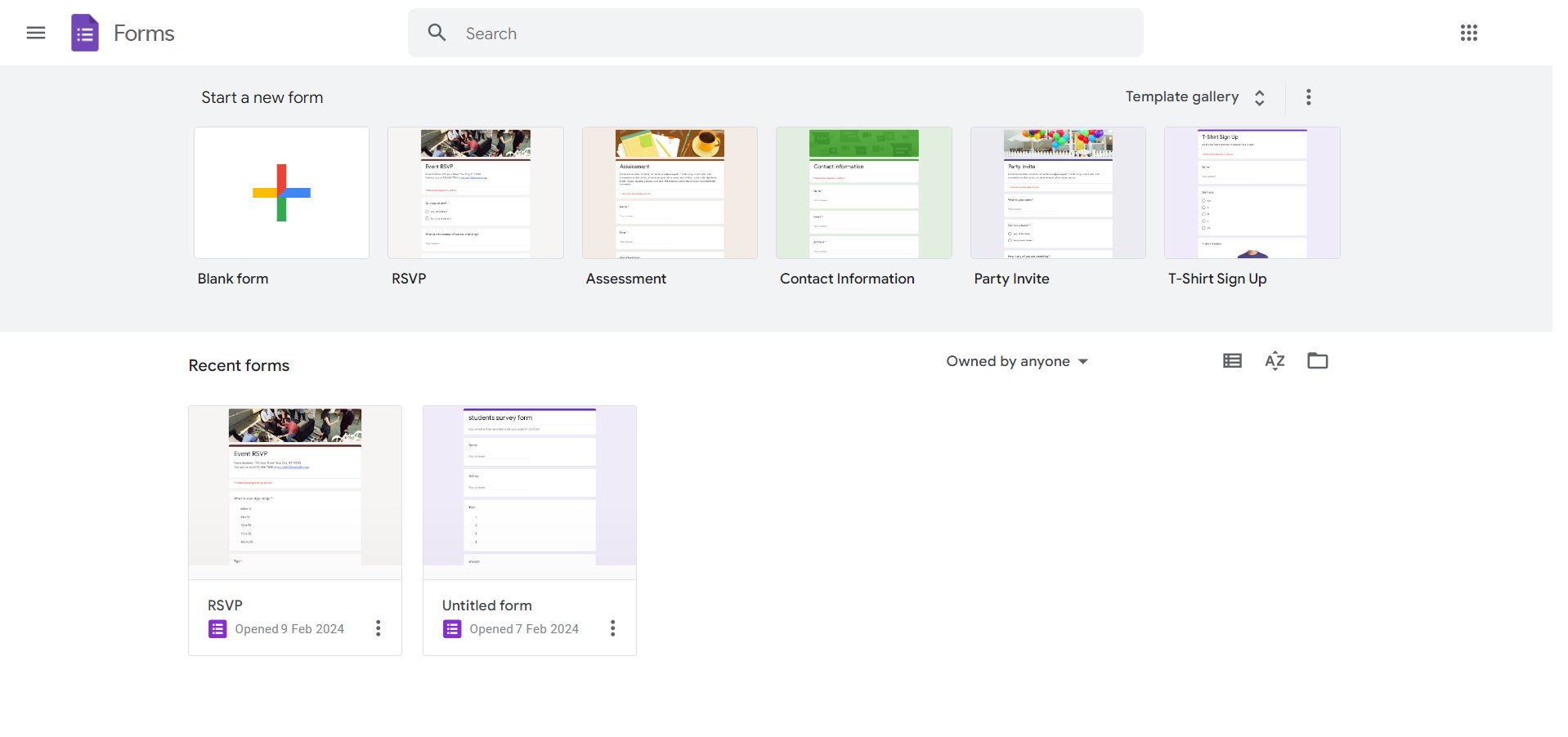
Step 1: Create or Open Your Google Form
Start by creating a new Google Form or opening an existing one that you want to receive notifications for.
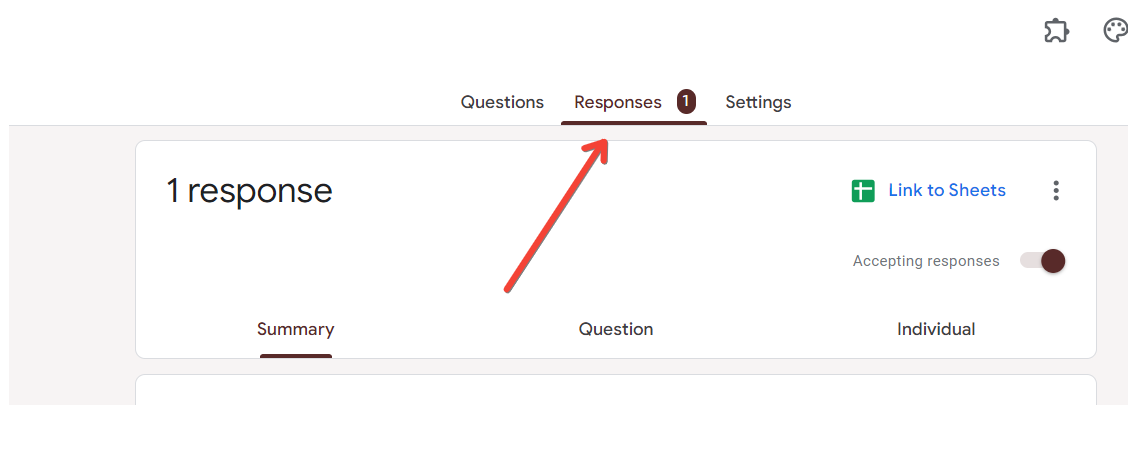
Step 2: Click on the Three Vertical Dots
In the top-right corner of your Google Form, click on the three vertical dots to open the menu.
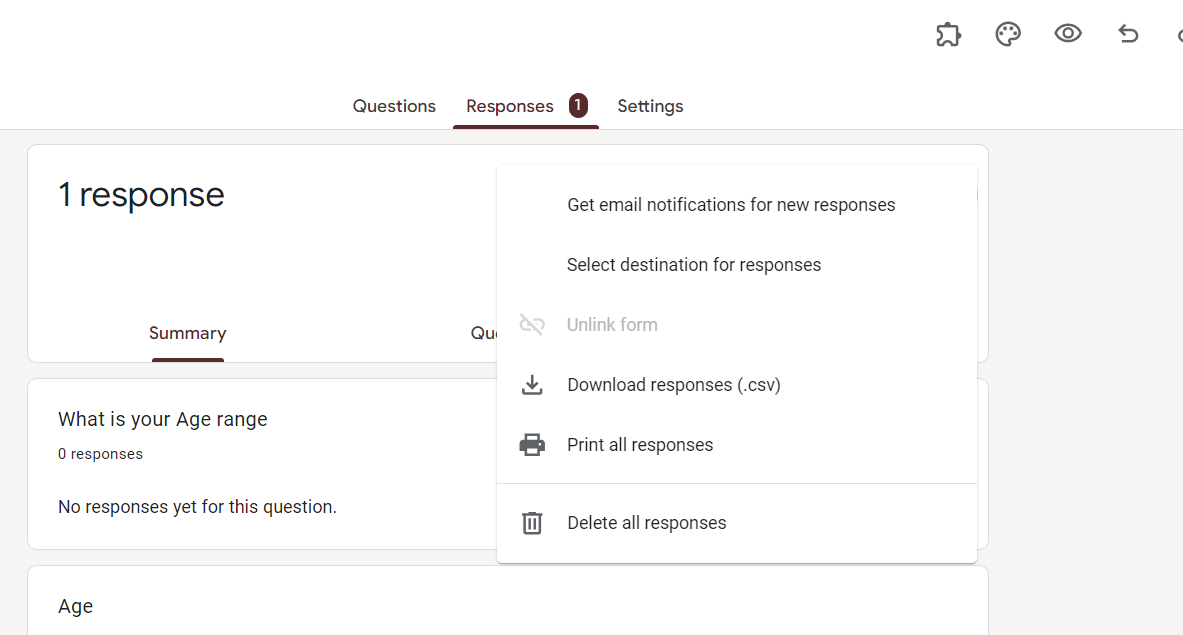
Step 3: Select "Get email notifications for new responses"
From the menu, select the option that says, "Get email notifications for new responses." This will prompt the setup for notifications.
Step 4: Configure Notification Settings
A pop-up window will appear. Configure your notification settings, including the frequency of notifications and the email address where you want to receive them. Click "Save."
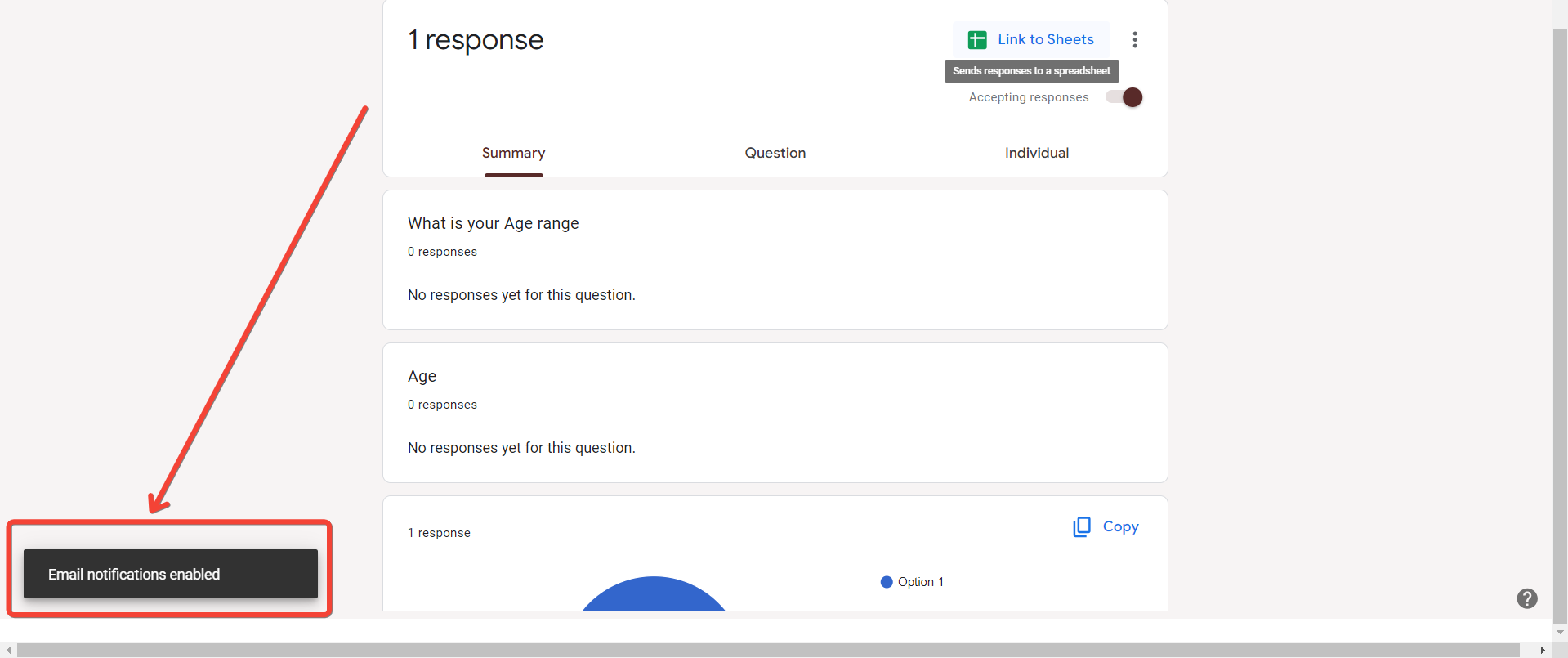
Step 5: Confirm Notifications are Enabled
To ensure notifications are enabled, go to the "Responses" tab and click on the green Sheets icon. Confirm that your settings are reflected in the Google Sheets associated with your form.
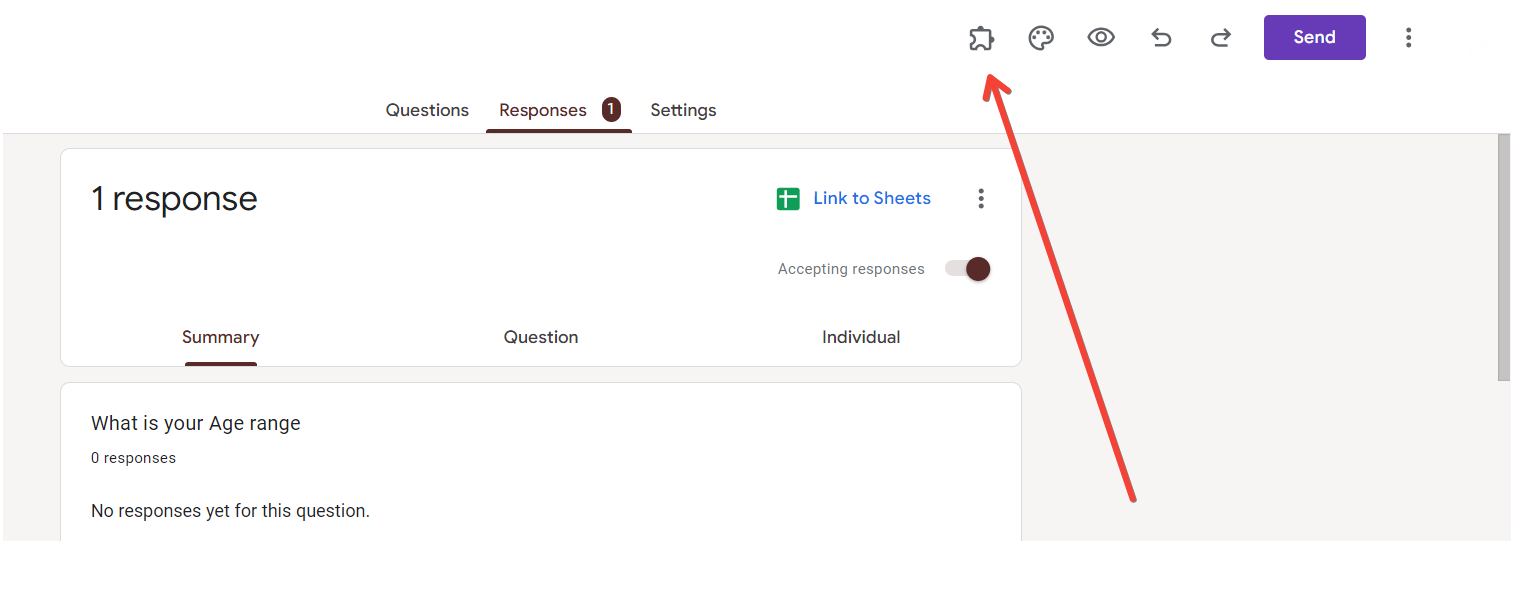
Step 6: Set Up Additional Notification Add-ons
If you require more advanced notification features, consider exploring Google Forms add-ons, such as "Form Notifications." Install and configure them based on your preferences.
Step 7: Test the Notification System
Submit a test response to your Google Form to verify that the notification system is working as intended. You should receive an email based on your configured settings.
Conclusion:
Efficiently managing responses to your Google Forms is made simple by setting up notifications. By following these steps, you empower yourself to stay informed in real-time, allowing for prompt follow-ups and streamlined communication. Whether you're collecting survey responses, event RSVPs, or any other form of data, integrating notifications ensures you never miss a beat, enabling you to respond promptly and effectively to the information gathered through your Google Forms.
Frequently Asked Questions:
Can I receive notifications for specific form questions or sections?
Google Forms notifications are currently configured for overall form responses and not specific questions or sections.
Are there limitations on the number of email addresses for notifications?
Google Forms allows you to set up notifications for multiple email addresses, ensuring flexibility in sharing response alerts.
Can I customize the content of the email notifications I receive?
Currently, Google Forms' built-in notification system provides basic details and cannot be extensively customized. Consider add-ons for more flexibility.
Do I need a Google account to receive notifications from Google Forms?
Yes, notifications are linked to your Google account, and you must be signed in to set up and receive them.


