How to Select Slides in Google Slides


Optimize your Google Slides mastery by learning the art of selecting slides effortlessly for customization.
Navigating through a presentation seamlessly is key to delivering impactful content. In Google Slides, the ability to select specific slides efficiently is a fundamental skill for customization and organization. In this guide, we'll explore the steps to effortlessly select slides in Google Slides, empowering you to tailor your presentations with precision.
How to select slides in Google Slides
Step 1: Open Your Google Slides Presentation
Begin by accessing your Google Slides presentation. If it's not already open, navigate to Google Drive, locate your presentation, and open it by double-clicking on the file.
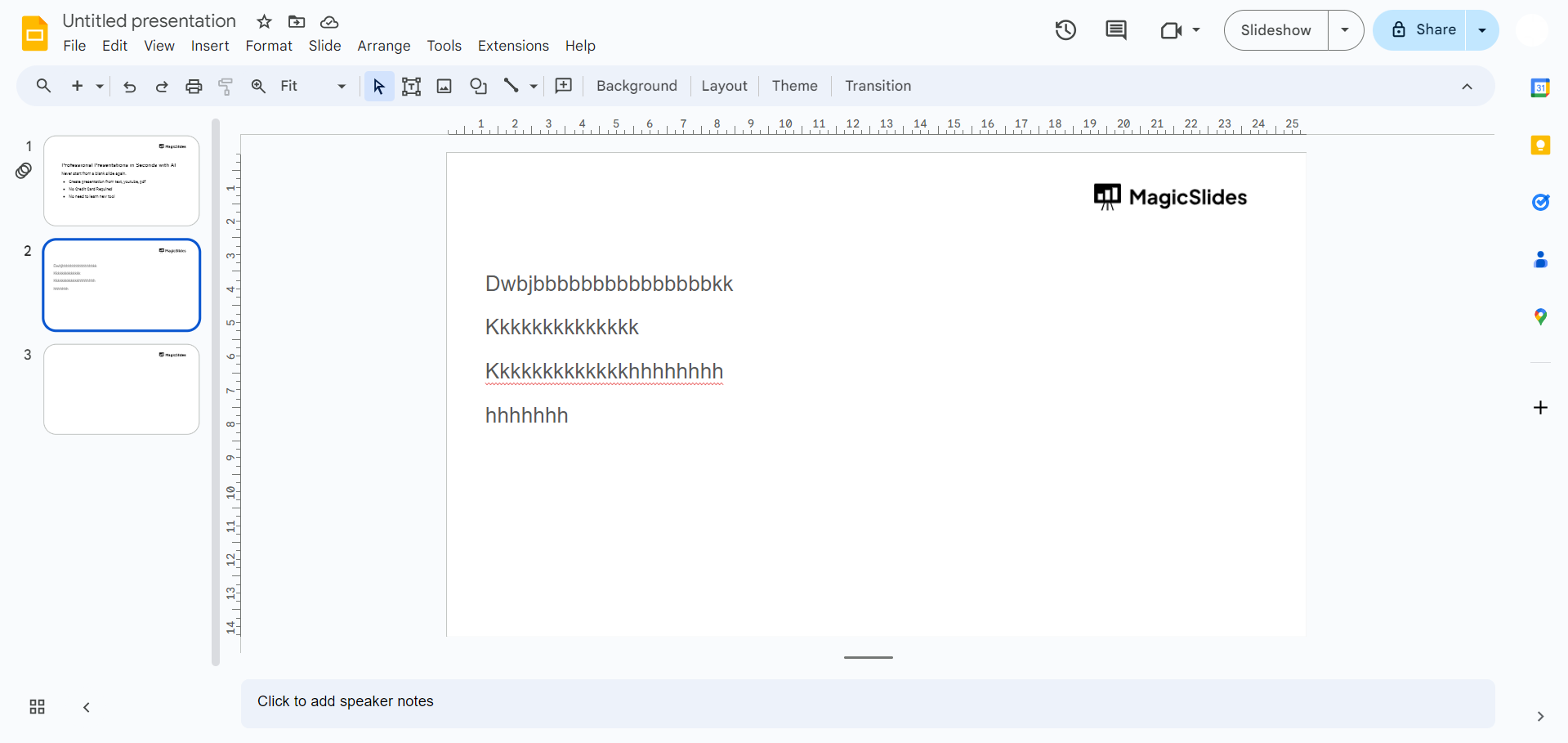
Step 2: Access the Slide Sorter View
In the upper-right corner of the Google Slides interface, click on the icon that resembles a grid. This action takes you to the Slide Sorter view, displaying all your slides in a grid layout.
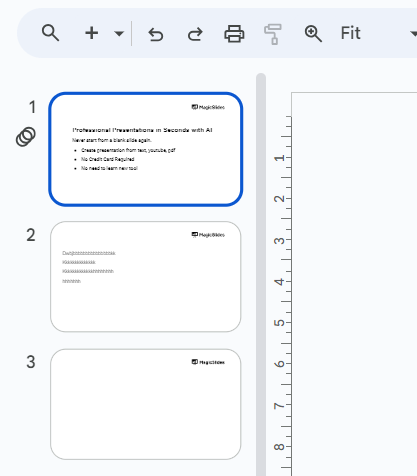
Step 3: Click and Drag to Select Multiple Slides
To select multiple slides, click and hold on the first slide you want to select. While holding down the mouse button, drag the cursor to encompass the desired slides. Release the mouse button to confirm your selection.
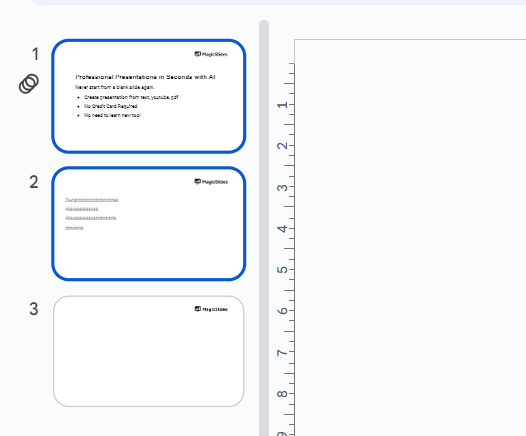
Step 4: Use Keyboard Shortcuts for Quick Selection
Alternatively, for quick selection, hold down the "Ctrl" key (Windows) or "Command" key (Mac) while clicking on individual slides. This allows you to select multiple slides non-consecutively.
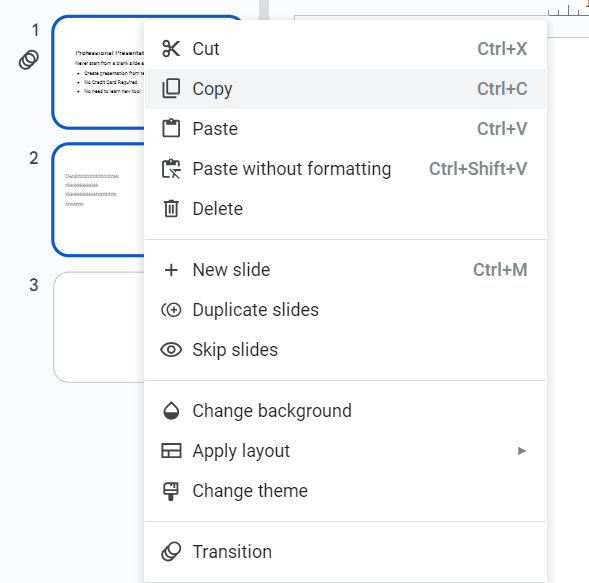
Step 5: Right-Click for Additional Options
Right-click on any selected slide to reveal a context menu. Here, you can choose to duplicate, delete, or apply specific formatting options to the selected slides.
Conclusion:
Whether you need to apply changes to specific slides or reorder your content, mastering this process ensures a smoother and more polished presentation. By incorporating these straightforward steps into your Google Slides workflow, you'll find yourself navigating and manipulating presentations with newfound ease. Whether you're a student preparing a dynamic class project or a professional crafting a compelling business presentation, the ability to select slides in Google Slides is a valuable tool in your repertoire. Enhance your presentation prowess by mastering this fundamental skill and take your Google Slides experience to the next level.
Frequently Asked Questions:
Can I select multiple slides in Google Slides without going to the Slide Sorter view?
Yes, you can use keyboard shortcuts or hold down the mouse button for non-consecutive selections.
Is there a maximum limit to the number of slides I can select at once?
Google Slides allows you to select a large number of slides, but extremely large selections may lag.
Can I customize formatting for selected slides collectively in Google Slides?
Absolutely, right-click on selected slides to access options like formatting changes or applying templates.
Can I undo a selection of slides in Google Slides if I make a mistake?
Yes, simply click away or use keyboard shortcuts like "Ctrl + Z" (Windows) or "Command + Z" (Mac).


