Addon google slides iconPPT with AISlide TemplatesPPT TemplatesPricingBlog
PPT with AISlide TemplatesPPT TemplatesPricingBlog
  1. Home
  2. Blog
  3. How to Translate in PowerPoint


How to Translate in PowerPoint

magicslides app

Published By

magicslides app
Mohit Kumar Jha

Approved By

Mohit Kumar Jha

Published On

February 24th, 2026

Reading Time

2 min read

Globalize your PowerPoint presentations with ease! Learn step-by-step translation to connect with diverse audiences effortlessly.

Enhance your PowerPoint presentations by seamlessly translating text to break language barriers. Follow these steps to unlock a global audience.

How to Translate in PowerPoint

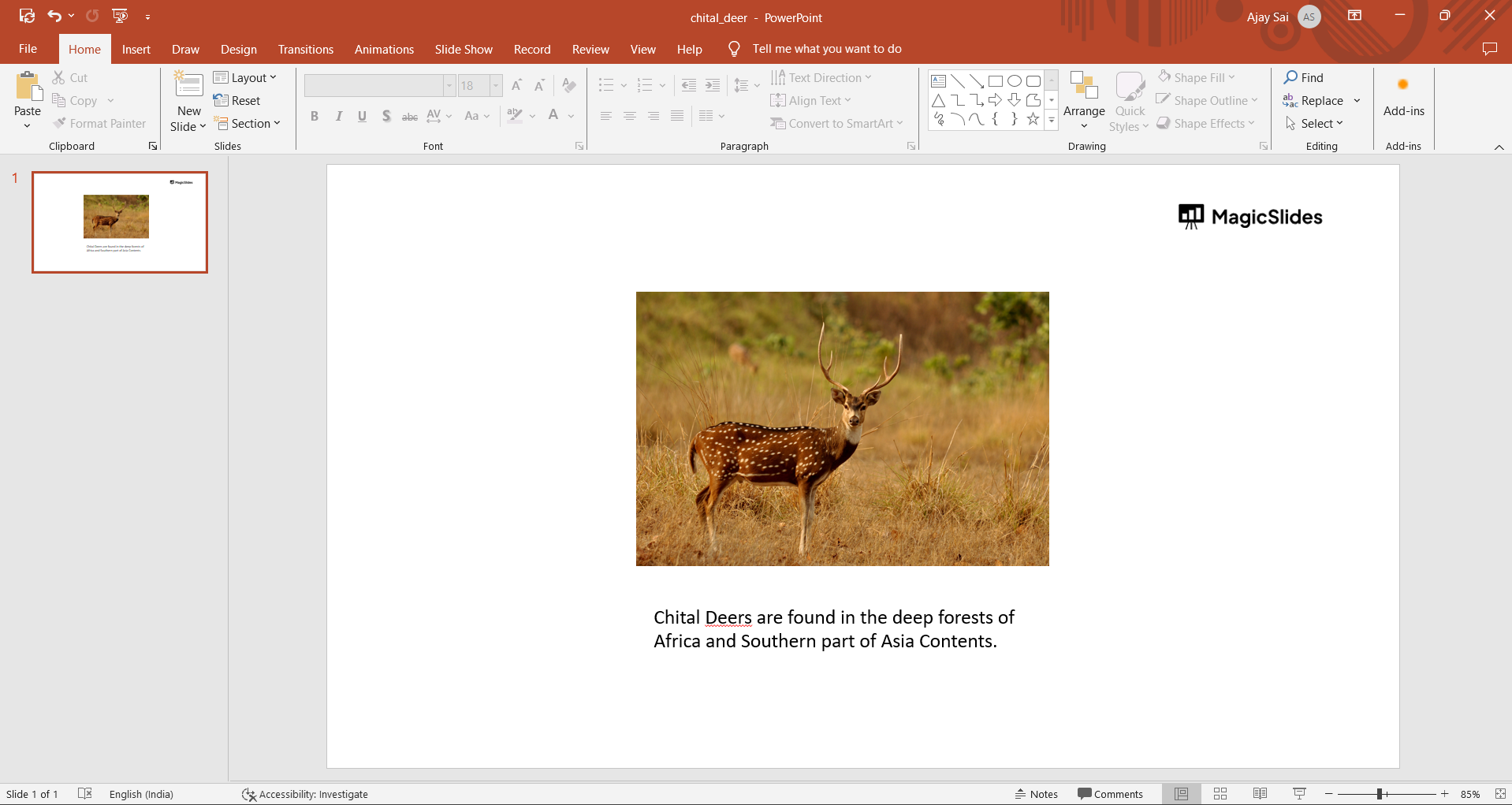
Step 1: Navigate to the Translator Tool

Open your PowerPoint presentation and go to the "Review" tab in the ribbon. Locate and click on the "Translate" option to access the Translator tool.
notion image

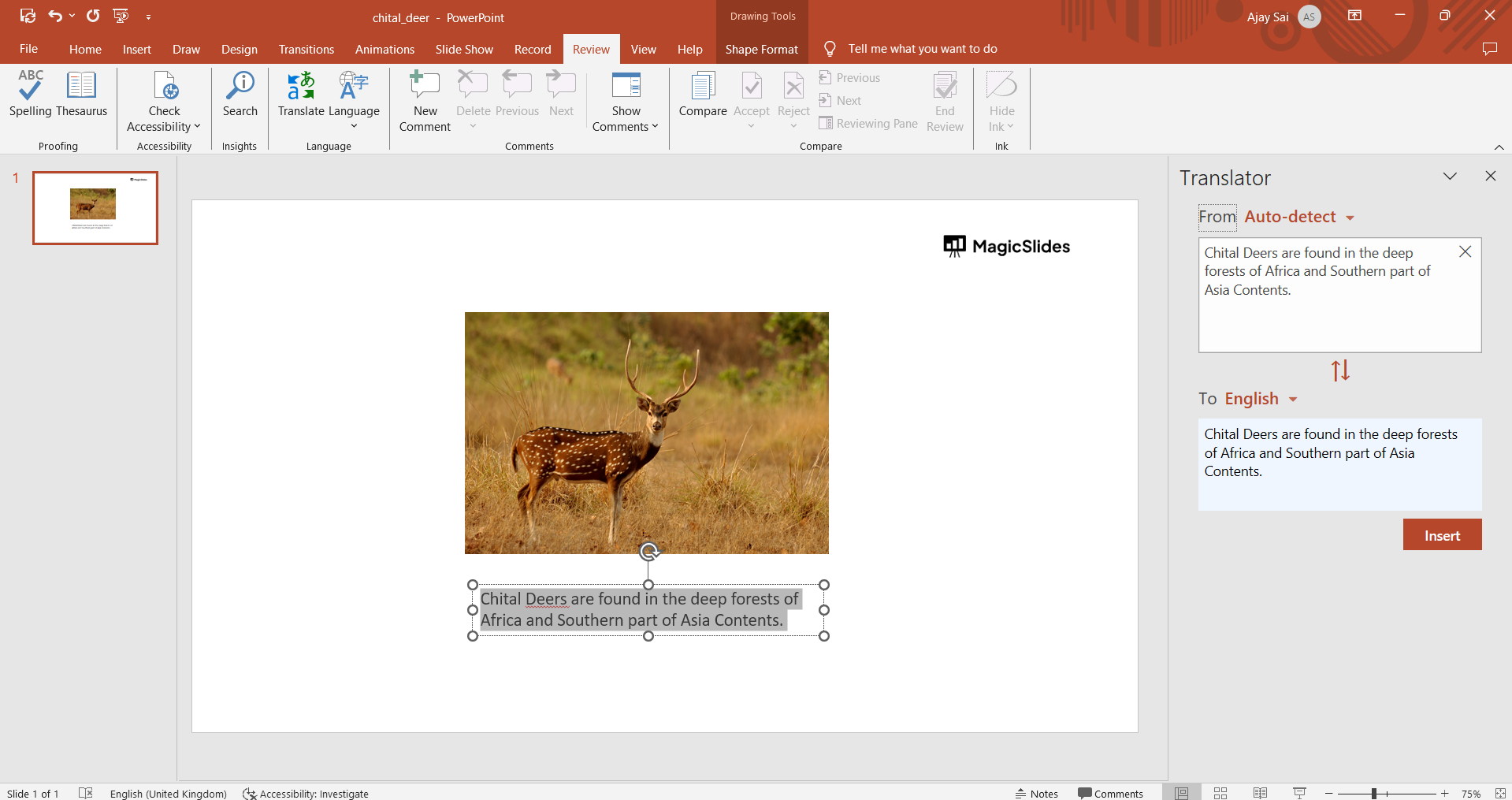
Step 2: Choose the Target Language

In the Translator menu, select the language you want to translate your text into. PowerPoint should automatically detect the source language, streamlining the translation process.
notion image

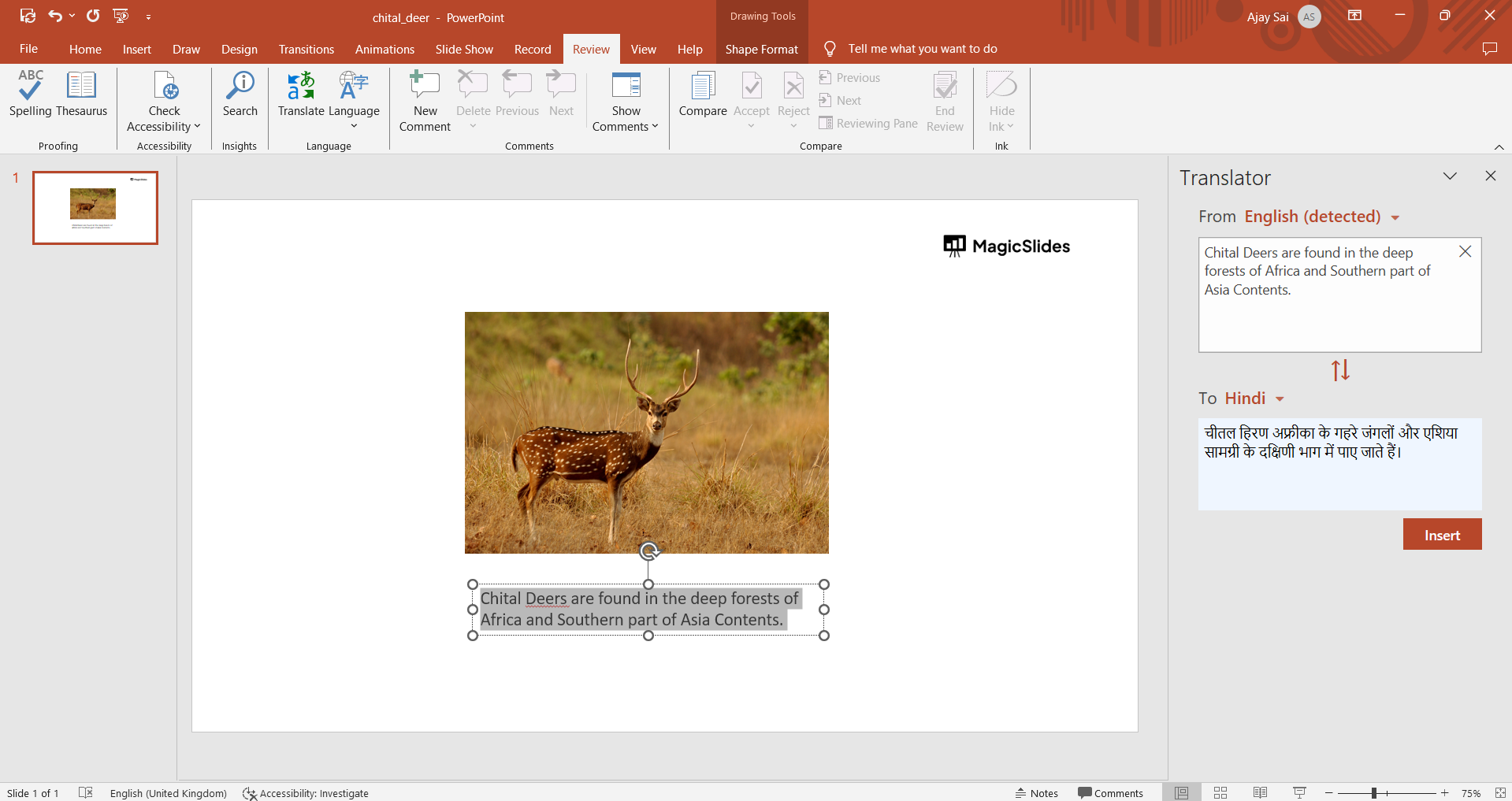
Step 3: Select the Text for Translation

Identify the text box containing the content you wish to translate. Highlight the text, and the Translator tool will promptly display the translated version in the chosen target language.
notion image

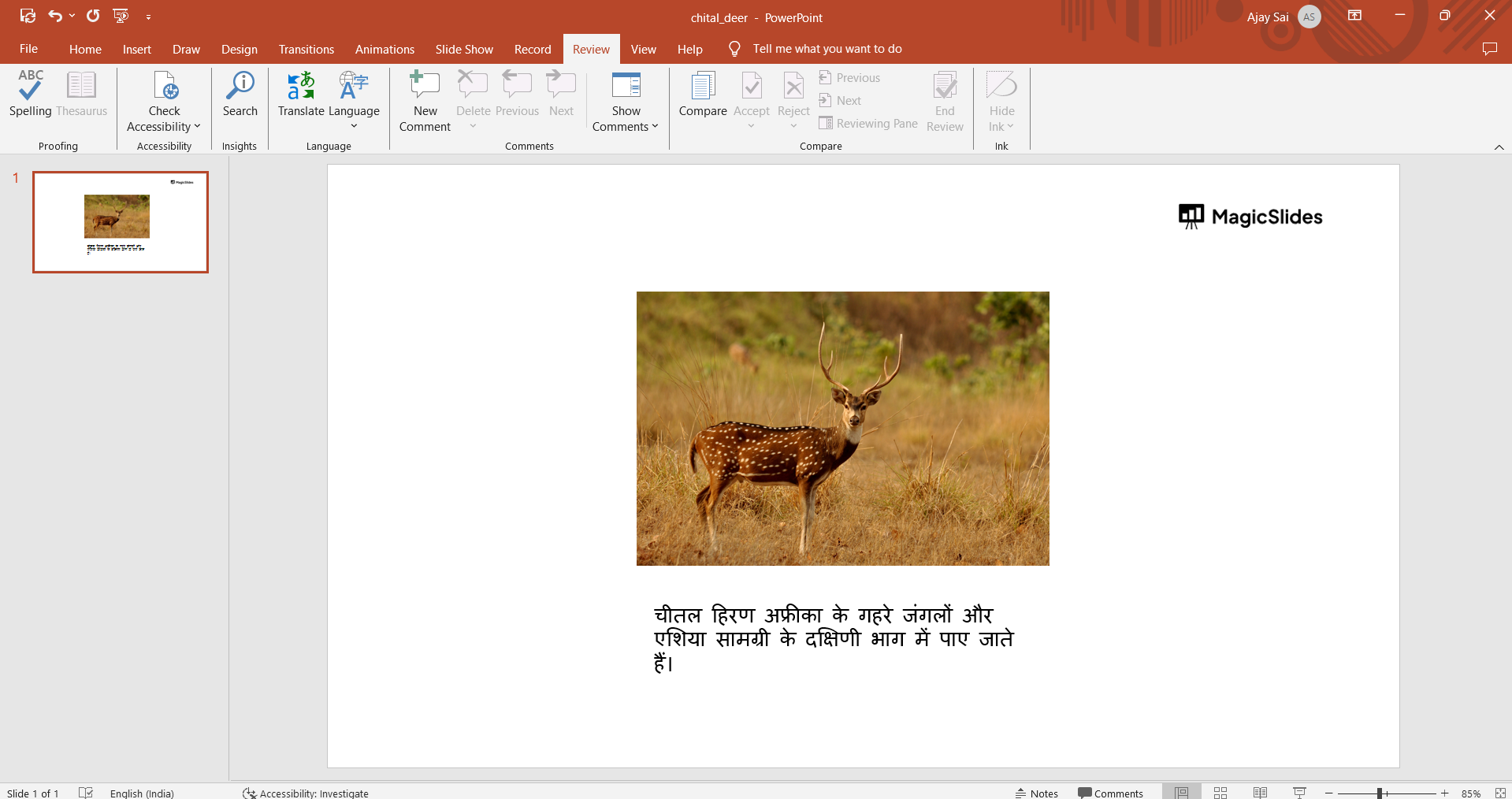
Step 4: Customize and Insert the Translation

If you wish to modify the translated text or make adjustments to the original content, simply click on the "Insert" button. This action seamlessly integrates the translation into your PowerPoint presentation.
notion image

Conclusion:

Breaking language barriers in PowerPoint has never been easier. By following these simple steps, you can effortlessly translate text and make your presentations more accessible to a global audience. Expand your reach and impact with multilingual presentations that resonate with diverse viewers.

Frequently Asked Questions:

Can I translate my entire PowerPoint presentation using the Translator tool?
The Translator tool in PowerPoint primarily focuses on translating text within text boxes rather than entire presentations. You'll need to translate individual text elements.

Is the Translator tool in PowerPoint available in multiple languages, and how accurate is the translation?
Yes, the Translator tool supports various languages. Accuracy depends on the complexity of the text, but it generally provides reliable translations for effective communication.

Share on socials

About the author

Sanskar Tiwari profile photo
Sanskar Tiwari— Founder at MagicSlides

Sanskar is Founder at IAG Tech, For the past 3 years sanskar have build more than 24+ products, taught 100k students how to code.

More from Sanskar

More from the blog

    How to add a hanging indent in google slides

    24 February 2026

    How to make images transparent on google slides

    24 February 2026

    How to add slide numbers in google slides

    24 February 2026

    How to send gifs in slack application

    24 February 2026

    How to make picture background transparent in powerpoint

    24 February 2026

    How to put text over an image in google slides

    24 February 2026

    How to Crop an Image in PowerPoint

    24 February 2026

    How to make a PowerPoint presentation into a video

    24 February 2026

    How to time google slides for 20 seconds

    24 February 2026

Table of Contents

Create Presentations in Seconds

Transform your ideas into professional presentations with AI. No design skills needed.

Try MagicSlides Free

Create Stunning Presentations with AI in Seconds ✨

Transform any topic, text, YouTube video, PDF or URL into beautiful presentations instantly with MagicSlides AI.

Try MagicSlides AI Presentation Maker
MagicSlides AI Presentation

Footer

Solutions

  • MagicSlides App
  • Google Slides Add-on
  • MagicSlides in Chrome
  • MagicSlides in Figma
  • MagicSlides in ChatGPT
  • MagicSlides in Telegram
  • MagicSlides in Zapier
  • MagicSlides in Figma Slides

Tools

  • AI PPT Tools
  • QR Code Generator
  • Design Tools
  • PPT Templates
  • Slide Templates
  • PDF Tools

Examples

  • AI Presentations
  • PPT by MagicSlides
  • Quizzes
  • Charts
  • Coloring Pages

Resources

  • Changelog
  • Documentation
  • API Docs

Top Blogs

  • How to Create Presentation Using ChatGPT
  • 100+ Best Seminar Topics for Students in 2025

Company

  • Help
  • MCP
  • Blog
  • Pricing
  • Affiliate Program
  • Manage Subscription
  • Privacy Policy
  • Contact Us
  • Terms & Conditions
  • Refund & Cancellation Policy

We also built

  • SheetAI - GPT For Sheets
  • MagicForm - GPT For Google Forms
  • SecondBrain.fyi
  • BlogBee - Free Blogging Platform

© 2026 IndianAppGuy Tech Pvt Ltd. All rights reserved.