How to use Ruler Function on Canva


Canva’s ruler tool helps align elements accurately, ensuring a clean, professional, and well-structured design layout
How to Use the Ruler Function on Canva
The Ruler function in Canva helps you align elements precisely, ensuring a clean and professional design.
Whether you're creating presentations, social media graphics, or marketing materials, rulers provide better spacing and organization.
Follow this step-by-step guide to enable and use the Ruler tool in Canva.
Steps to Use the Ruler Function on Canva
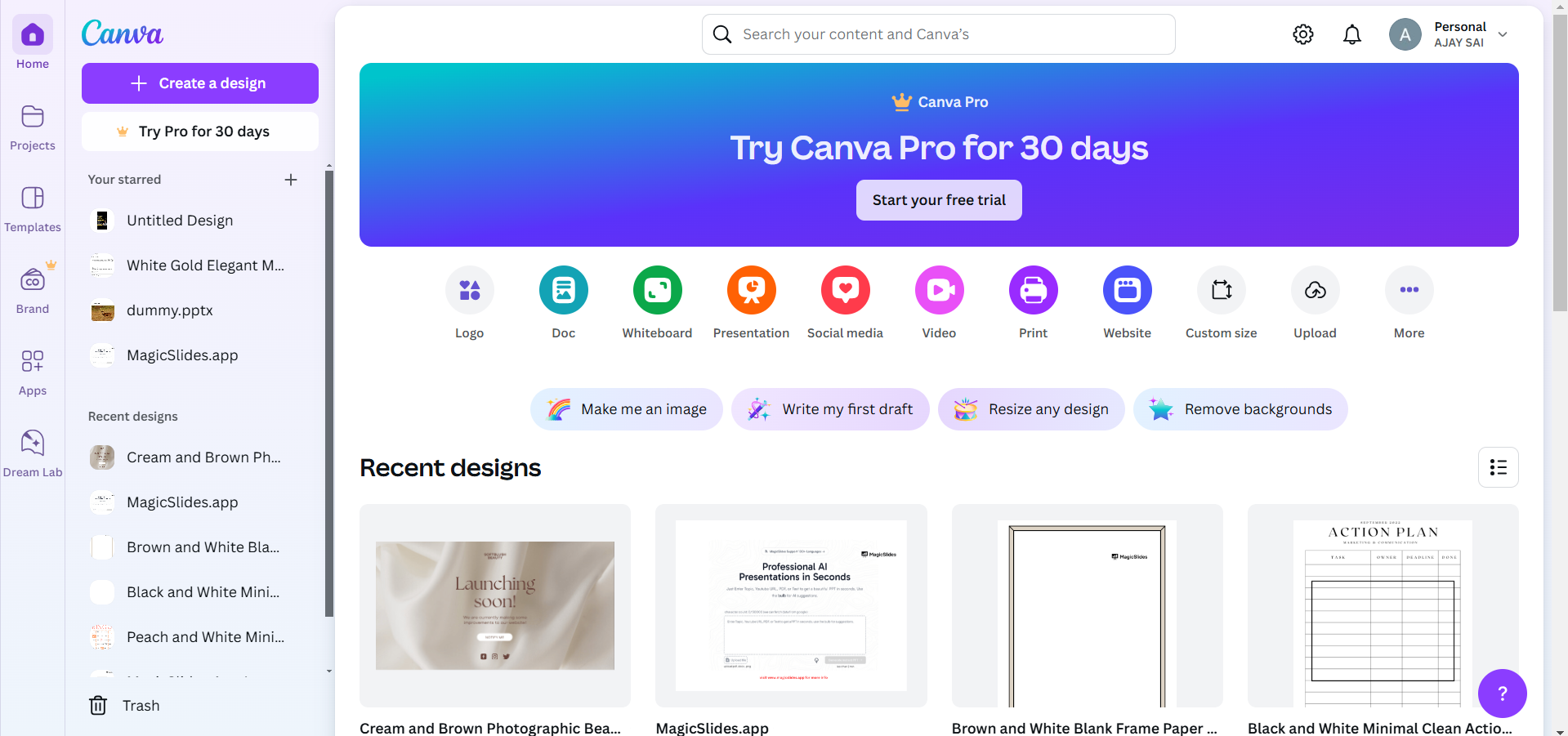
Step 1: Open Canva and Select Your Design
Visit Canva.com and log in to your account. Click Create a Design and choose the format you want (presentation, poster, or custom size).
Step 2: Enable the Ruler Tool
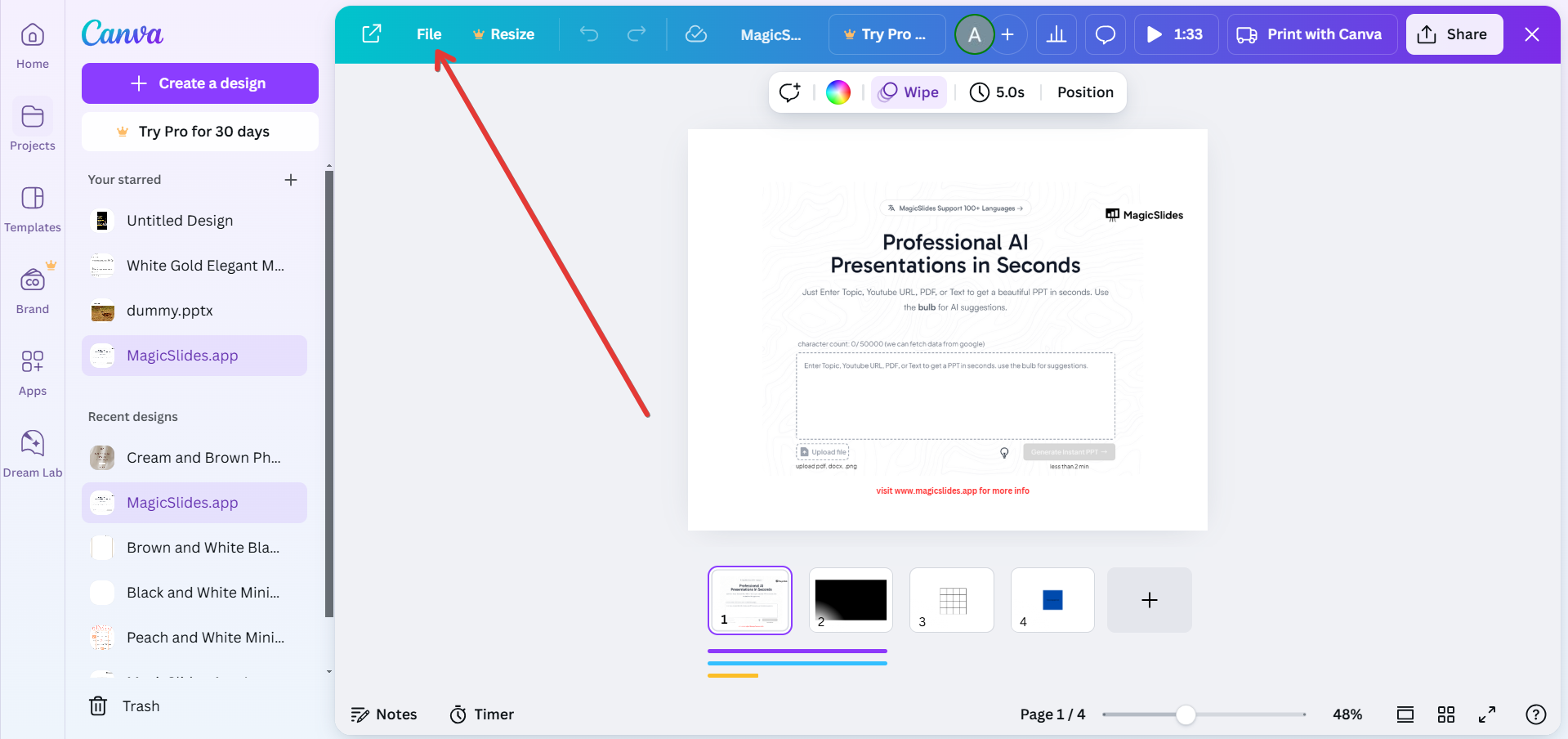
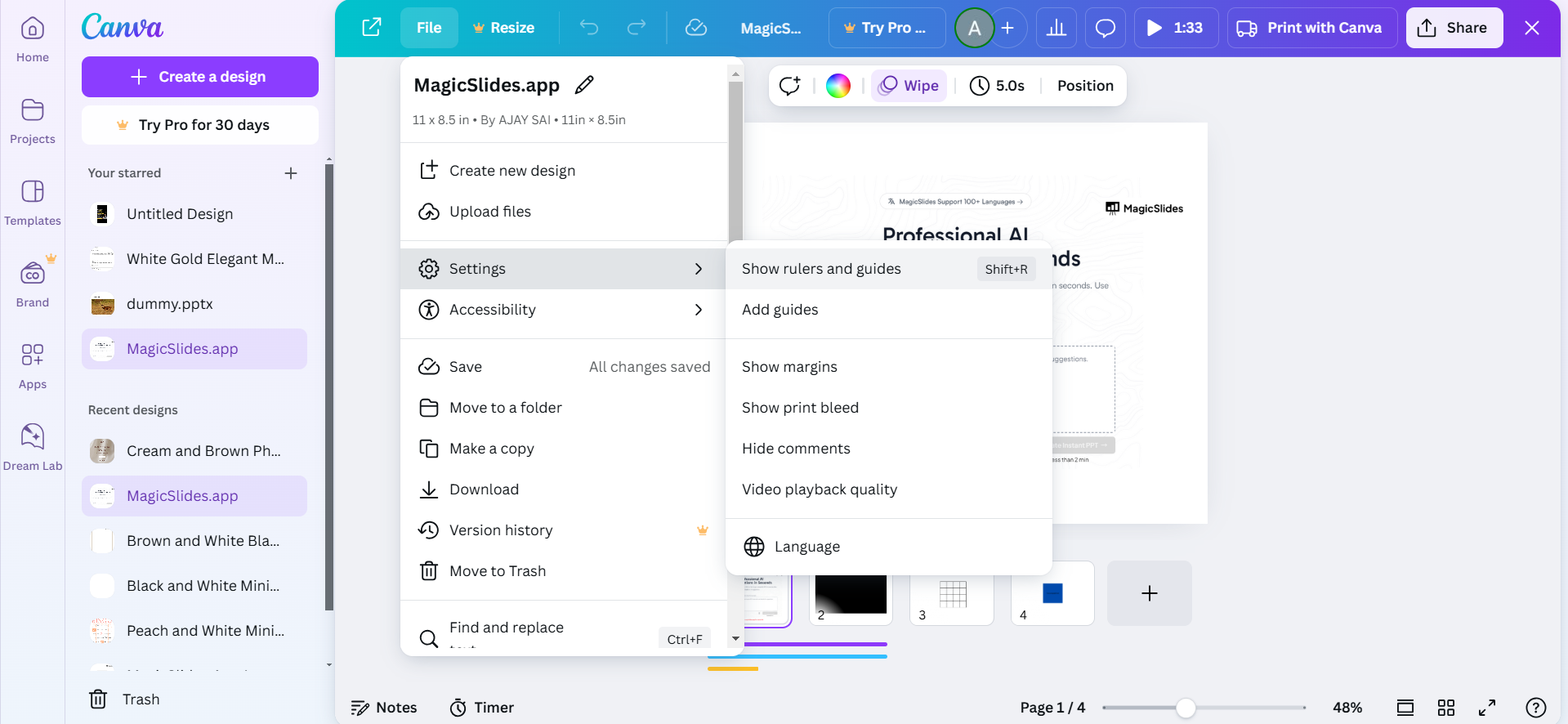
Click on File in the top-left menu. Select View settings and then click Show rulers and guides.
The rulers will now appear along the top and left edges of your design.
Step 3: Use the Ruler to Align Elements
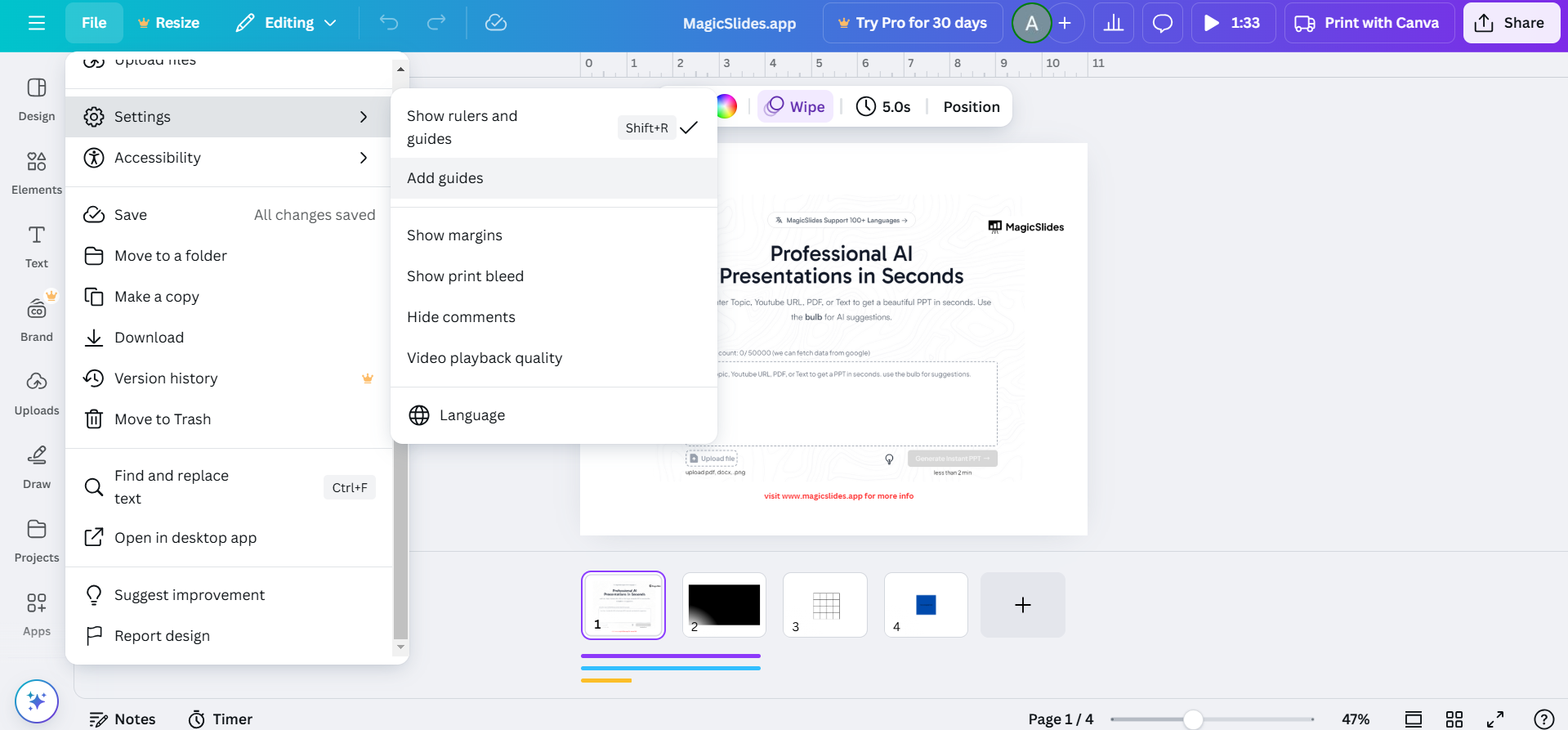
Drag guidelines from the ruler by clicking and pulling from the ruler area.
These guidelines help you align text, images, and elements perfectly. To remove a guide, simply drag it back to the ruler.
Step 4: Adjust Spacing and Positioning
Use the ruler to measure distances between objects. Ensure consistency in spacing for a professional layout.
Step 5: Lock the Guides (Optional)
To prevent accidental movement, lock the guides by going to File > View settings > Lock guides.
Conclusion
The Ruler tool in Canva is essential for precise alignment and professional designs.
By enabling rulers and using guides, you can improve your layouts and maintain consistency in your designs effortlessly.
FAQs on Using the Ruler Function in Canva
Why can’t I see the ruler in Canva?
Ensure you have enabled Show rulers and guides under File > View settings in Canva.
Can I move ruler guides once they are placed?
Yes, click and drag the guide to reposition it or remove it by dragging it back.
Is the ruler feature available on the free version of Canva?
Yes, Canva’s ruler and guides feature is available for both free and Pro users.
Now you can design with precision using Canva’s ruler tool! 🚀🎨


