What is the use of Action button in PowerPoint


Enhance interactivity in PowerPoint by using action buttons for navigation, external links, and dynamic effects
Action buttons in PowerPoint are interactive elements that enhance your presentations by enabling navigation, linking to external content, or performing specific tasks during a slideshow.
They help make presentations dynamic and engaging, providing a seamless way for users to interact with the content.
Here’s a step-by-step guide to understanding and using action buttons in PowerPoint.
What is the Use of Action Buttons in PowerPoint? | Steps to Use Action Buttons in PowerPoint
Step 1: Insert an Action Button
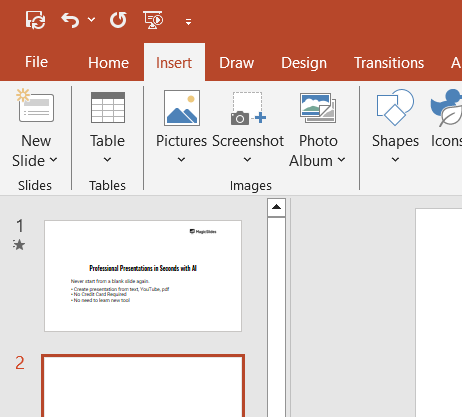
Go to the Insert tab on the PowerPoint ribbon.
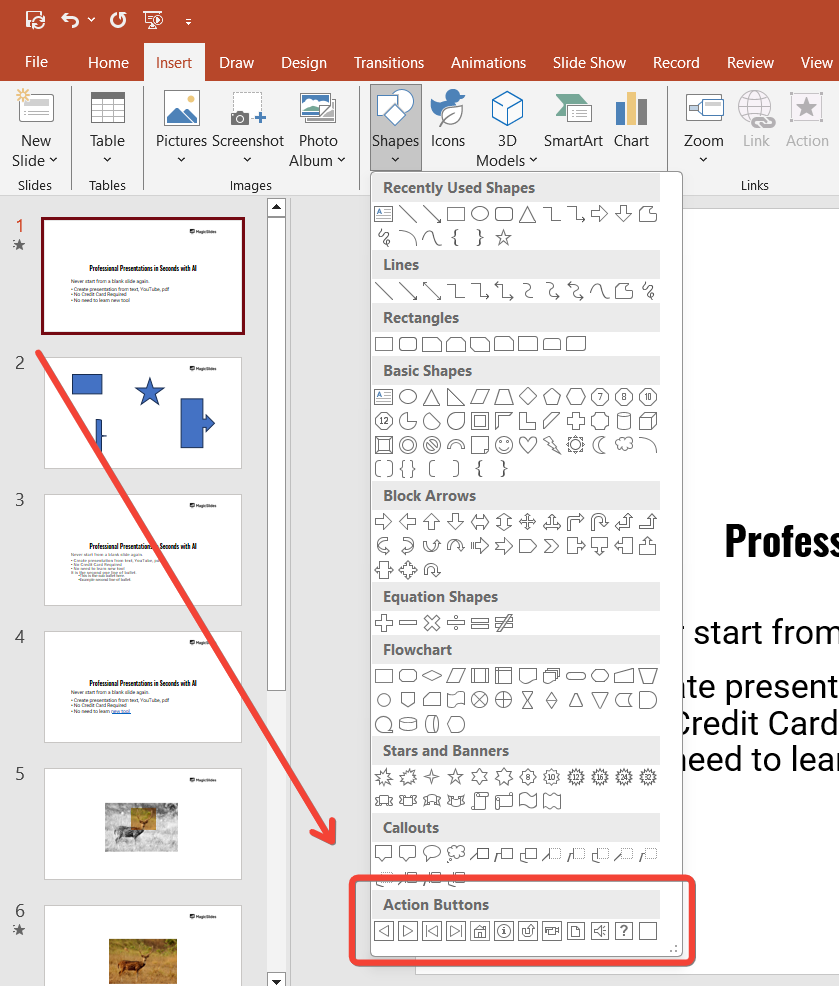
In the Shapes dropdown menu, scroll down to the Action Buttons section.
Choose an action button design (e.g., Home, Next, Previous, or custom blank button).
Step 2: Draw the Action Button on Your Slide
Click and drag your mouse on the slide to draw the action button.
Adjust the size and position to suit your layout.
Step 3: Set the Action for the Button
After placing the button, the Action Settings dialog box will appear automatically.
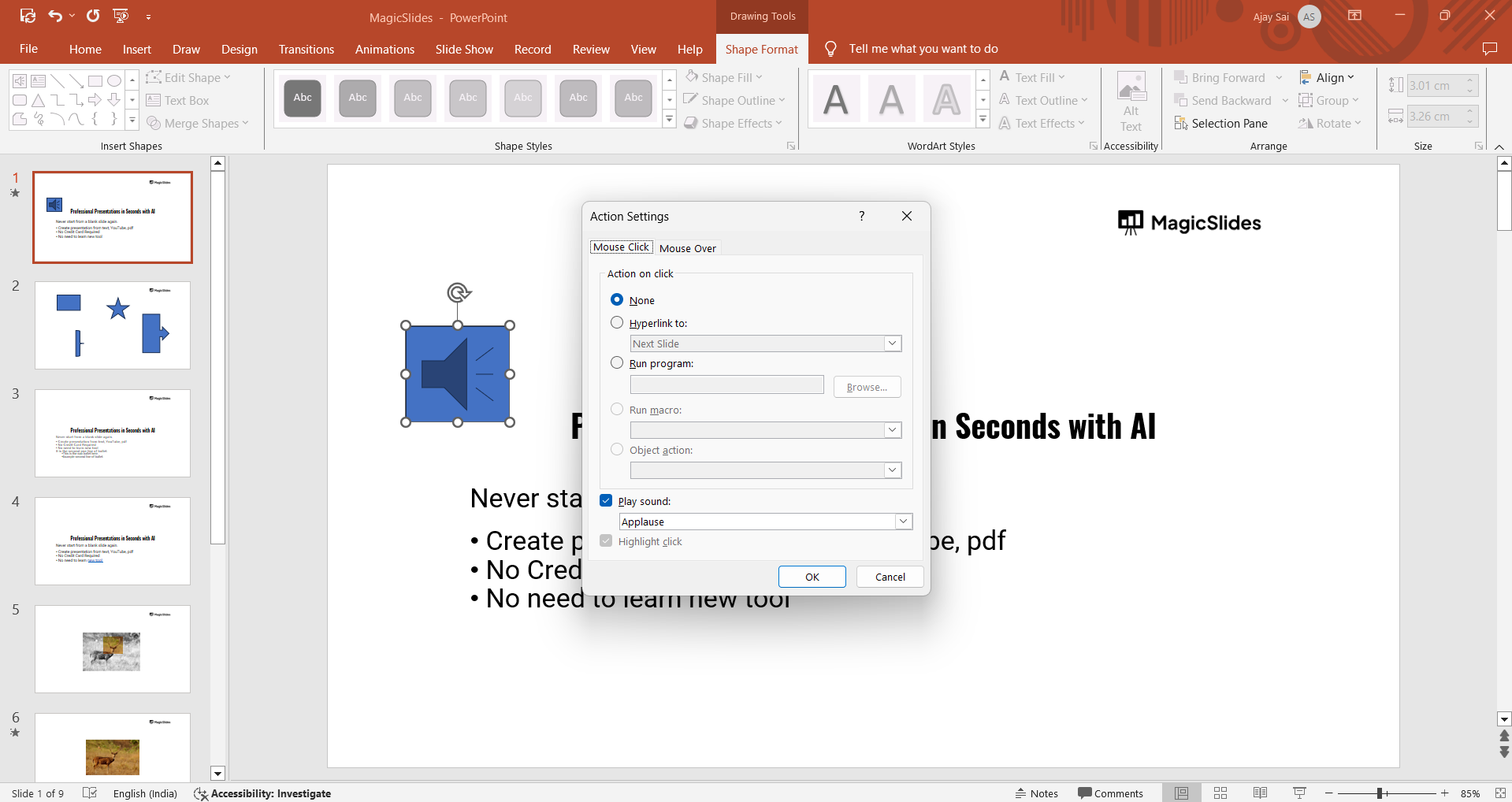
Select the desired action under the Mouse Click or Mouse Over tab:
- Hyperlink to: Choose an option like Next Slide, Previous Slide, First Slide, or URL.
- Run Program: Execute a specific program on your device.
- Play Sound: Trigger a sound effect.
Click OK to save your settings.
Step 4: Customize the Action Button
Use the Format tab to change the button’s color, size, and style for better visual appeal.
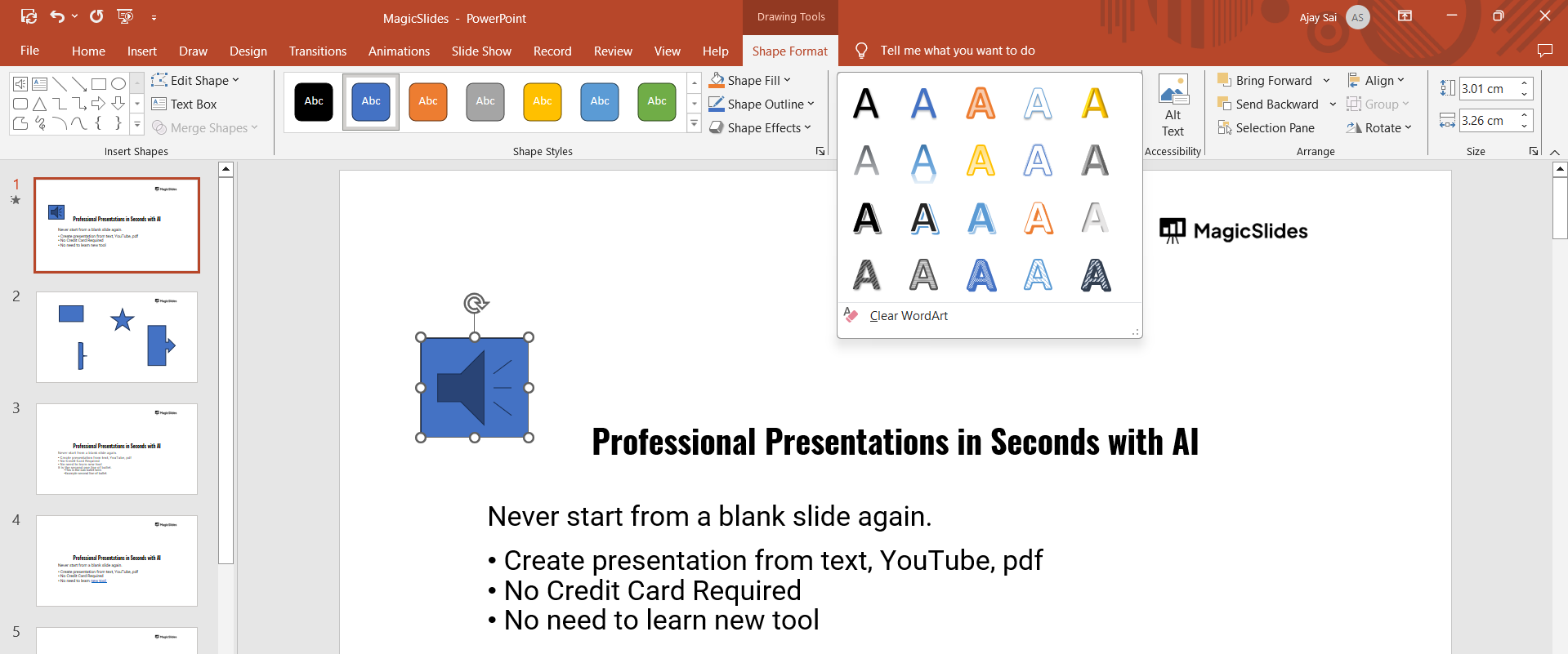
Add text or icons to the button by right-clicking and selecting Edit Text or inserting shapes/images.
Step 5: Test the Action Button
Start the slideshow by pressing F5 or selecting Slide Show > From Beginning.
Click or hover over the action button to test its functionality.
Conclusion
Action buttons in PowerPoint add interactivity and ease of navigation, making your presentations more engaging and professional.
By linking to slides, external content, or even specific actions, they help captivate your audience and provide a smooth user experience.
Mastering the use of action buttons will elevate your PowerPoint skills to the next level.
FAQs on Action Buttons in PowerPoint
Can I link an action button to a file or document?
Yes, action buttons can link to files or documents stored on your computer. Select Hyperlink to > Other File and browse for the desired file.
Are action buttons functional in presentation preview mode?
No, action buttons only work in slideshow mode. Test them by starting your presentation.
Can I remove or change an action assigned to a button?
Yes, right-click the action button, select Action Settings, and modify or remove the action as needed.
Incorporate action buttons to make your presentations stand out and leave a lasting impression on your audience!


