How To Add Dropdown In Google Sheets?


Learn step-by-step how to add a dropdown menu in Google Sheets effortlessly. Enhance your spreadsheet skills with this easy tutorial!
Google Sheets is a versatile tool that empowers users to organize and analyze data with ease. One valuable feature it offers is the ability to add dropdown menus, streamlining data entry and enhancing spreadsheet functionality. This step-by-step guide will walk you through the process, starting from the basics and leading you to a proficient use of dropdowns in Google Sheets.
Basics: Accessing Google Sheets
Before diving into the dropdown functionality, make sure you are signed in to your Google account. If not, log in or sign up to access Google Sheets.
Step 1: Open Google Sheets
Navigate to Google Sheets by either typing "Google Sheets" into your preferred search engine or accessing it directly through the Google Workspace.
Step 2: Open the Desired Sheet
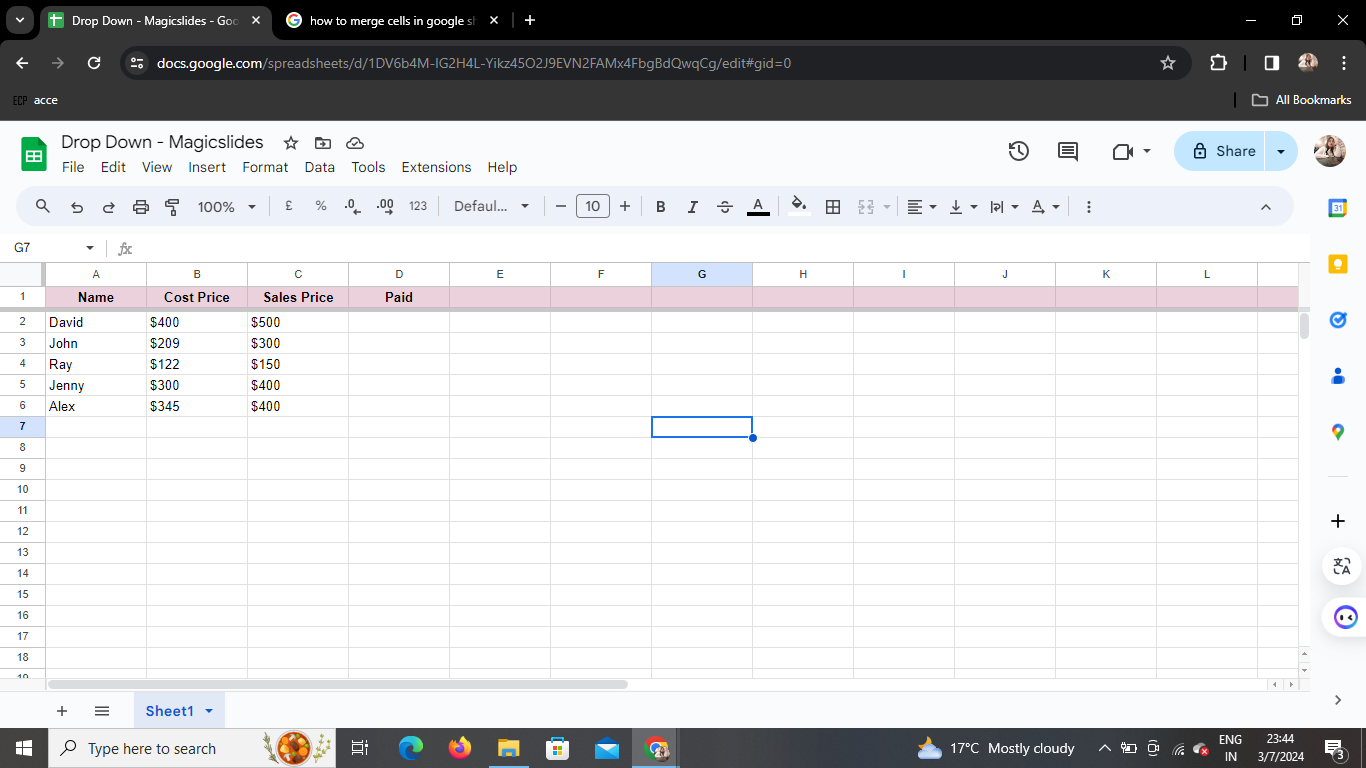
Once in Google Sheets, open the spreadsheet where you want to incorporate dropdown menus. If you don't have a sheet yet, create a new one to get started.
Step 3: Select the Cells
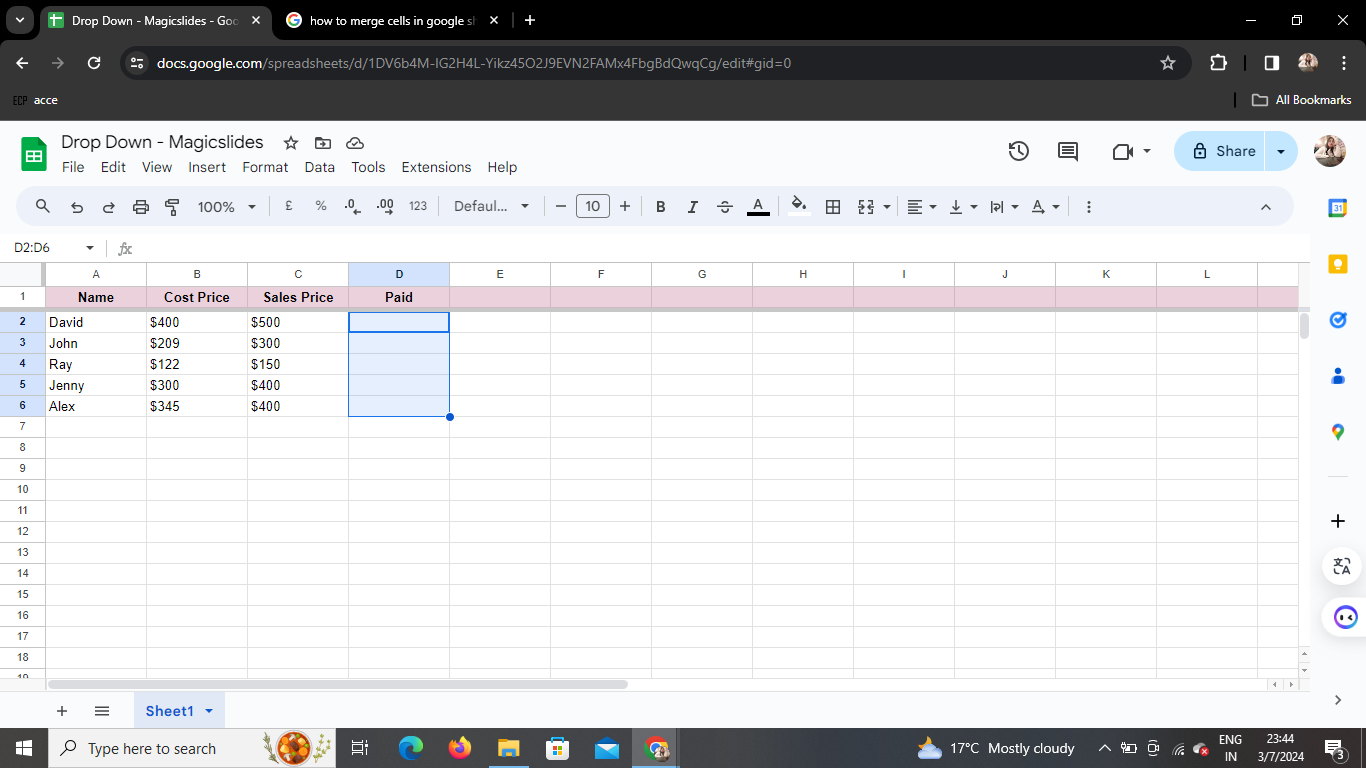
Identify the cells where you want to add dropdown menus. Click and drag to select the range of cells that will feature the dropdown options.
Step 4: Click on Insert > Dropdown
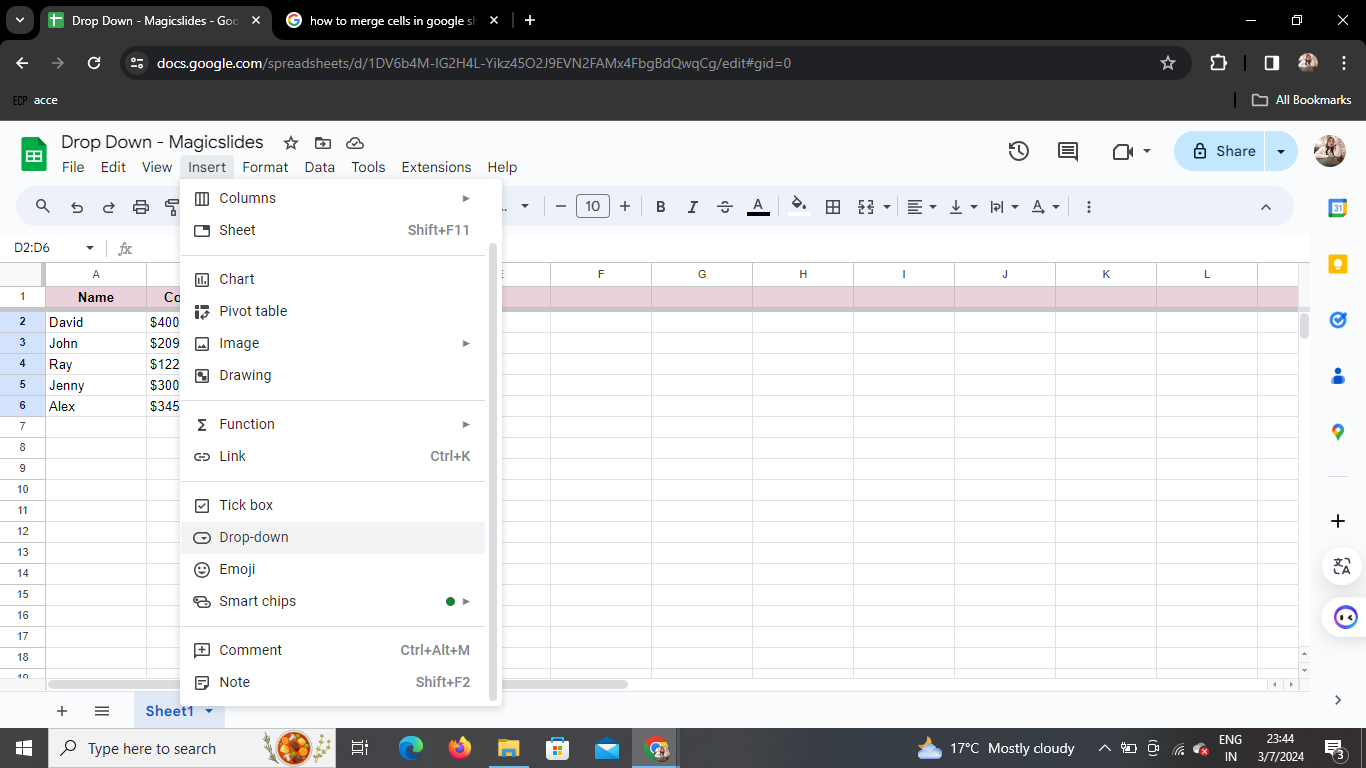
At the top of the screen, locate the "Insert" option in the menu. Click on it, and from the dropdown menu, select "Dropdown."
Step 5: Configure Dropdown Options
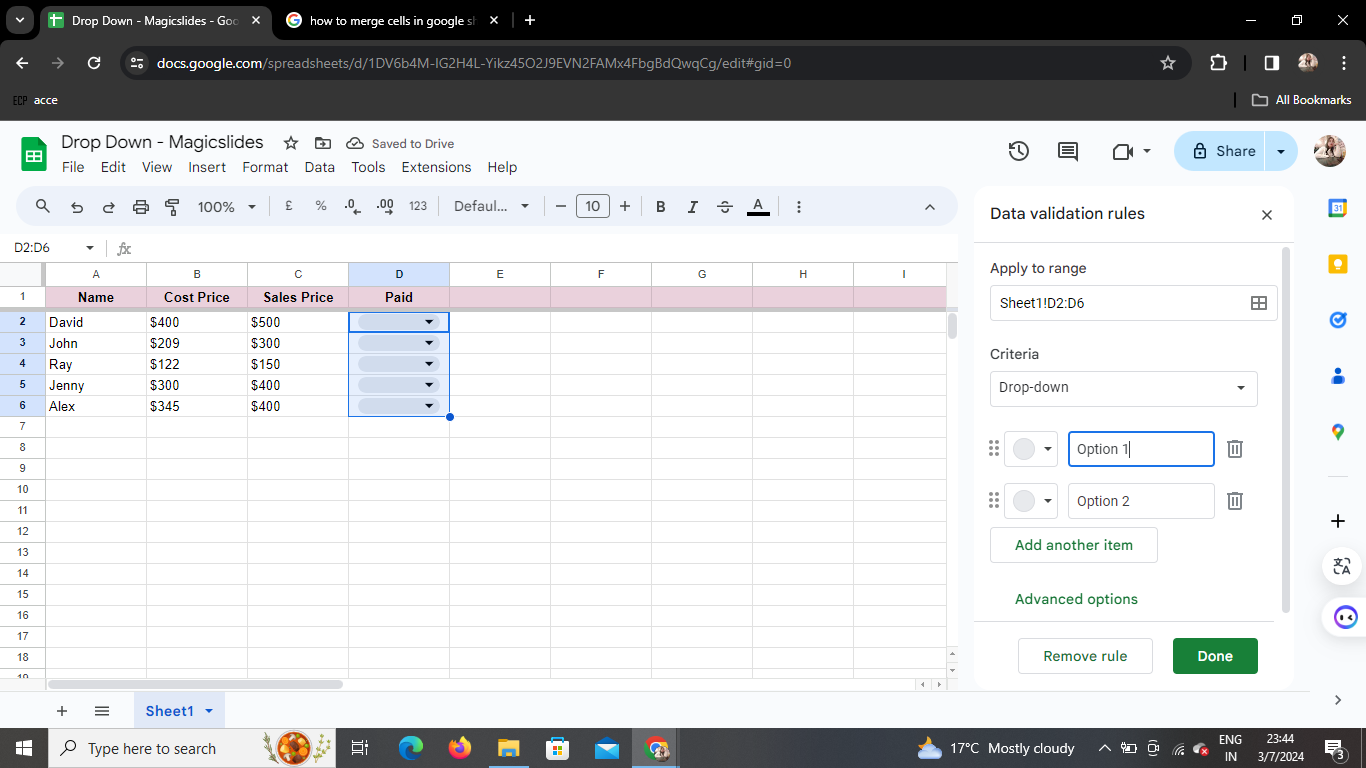
A menu box will appear. Here, you can define the options you want in the dropdown menu. For example, you might choose "Yes," "No," or "Maybe." Input your desired options, separating them with commas.
Step 6: Click on Save
Once you've set your dropdown options, click the "Save" or "Apply" button in the menu box. This finalizes your choices and implements the dropdown menu in the selected cells.
Step 7: View Dropdown in Cells
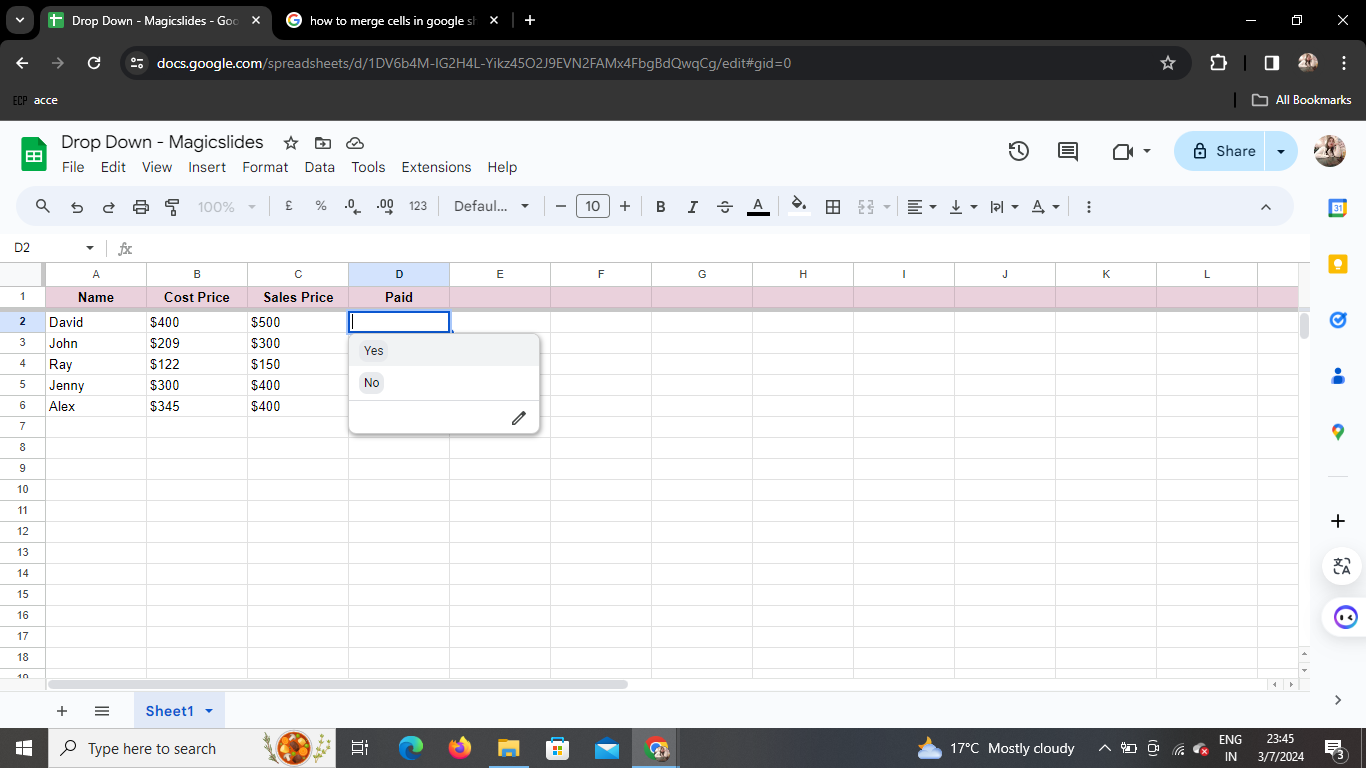
Return to your spreadsheet, and you'll now observe the cells you selected featuring a dropdown arrow. Click on the arrow to see and choose from the options you defined earlier.
Conclusion
Congratulations! You've successfully added dropdown menus to your Google Sheets. This simple yet powerful feature can significantly enhance the efficiency of data entry and analysis in your spreadsheets.
Frequently Asked Questions (FAQs)
How can I edit existing dropdown options?
To modify your dropdown options, select the cells with the dropdown, click on "Data" in the menu, and choose "Data validation." From there, you can adjust your options.
Can I apply dropdowns to multiple columns simultaneously?
Yes, you can. Simply select the cells across multiple columns where you want dropdowns and follow the same steps outlined in this guide.
Is it possible to remove a dropdown once added?
Certainly. Highlight the cells with the dropdown, navigate to "Data" in the menu, select "Data validation," and then click "Remove validation."
Can I share a spreadsheet with dropdowns without compromising the dropdown functionality?
Absolutely. When sharing your spreadsheet, others will be able to interact with the dropdowns just like you. Ensure they have the necessary editing permissions.
Are dropdowns supported in the Google Sheets mobile app?
Yes, dropdown menus are supported on the Google Sheets mobile app, providing a consistent experience across devices.


