How to archive a Slack channel


Declutter your workspace effortlessly: Learn how to archive Slack channels and organize information more efficiently today.
In the dynamic realm of remote collaboration, efficient communication is paramount. This blog unravels the art of archiving Slack channels, a vital skill for streamlining your digital workspace.
Discover how to declutter without losing valuable information, fostering a more organized and productive team collaboration experience.
Archiving a Slack channel is a useful way to declutter your workspace while retaining important information for future reference.
Before we begin, if you are looking to send Google form submissions directly to Slack, check SlackNotify.app
Here's a step-by-step guide on how to archive a Slack channel:
How to archive a Slack channel
Open your Slack application:
Open the Slack workspace where the channel you want to archive is located.
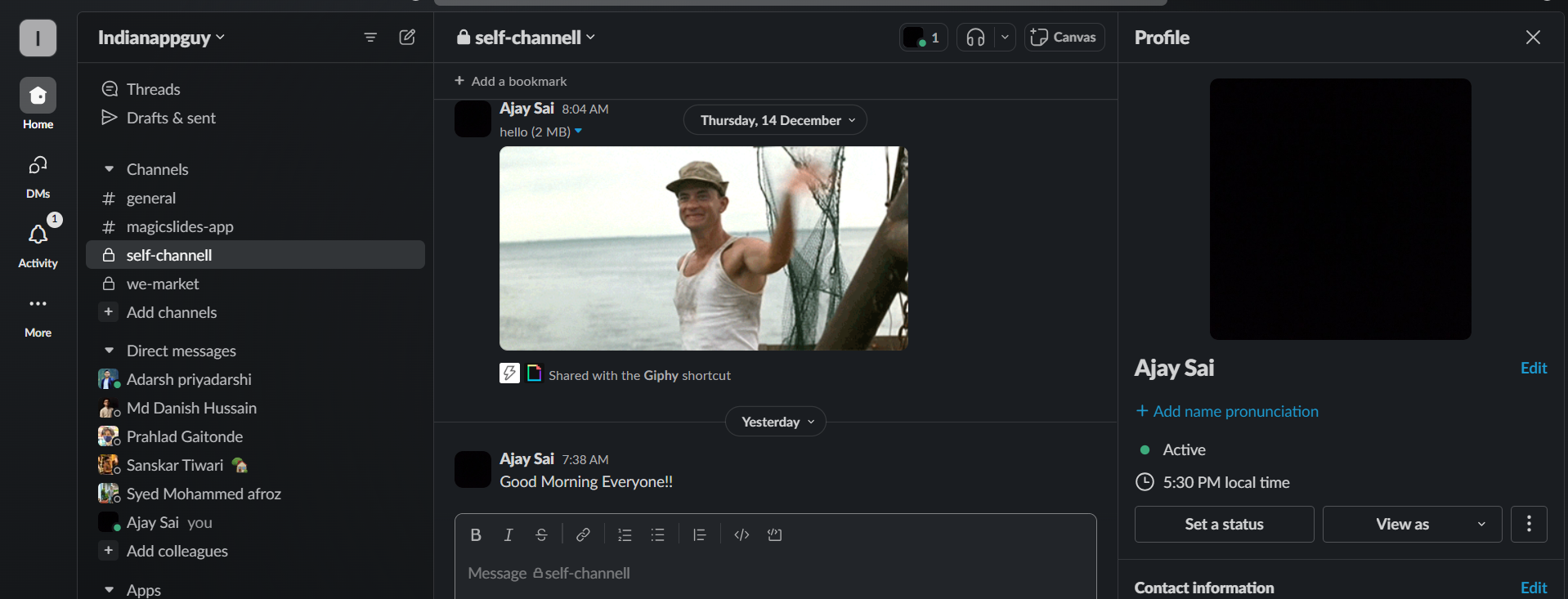
Navigate to the Channel:
Locate the channel you wish to archive in the sidebar.

Click on the Channel Name:
Click on the name of the channel to open it.
Click on the Gear Icon (Settings):
In the upper-right corner of the channel window, click on the gear icon to access the settings.
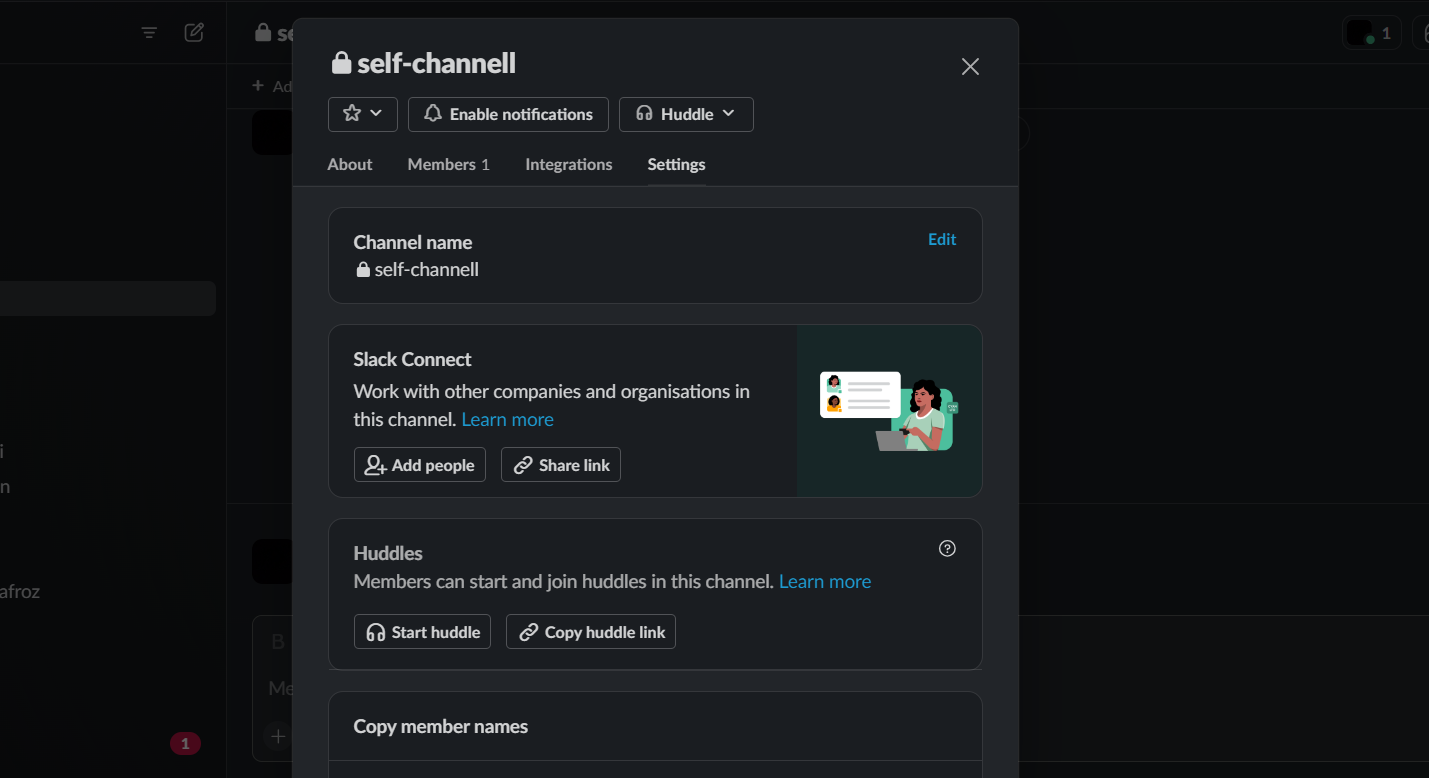
Select "Additional Options":
In the settings menu, choose "Additional options."
Choose "Archive This Channel":
Within the additional options, select "Archive this channel."
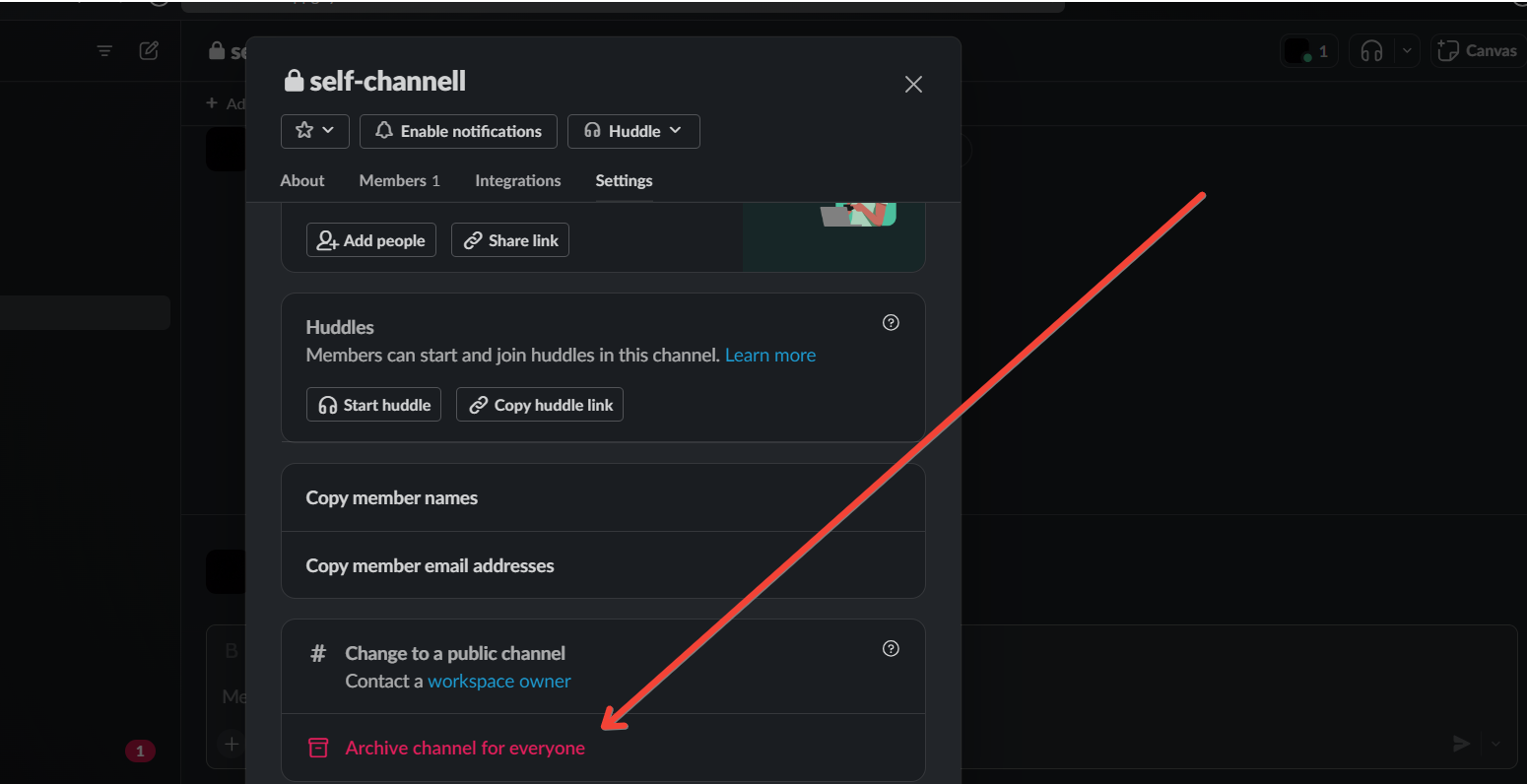
Confirm the Archiving:
Slack will prompt you to confirm the action. Confirm that you want to archive the channel.
As you archive a Slack channel, set up Google Form submission notifications to ensure your team stays updated.
This way, relevant form submissions are sent to active channels only, keeping communication streamlined
Conclusion:
Archiving a channel in Slack preserves its entire message history and prevents further conversations from taking place in that channel.
Archived channels can still be searched, and the information within them remains accessible.
If needed, you can also choose to unarchive a channel in the future. Embrace the simplicity of channel archiving for a more streamlined and focused collaboration journey ahead.
Frequently Asked Questions:
Why should I bother archiving Slack channels?
Archiving channels helps declutter your workspace while preserving valuable information for future reference, maintaining an organized and efficient collaboration environment.
Can I still access archived Slack channels?
Absolutely. Archived channels remain searchable, and their complete message history is accessible, ensuring important information is never lost.
Is archiving reversible?
Yes, archiving is reversible. You can unarchive a channel if needed, restoring it to active use without losing any data.
Are there any downsides to archiving channels?
While archived channels maintain information, members can no longer post new messages, and notifications are silenced, streamlining focus without interruptions.


