How to Capitalise first letter of each Word in a Sentence in Google Slides


Elevate your Google Slides presentations with polished typography learn how to capitalize the first letter of each word.
Effective typography enhances the visual appeal of your presentations. If you're wondering how to capitalize the first letter of each word in a sentence within Google Slides, this step-by-step guide will empower you with the skills to elevate your text formatting game.
How to Capitalise first letter of each Word in a Sentence in Google Slides
Step 1: Open Your Google Slides Presentation
Begin by accessing your Google Slides presentation where you want to apply the capitalization to your text.
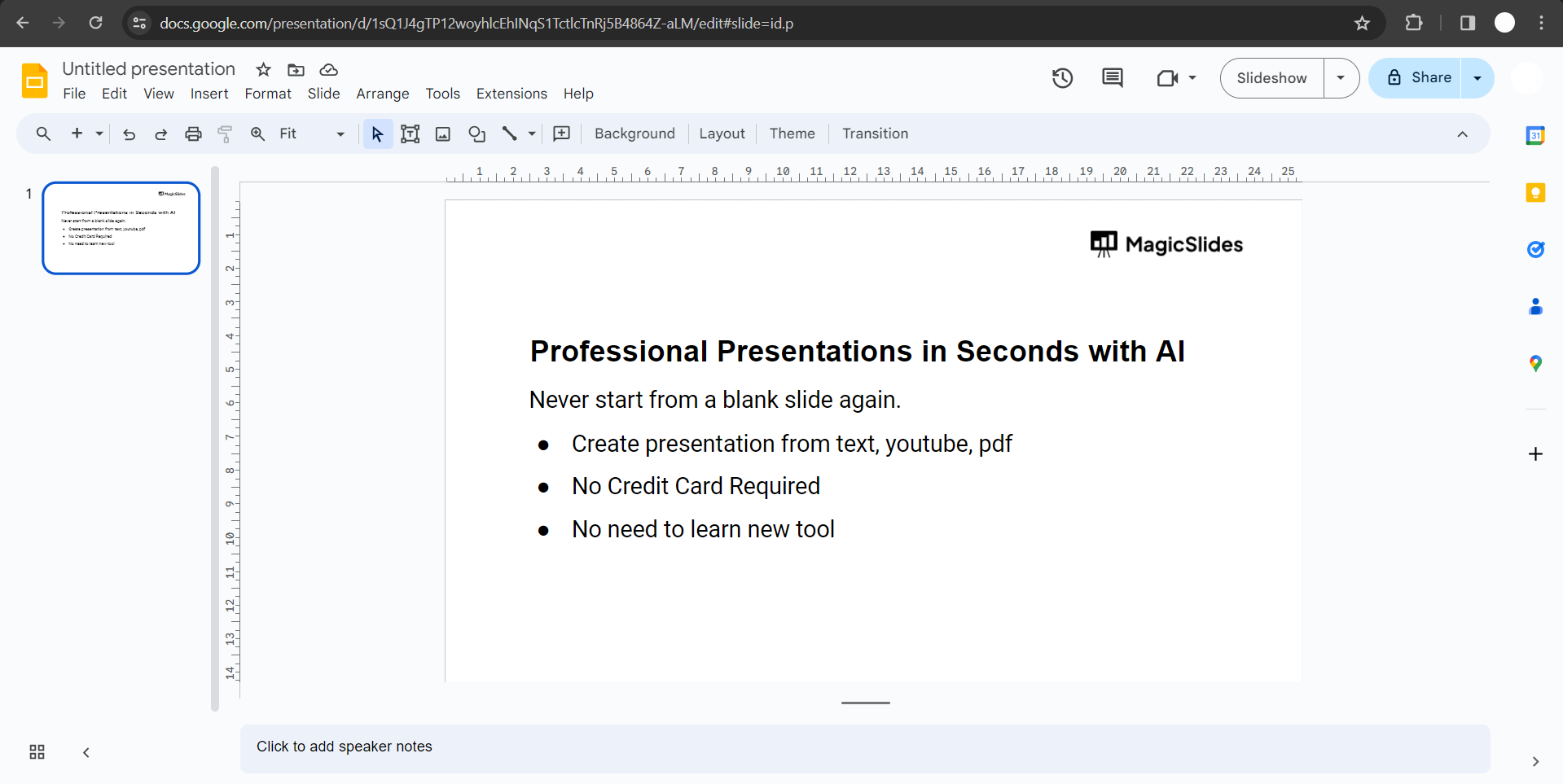
Step 2: Select the Text to Be Capitalized
Highlight the text or select the text box containing the sentence where you want to capitalize the first letter of each word.
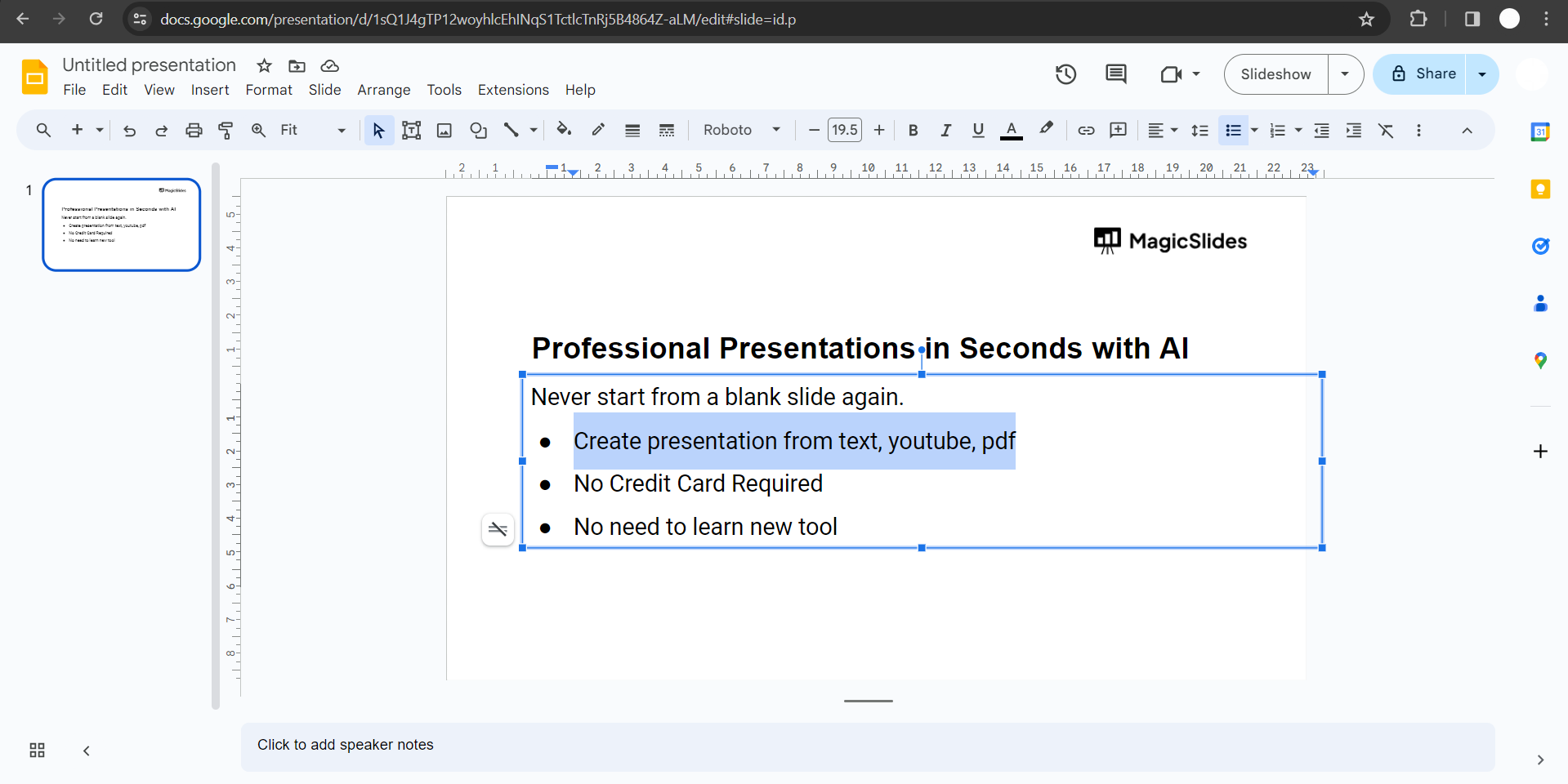
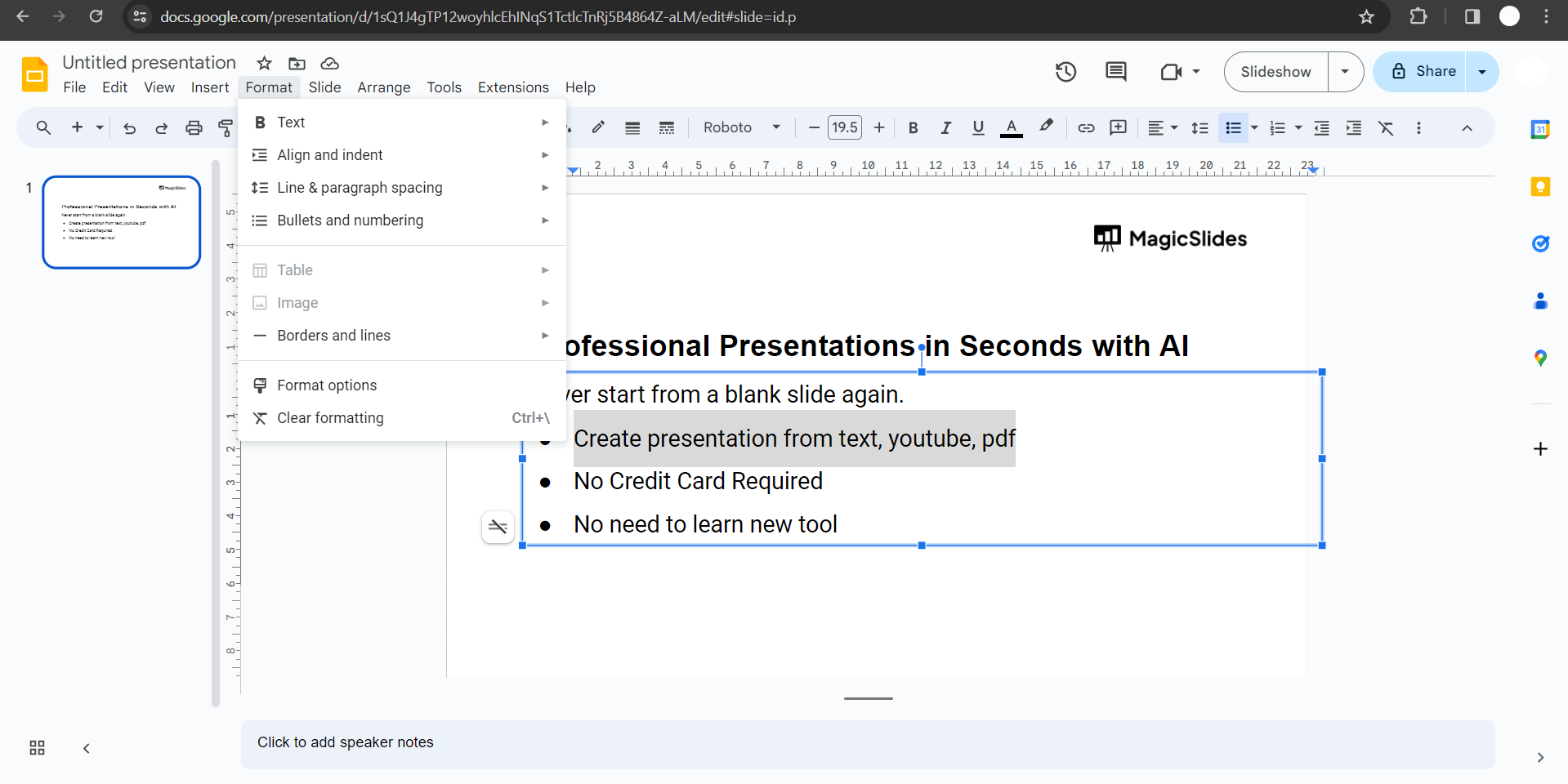
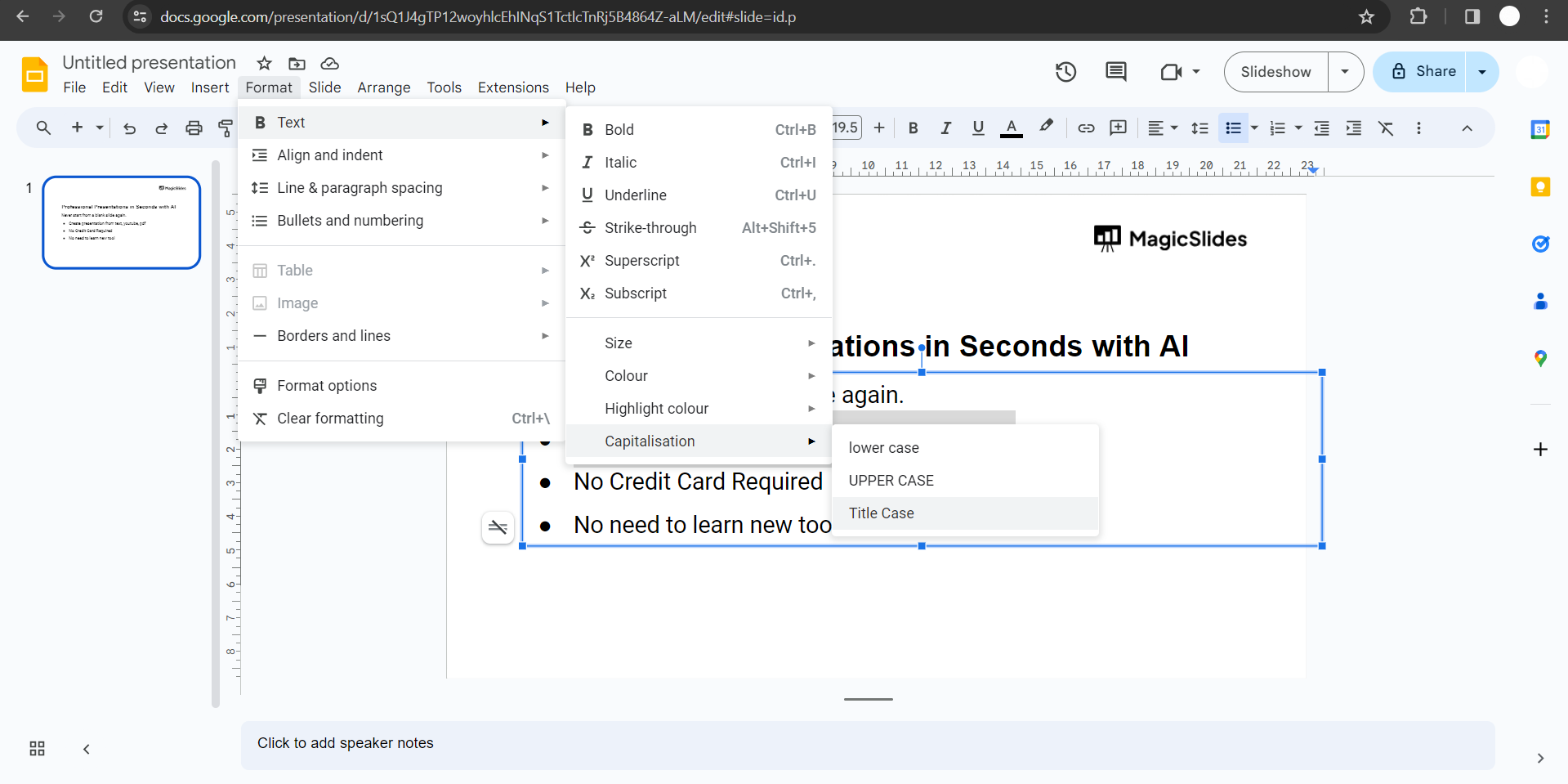
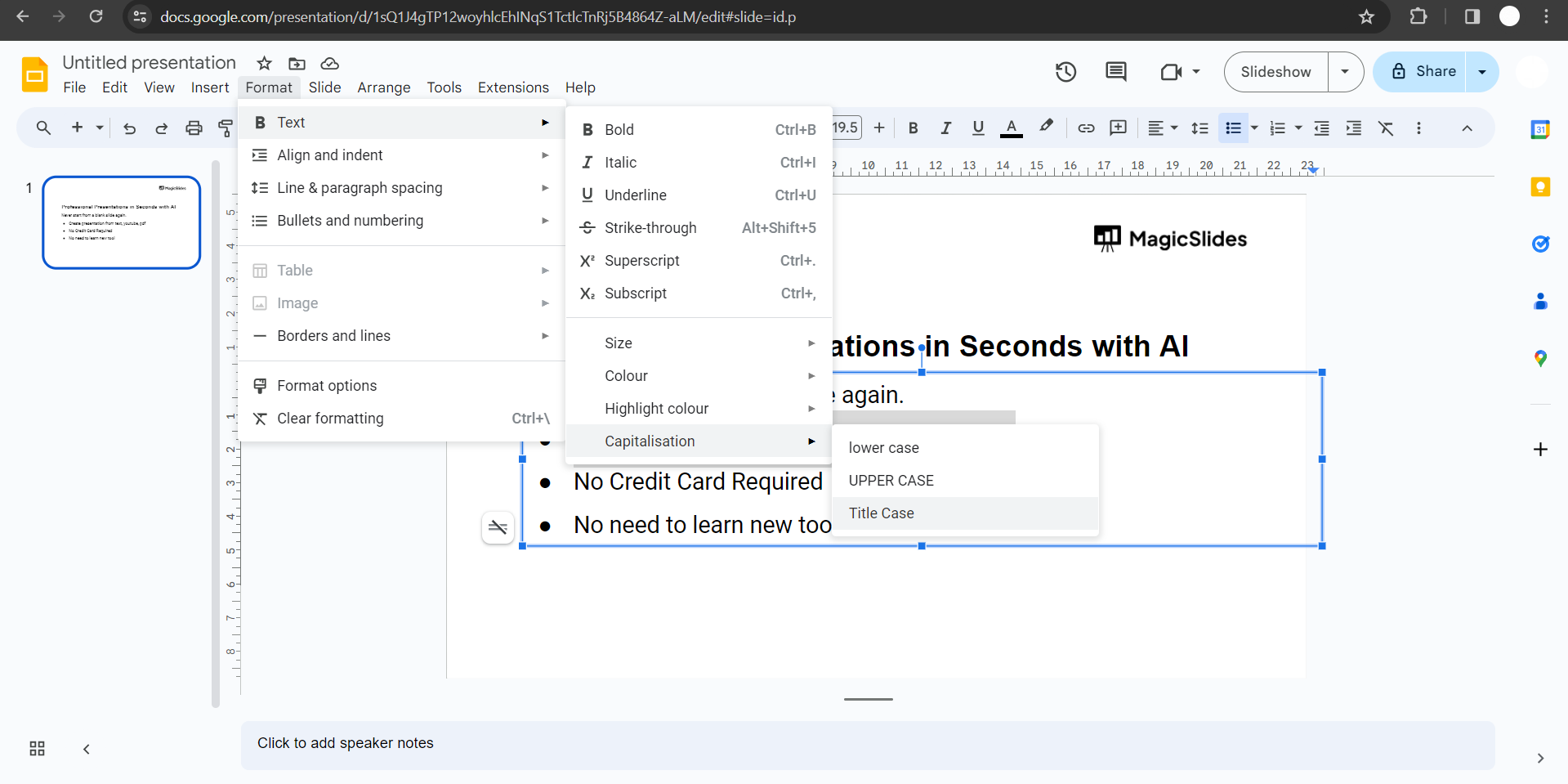
Step 3: Click on "Format" in the Menu Bar
Navigate to the top menu bar in Google Slides and click on "Format."
Step 4: Choose "Text" and Then "Capitalization"
From the dropdown menu, select "Text," and then click on "Capitalization."
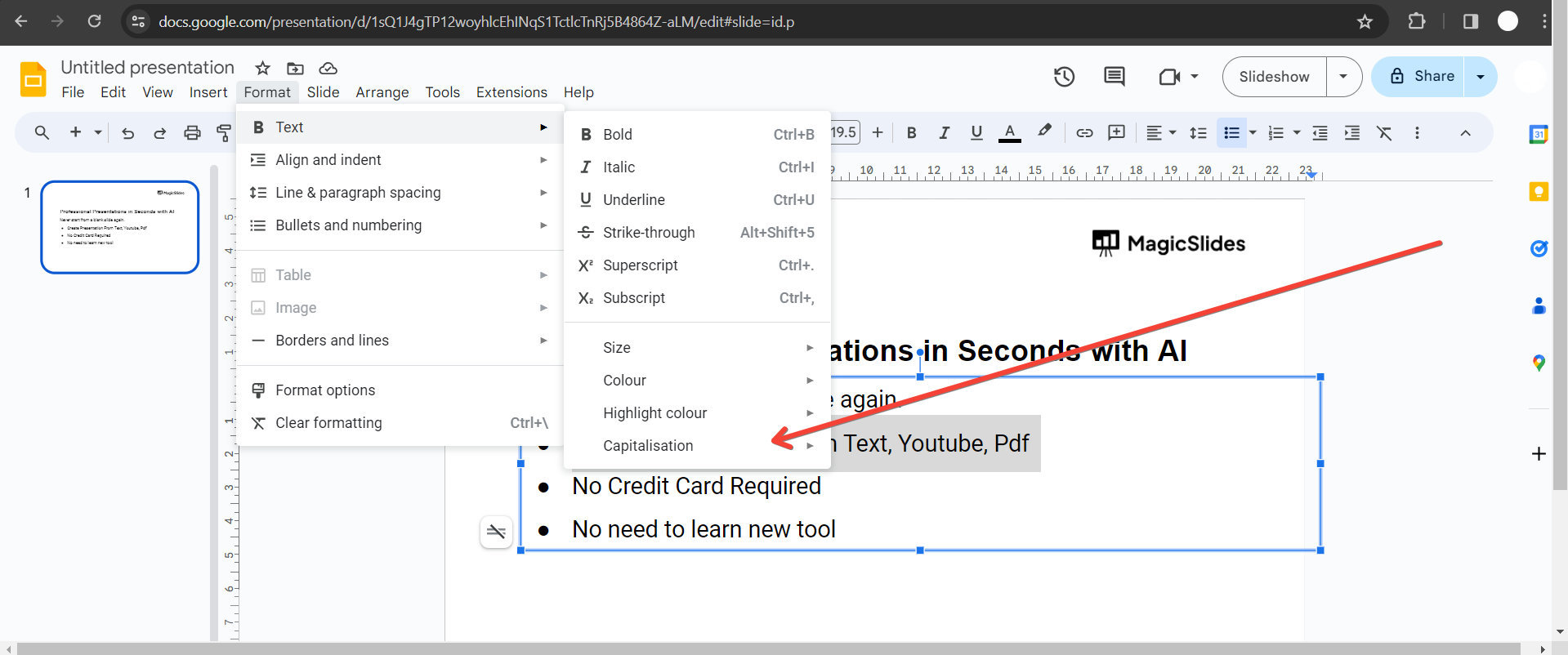
Step 5: Opt for "Title Case"
In the Capitalization submenu, choose "Title Case." This option will capitalize the first letter of each word in the selected text.
Step 6: Review and Adjust
Review the text to ensure that the capitalization aligns with your desired formatting. Make any necessary adjustments to enhance visual consistency.
Conclusion:
With these straightforward steps, you've unlocked the key to sophisticated typography in Google Slides. Capitalizing the first letter of each word adds a polished touch to your presentations, enhancing readability and overall visual appeal. Elevate your design finesse and captivate your audience by incorporating this simple yet impactful formatting technique into your next Google Slides masterpiece.
Frequently Asked Questions:
Can I selectively capitalize words in Google Slides?
Yes, you can choose to capitalize the first letter of each word using the Title Case option.
Will capitalization affect my original text formatting?
Applying title case capitalization preserves your text's overall formatting while enhancing visual consistency.
Can I undo capitalization changes in Google Slides?
Yes, you can easily undo capitalization changes by using the Ctrl + Z (Windows/Linux) or Command + Z (Mac) shortcut.
Does Google Slides offer other text formatting options?
Yes, Google Slides provides a range of text formatting tools, including font styles, sizes, and alignments for customization.


