How to Convert Tech Article Summaries to PPT Slides for Quick Review


Effortlessly transform tech article summaries into dynamic PPT slides for swift comprehension. Elevate your review process with this practical guide.
In the fast-paced world of technology, staying abreast of the latest developments is crucial. One effective way to absorb and review tech information quickly is by transforming article summaries into PowerPoint slides. This step-by-step guide will walk you through the process using Google Slides and the innovative MagicSlides GPT extension.
How to Convert Tech Article Summaries to PPT Slides for Quick Review
Tech articles often contain dense information that can be challenging to digest quickly. Converting these articles into concise PowerPoint slides facilitates rapid review and comprehension. Now, let's delve into the steps to make this transformation seamless.
1. Visit Google Slides
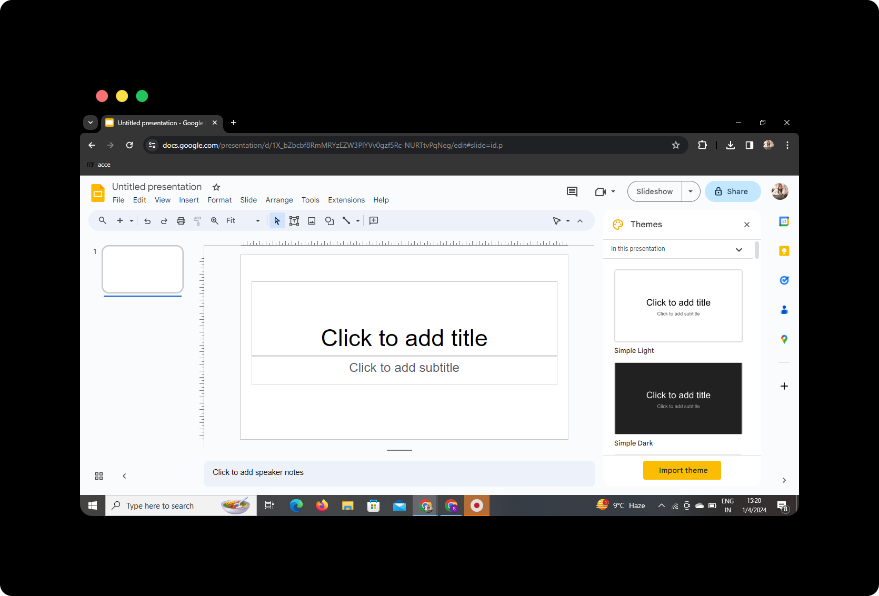
Begin by visiting Google Slides, a versatile and user-friendly presentation tool available within the Google Workspace. If you don't have a Google account, you'll need to sign up to access this powerful platform.
2. Sign in with Google to Google Slides
After accessing Google Slides, sign in with your Google account to enable the seamless integration of tools like MagicSlides GPT.
3. In Extensions, Click on MagicSlides GPT If Downloaded
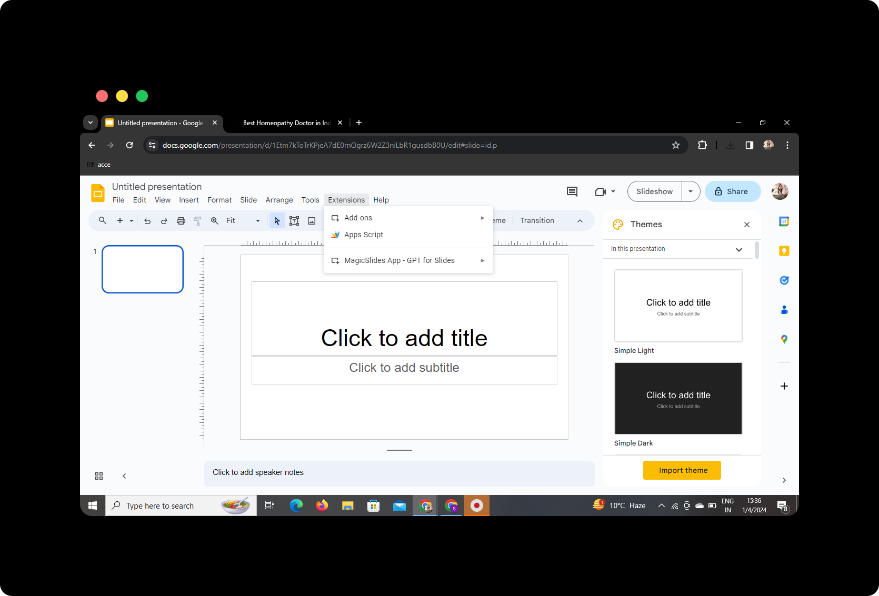
If you've already downloaded the MagicSlides GPT extension, navigate to the extensions section in your browser and click on MagicSlides GPT to activate the tool.
4. If Not Downloaded, Download MagicSlides GPT as an Extension, Then Open
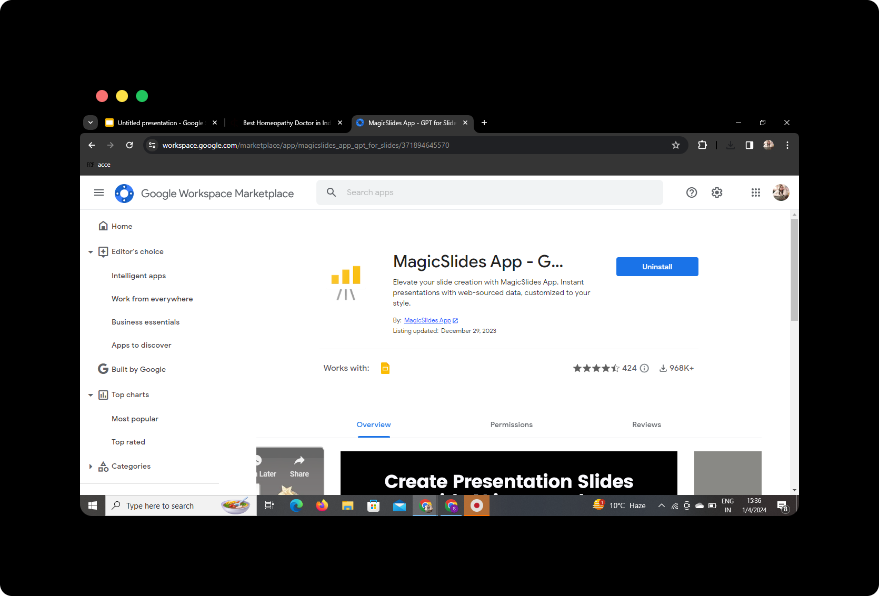
If you haven't downloaded MagicSlides GPT, visit the Chrome Web Store, download the extension, and then open it to integrate its functionalities with Google Slides.
5. Click on 'Generate PPT' in MagicSlides GPT
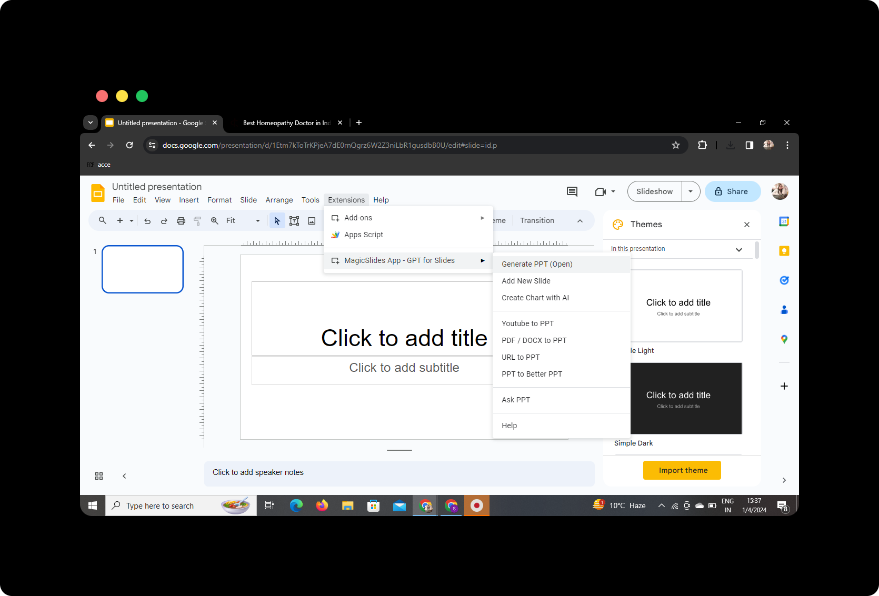
Within Google Slides, click on the MagicSlides GPT extension and select the 'Generate PPT' option to initiate the process.
6. Click on 'Summarize' Option
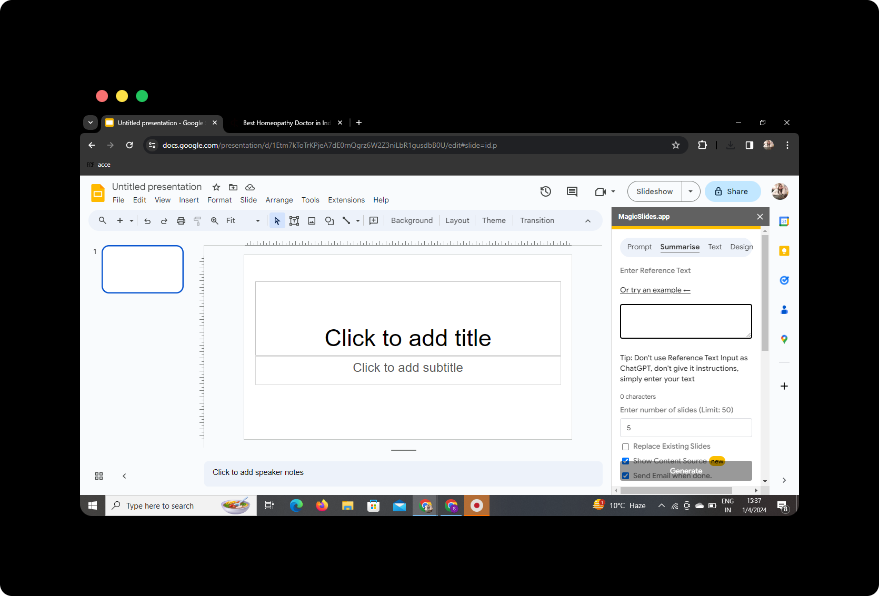
Once MagicSlides GPT is active, choose the 'Summarize' option to specifically tailor the presentation for quick review.
7. Paste Your Tech Article
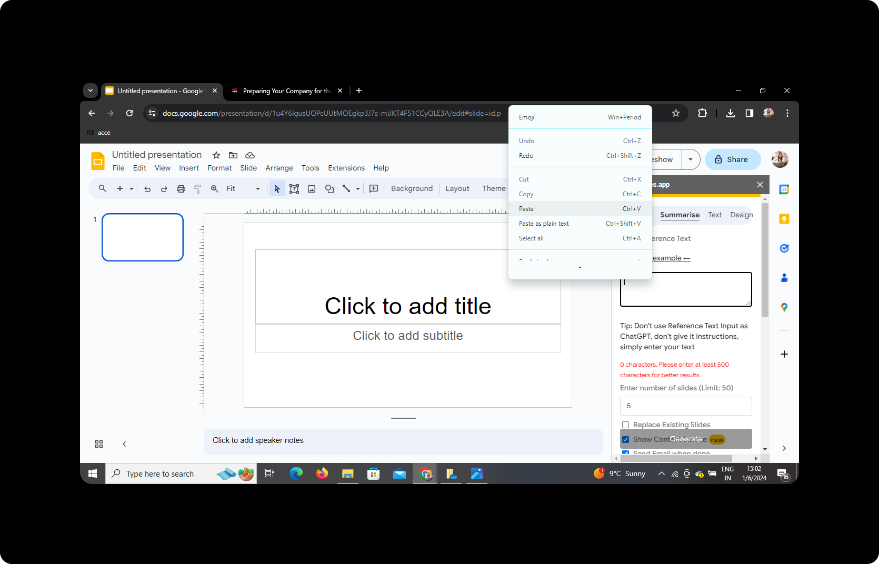
Paste the content of your tech article into the designated space provided by MagicSlides GPT for analysis.
8. Select the Number of Slides
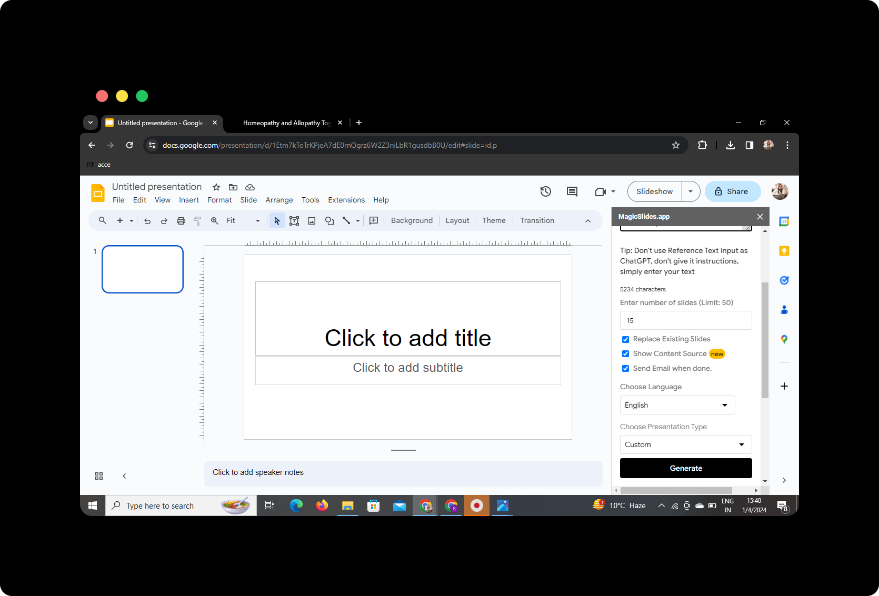
Customize the presentation by selecting the number of slides you wish to generate. This allows you to control the granularity of the information presented.
9. Click on 'Generate Presentation'
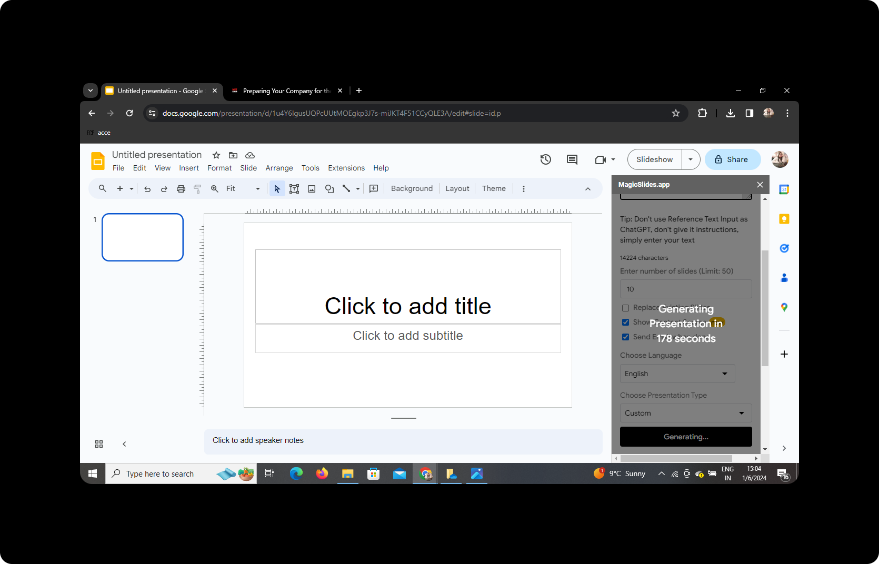
Click the 'Generate Presentation' button, and let MagicSlides GPT work its magic. The tool will automatically summarize and convert the tech article into a visually engaging PowerPoint presentation.
10. Your Presentation Is Ready
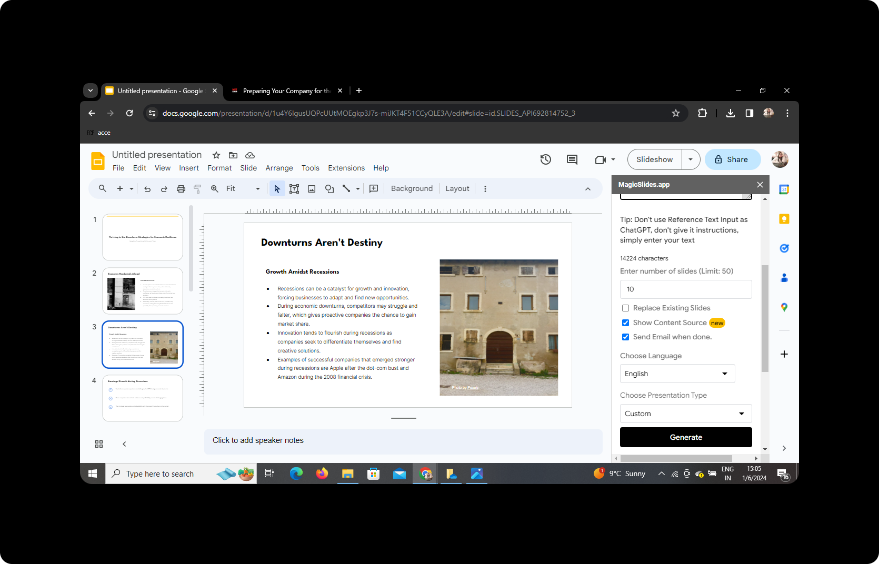
After a brief processing period, your presentation will be ready. Download it, review it, and share it as needed. This method provides a quick overview of complex tech topics, making it ideal for busy professionals, students, or anyone looking to streamline information consumption.
Conclusion:
In the ever-evolving landscape of technology, the ability to quickly review and comprehend information is invaluable. Converting tech article summaries into PowerPoint slides using tools like MagicSlides GPT is an efficient way to stay informed without sacrificing depth.
Frequently Asked Questions
1. Can I use MagicSlides GPT with other presentation tools? Yes, MagicSlides GPT is designed to work seamlessly with Google Slides, but its features can be extended to other platforms with compatible file formats.
2. Is MagicSlides GPT free to use? MagicSlides GPT may offer a free version with limited features, and premium plans may be available for more advanced functionalities.
3. Can I customize the design of the generated slides? Yes, MagicSlides GPT often allows for customization, letting you tweak the design, layout, and visual elements of the generated slides.
4. How accurate is the summarization process? The accuracy of the summarization process largely depends on the complexity of the content. MagicSlides GPT aims to capture key information effectively.
5. Can I edit the generated slides after the summarization process? Certainly, after the initial generation, you can review and edit the slides within Google Slides to fine-tune the presentation according to your preferences.


