Addon google slides iconPPT with AISlide TemplatesPPT TemplatesPricingBlog
    PPT with AISlide TemplatesPPT TemplatesPricingBlog
    1. Home
    2. Blog
    3. How to create reminders in Slack application


    How to create reminders in Slack application

    magicslides app

    Published By

    magicslides app
    Mohit Kumar Jha

    Approved By

    Mohit Kumar Jha

    Published On

    January 17th, 2025

    Reading Time

    3 min read

    Master productivity in Slack with Slackbot's personalized reminders, keeping your tasks on track effortlessly and efficiently.

    Slack has emerged as a powerhouse communication platform in the fast-paced world of collaborative workspaces.
    While it facilitates seamless team interactions, you might juggle various tasks and deadlines.
    Fortunately, Slackbot, a handy built-in feature, comes to the rescue by allowing you to set personal reminders.
    In this blog, we'll explore the steps to harness the potential of Slackbot for creating reminders, ensuring that important tasks are never overlooked amidst the constant stream of messages and updates.
    Before we begin, if you are looking to send Google form submissions directly to Slack, check SlackNotify.app

    How to create reminders in the Slack application

    Send a Direct Message to Slackbot:

    Open a direct message with Slackbot by clicking "Direct Messages" in the sidebar and then selecting Slackbot.
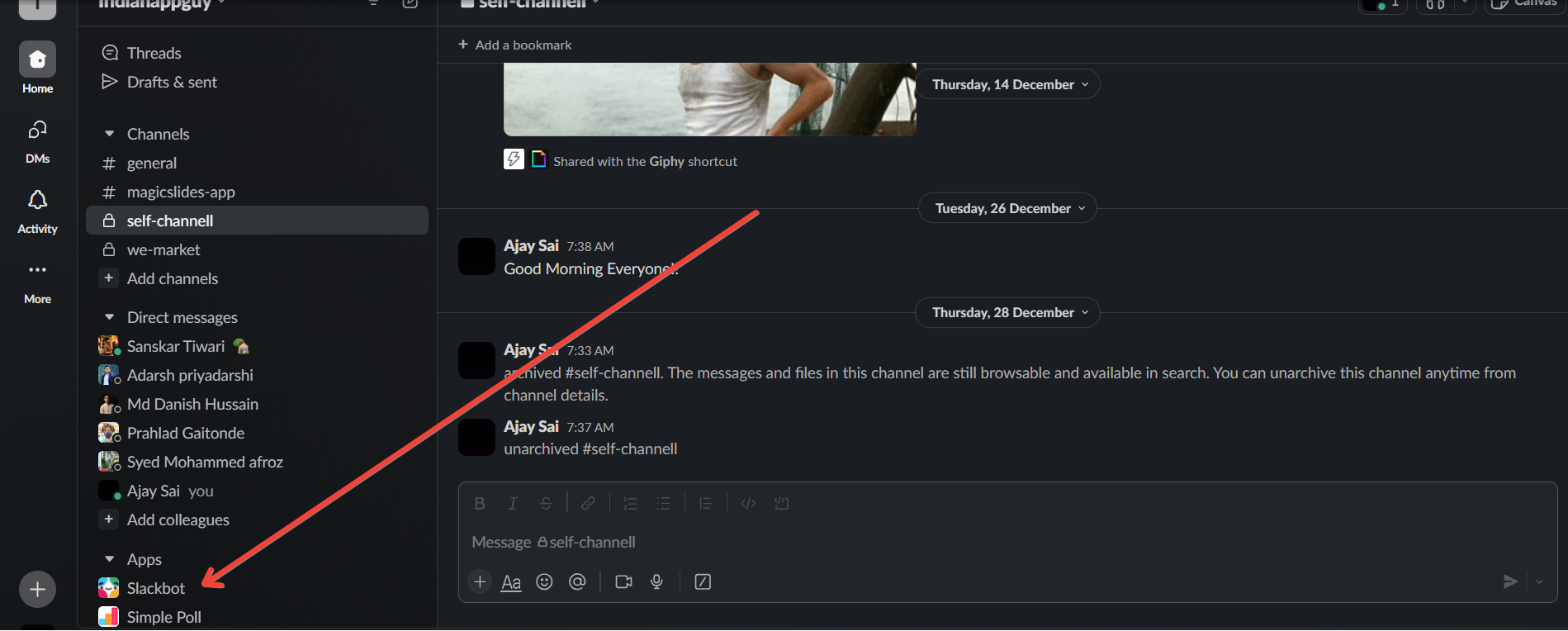
    notion image

    Set a Reminder:

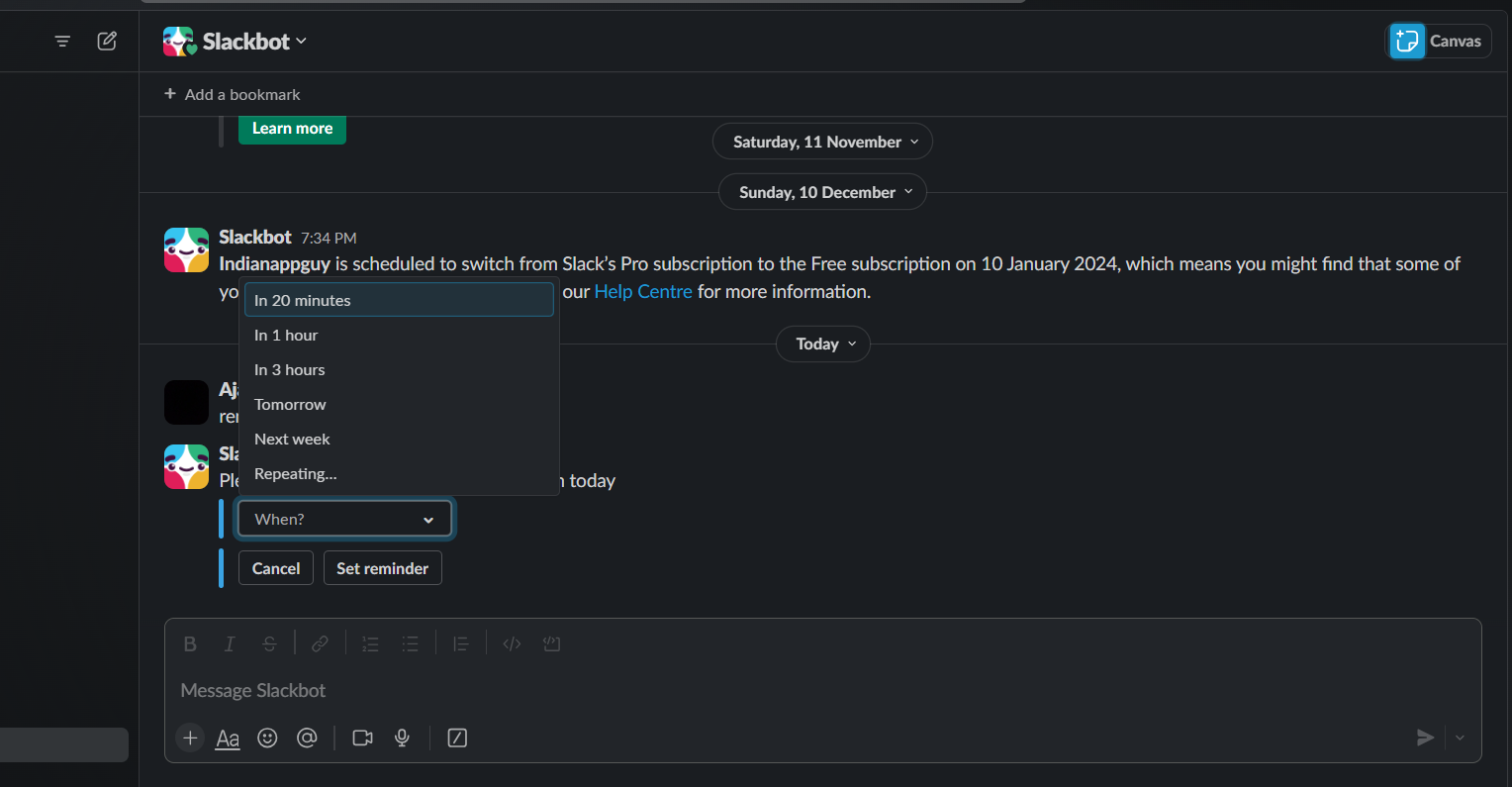
    Type the following command in the message input box: /remind [what] [when]
    • Replace [what] with the task or reminder you want to set.
    • Replace [when] with the time or date when you want to be reminded.
    Example: /remind Submit the report tomorrow at 3 pm
    notion image

    Confirm the Reminder:

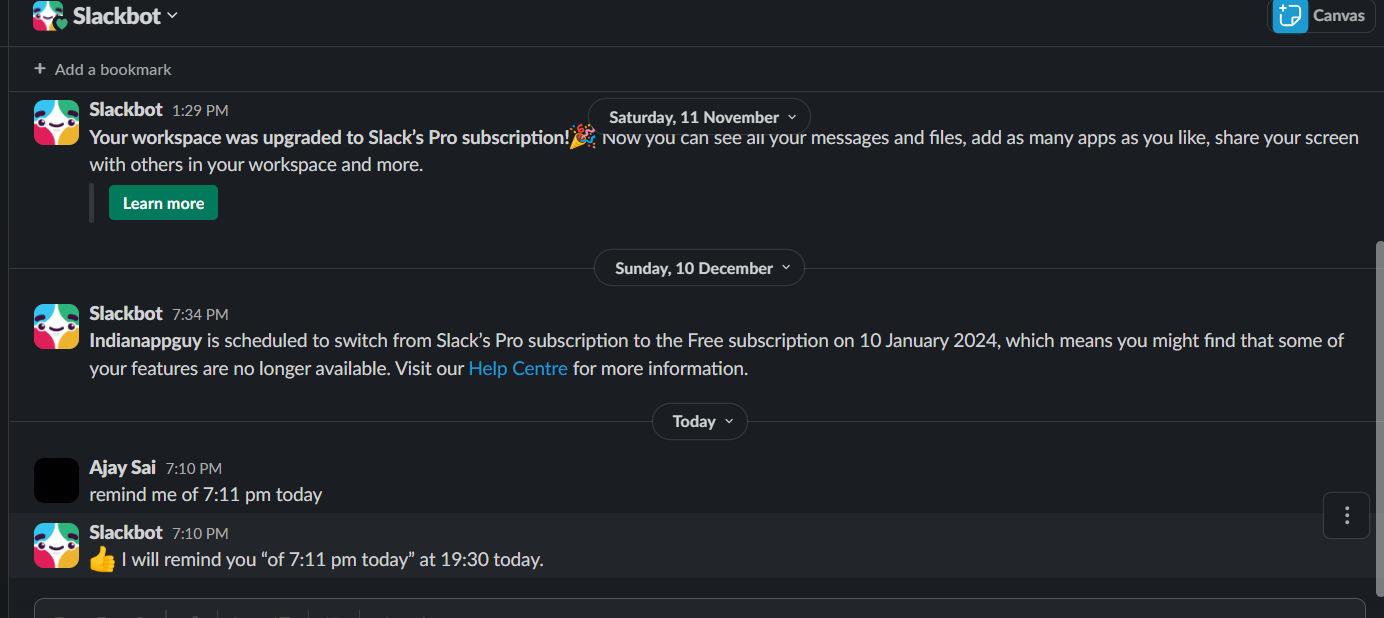
    Slackbot will respond to your command and ask you to confirm. It will provide a message like "I'll remind you to [what] at [when]. Sound good?"
    Reply with "yes" or "no" to confirm or cancel the reminder.
    notion image

    Receive the Reminder:

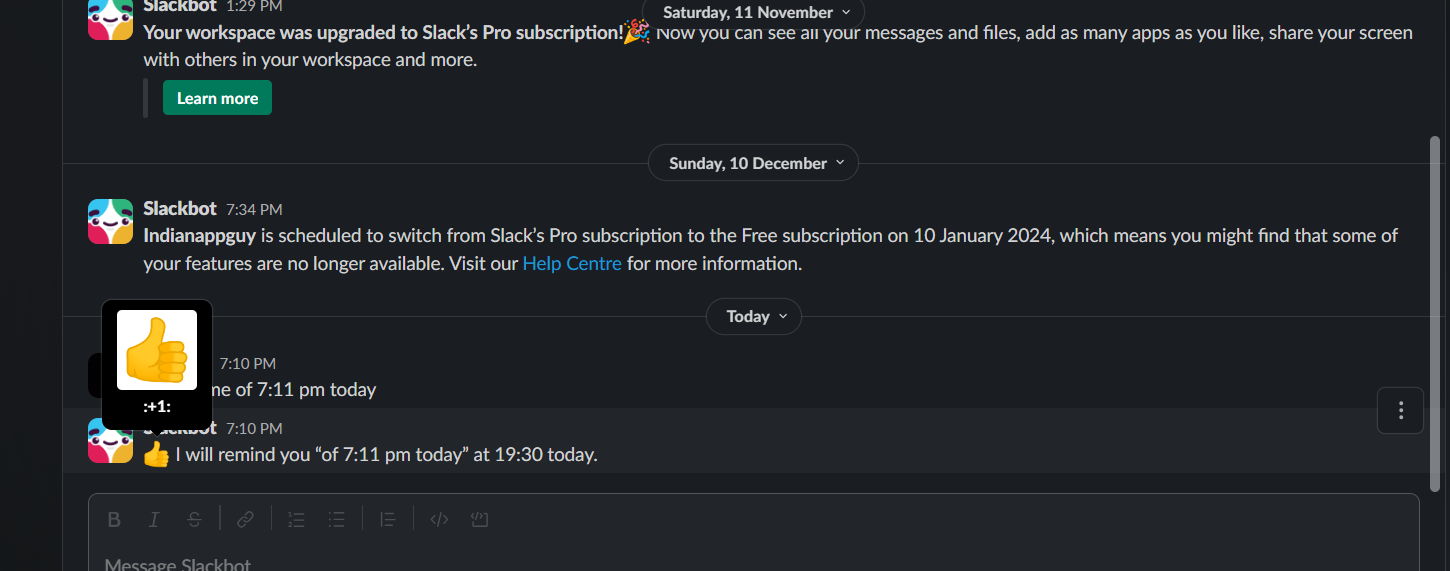
    At the specified time, Slackbot will send you a direct message reminding you of the task.
    notion image

    Note:-

    1. Keep in mind that Slackbot reminders are personal and will only be visible to you. Other members of the channel won't see your reminders.
    1. Additionally, note that the availability of specific Slack features can change, and it's advisable to check the latest Slack documentation or contact Slack support for the most up-to-date information.
    As you create reminders in Slack, enhance your workflow by setting up Google Form notifications. This way, every form submission triggers a Slack alert, helping you stay on top of tasks and reminders with ease.

    Conclusion:

    In conclusion, leveraging Slackbot for reminders can significantly enhance your productivity within the Slack ecosystem. Whether you are managing project timelines, remembering to submit reports, or simply staying organized, the simplicity and effectiveness of setting reminders with Slackbot make it an invaluable tool. As you navigate the dynamic landscape of collaborative work, let Slackbot be your personal assistant, ensuring that you stay on top of your to-do list and make the most out of your Slack experience.

    Frequently Asked Questions:

    How do I set a reminder with Slackbot?
    Send a direct message to Slackbot with /remind [what] [when] and confirm the reminder.
    Can others see my Slackbot reminders?
    No, Slackbot reminders are private and visible only to the person who sets them.
    Are there third-party apps for advanced reminders in Slack?
    Yes, explore apps like "Slack Reminders" or integrate with Zapier for customized reminder workflows.

    Share on socials

    About the author

    Sanskar Tiwari profile photo
    Sanskar Tiwari— Founder at MagicSlides

    Sanskar is Founder at IAG Tech, For the past 3 years sanskar have build more than 24+ products, taught 100k students how to code.

    More from Sanskar

    More from the blog

      250+ Good Morning Messages for Her (Romantic, Deep, Cute & Sweet)

      30 January 2026

      200+ Heart Touching Birthday Wishes for Sister (Short, Funny and More)

      29 January 2026

      50+ History Presentation Topics For 2026

      28 January 2026

      How to Add Music to Your Canva Presentation: A Step-by-Step Guide

      27 January 2026

      15 Quick Tips To Use ChatGpt At Work

      22 January 2026

      11 Best AI Tools for Business in 2025

      22 January 2026

      How to Create an Infographic That Clearly Communicates Your Message

      20 January 2026

      How to Create a Sales Presentation Template in Google Sheets

      20 January 2026

      How to Make a Pie Chart on Google Slides in Simple Steps

      19 January 2026

    Table of Contents

    Create Presentations in Seconds

    Transform your ideas into professional presentations with AI. No design skills needed.

    Try MagicSlides Free

    Create Stunning Presentations with AI in Seconds ✨

    Transform any topic, text, YouTube video, PDF or URL into beautiful presentations instantly with MagicSlides AI.

    Try MagicSlides AI Presentation Maker
    MagicSlides AI Presentation

    Footer

    Solutions

    • MagicSlides App
    • Google Slides Add-on
    • MagicSlides in Chrome
    • MagicSlides in Figma
    • MagicSlides in ChatGPT
    • MagicSlides in Telegram
    • MagicSlides in Zapier
    • MagicSlides in Figma Slides

    Tools

    • AI PPT Tools
    • QR Code Generator
    • Design Tools
    • PPT Templates
    • Slide Templates
    • PDF Tools

    Examples

    • AI Presentations
    • PPT by MagicSlides
    • Quizzes
    • Charts
    • Coloring Pages

    Resources

    • Changelog
    • Documentation
    • API Docs

    Top Blogs

    • How to Create Presentation Using ChatGPT
    • 100+ Best Seminar Topics for Students in 2025

    Company

    • Help
    • MCP
    • Blog
    • Pricing
    • Affiliate Program
    • Manage Subscription
    • Privacy Policy
    • Contact Us
    • Terms & Conditions
    • Refund & Cancellation Policy

    We also built

    • SheetAI - GPT For Sheets
    • MagicForm - GPT For Google Forms
    • SecondBrain.fyi
    • BlogBee - Free Blogging Platform

    © 2026 IndianAppGuy Tech Pvt Ltd. All rights reserved.