How to Export Slide Outline from PowerPoint


Easily export a PowerPoint slide outline to extract text for editing, sharing, or documentation purposes
How to Export Slide Outline from PowerPoint
Exporting a slide outline from PowerPoint allows you to extract text content for easy editing, sharing, or printing.
This guide walks you through the step-by-step process of exporting a PowerPoint outline efficiently.
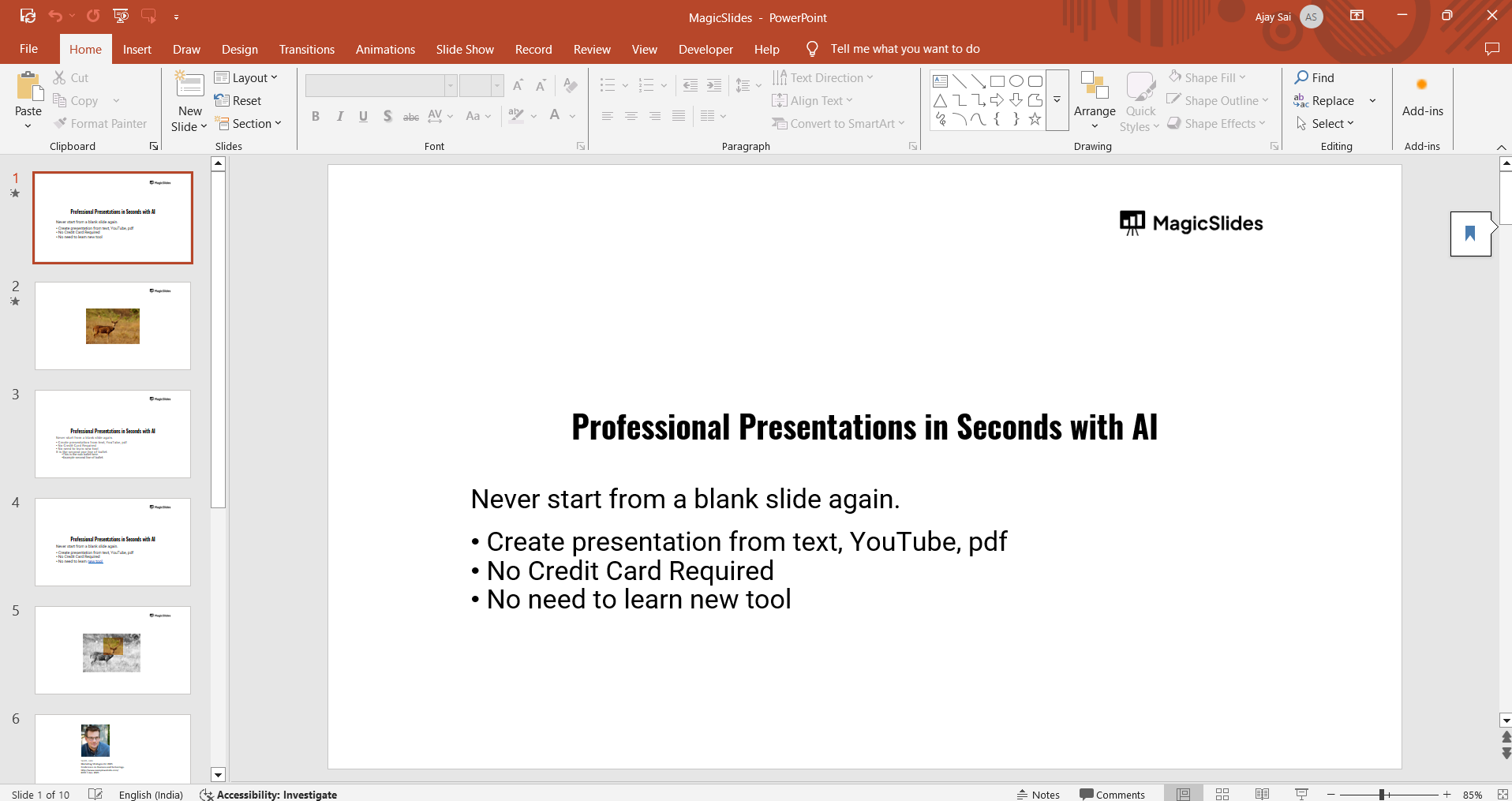
Step 1: Open Your PowerPoint Presentation
Launch Microsoft PowerPoint and open the presentation from which you want to export the slide outline. Ensure all slides contain the necessary text in placeholders rather than text boxes, as only placeholder text gets exported.
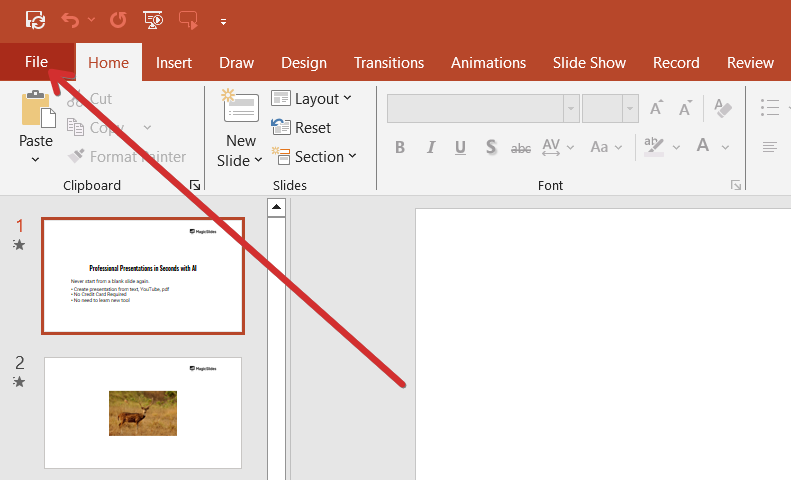
Step 2: Go to the "File" Menu
Click on "File" in the top-left corner of the screen to access PowerPoint’s options and settings.
Step 3: Select "Save As" or "Export"
- In the File menu, choose "Save As" if you want to save a copy.
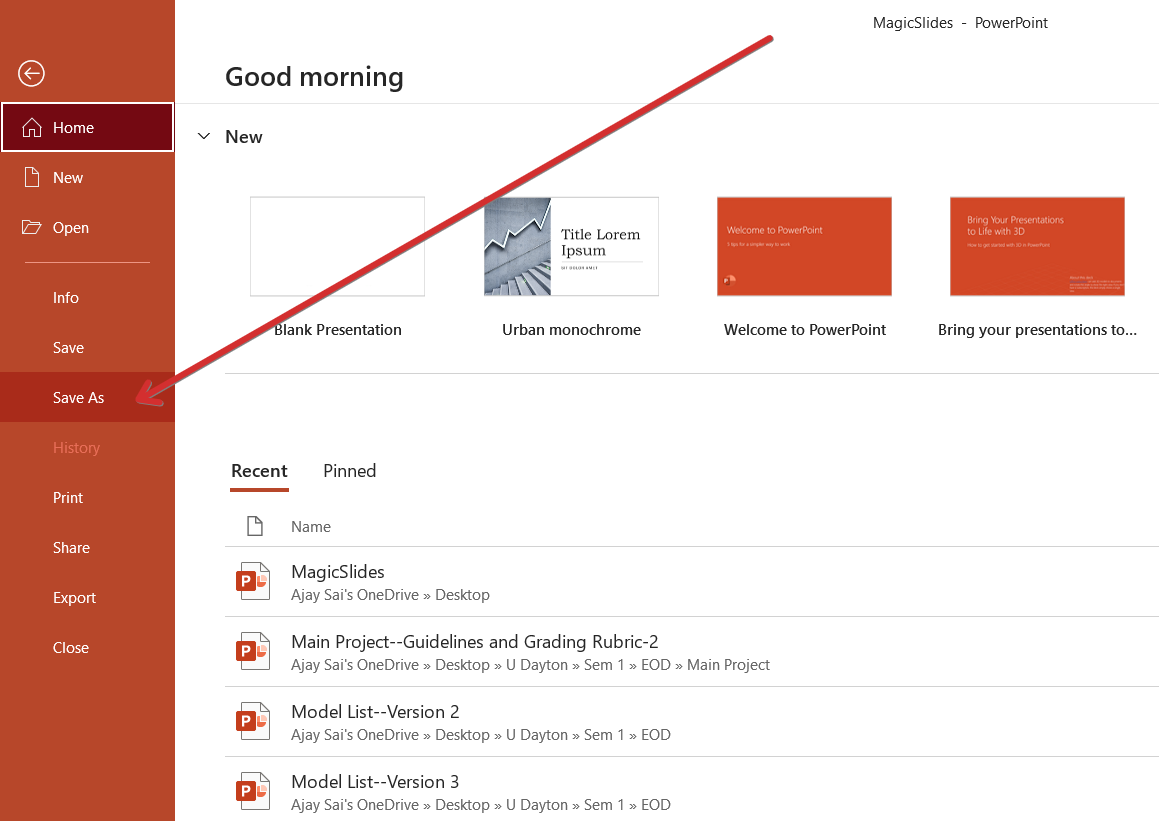
- Alternatively, select "Export" to convert the outline into another format.
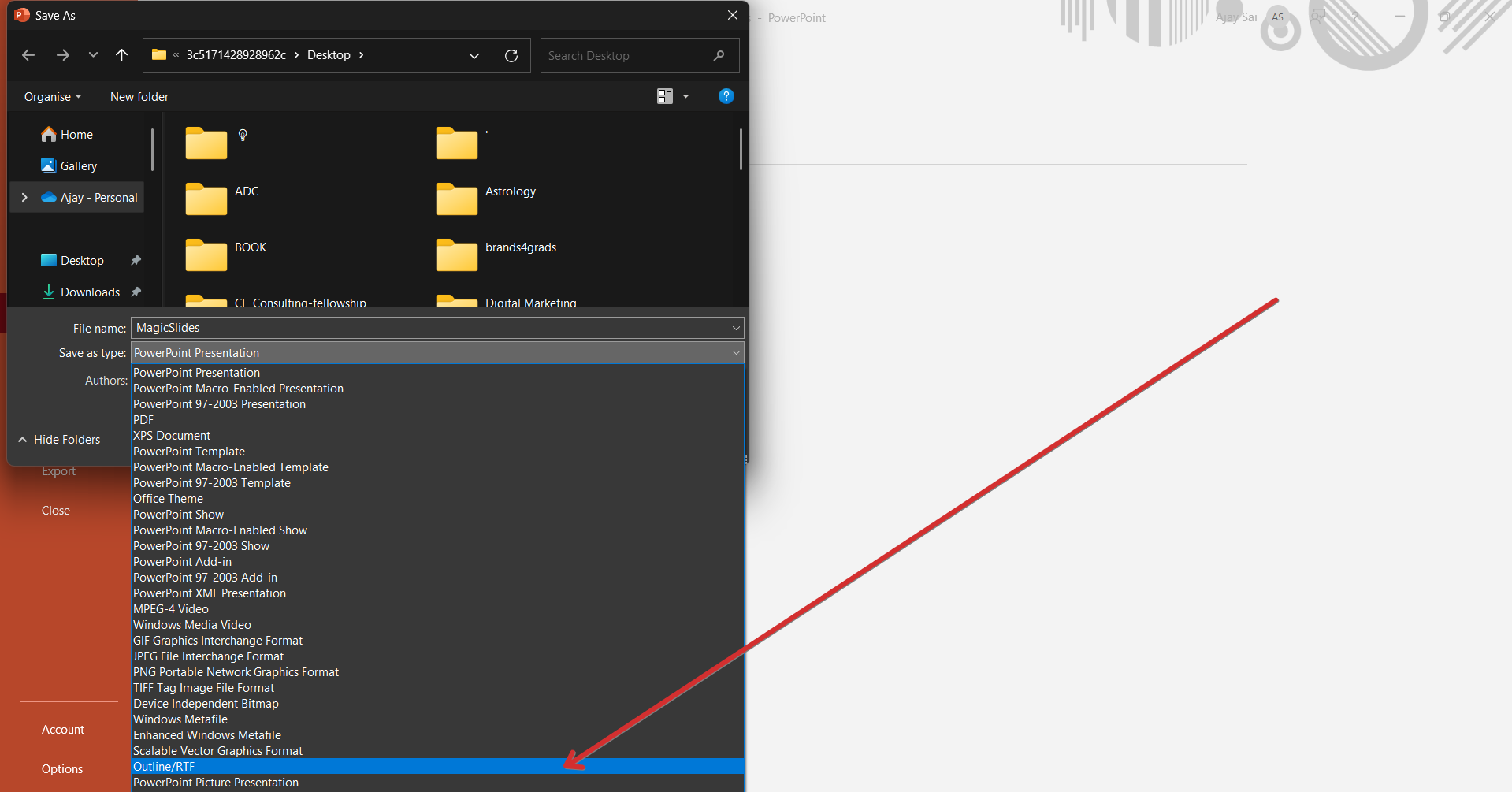
Step 4: Choose "Outline/RTF" Format
- In the "Save as type" dropdown menu, select "Outline/RTF (*.rtf)" format.
- This will extract only the text content of the slides.
Step 5: Save the File
- Choose a destination folder and name your file.
- Click "Save", and the PowerPoint outline will be saved as an RTF file.
Step 6: Open and Edit the Outline
- Locate the saved RTF file and open it using Microsoft Word or any text editor.
- The document will display the text structure of your slides in an organized manner.
Conclusion
Exporting a PowerPoint slide outline is a quick way to extract text for editing, documentation, or sharing. This feature is especially useful for creating handouts, reports, or script outlines.
Frequently Asked Questions (FAQs)
Why is my text missing from the exported outline?
Only text in placeholders is included in the outline. Text inside manually added text boxes will not appear.
Can I export my PowerPoint outline to Google Docs?
Yes, after exporting as an RTF file, you can open it in Google Docs for further editing.
Can I export the outline to a PDF format?
Yes, after opening the RTF file in Word, you can save or export it as a PDF.


