How to Import Fonts into Canva


Customizing Canva with imported fonts enhances designs, aligns branding, and unlocks unique creative possibilities easily
Canva is a versatile design tool, but its true power lies in customization. One way to personalize your designs is by importing custom fonts, which can align your visuals with your brand identity or unique style.
This guide will walk you through the process of importing fonts into Canva step by step, ensuring your projects stand out.
How to Import Fonts into Canva: A Step-by-Step Guide
Step 1: Check Your Canva Plan
Custom font uploads are available only for Canva Pro, Canva for Teams, Canva for Education, and Canva for Nonprofits.
Ensure you’re using one of these plans, as this feature is not available in Canva’s free version.
Step 2: Download Your Font File
Before importing, download the font you want to use.
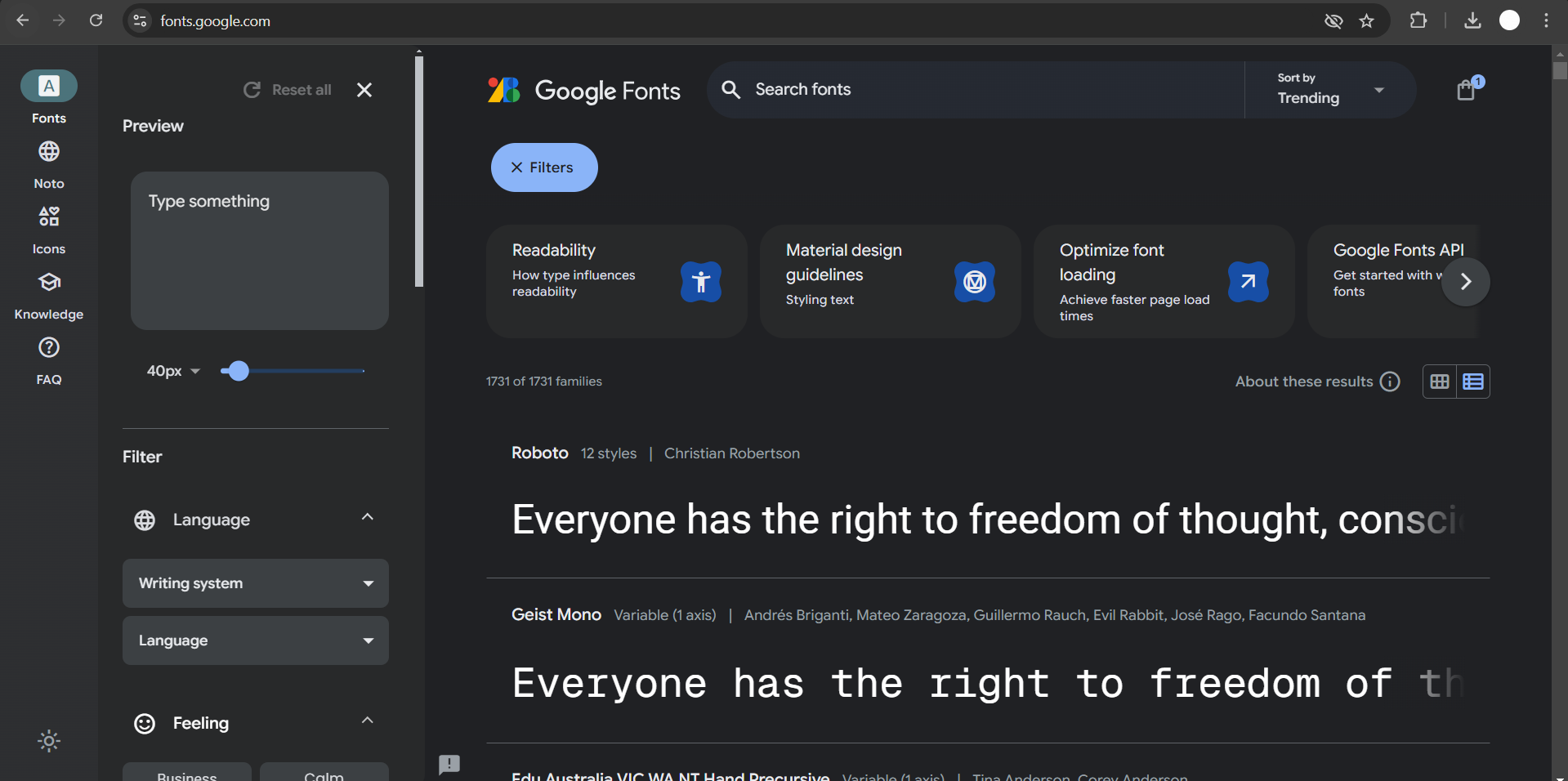
Make sure it’s in a compatible format such as .TTF, .OTF, or .WOFF. These files are commonly available on font websites like Google Fonts, DaFont, or Font Squirrel.
Step 3: Open Your Brand Kit
Log into your Canva account and navigate to the “Brand” tab from the left-hand menu on your dashboard.
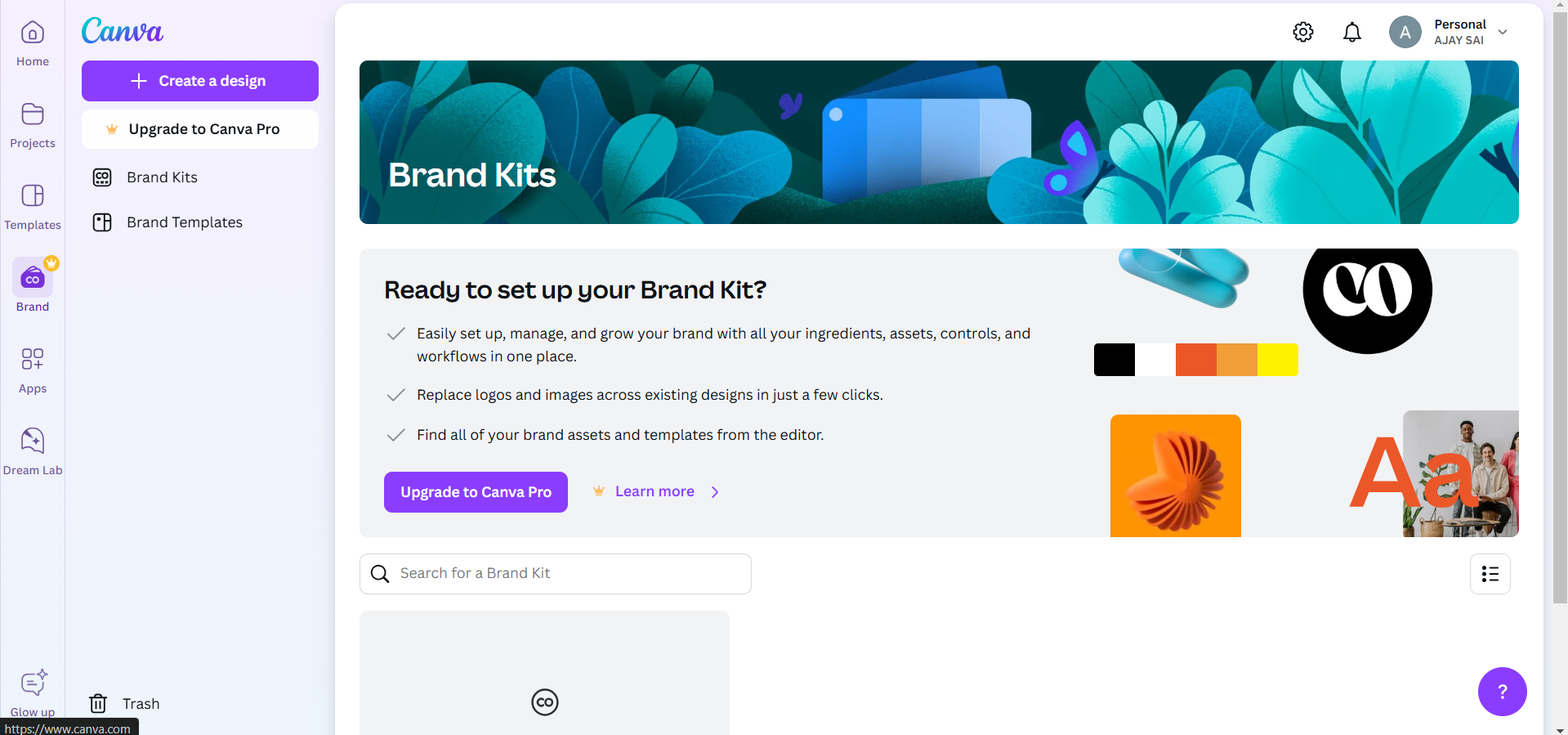
This will open your Brand Kit, where you can manage your brand colors, logos, and fonts.
Step 4: Upload the Font
Under the “Brand Fonts” section of your Brand Kit, click the “Upload a font” button.
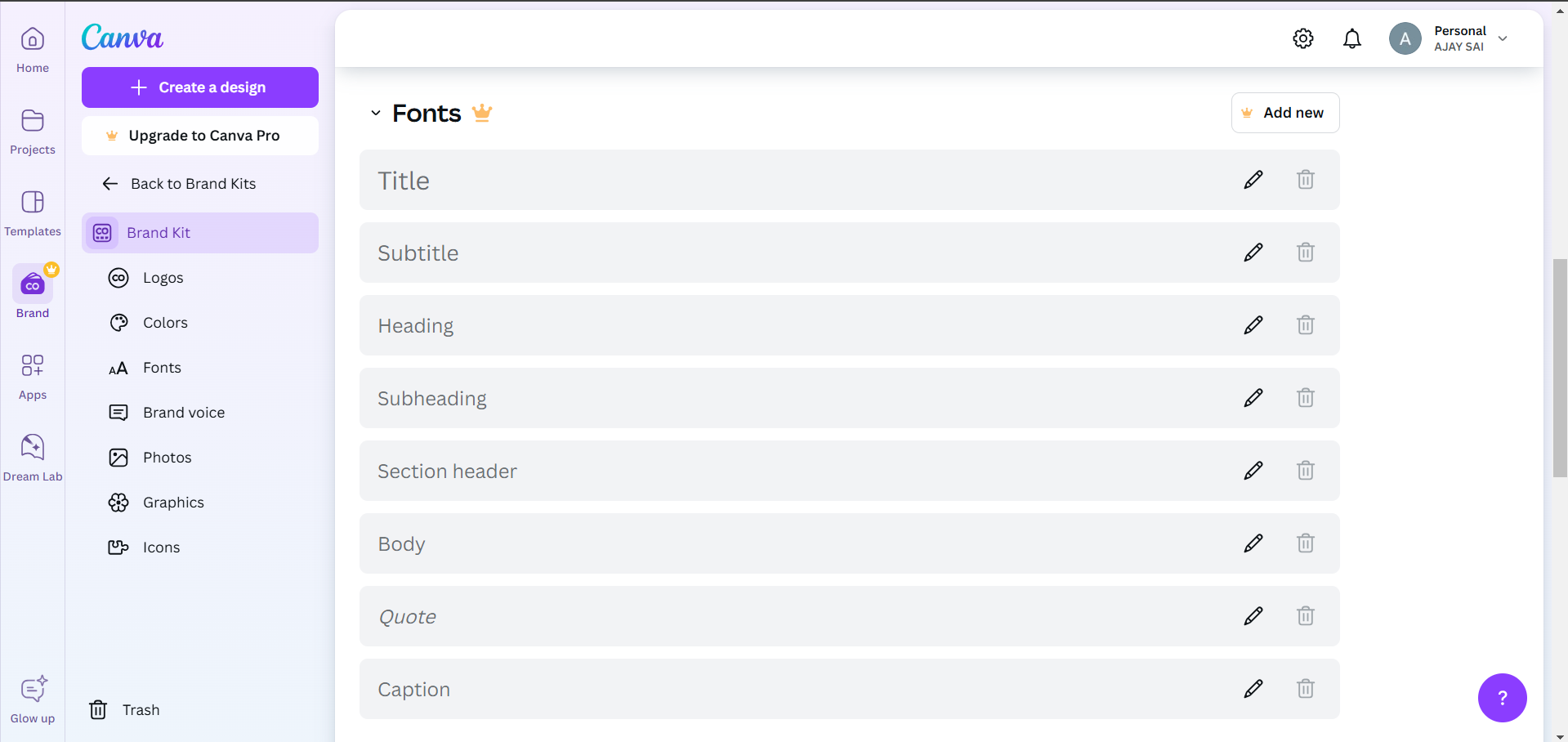
Locate the downloaded font file on your device and select it. Canva may prompt you to confirm you have the rights to use the font ensure you do before proceeding.
Step 5: Apply the Uploaded Font
Once the font is uploaded, it will appear in your Brand Kit under “Brand Fonts.”
You can now use it in your designs by selecting it from the font dropdown menu in the text editor. Test it out to ensure it displays correctly.
Conclusion
Importing custom fonts into Canva is a straightforward process that allows you to take your designs to the next level.
With the ability to add unique fonts, you can maintain consistency across your branding or explore new creative possibilities.
Now that you know how to import fonts, start customizing your designs today!
FAQs are here to help!
Can I upload fonts with a free Canva account?
No, custom font uploads are available only for Canva Pro and other premium plans.
What font file formats does Canva support?
Canva supports .TTF, .OTF, and .WOFF formats for font uploads.
How can I ensure I have the rights to use a font?
Check the licensing terms of the font when downloading it. Many websites specify whether fonts are free for personal or commercial use.


