How to Make a One-Pager PowerPoint: A Step-by-Step Guide


Learn how to create a professional one-pager PowerPoint effortlessly with tips, templates, and Magicslides.app for instant, stunning presentations.
Creating a compelling one-pager PowerPoint can seem daunting, but with the right approach and tools, you can create a concise, professional presentation that captures your audience’s attention.
In this blog post, we’ll walk you through the process of crafting an effective one-pager and show you how to use Magicslides.app, a powerful tool for quickly generating one-pager templates in PowerPoint.
What is a One-Pager PowerPoint?
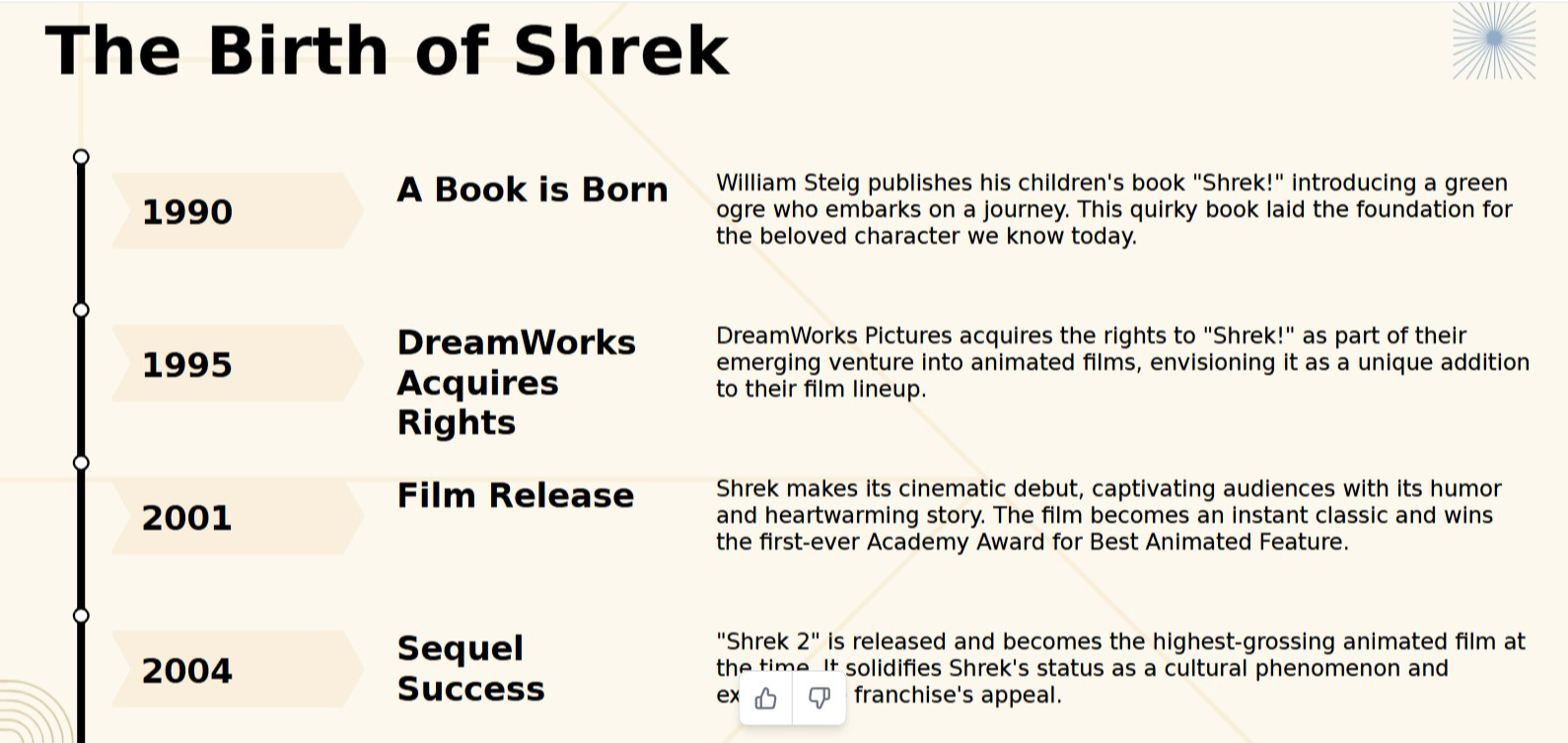
A one-pager PowerPoint is a single slide that presents key information succinctly. It's often used for overviews, proposals, or summaries where brevity and clarity are essential. The goal is to distill your message into its most impactful form.
Why Use a One-Pager Template PowerPoint?
Using a well-designed one-pager template PowerPoint ensures your presentation looks polished and professional while saving you valuable time. Templates provide a framework that helps you organize content effectively, making it easier to focus on the message.
Steps to Create a One-Pager PowerPoint
Here’s a step-by-step guide to creating a one-pager PowerPoint:
1. Identify Your Key Message
Before you start designing, clarify the core message or objective of your one-pager. What is the most important information your audience needs to know? This will guide the layout and content.
2. Gather Essential Information
Keep it simple. Include only the most relevant data, such as:
- A brief introduction or problem statement
- Key statistics or insights
- Recommendations or next steps
- Contact information or call-to-action
3. Choose a Template
A visually appealing template can elevate your one-pager. Instead of starting from scratch, opt for a professionally designed one-pager template PowerPoint.
4. Design Thoughtfully
Use these design principles to ensure your slide is easy to read:
- Headings: Use large, bold headings for each section.
- Visuals: Include charts, icons, or images to illustrate points.
- White Space: Avoid clutter by leaving ample white space.
- Consistency: Stick to a cohesive color scheme and fonts.
Why Magicslides.app is the Best for One-Pager Template PowerPoint
If you’re short on time or need a quick solution, Magicslides.app is your go-to tool. It allows you to generate professional PowerPoint slides, including one-pager templates, in minutes. Here’s why it stands out:
- Ease of Use: No design skills required.
- Customizable Templates: Choose themes and layouts that fit your needs.
- Time-Saving: Create polished presentations instantly.
How to Use Magicslides.app for One-Pager Templates
Follow these simple steps to create a one-pager template PowerPoint using Magicslides.app:
Step 1: Visit Magicslides.app
Head over to Magicslides.app to get started.
Step 2: Enter Your Topic
Input the topic or key message you want to highlight in your one-pager.
Step 3: Click “Generate Instant PPT”
With one click, Magicslides.app will process your input and start crafting a presentation.
Step 4: Select Slide Theme and Number of Slides
Choose a design theme that suits your style and ensure the output is set to a single slide for a one-pager.
Step 5: Click “Generate”
Hit the generate button to create your presentation. In seconds, you’ll have a professional one-pager template ready to use.
Step 6: Customize and Finalize
Download your presentation and tweak the content or design if needed. You now have a stunning one-pager PowerPoint in no time!
Tips for an Effective One-Pager PowerPoint
- Keep Text Minimal: Stick to bullet points and short sentences.
- Focus on Visuals: Use charts and infographics to explain complex data.
- Highlight Key Points: Use bold fonts or contrasting colors to emphasize important information.
- Proofread: Ensure your slide is free of errors and typos.
Conclusion
Creating a one-pager PowerPoint doesn’t have to be stressful. By following the steps outlined above and leveraging tools like Magicslides.app, you can quickly produce a professional and impactful presentation. Whether you’re presenting a proposal, summarizing data, or sharing insights, a one-pager PowerPoint ensures your message is delivered with clarity and style.
Visit Magicslides.app today to explore their amazing one-pager templates and take your presentations to the next level!


