How to make an answer correct on Google forms


Optimize your Google Forms with precision. Learn to set correct answers for accurate data and assessments!
Creating an effective Google Form involves not only asking the right questions but also ensuring accurate responses. This step-by-step guide will empower you with the knowledge to make answers correct on Google Forms. Whether you're a teacher crafting quizzes or a professional gathering data, guaranteeing correctness enhances the reliability and utility of your forms.
How to make an answer correct on Google forms
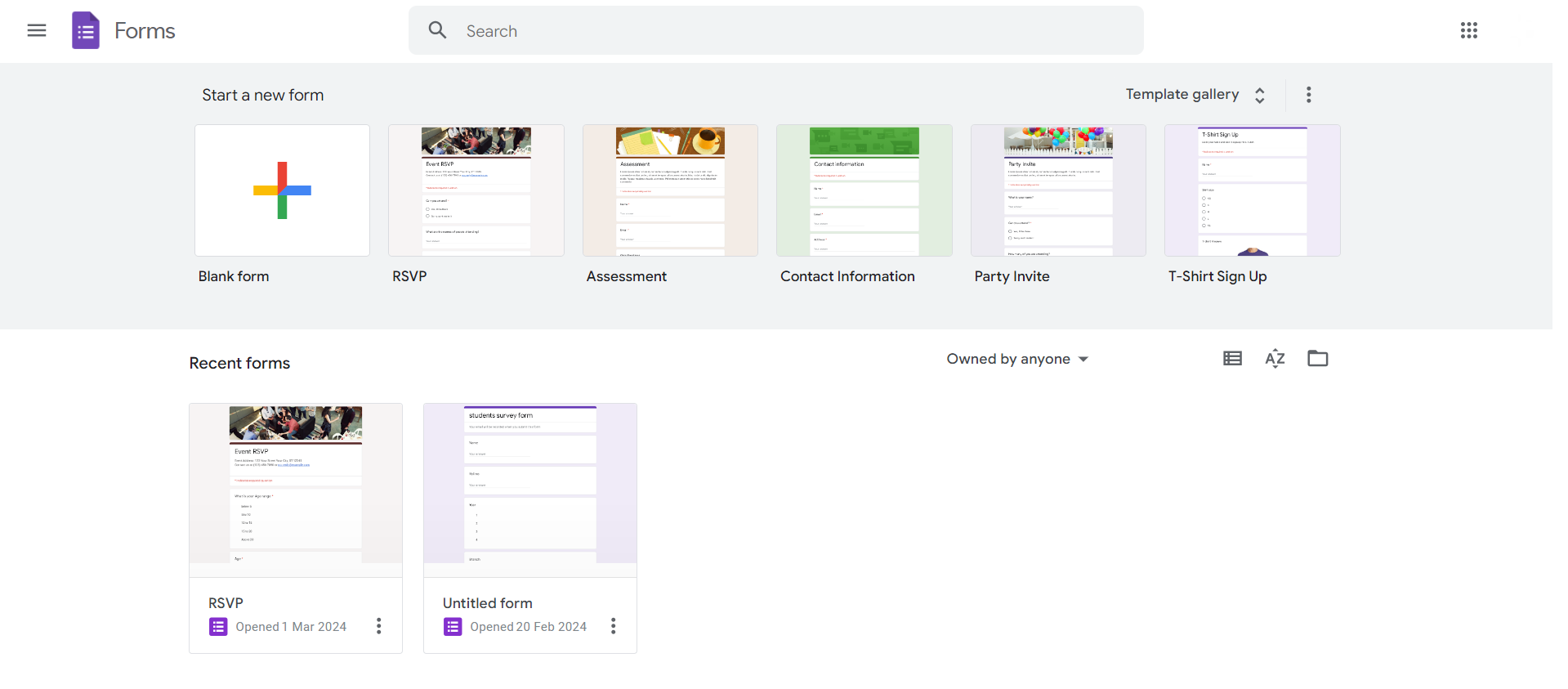
Step 1: Open Your Google Form
Begin by opening the Google Form for which you want to set correct answers. If you're creating a new form, navigate to your Google Drive and select "New" > "Google Forms."
Step 2: Add a Question
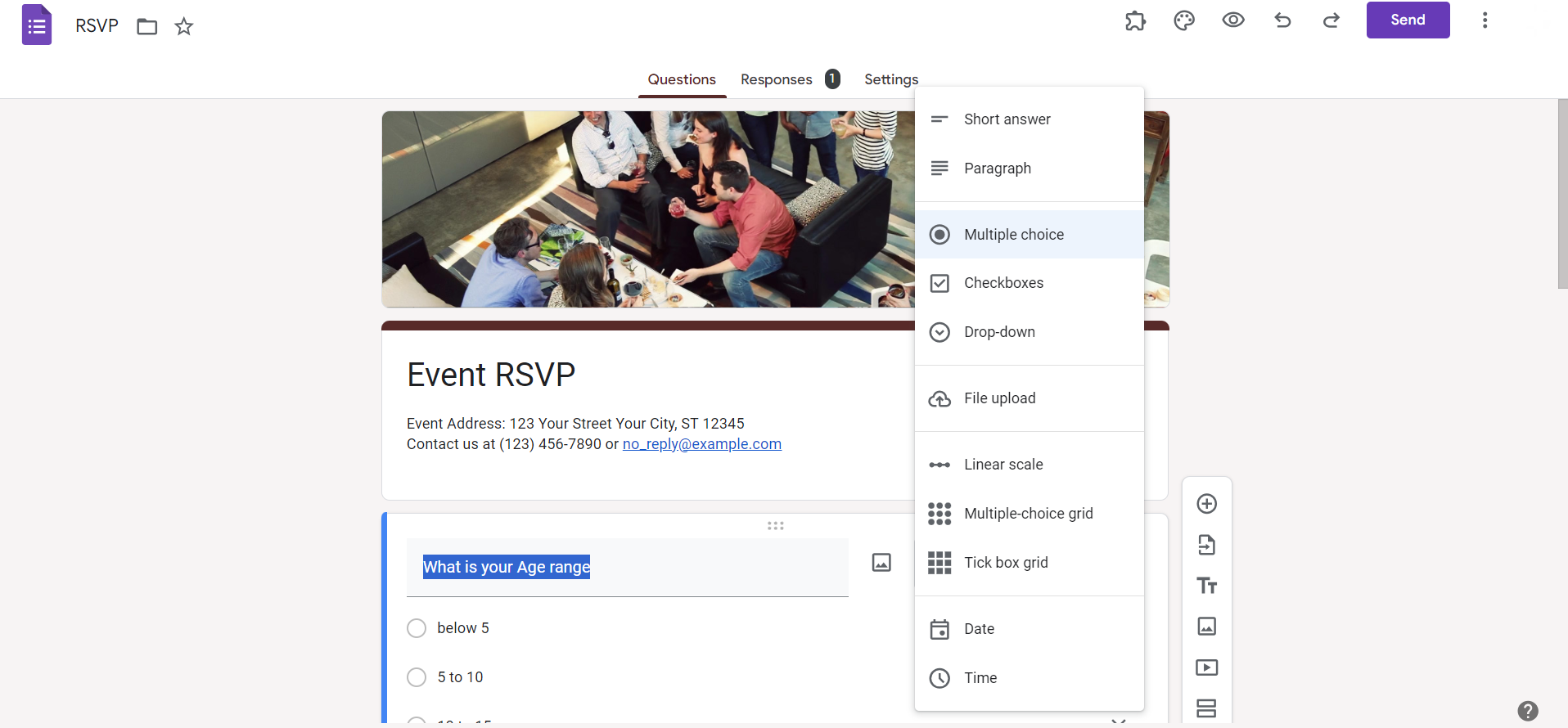
Either create a new question or click on an existing one. Select the question type that requires a correct answer, such as multiple choice or short answer.
Step 3: Access "Answer Key"
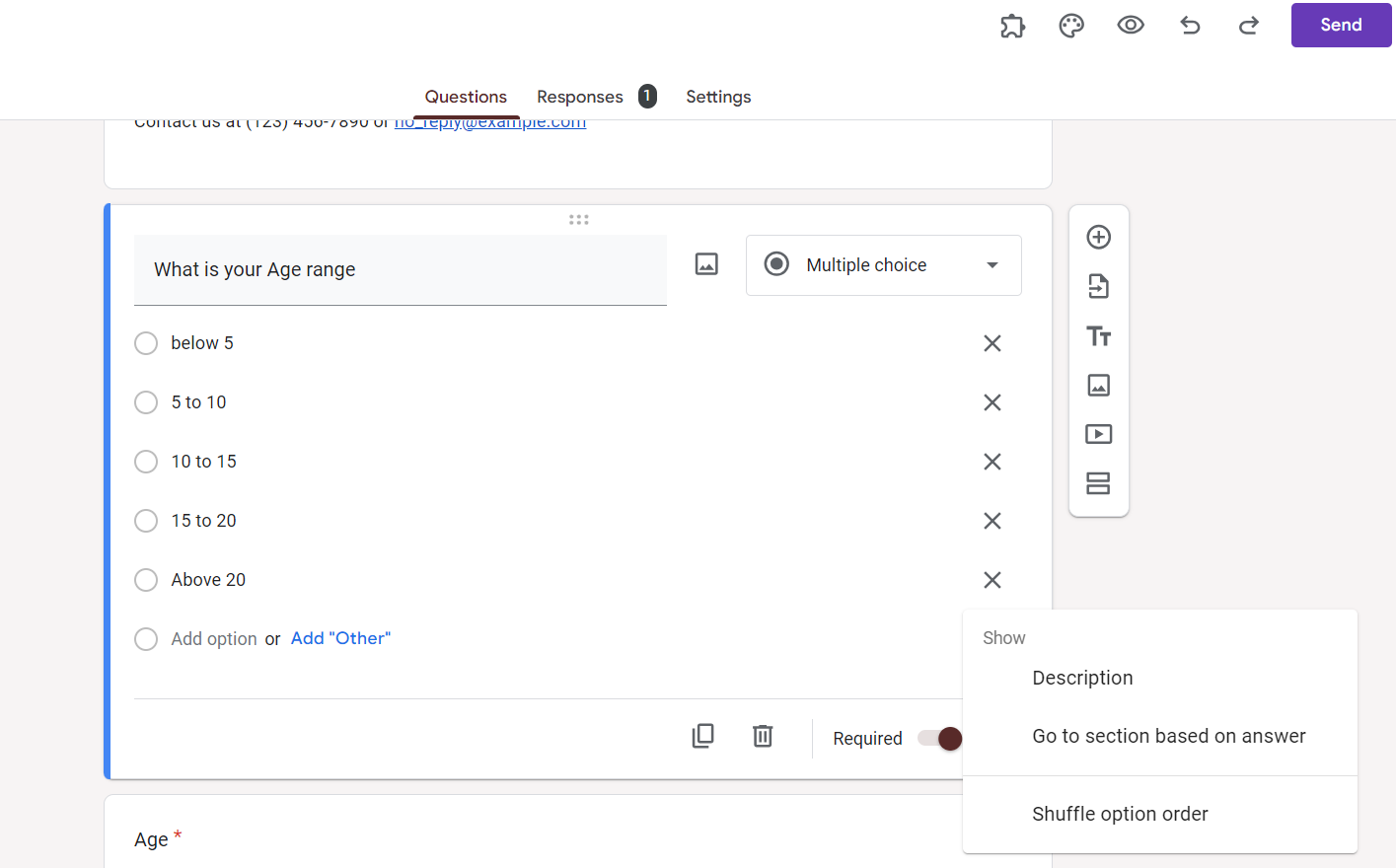
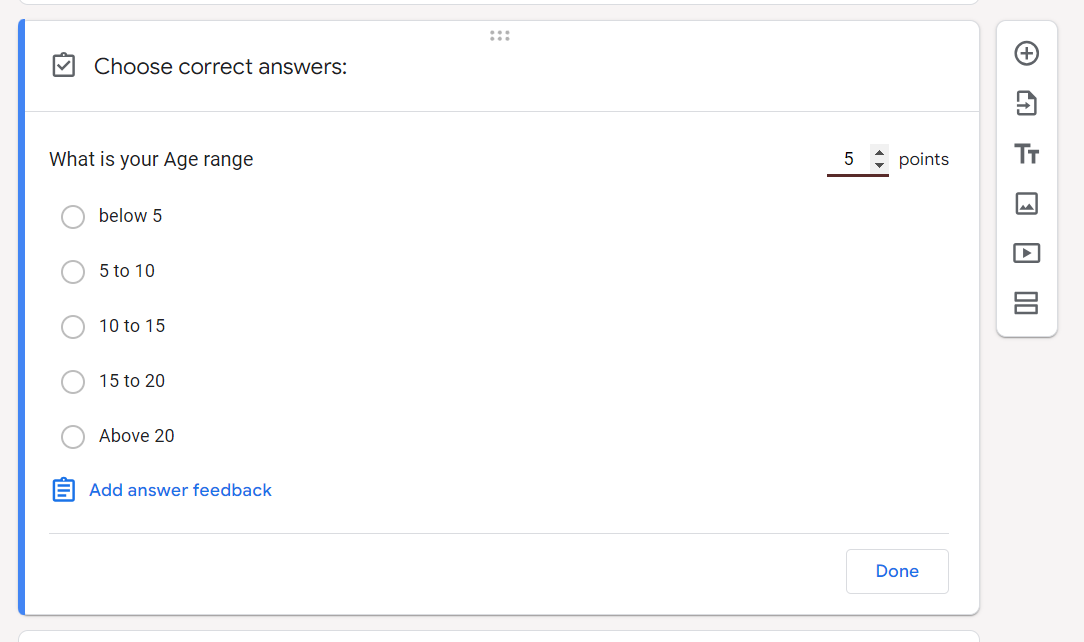
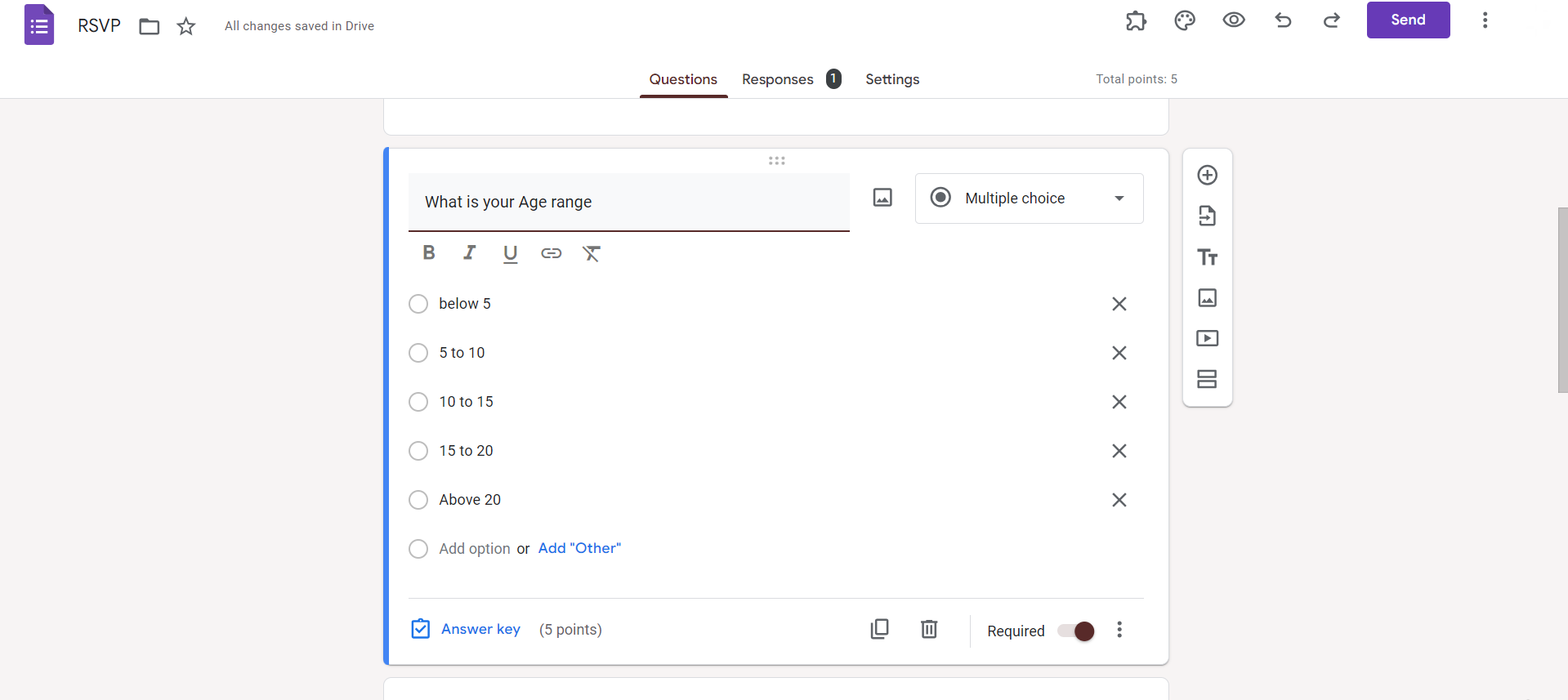
For multiple-choice questions, you'll find the "Answer Key" option at the bottom of the question box. Click on it to reveal additional settings.
Step 4: Set Correct Answers
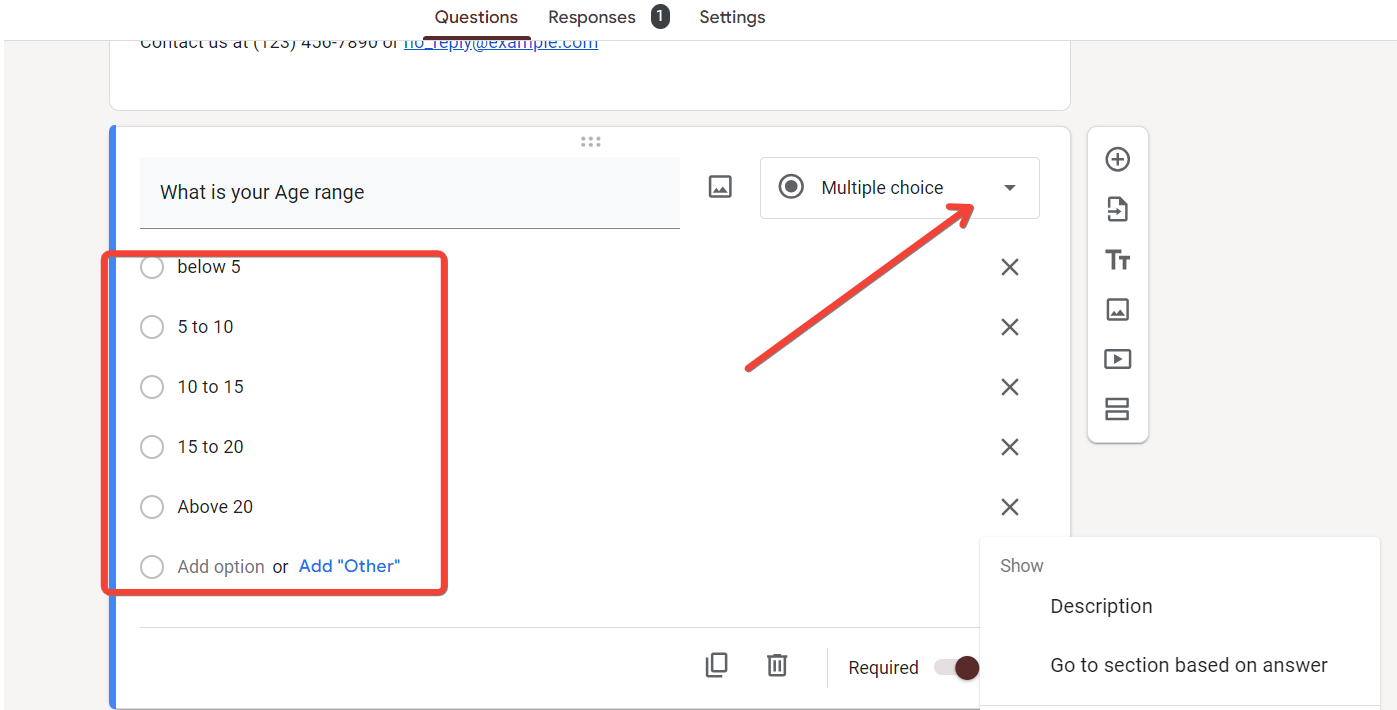
Specify the correct answer(s) by selecting the appropriate option(s) or entering the correct response for short answer questions. For multiple correct answers, follow the same process.
Step 5: Adjust Point Values
Assign point values to each correct answer if your form is graded. This step is crucial for quizzes and assessments, ensuring accurate scoring.
Step 6: Save Changes
After setting the correct answers and adjusting point values, save your changes. Google Forms will now recognize and score responses based on your specified correct answers.
Conclusion:
Whether you're conducting a quiz, survey, or data-gathering form, this process ensures that the information you receive is both meaningful and reliable. Experiment with different question types and correct answer settings to tailor your Google Forms for diverse purposes. Harness the power of accurate answers to derive valuable insights and enhance your overall form-building proficiency.
Frequently Asked Questions:
Can I change correct answers after participants have submitted responses on Google Forms?
Once submitted, correct answers cannot be altered. Review and set them before sharing your form.
How do I review responses and check the correctness of answers on Google Forms?
Access the "Responses" tab to review submissions. Correct answers are indicated with a green checkmark.
Can I use images or multimedia as part of the correct answer in Google Forms?
Currently, Google Forms supports text-based correct answers. Consider providing instructions or context within the question.
Is it possible to randomize the order of answer options while maintaining correct answers?
Yes, Google Forms allows answer shuffling. Enable the option within the question settings to engage participants.


