How to make Google Forms anonymous


Prioritize privacy in your data collection. Learn how to create anonymous Google Forms with ease.
Ensuring participant privacy is paramount in data collection. Google Forms provides a straightforward method to create surveys, quizzes, or feedback forms while maintaining respondent anonymity. In this guide, we'll walk you through the steps of crafting anonymous Google Forms, guaranteeing a secure and confidential data collection process.
How to make Google Forms anonymous
Step 1: Create Your Google Form
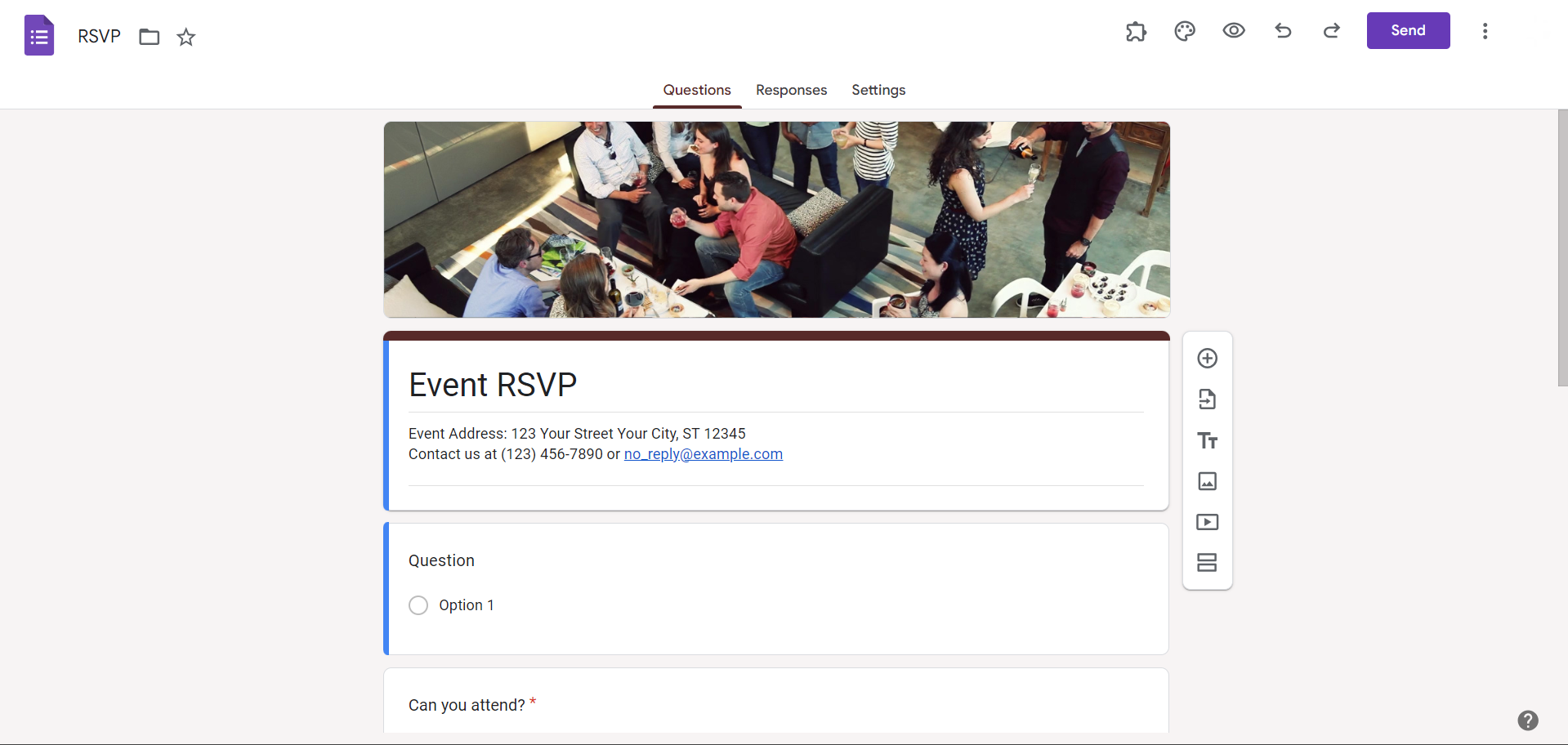
Begin by logging into your Google account and opening Google Forms. Craft your questions, structure, and settings according to your needs. Once satisfied with your form, proceed to the next steps.
Step 2: Click on the Gear Icon for Form Settings
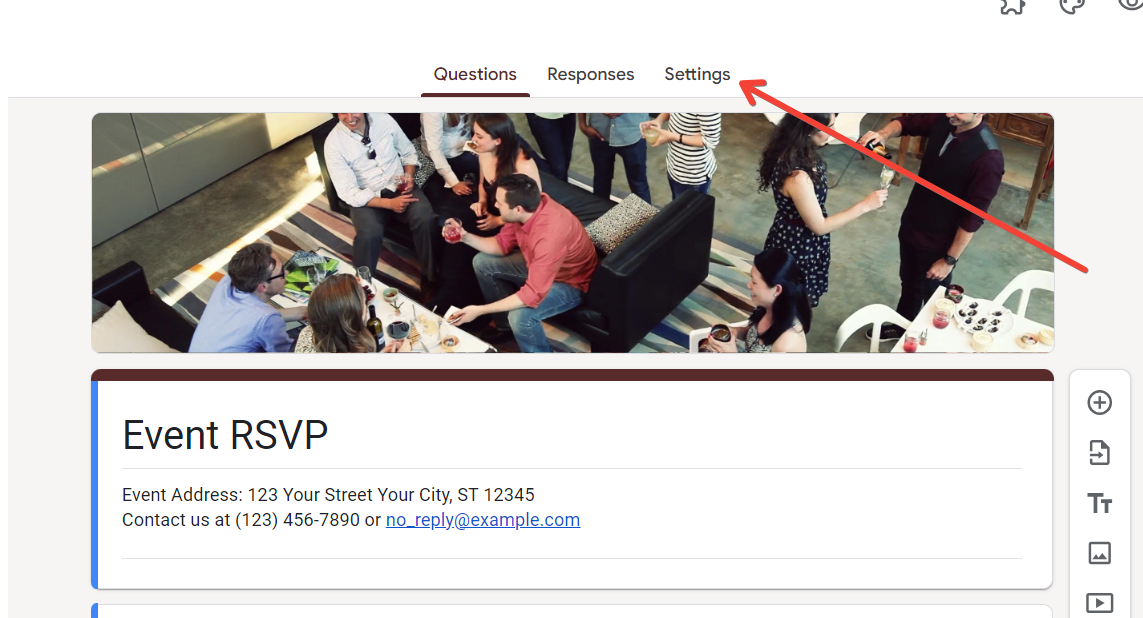
In the top-right corner of your Google Form editor, click on the gear-shaped icon to access the form settings. This opens a menu where you can customize various aspects of your form.
Step 3: Choose "General" Settings
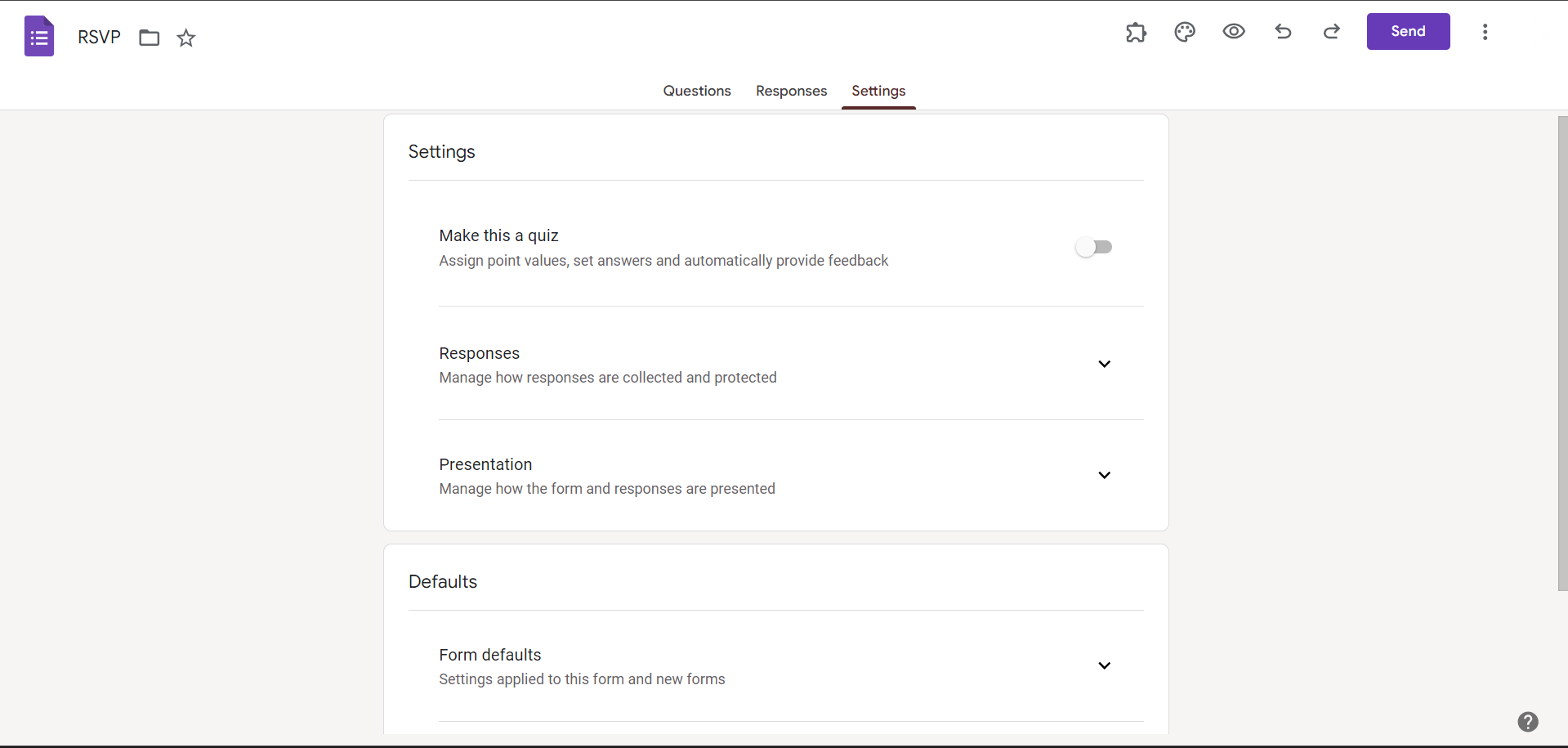
Within the form settings menu, select the "General" tab. Here, you'll find options related to your form's overall settings, including the option to collect email addresses.
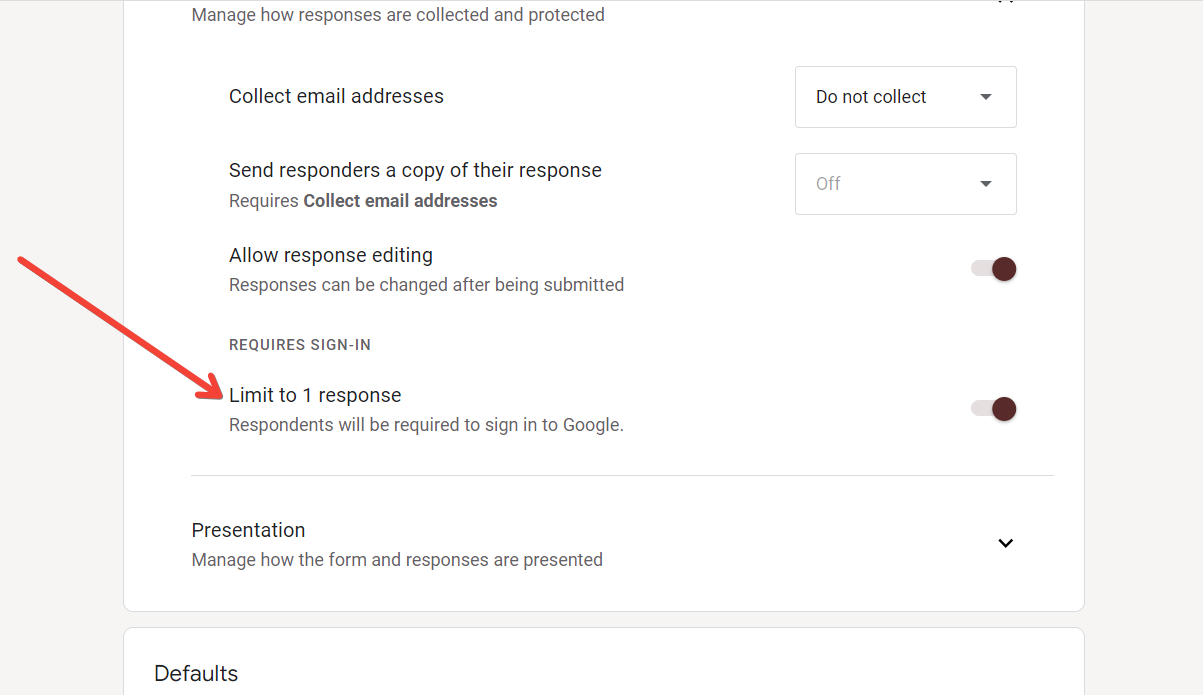
Step 4: Uncheck "Collect Email Addresses"
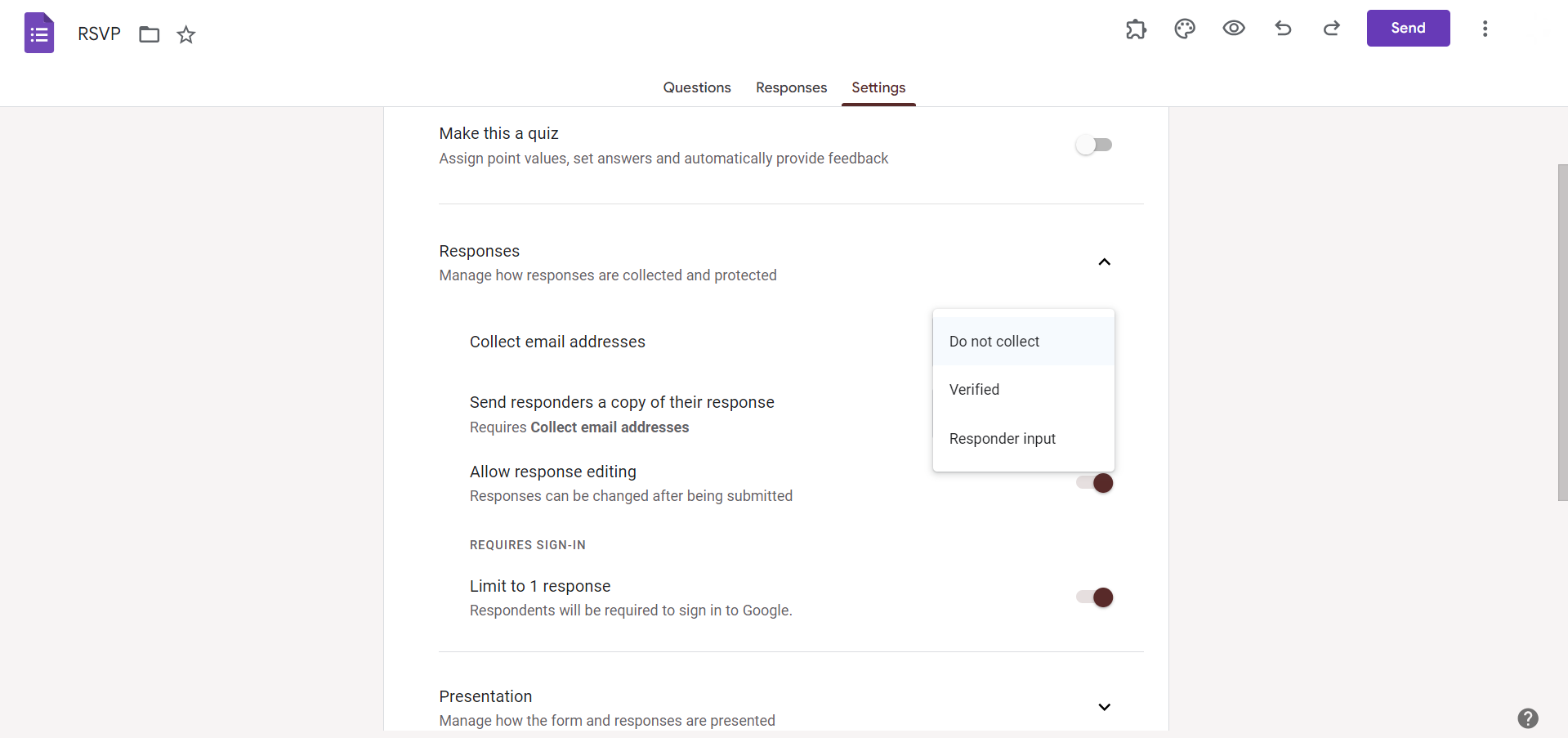
To maintain respondent anonymity, uncheck the box labeled "Collect email addresses." This ensures that the identities of participants are not linked to their responses.
Step 5: Set "Limit to 1 Response"
For added anonymity and to prevent multiple submissions from the same respondent, consider setting a limit of one response per participant. This option is available in the form settings menu.
Conclusion:
By following these simple steps, you can craft a confidential data collection tool that respects respondent privacy. In a world where data security is paramount, utilizing Google Forms for anonymous surveys, quizzes, or feedback forms is a testament to Google's commitment to user privacy. By unchecking the email collection option and considering response limits, you ensure that participants can share their insights without fear of exposure. Empower your data collection efforts with these steps and embrace the privacy features Google Forms offers for a secure and respectful experience.
Frequently Asked Questions:
Can I make a Google Form anonymous after I've already started collecting responses?
No, the anonymity setting must be configured before collecting responses to ensure participant privacy.
Will respondents be aware that their information is anonymous in a Google Form?
Google Forms does not explicitly notify respondents, so it's crucial to communicate this externally.
Can I customize the confirmation message to reassure participants about their anonymity?
Absolutely, utilize the form confirmation settings to communicate confidentiality and anonymity to respondents.
Are there any limitations to using anonymous Google Forms, such as analyzing individual responses?
While individual responses can be viewed, respondent anonymity means identities are not linked to specific submissions.


