How to Open PPT in Google Slides Without Losing Formatting?


Learn how to open PPT in Google Slides using Google Drive, Slides upload, or Gmail links. Follow simple methods without losing formatting.
If you’ve ever received a PowerPoint file and needed to work on it online, simply collaborate with your team, or simply avoid installing extra software. In this, you’re not alone. Many professionals today are moving toward cloud-based tools like Google Slides for flexibility and ease of use.
But here’s the common question how do you open a PPT file in Google Slides without breaking formatting or losing content?
This guide walks you through every possible manual method. In this comprehensive guide, it is explained in a simple, human way, so whether you’re a beginner or someone handling presentations daily, you’ll find the exact solution you need.
How to Open PPT in Google Slides Manually?
Here are the steps below listedto open PPT in Google Slides, check, and follow the one which suites you.
Method 1. Open PPT via Google Drive
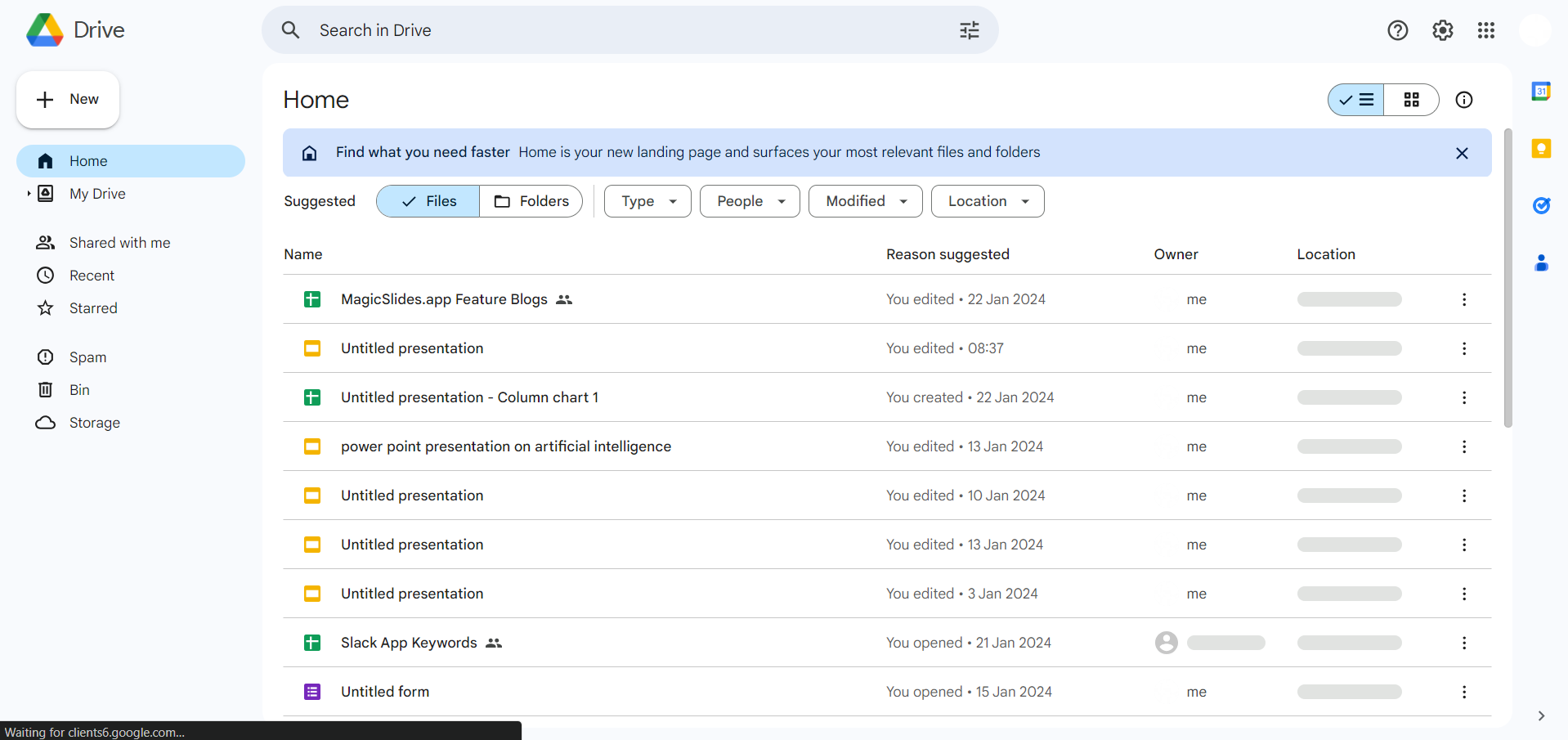
Step 1. Access Google Drive
Begin by logging into your Google account and navigating to Google Drive, Google’s cloud-based storage platform.
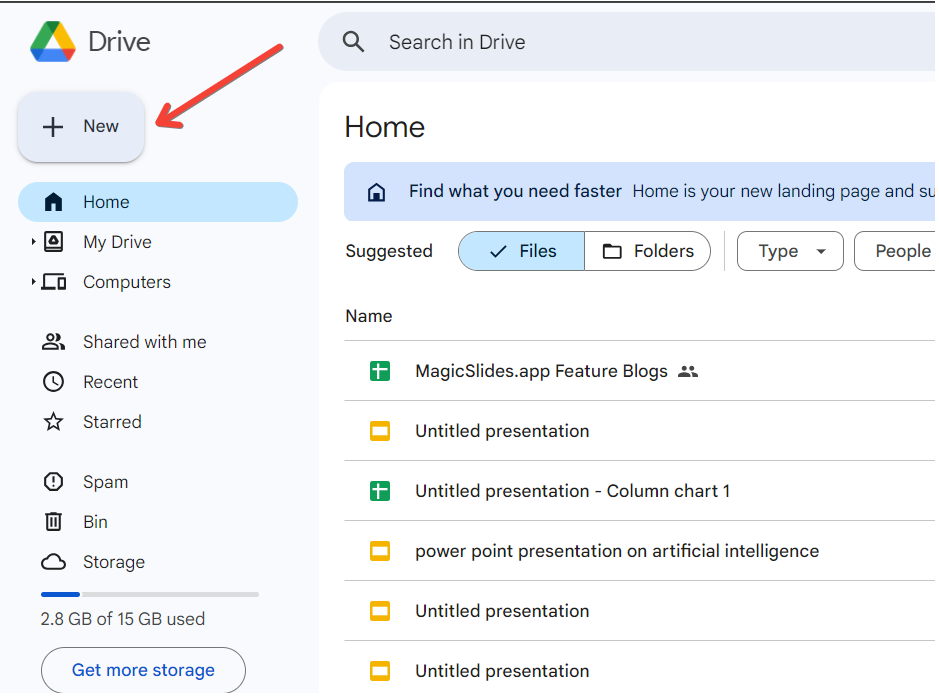
Step 2. Upload Your PowerPoint Presentation
Once in Google Drive, click on the “+ New” button and select “File upload.” Locate your PowerPoint presentation on your device and upload it to Google Drive.
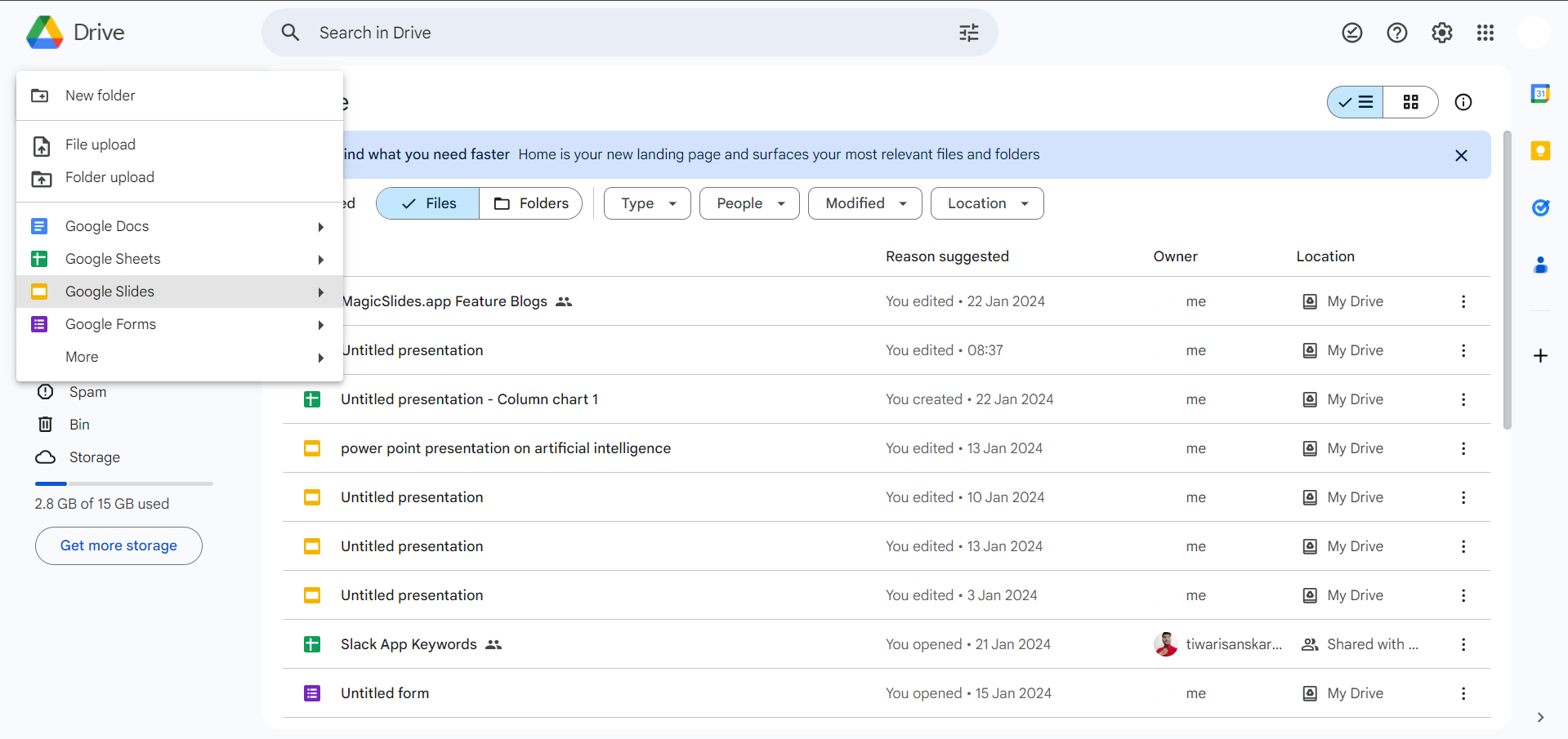
Step 3. Right-click on the Uploaded File
After the upload is complete, right-click on the PowerPoint file within Google Drive. From the context menu, select “Open with” and then choose “Google Slides.”
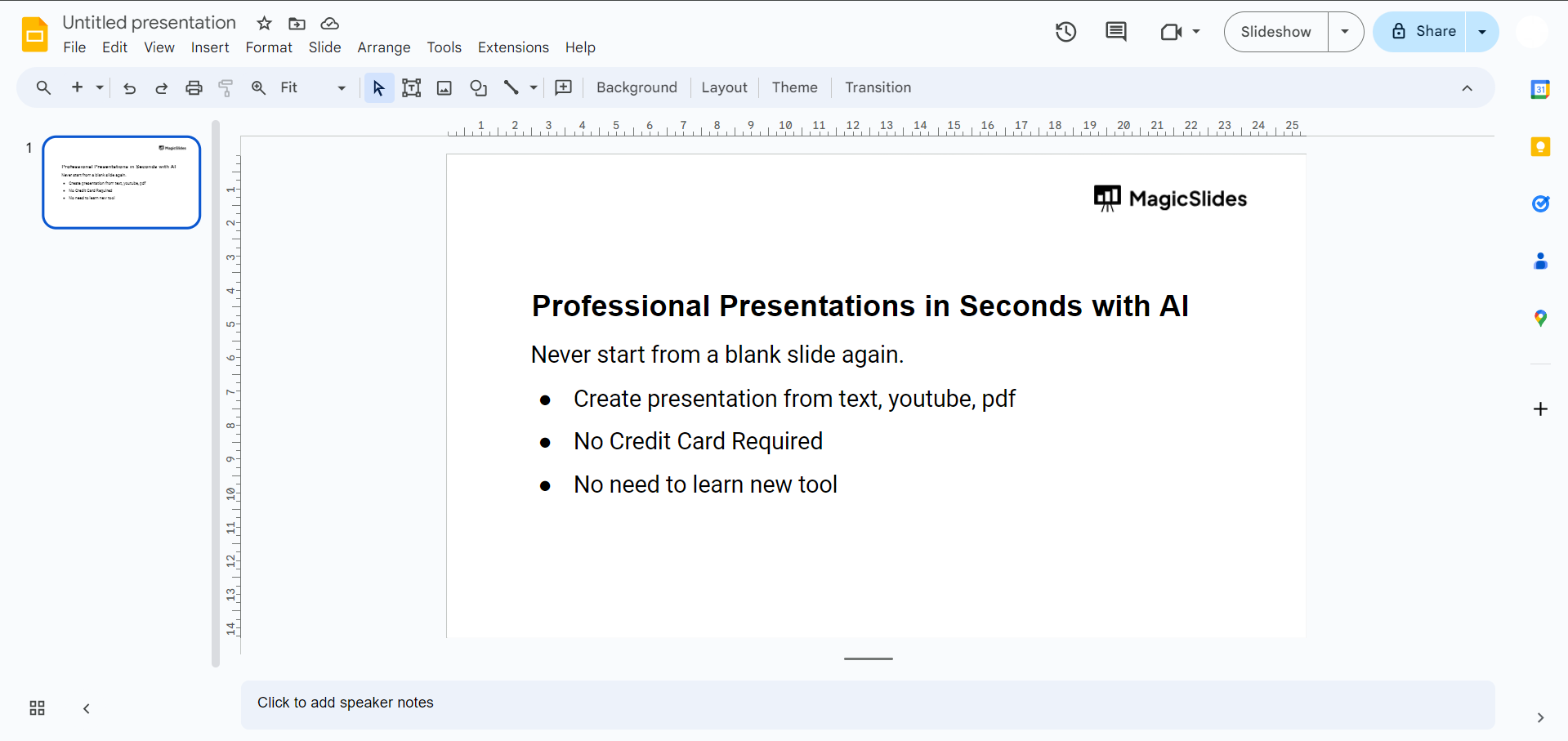
Step 4. Edit and Collaborate in Google Slides
Your PowerPoint presentation is now seamlessly converted into Google Slides. Edit and collaborate in real-time with others, enjoying the advantages of Google’s collaborative features.
Method 2. Open PPT from Google Slides
- Step 1. Go to slides.google.com.
- Step 2. Click the folder (Open file) icon.
- Step 3. Upload your PPT file and open it.
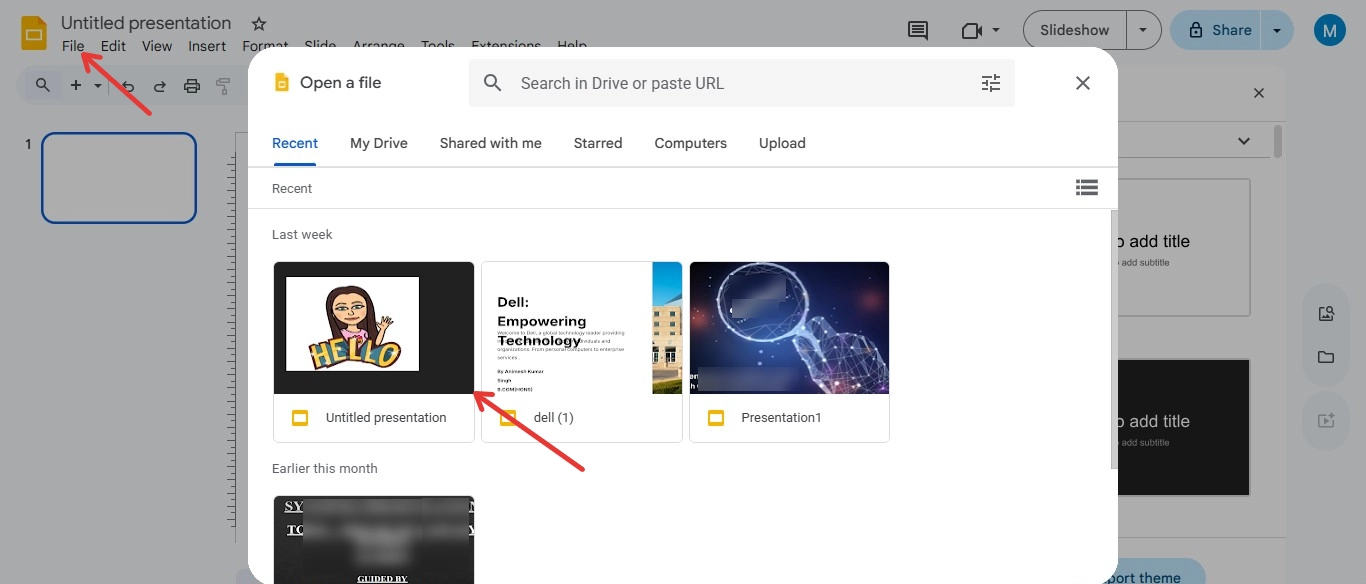
Method 3. Open PPT from Gmail or Shared Link
- Step 1. Click the PPT file from the Gmail or Drive link.
- Step 2. Choose Open with Google Slides.
- Step 3. Start editing instantly.
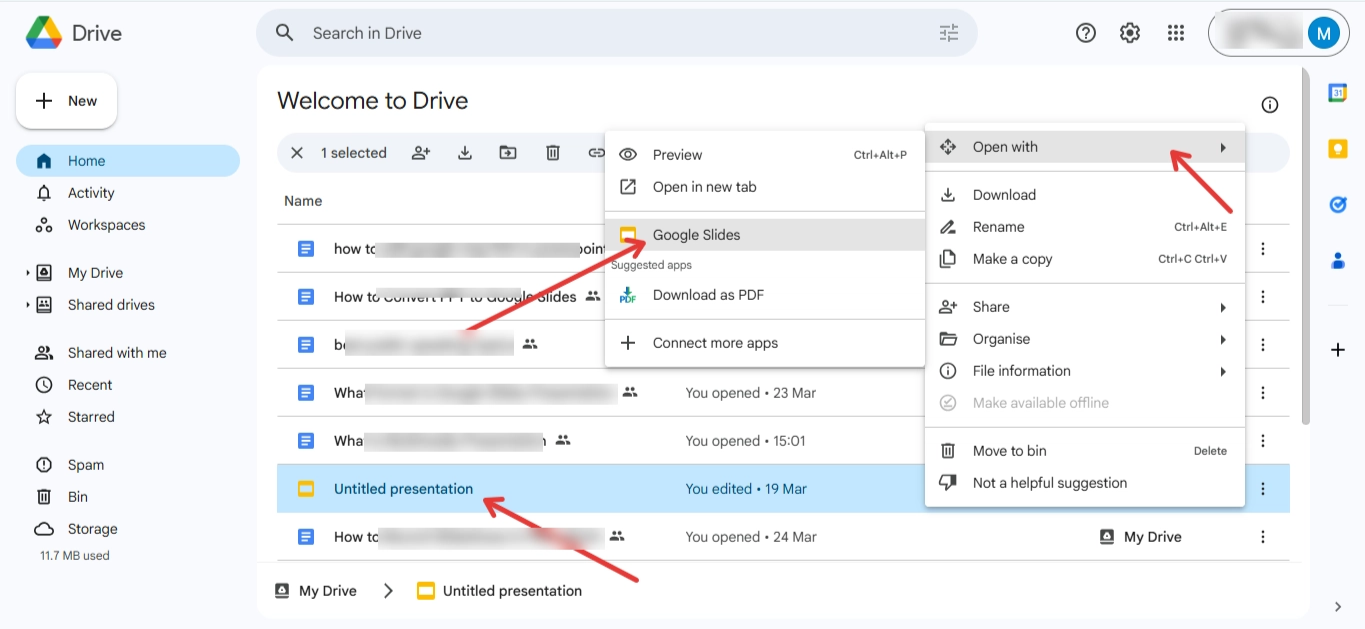
Tip: If your PPT formatting breaks after opening it in Google Slides, AI PPT Makers tools like MagicSlides.app can quickly recreate clean, well-structured slides using AI, saving time and manual edits.

Conclusion
To open PPT file in Google Slides is easier than most people think. There are various methods available for everyone. The manual method perfectly works if you just need to view or edit. But for advanced features and better results with less effort, you can take help from AI-powered software that provides results with zero chances of mistakes. It will provide you with satisfactory results.
Frequently Asked Questions
Q1. Can I maintain PowerPoint formatting in Google Slides? Yes, Google Slides generally preserves PowerPoint formatting, though minor adjustments may be needed.
Q2. What happens to embedded media during the conversion? Embedded media like images and videos usually transfer smoothly, maintaining their presence and functionality.
Q3. Can I edit the presentation offline in Google Slides? Yes, Google Slides offers offline editing capabilities through its web app or dedicated offline Chrome extension.
Q4. Is there a limit to the size of PowerPoint files I can convert? Google Slides has a file size limit of 100 MB per presentation, so large files may need compression.


