How to Use Novel AI Image Generator


In this article we will deep dive on how to use novel ai image generator
AI isn’t just writing your stories anymore — it’s painting them too. Novel AI, originally loved for its intelligent storytelling assistant, has become one of the most exciting platforms for anime-style AI image generation. With its signature diffusion model and deep prompt sensitivity, Novel AI brings characters, scenes, and entire universes to life — just the way you imagined them.
If you're a storyteller, visual creator, roleplayer, or worldbuilder, you're likely already intrigued. Whether you're drafting a cyberpunk novel or designing an elf queen for your D&D campaign, Novel AI gives you the power to visualize your ideas without needing to master a paintbrush or tablet.
Want to bring your characters and concepts to life visually? This guide walks you through how to use the Novel AI image generator, from logging in to writing better prompts, plus tips for turning your creations into stunning visual presentations.
What Is Novel AI Image Generator?
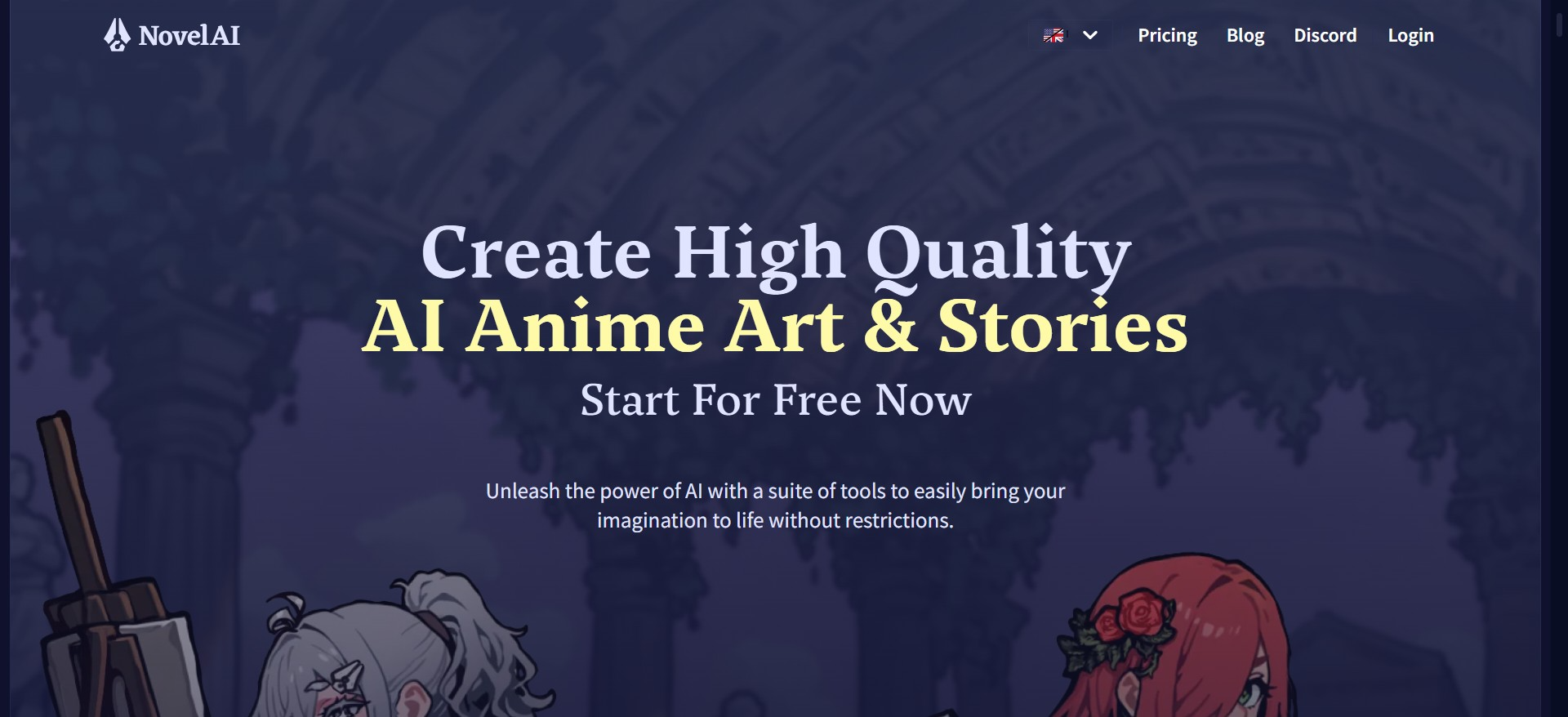
Novel AI started out as an AI writing platform that helped users draft short stories, fiction chapters, and even poetry using fine-tuned large language models. But over the past couple of years, it has evolved — not just writing your characters, but drawing them.
At the heart of its image capabilities lies a custom diffusion-based model built for high-fidelity, stylized visual storytelling — especially tuned for anime and fantasy art styles. This makes it particularly attractive to manga artists, roleplay writers, and those seeking highly aesthetic character portraits.
Unlike generic AI art tools, Novel AI offers granular control through prompt tags, modifiers, and sampling methods — meaning your results feel more tailored, expressive, and “on-character.”
How to Access Novel AI's Image Generator
Getting started is straightforward:
- Go to Novel AI.net
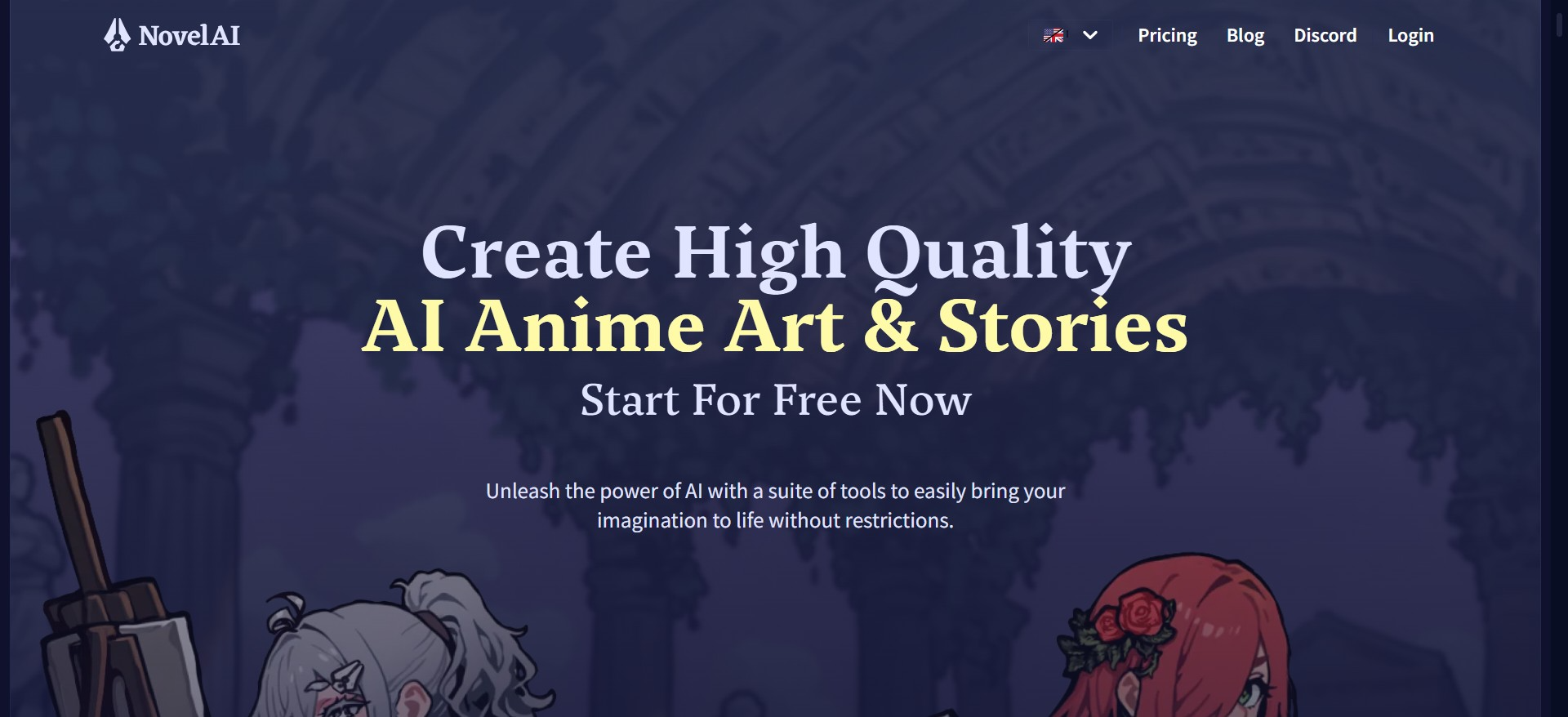
- Create an account (or log in if you already have one)
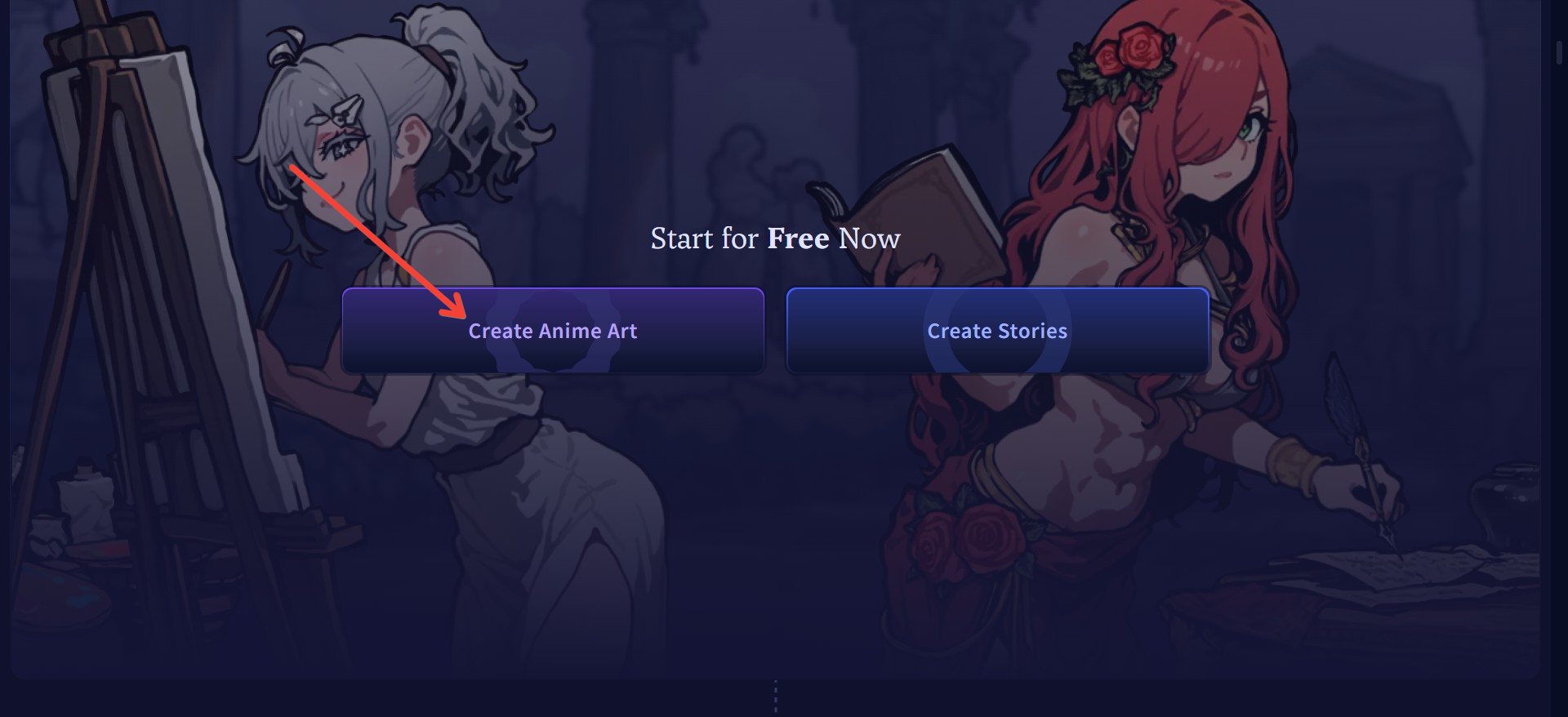
- Click on ‘Create Anime Art’ in the homepage
- Write your prompt (we’ll cover prompt tips below)
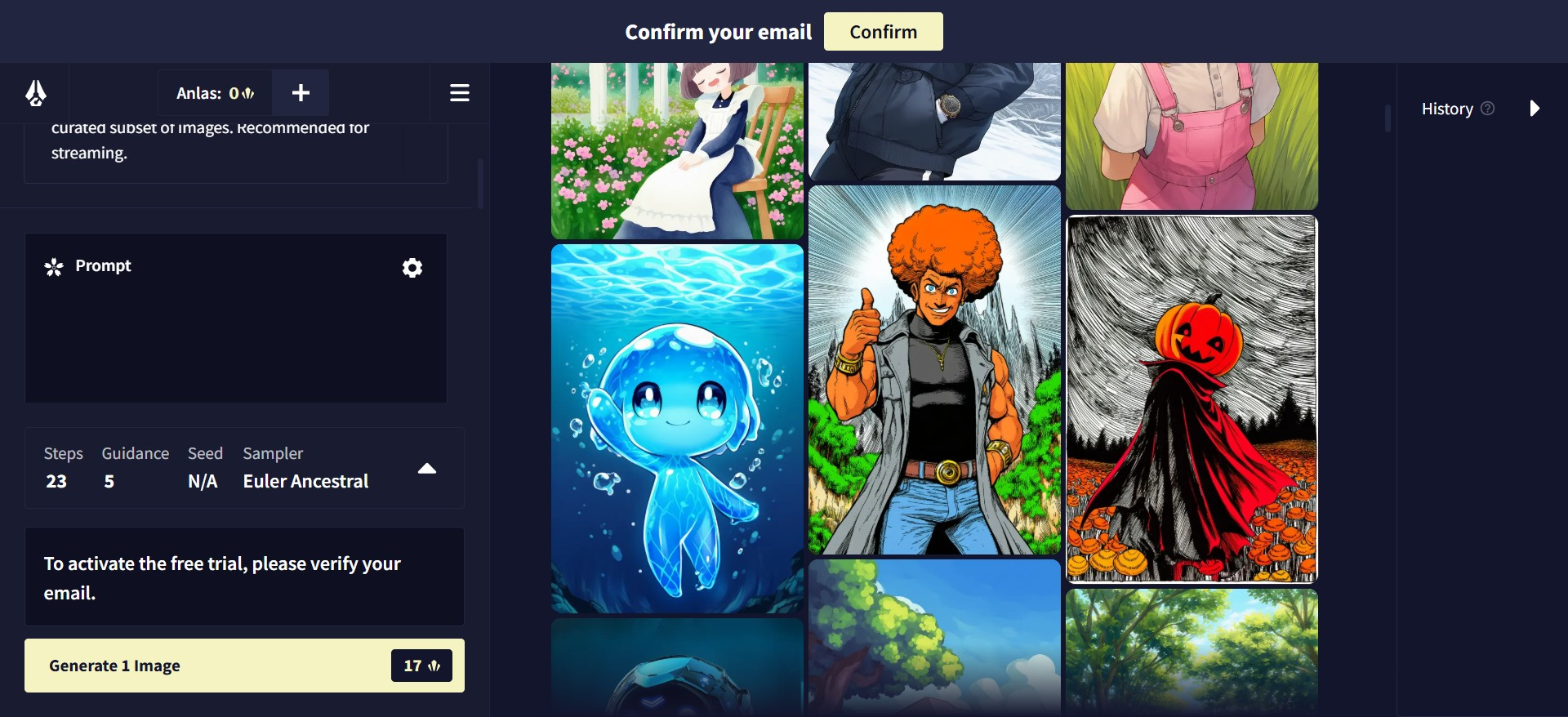
- Configure advanced settings:
- Sampling steps
- Resolution
- Aspect ratio
- Seed control
- Negative prompts
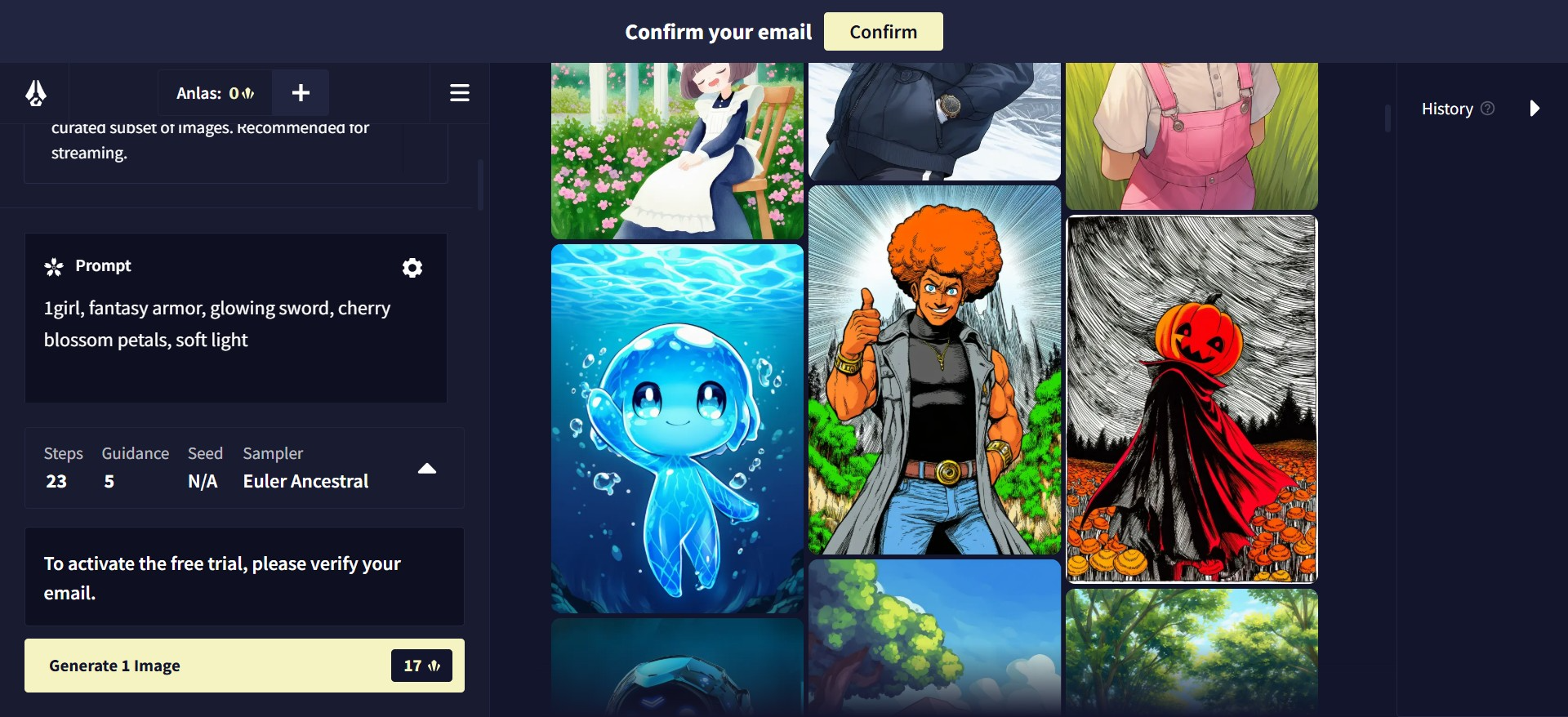
- Click “Generate”
💡 Novel AI is a paid tool. Plans start with a subscription model that includes credits for image generation. Some free credits may be available for new users, but the best results often come with premium access.
How to Write Effective Prompts for Anime-Style Images
Prompt writing is where the real magic happens.
Novel AI’s generator responds best to tag-based prompt engineering, much like Danbooru. Think of prompts as a combination of descriptive keywords and style tags.
Common Tag Categories:
- Subject:
1girl,samurai,cyborg,kitsune - Details:
glowing eyes,windblown hair,scar on cheek - Background:
cherry blossom forest,cyberpunk cityscape,night sky - Style:
soft shading,sketch,watercolor,cinematic lighting
Sample Prompts:
1girl, fantasy armor, glowing sword, cherry blossom petals, soft lightcyborg boy, cyberpunk background, neon signs, rain, cool color palettekitsune girl, shrine background, 8 tails, mystical fog, cinematic lighting
These combinations can yield drastically different styles and outputs — and with seed variation, no two results are ever quite the same.
✨ Want to turn these gorgeous anime portraits into a professional portfolio or pitch deck? Tools like MagicSlides let you drag and drop your images into stylish slides, perfect for character showcases, worldbuilding timelines, or visual storytelling decks.
Key Features of Novel AI’s Image Tool
Here’s what makes the image generator more than just “another AI art tool”:
- Prompt Referencing: Use previously generated images as inspiration for new ones
- Sampling Methods: Choose between Euler, DDIM, etc., for different visual finishes
- Seed Control: Set seeds to recreate or tweak previous generations
- Negative Prompts: Exclude unwanted elements like “blurry,” “low quality,” or “extra limbs”
- Aspect Ratio & Resolution Control: Format your art for posters, thumbnails, or widescreen
- Upscaling Tools: Generate low-res previews, then upscale for crisp HD exports
- Favorite Models: Save and switch between styles instantly
This feature depth gives creators enormous flexibility — whether you're prototyping a manga series or designing RPG characters.
Use Cases — Who Uses Novel AI Image Generator?
Novel AI has found fans across many creative communities:
- Fiction writers & storytellers using it to visualize characters or settings
- Game developers building character sheets and dialogue sprites
- Roleplay forums where players create stylized avatars for worldbuilding
- Fantasy & sci-fi novelists generating cover art and concept scenes
- Worldbuilders building lore-rich visual scenes to accompany their writing
📢 Need to present your generated content as a visual story, timeline, or arc? MagicSlides makes it easy to create cinematic slideshows directly from your AI art, especially helpful for fantasy creators and fiction writers pitching ideas visually.
Novel AI vs Other AI Image Generators (Midjourney, DALL·E, etc.)
| Feature | Novel AI | Midjourney | DALL·E 3 |
|---|---|---|---|
| Art Style Focus | Anime / Story-driven | Stylized / Artistic | Realistic / Versatile |
| Prompt Sensitivity | High | Medium | High |
| Model Customization | Strong | Limited | Medium |
| UI/UX Simplicity | Moderate | Discord-based | Very Simple |
| Ideal For | Writers, Otaku, RPers | Designers, Explorers | General Creatives |
If your goal is anime, fantasy, or visual storytelling, Novel AI wins hands down. It’s not built for product mockups or photorealism — it’s built for narrative visuals.
Closing Tips + Takeaway
If you’re just getting started:
- Start small: use familiar characters or simple compositions first
- Join Novel AI Reddit communities or Discord groups for prompt ideas
- Experiment with seeds and sampling methods to refine your look
🎨 And when your images are ready? Whether you're designing a visual novel, building a character pitch, or just want to show off your creations — tools like MagicSlides.app help turn your AI art into beautifully animated, story-rich slides without needing to design from scratch.
Fnal Thoughts
The Novel AI image generator is more than an art tool — it’s a visual extension of your imagination. With a little prompt engineering and a bit of experimentation, you can bring your worlds to life in stunning anime-style detail.
And if you want to go the extra step — to present, pitch, or publish — pairing your visuals with smart AI tools like MagicSlides transforms your output into polished, professional, shareable formats.


