Is there an AI Tool that creates PowerPoint Presentations


Create professional PowerPoint presentations effortlessly using MagicSlides, an AI-powered web app for instant slide generation
Is There an AI Tool That Creates PowerPoint Presentations?
Creating a PowerPoint presentation from scratch can be time-consuming, especially when you need high-quality slides with well-structured content.
Fortunately, AI-powered tools like MagicSlides.app make it easy to generate professional presentations in seconds. Instead of manually designing slides, you can use MagicSlides.app web app to create AI-generated PowerPoint presentations with just a few clicks.
In this guide, we’ll walk you through how to use this powerful AI tool to streamline your workflow.
Step 1: Access MagicSlides.app Web App
To begin, visit the MagicSlides.app web app and start your AI-powered presentation journey:
- Open your browser and go to www.magicslides.app.
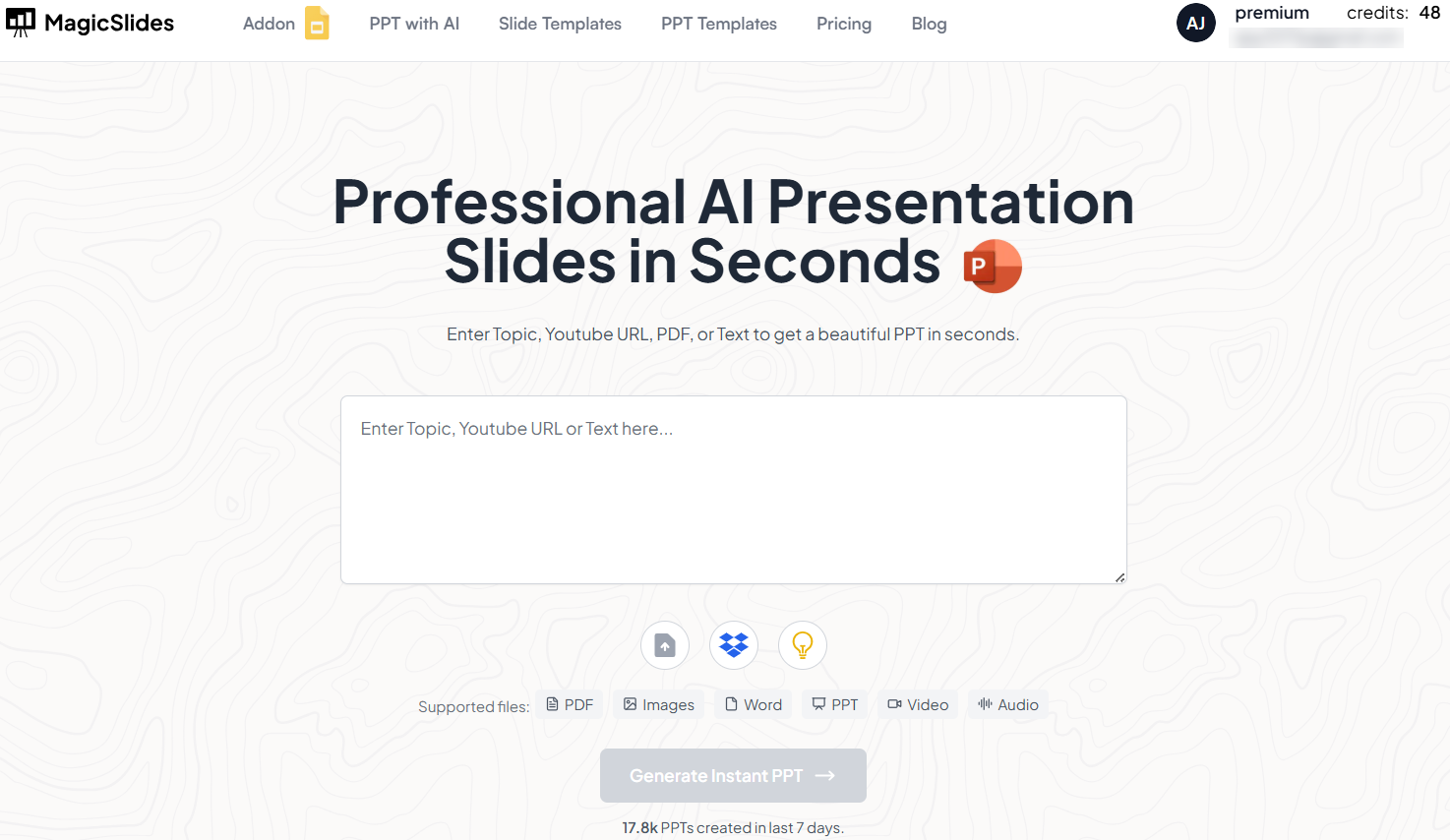
- Sign up or log in to your account to access the AI-powered presentation maker.
MagicSlides.app intuitive interface makes it easy for users to create presentations without any prior design experience.
Step 2: Log In to Continue
Once on the MagicSlides.app web app, log in to your account:
- Click on Sign In or Sign Up if you are a new user.
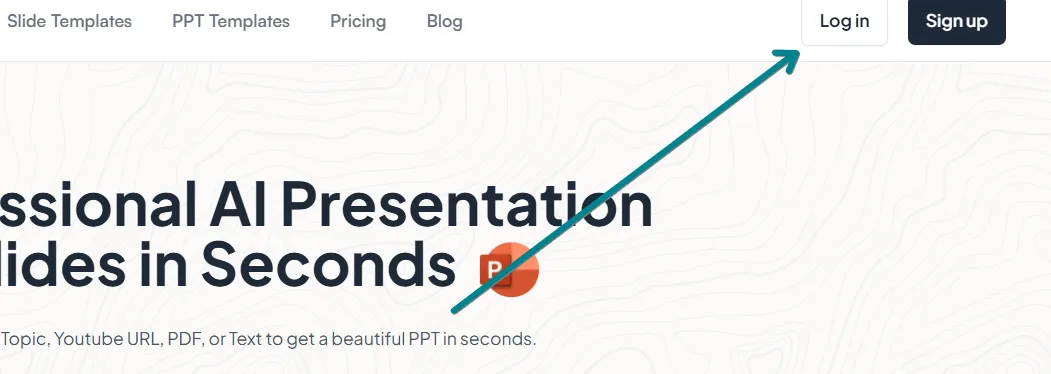
- Use your Google, Microsoft, or email credentials to log in securely.
- After logging in, you'll be redirected to the AI-powered presentation creator.
Having an account allows you to save, edit, and download presentations effortlessly.
Step 3: Enter Your Topic
Now it's time to generate your AI-powered presentation:
- In the AI Input Bar, enter your presentation topic.
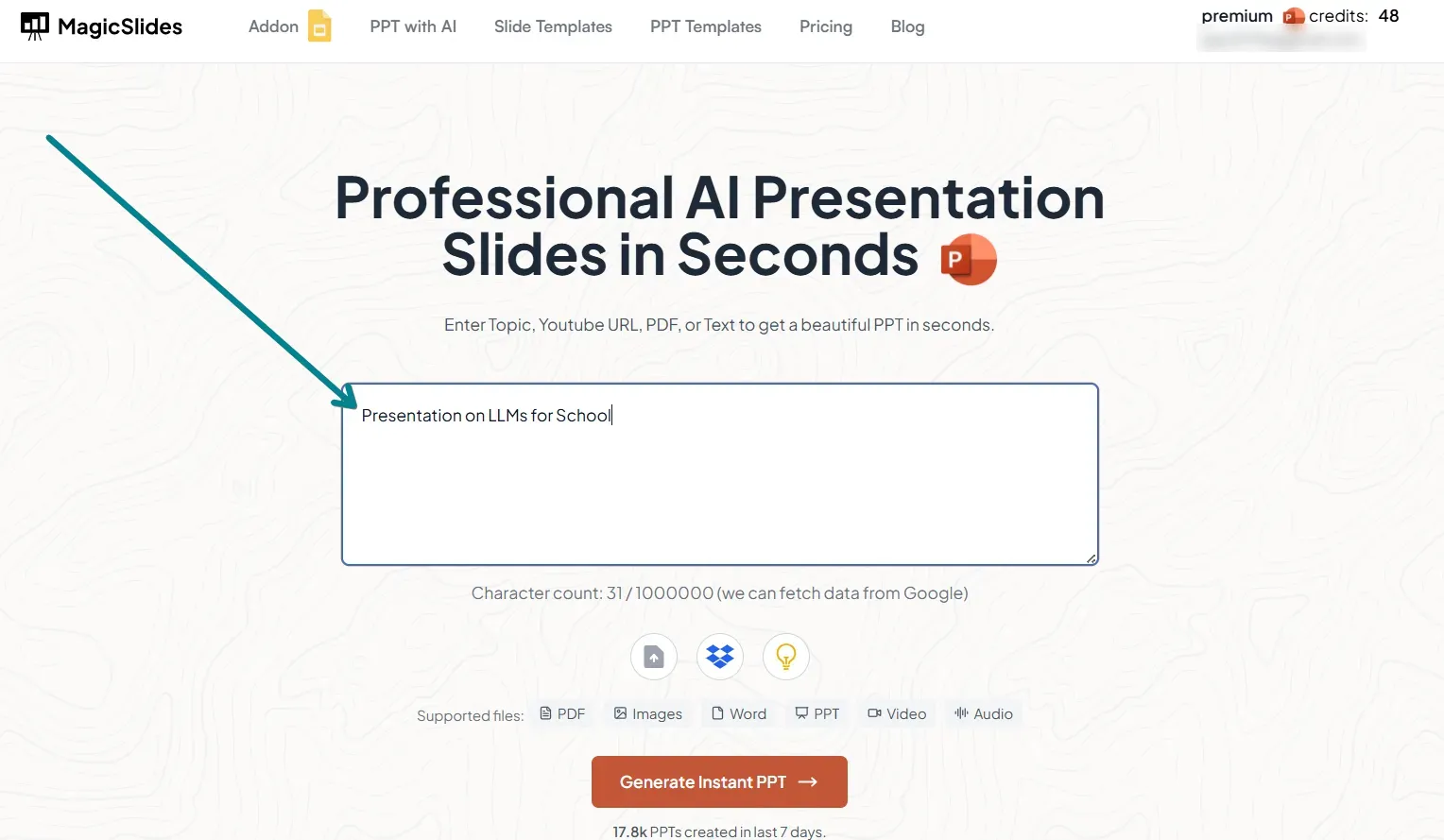
- You can specify keywords, themes, or a brief description to guide the AI.
- Click Generate Presentation to let MagicSlides.app AI process your request.
Within seconds, MagicSlides.app will create a well-structured PowerPoint presentation based on your input.
Step 4: Review and Download Your Presentation
Once MagicSlides.app generates your presentation, review and finalize it:
- Go through each slide to ensure the content aligns with your needs.
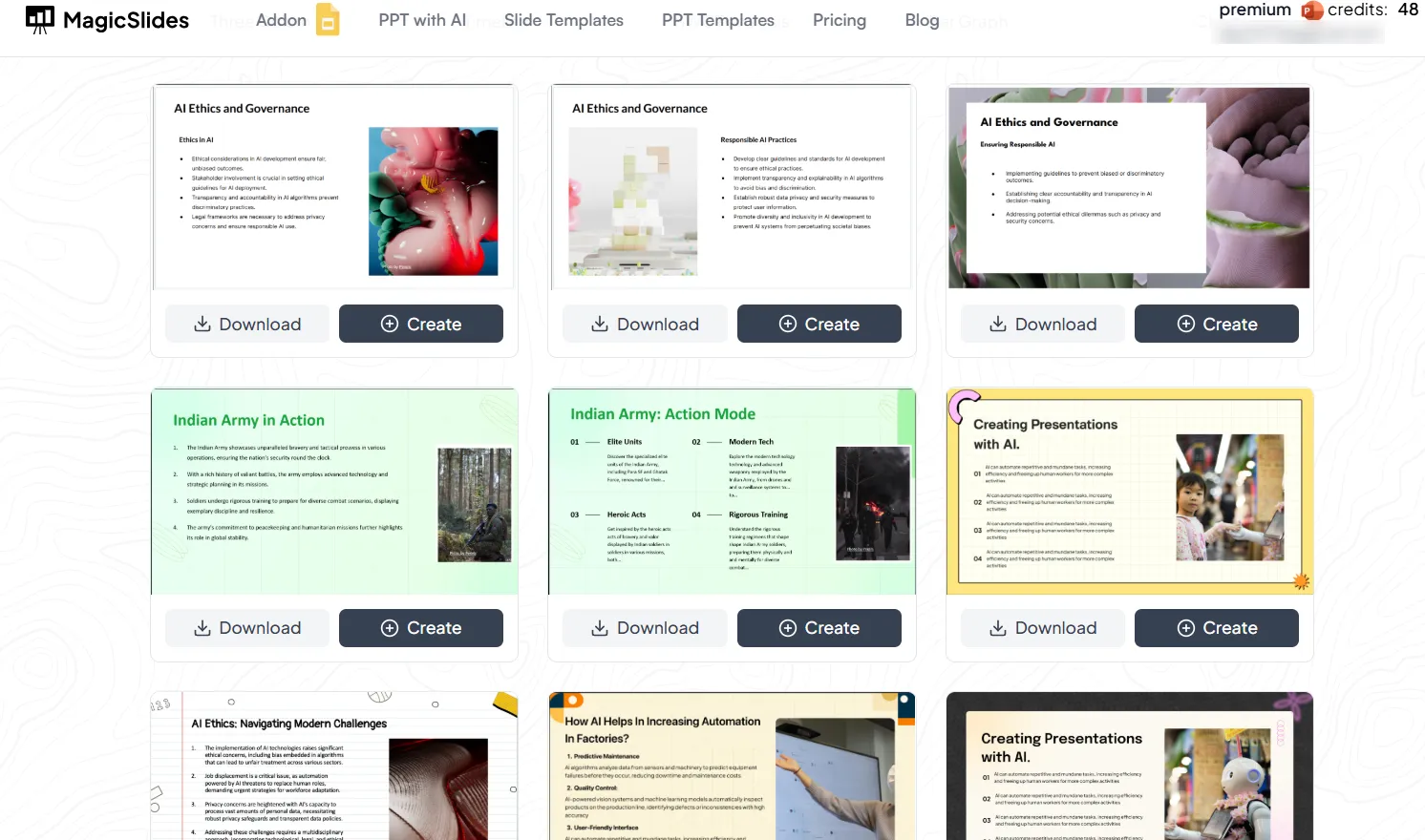
- Make any necessary edits, additions, or deletions before finalizing.
- Click Download PPT to save your presentation in PowerPoint format.
With these features, you can ensure that your slides are customized and polished for your audience.
Step 5: Upgrade to MagicSlides.app Premium for Advanced Features
While the free version of MagicSlides.app offers impressive AI-generated slides, upgrading to MagicSlides.app Premium unlocks more advanced features, including:
- URL to PPT – Convert web pages into structured PowerPoint slides.
- YouTube Video to PPT – Generate slides based on video content.
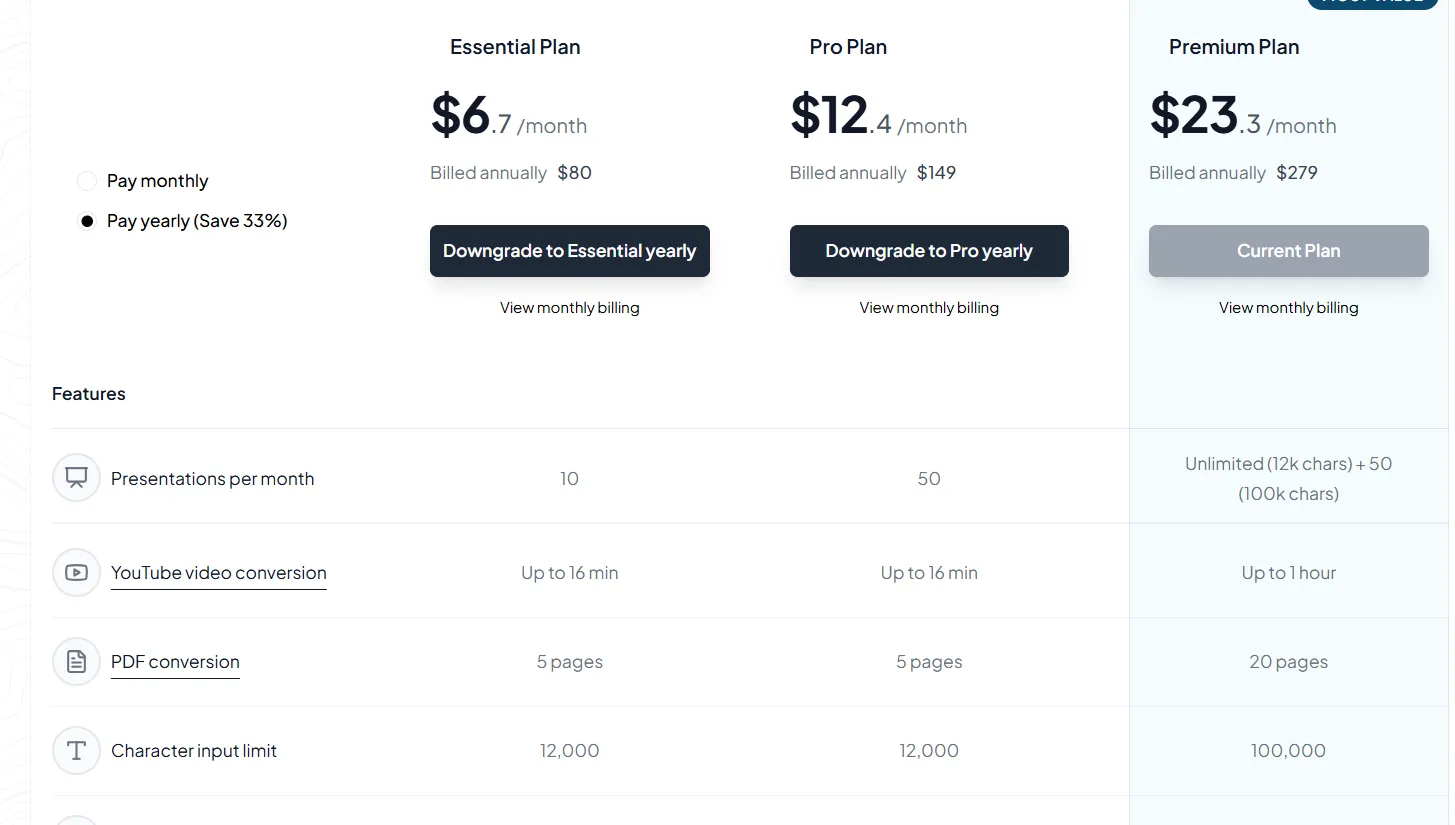
- Customization Tools – AI-assisted modifications for better designs and layouts.
For more details, visit MagicSlides Pricing to explore the premium plans.
Conclusion
If you're looking for an AI tool that creates PowerPoint presentations, MagicSlides.app is the perfect solution.
With its web-based AI-powered presentation generator, you can quickly create professional, engaging slides without spending hours designing them manually.
Whether you're a student, teacher, business professional, or content creator, MagicSlides.app helps you save time and effort while ensuring high-quality results. Try it today and transform the way you create presentations!
Frequently Asked Questions (FAQs)
Is MagicSlides.app free to use?
MagicSlides.app offers a free version with basic AI-powered slide generation. For additional features, you can upgrade to Pro or Premium plans.
Can I edit the AI-generated PowerPoint slides?
Yes! You can manually edit text, images, and layouts after downloading your presentation.
How does MagicSlides.app differ from other AI presentation tools?
MagicSlides.app provides unique features like URL to PPT, YouTube Video to PPT, and smart AI-powered customization, making it a versatile and powerful tool for creating presentations.


