Family Feud PPT Template


Create your own exciting Family Feud-style game using PowerPoint for fun events or team activities
How to Create a Family Feud PPT Template
Hosting a game night, classroom activity, or interactive team-building session?
A Family Feud-style PowerPoint template is the perfect way to energize your audience.
You don’t need fancy game software just PowerPoint and a little creativity! In this guide, we’ll walk you through how to build your own Family Feud PPT template step-by-step.
Step-by-Step: How to Make a Family Feud PowerPoint Template
Step 1: Open PowerPoint and Set the Slide Design
Start by opening PowerPoint and creating a blank presentation.
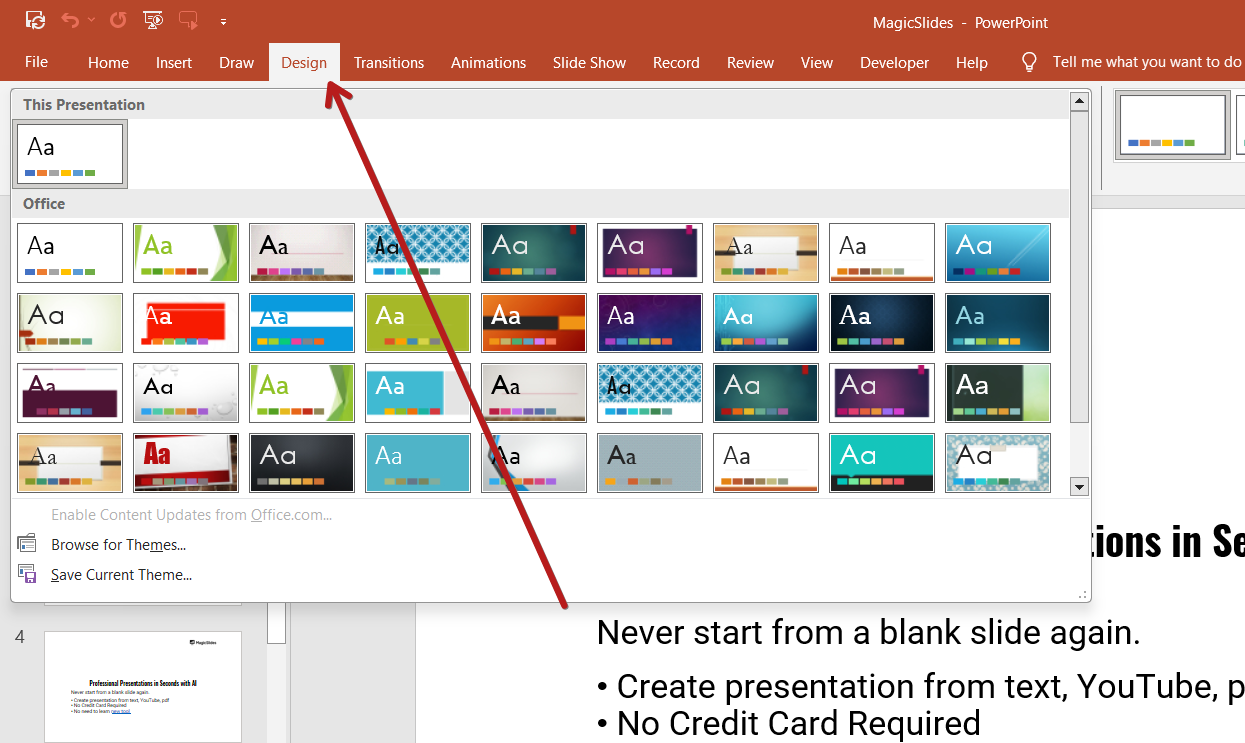
Go to the “Design” tab and choose a background that gives your slides a game-show feel. Use dark blue or black backgrounds with bright yellow or white text for that authentic Family Feud look.
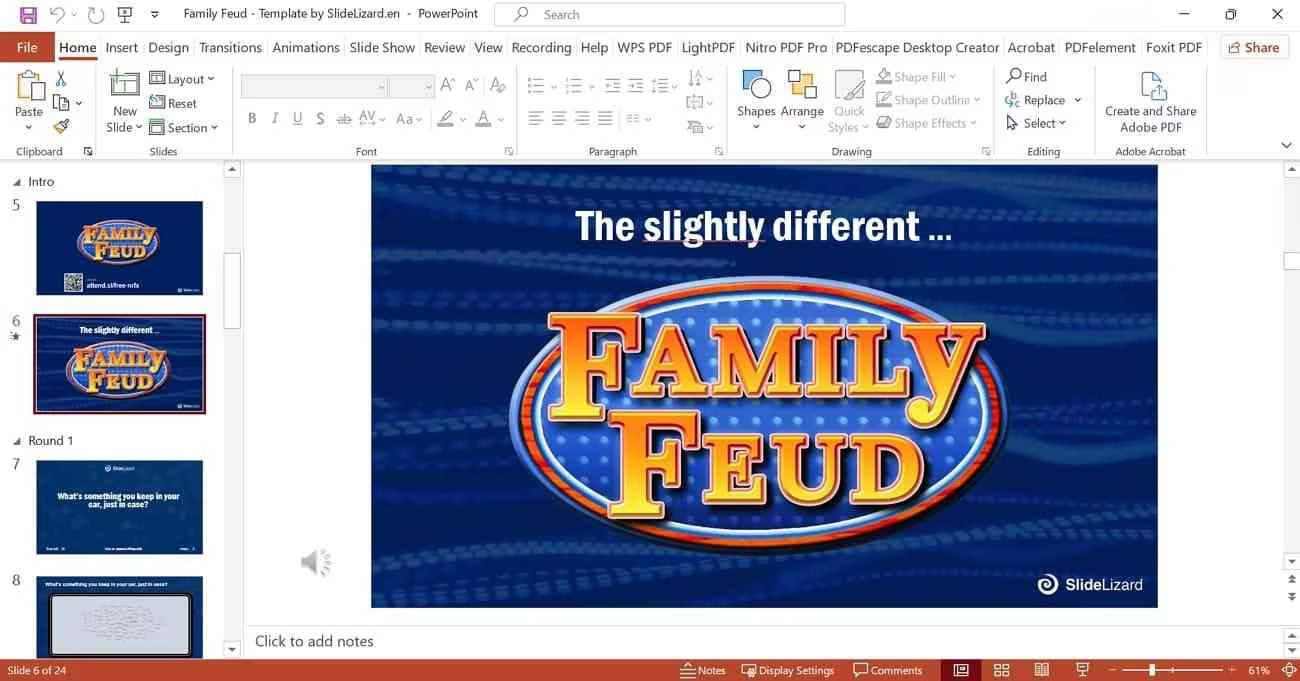
Step 2: Create the Title Slide
Make your first slide the game title.
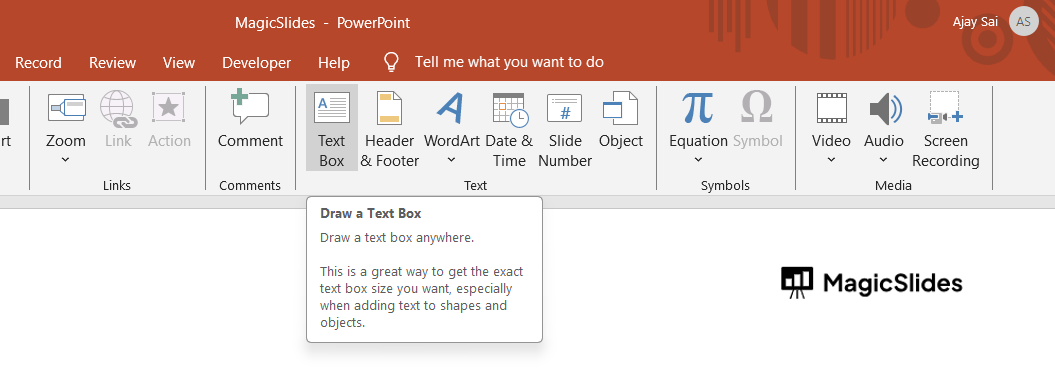
Add a text box with the words “Family Feud”, your own game title, or team name. Center it, enlarge the font, and use bold colors. You can also add an image or logo to match the theme.
Tired of spending hours crafting a presentation? Here’s a smarter solution MagicSlides
Whether it’s for work, school, or a pitch deck, building a presentation from scratch can take hours from researching and organizing content to designing each slide. But what if you could skip all that and have your presentation ready in under a minute? That’s exactly what MagicSlides does for you.

MagicSlides is an AI-powered tool that creates professional, engaging presentations with just one prompt. Simply enter your topic, and the platform will generate a full deck complete with structured content, design elements, and suggested visuals.
Here’s what you’ll love about MagicSlides:
- Instant slide generation with just one prompt
- Smart content organization and bullet points
- Visually polished designs, no design skills needed
- Multiple formats: Download as PowerPoint, use in Google Slides
- Supports customization, edits, and re-generation
- Converts YouTube videos, URLs, or text into full presentations
- Perfect for business, education, content creation, and more
Want to try it yourself? Click here to start creating your first presentation for free!
Step 3: Build the Question Slide
This is where you'll display your main questions.
- Add a large text box at the top of the slide for the question.
- Leave space below to add answer boxes for players to guess.
- Add shapes or rectangles where answers will appear make sure they’re the same size and aligned neatly.
- Inside each box, add “Click to Reveal” or leave it blank for now.
Step 4: Add Answer Reveal Animations
To simulate answer reveals:
- Click on each answer shape.
- Go to the “Animations” tab.
- Choose “Appear” or “Fade”.
- Set the trigger so the shape appears when clicked.
This lets the host click to reveal correct answers as players guess them.
Step 5: Insert Sound Effects (Optional)
Want to make it more fun?
- Go to Insert > Audio > Audio on My PC.
- Add correct or incorrect buzzers, applause, or a timer sound effect.
Place the icons off-slide so they don’t show while presenting.
Step 6: Create Score Slide (Optional)
Add a slide to track team scores.
Use text boxes or shapes labeled “Team A” and “Team B.” You can manually update the scores during the game or keep track off-screen.
Step 7: Duplicate and Customize Slides
Now that you have your template:
- Duplicate your question slide for as many questions as you have.
- Customize each one with new questions and answers.
Conclusion
With just a few simple steps, you can turn an ordinary PowerPoint into an exciting Family Feud-style game!
It’s interactive, fun, and customizable for any group setting whether you’re teaching, training, or just having fun with friends and family. Get creative and let the game begin!
FAQs can come handy!
Can I download a pre-made Family Feud template for PowerPoint?
Yes! Many free and premium templates are available online, but building your own ensures full customization.
How many answers should I include per question?
Typically 4 to 8 answers work well just like the original game format.
Can I run this game on Google Slides instead?
Yes, though animations and sound effects may be limited compared to PowerPoint.


