How AI is Changing the Way Businesses Create Presentations


Discover how artificial intelligence revolutionizes business presentations by automating design, generating content, and delivering data-driven insights for maximum impact.
Creating a strong, professional presentation is essential for businesses aiming to communicate effectively. Whether you're sharing key business insights, pitching a new idea, or discussing quarterly results, a business presentation can make or break your message. However, the traditional process of crafting presentations—from designing slides to drafting content and selecting visuals—can be time-consuming and overwhelming.
Artificial intelligence (AI) is transforming how businesses approach the creation of presentations. With AI-powered tools, businesses can now streamline the process, producing high-quality, engaging presentations in a fraction of the time it would take manually. These AI tools offer a range of capabilities, from automating content creation to improving slide design and recommending relevant visuals, ultimately helping professionals create better presentations with less effort.
Key Benefits of AI in Business Presentations
AI’s integration into presentation creation is providing numerous benefits that can elevate the quality and efficiency of business presentations. Here are some of the most significant advantages:
- Time Efficiency: AI tools significantly reduce the time needed to create presentations. Instead of spending hours manually designing slides or searching for relevant data, AI-powered tools automate these tasks, allowing users to focus on their message and delivery.
- Enhanced Content Creation: AI can generate content based on the topic of your presentation. For example, AI can pull in data from trusted sources like Google, Wikipedia, and other online resources, helping to create a rich, well-informed presentation in minutes. This is especially useful for professionals who need to quickly assemble data and insights.
- Design and Visual Recommendations: AI can suggest design elements, templates, and visuals that match the content of your presentation. This ensures that the slides are not only informative but also visually appealing, engaging the audience effectively. AI tools can also help maintain consistency throughout the presentation, ensuring uniformity in layout and design.
- Personalization and Customization: AI allows for a high degree of personalization in presentations. It can analyze the specific needs of your audience, tailoring the presentation’s tone, content, and visuals accordingly. Whether you’re presenting to clients, executives, or your team, AI can help customize the presentation for maximum impact.
- Error Reduction: AI tools can identify potential errors in your slides—whether it's a mistake in the data, inconsistency in formatting, or awkward phrasing. This leads to more polished, professional presentations with fewer mistakes.
How to Create Business Presentations Using MagicSlides
One of the leading AI tools for business presentations is MagicSlides, which makes creating professional presentations simple and fast. Here’s a step-by-step guide on how to use MagicSlides:
- Visit MagicSlides: Head to magicslides.app to get started.
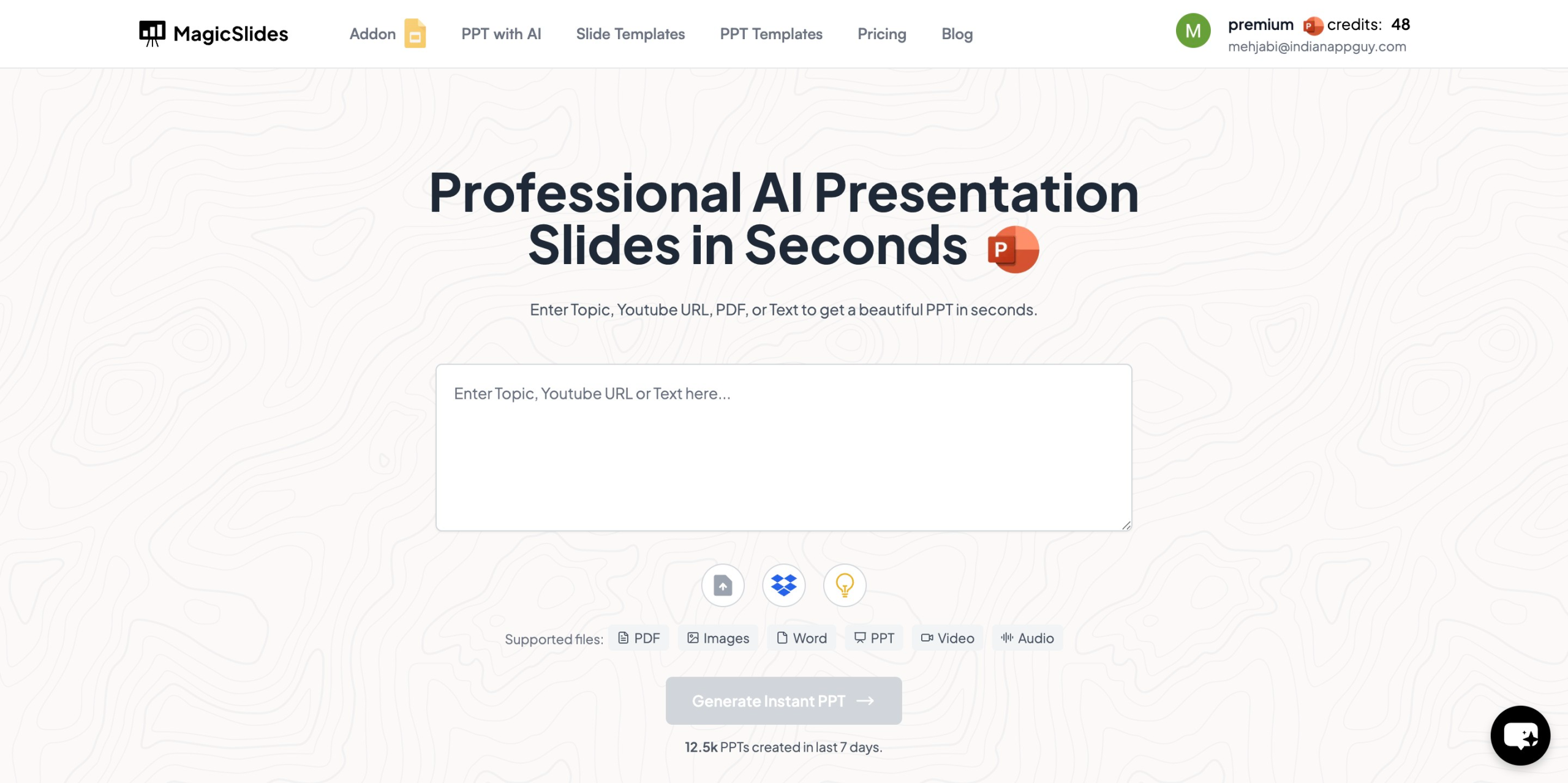
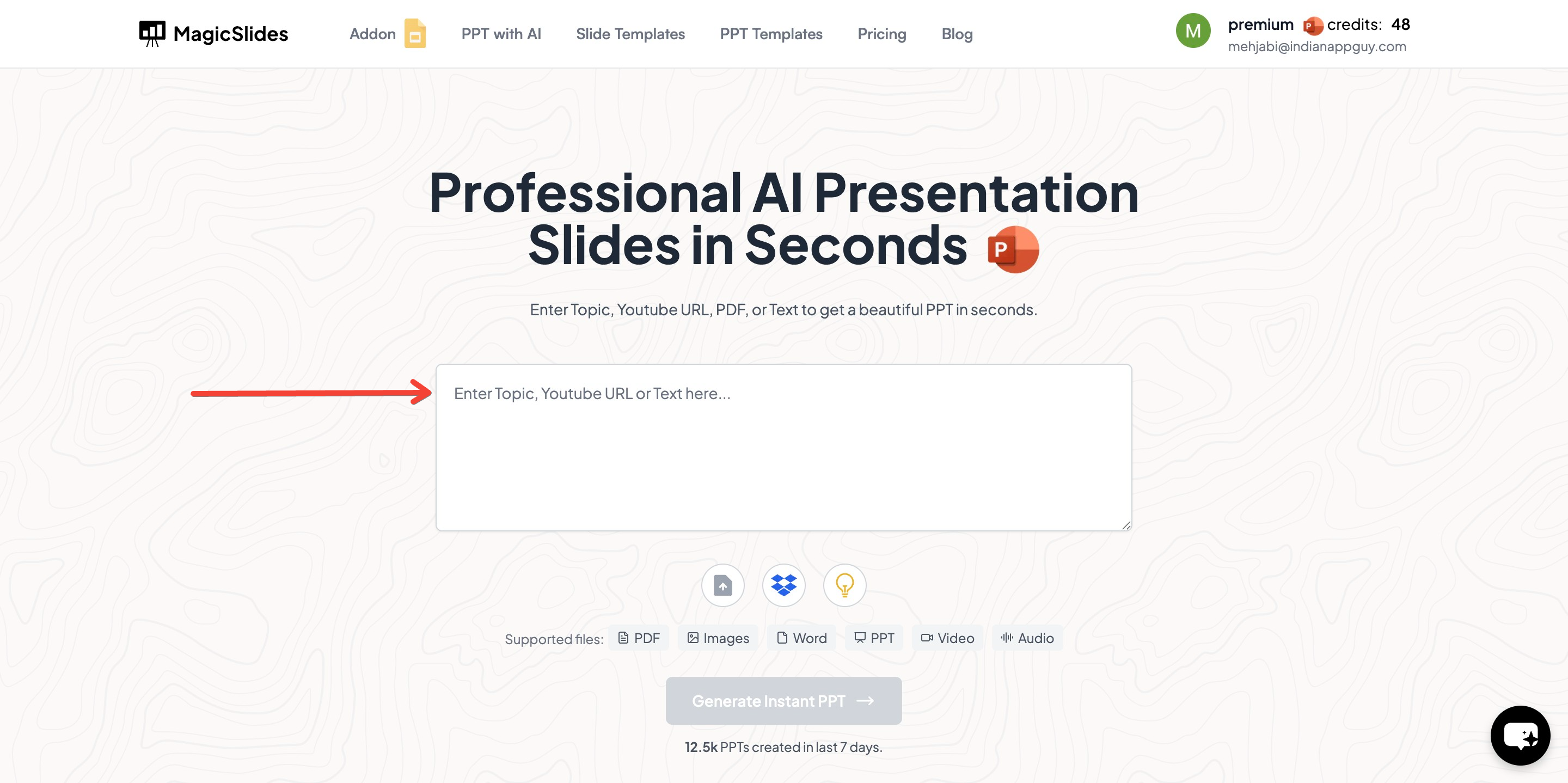
- Enter Your Topic: On the homepage, you’ll find a prompt asking for the topic of your presentation. Enter the topic you want to create a presentation on, such as "Marketing Strategies" or "Quarterly Financial Report."
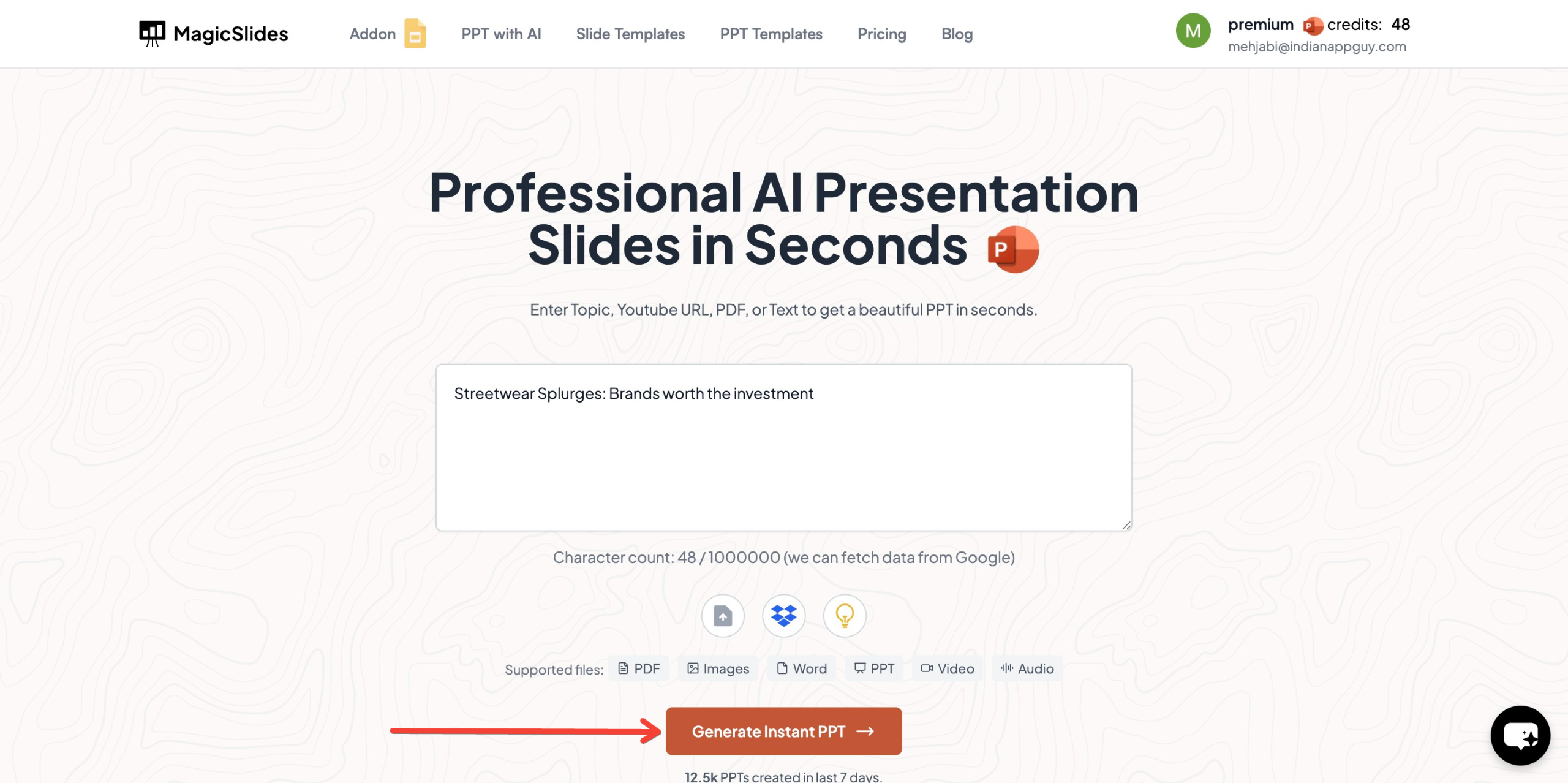
- Click Generate Instant PPT: Once you've entered your topic, click the "Generate Instant PPT" button. MagicSlides will process your request and begin generating a presentation based on your input.
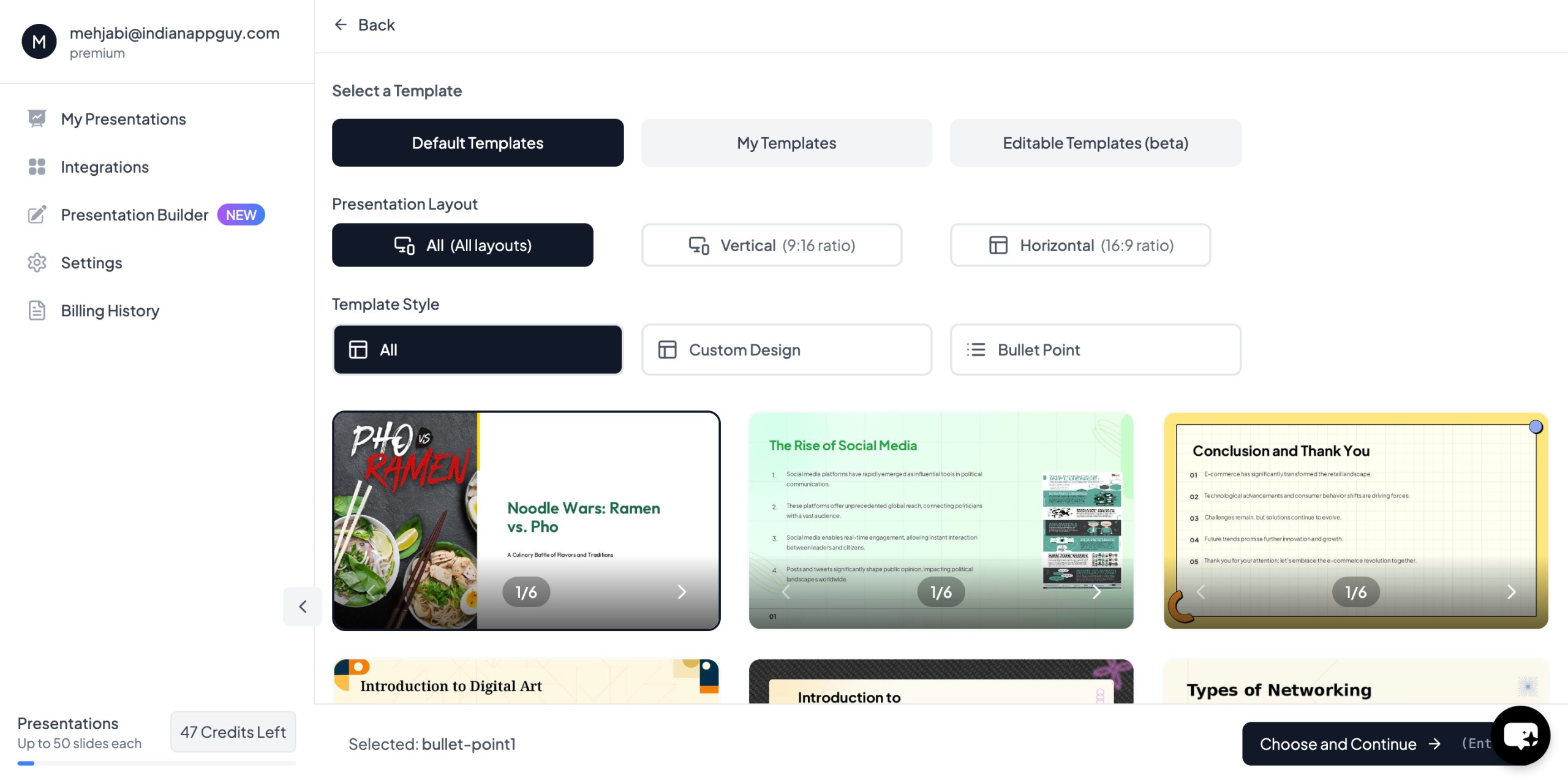
- Choose Your Template and Slides: Next, select the template style that fits your needs. You can also choose the number of slides you want for your presentation, whether it’s a short overview or a more comprehensive deck.
- Review and Customize: After selecting your template and slide count, the tool will generate a draft presentation. You can then review the slides, edit content, and add any personalized touches you need.
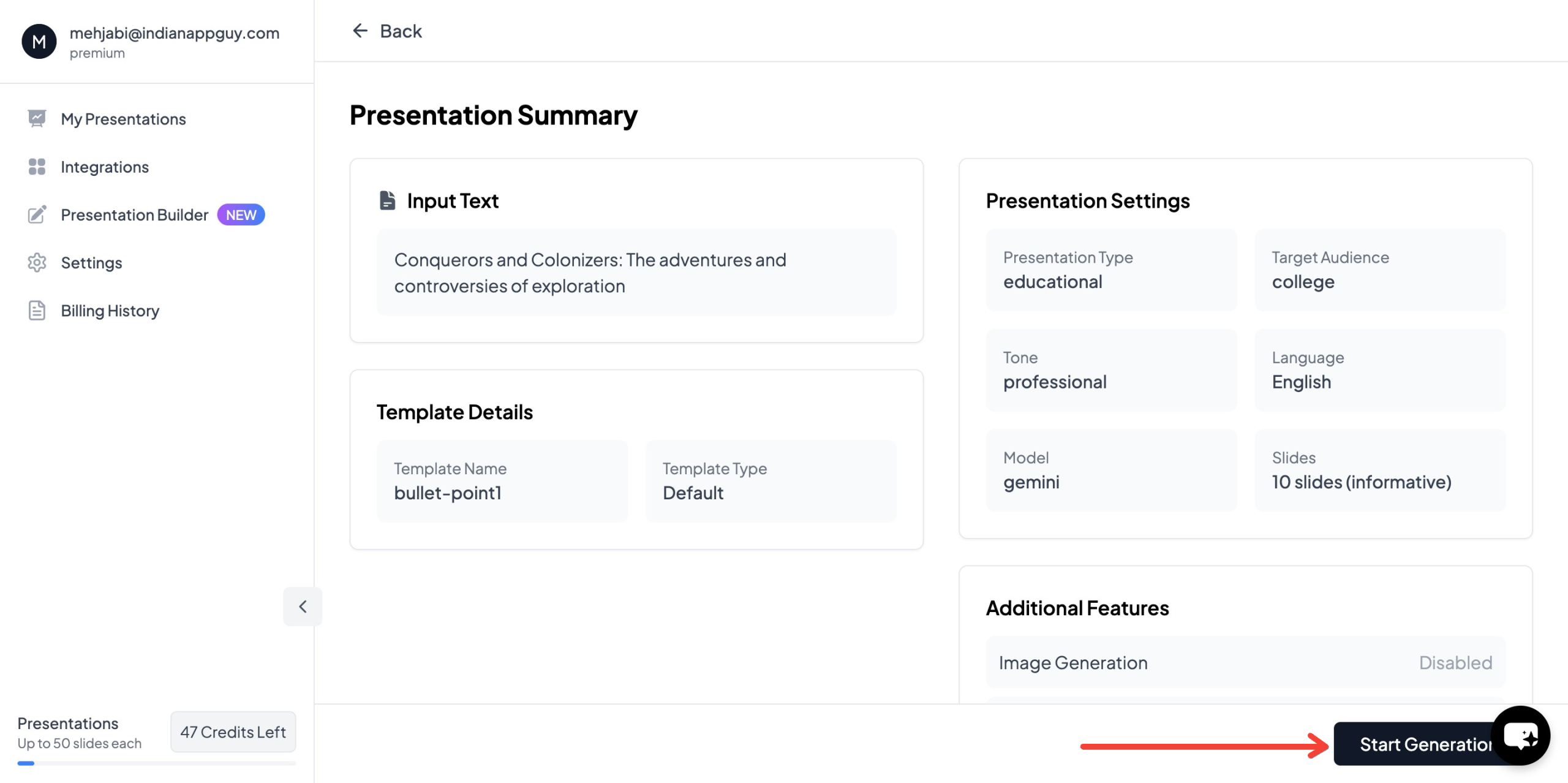
- Download Your Presentation: Once you're happy with the presentation, click “Generate Instant PPT” to finalize your deck. The presentation will be created and available for download in just moments.

MagicSlides uses AI to pull in relevant content from online sources and automatically formats it into your presentation, saving you hours of work. Whether you're creating a business pitch, training materials, or an internal report, MagicSlides ensures a smooth and efficient process.
Pricing of MagicSlides
MagicSlides is available through a subscription-based model, with different pricing tiers to suit a variety of needs:
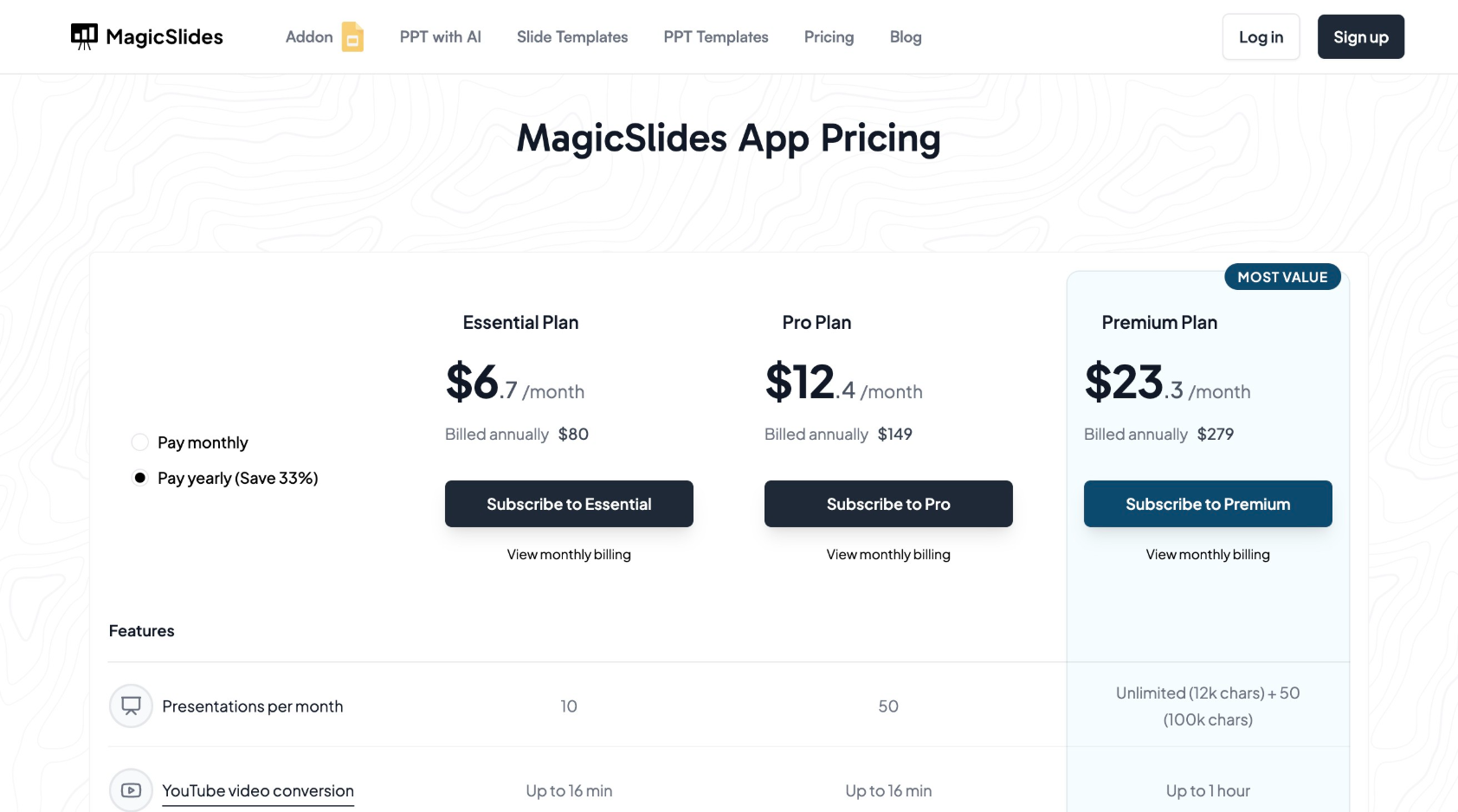
- Essential Plan: $6.70/month, billed annually at $80. This plan includes 10 presentations per month, up to 10 slides per presentation, and access to various features like YouTube video conversion and data from Google and Wikipedia.
- Pro Plan: $12.40/month, billed annually at $149. This plan provides up to 50 presentations per month, up to 15 slides per presentation, AI-powered images, and access to premium features like Zapier integration and support for 100+ languages.
For businesses that require more robust features, MagicSlides offers even more advanced options. The Pro Plan is suitable for companies that create multiple presentations monthly and need a wide range of customization options.
If you're unsure which plan to choose, you can use MagicSlides’ plan calculator to help determine the best option based on your needs.
Conclusion
AI is revolutionizing the way businesses create presentations. With tools like MagicSlides, creating professional and engaging presentations has never been easier. By automating the time-consuming aspects of presentation creation—such as content generation, design, and slide formatting—AI allows businesses to focus on what truly matters: delivering a compelling message to their audience.
Whether you're a business professional, marketer, or executive, leveraging AI for your business presentations will save you time, improve the quality of your slides, and ensure that your message is communicated clearly and effectively.


