Addon google slides iconPPT with AISlide TemplatesPPT TemplatesPricingBlog
    PPT with AISlide TemplatesPPT TemplatesPricingBlog
    1. Home
    2. Blog
    3. How to Convert Word business proposals to PowerPoint for engaging client presentations


    How to Convert Word business proposals to PowerPoint for engaging client presentations

    magicslides app

    Published By

    magicslides app
    Mohit Kumar Jha

    Approved By

    Mohit Kumar Jha

    Published On

    July 23th, 2024

    Reading Time

    2 min read

    "Revamp your business proposals with dynamic presentations with MagicSlides.app”

    In the realm of business, a captivating presentation can make all the difference. In this step-by-step guide, discover how to effortlessly convert your Word business proposals into engaging PowerPoint presentations using Google Slides and the powerful MagicSlides.app extension.

    How to Convert Word business proposals to PowerPoint for engaging client presentations

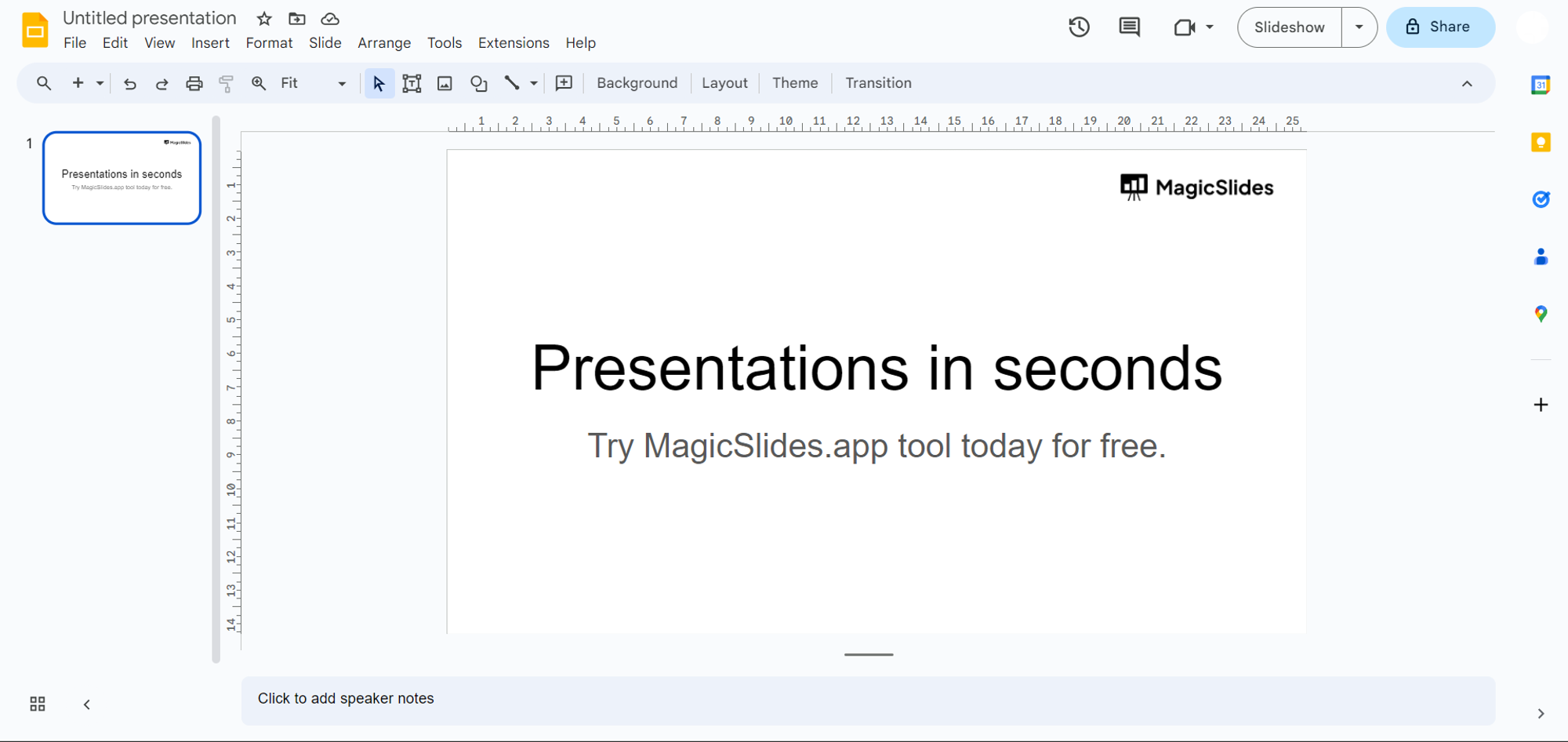
    Step 1: Enter Google Slides

    Start your journey by visiting slides.google.com and signing in with your Gmail account. If you don't have one, creating it is quick and easy.
    notion image

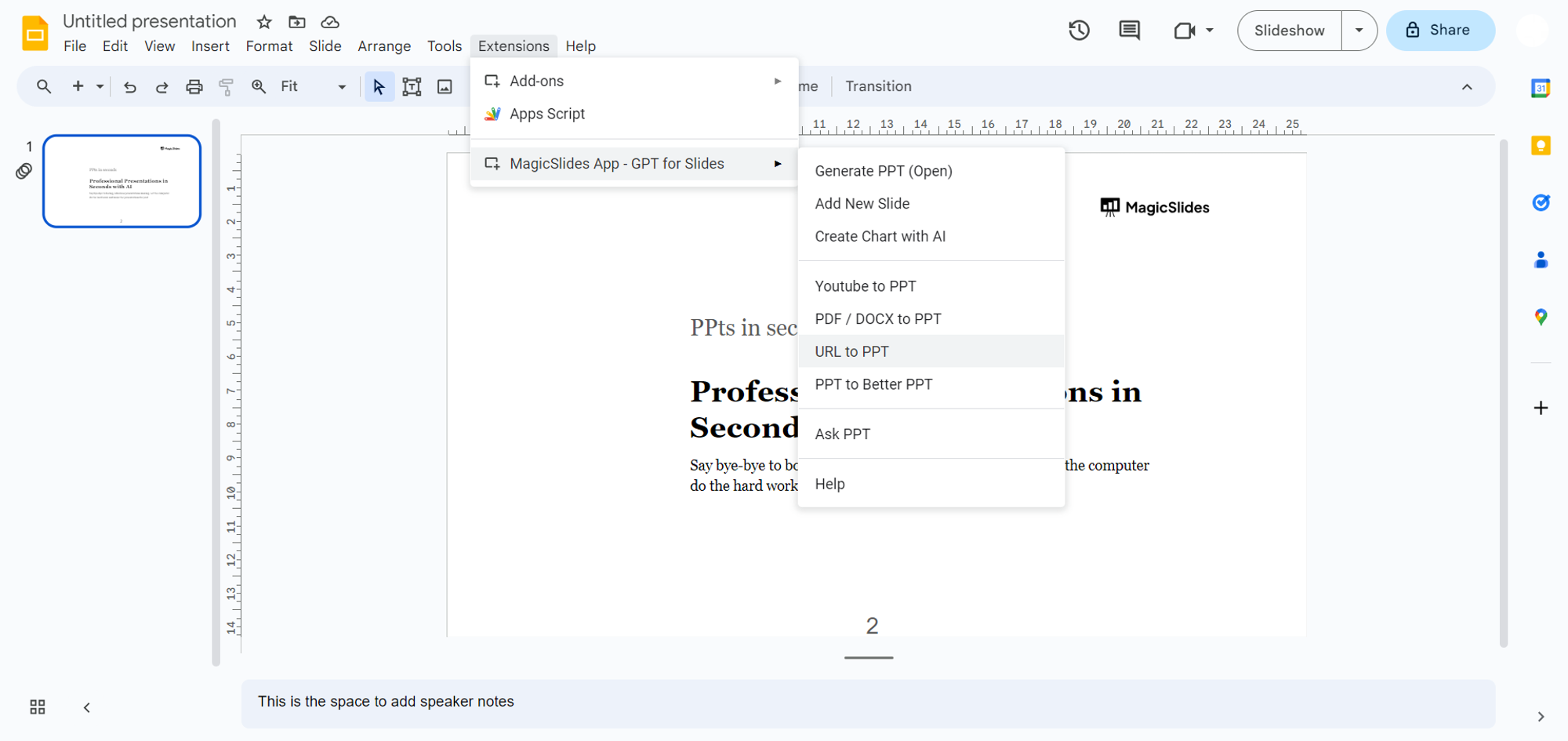
    Step 2: Access MagicSlides.app

    Ensure the MagicSlides.app extension is integrated into Google Slides.
    notion image
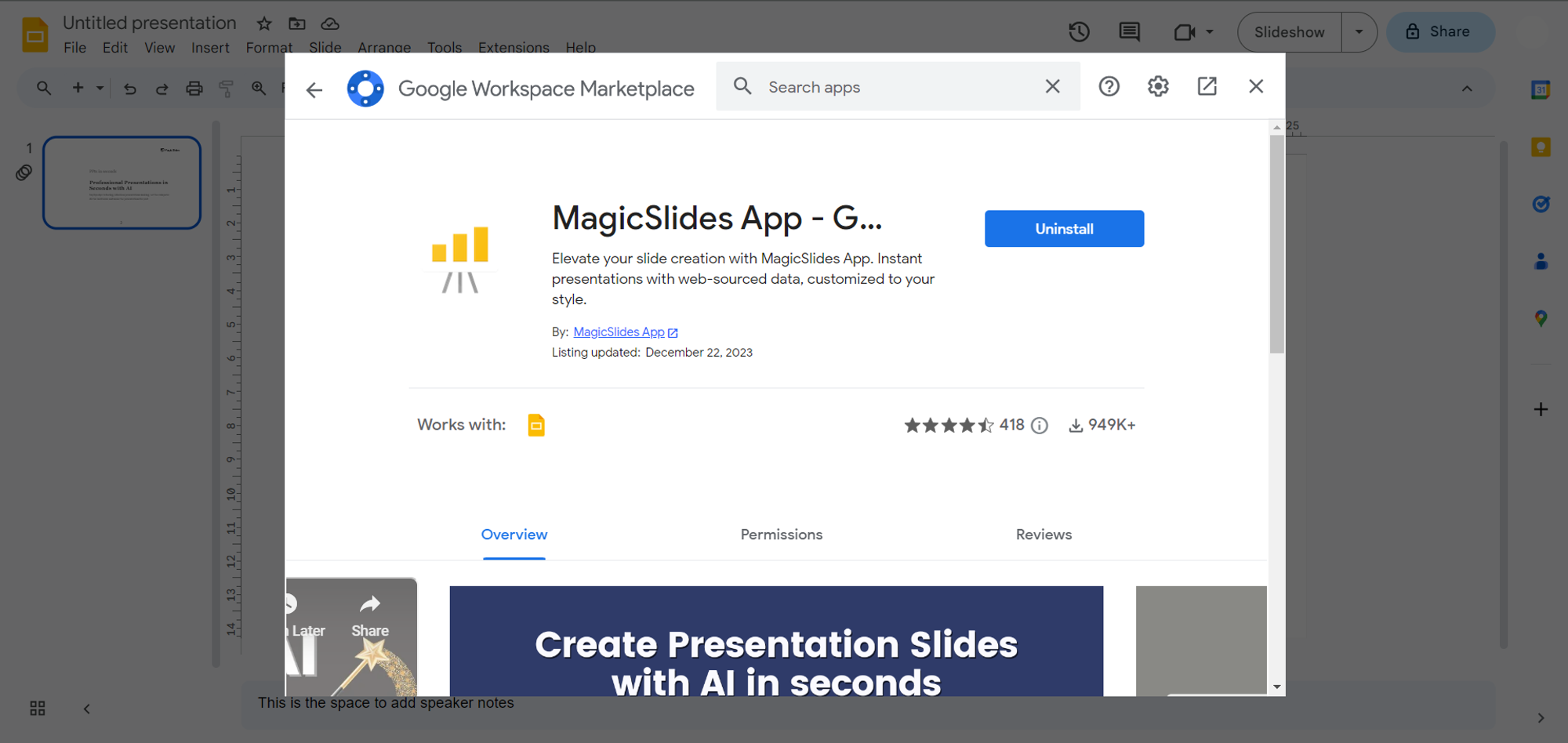
    If already installed, open it directly from the extension tab. If not, head to the extensions marketplace, search for MagicSlides.app, and seamlessly download and install it.
    notion image

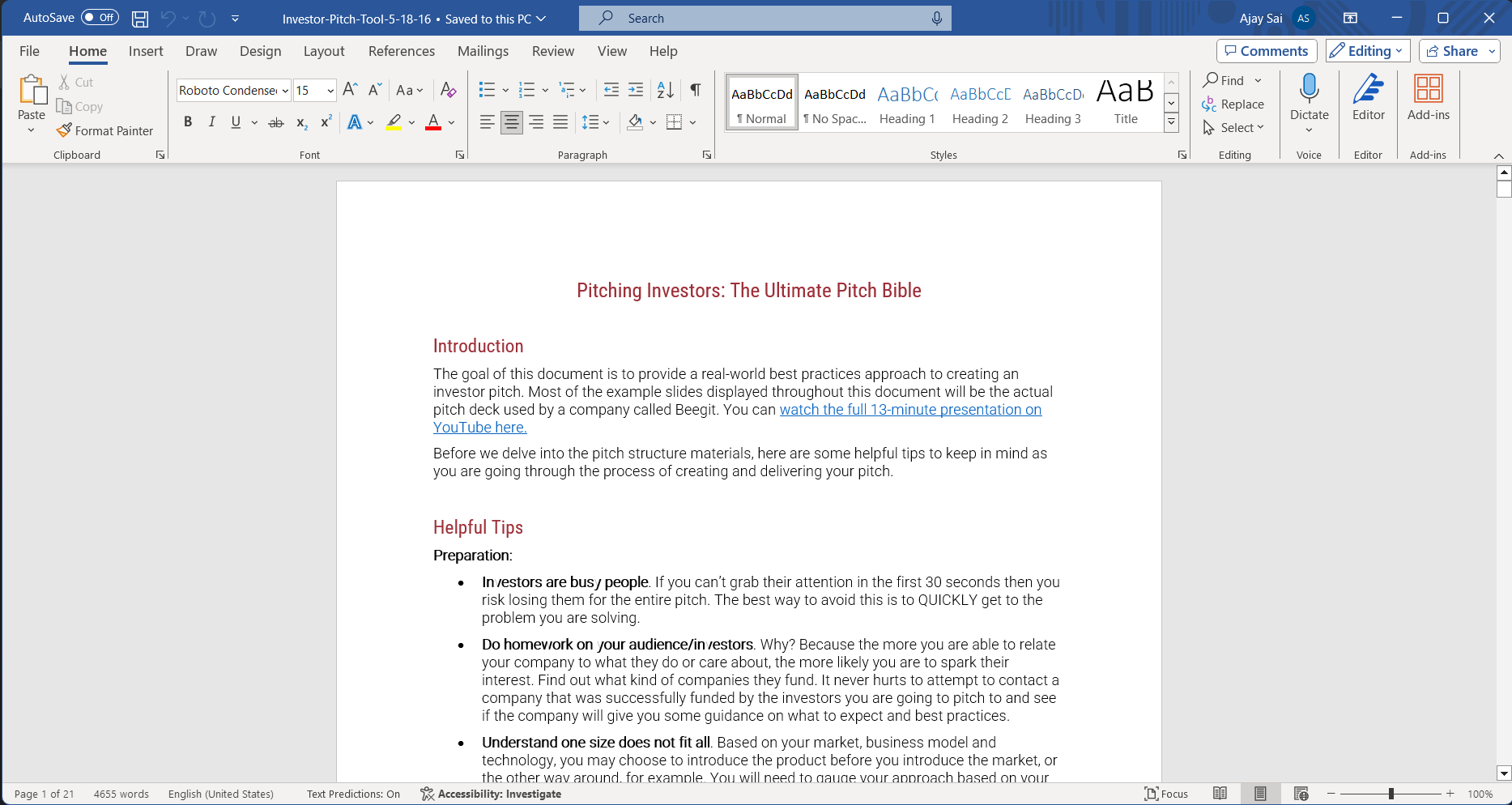
    Step 3: Retrieve Your Word Proposal

    Navigate to the location on your local system where your Word business proposal is stored. This document will be the foundation for your engaging PowerPoint presentation.
    notion image

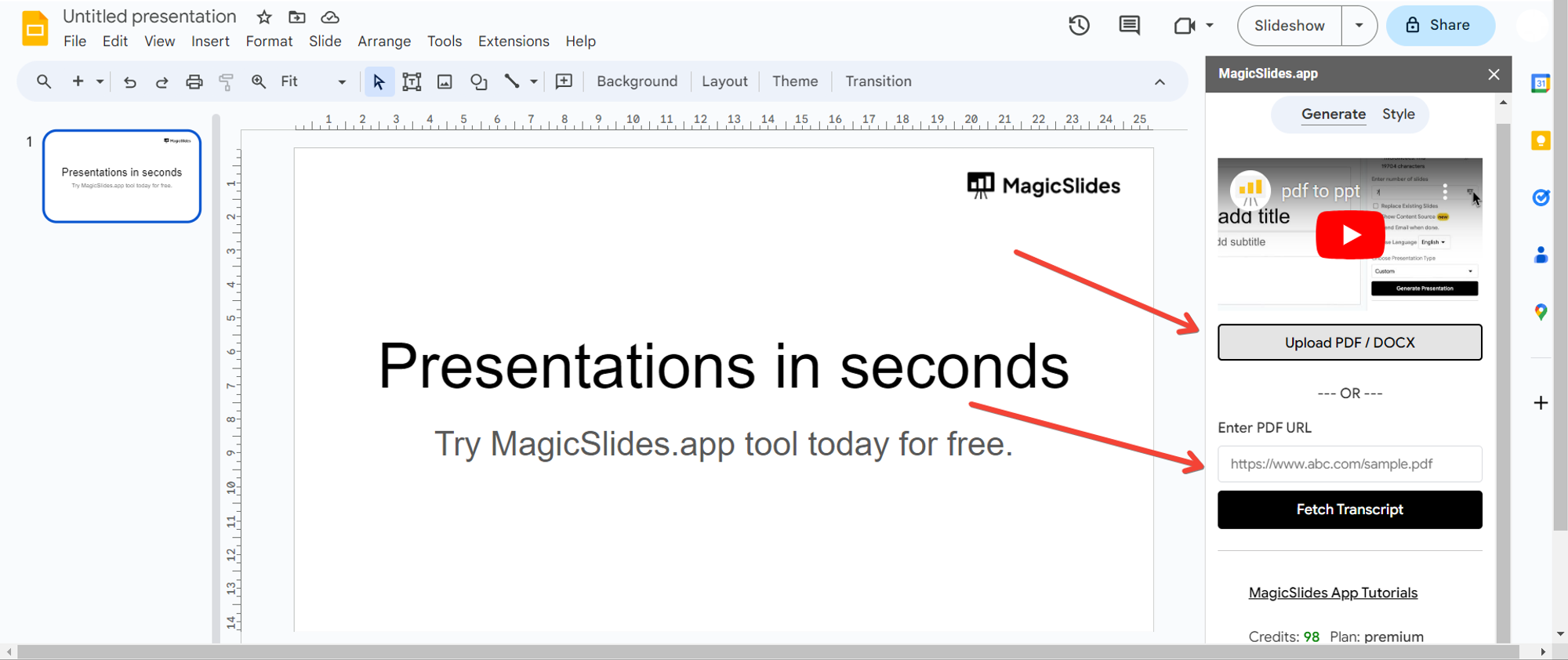
    Step 4: Upload Your Proposal

    Click the upload button within MagicSlides.app and select your Word business proposal document. Watch as MagicSlides.app analyzes the content and prepares it for the transformation.
    notion image

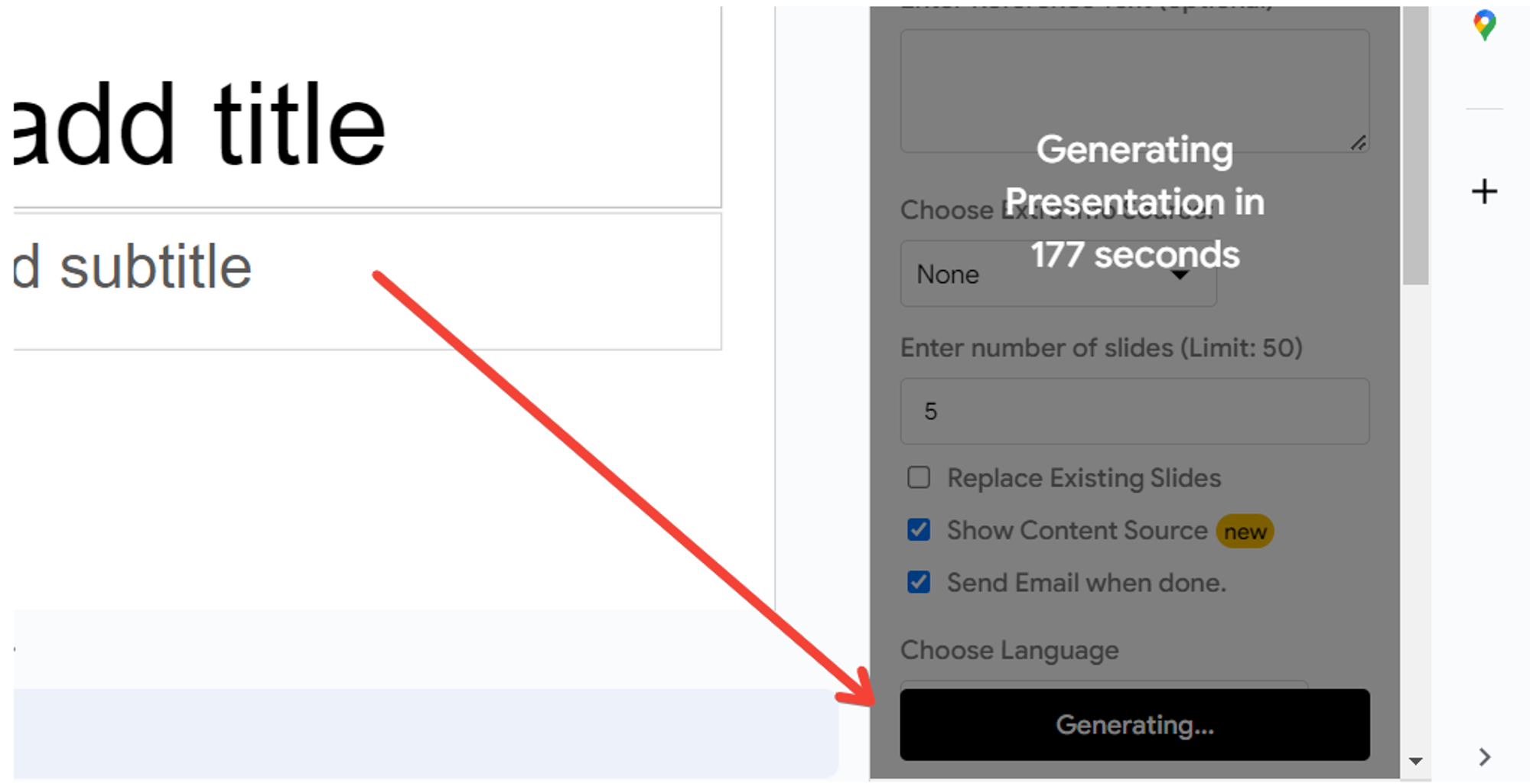
    Step 5: Generate the Presentation

    With your proposal uploaded, click the "Generate Presentation" button. Witness the magic as MagicSlides.app converts your Word document into a visually appealing PowerPoint presentation.
    notion image

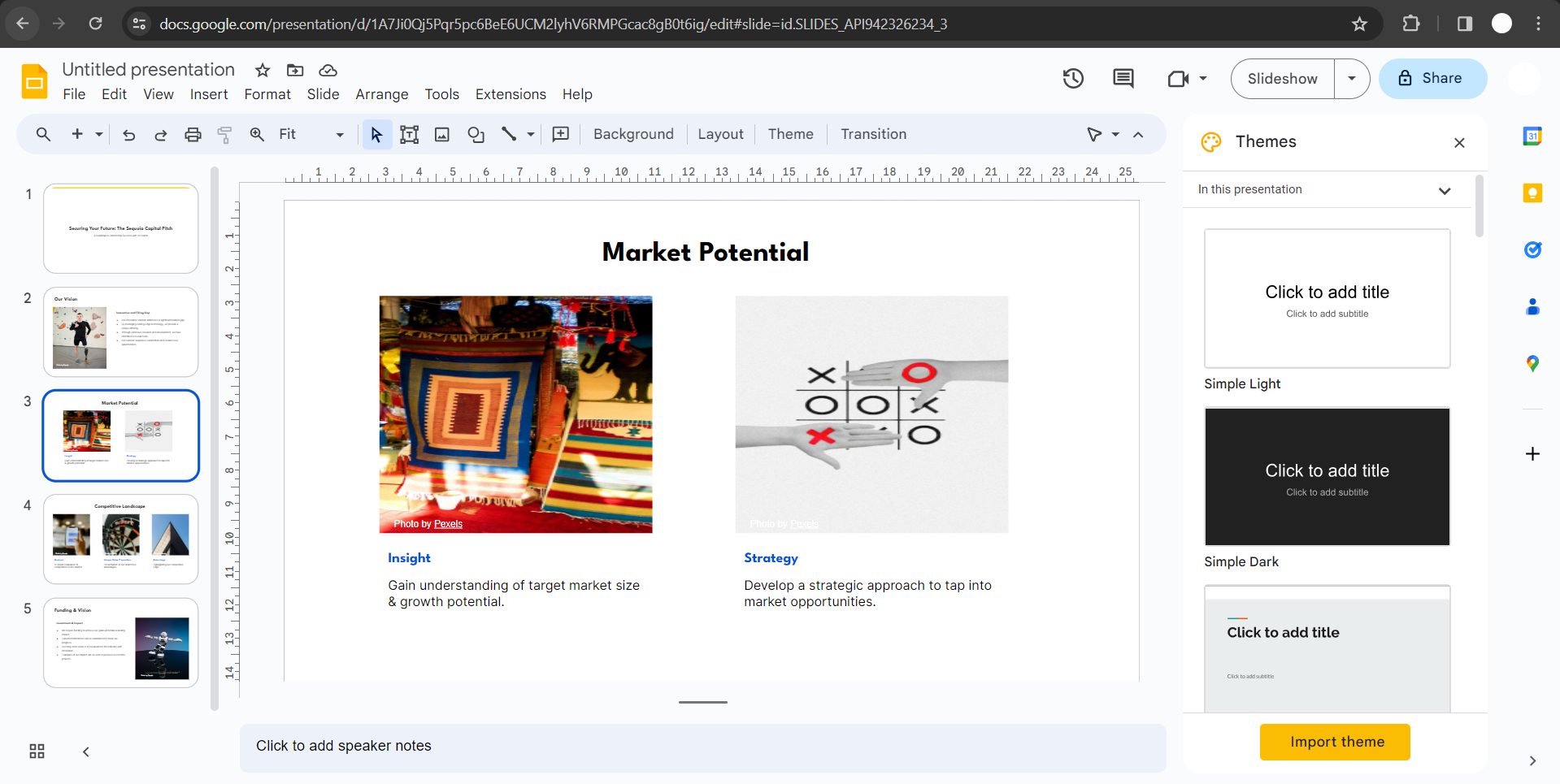
    Step 6: Mission Accomplished

    Congratulations! Your Word business proposal is now transformed into a polished PowerPoint presentation. Feel free to refine and customize the slides to match your presentation style.
    notion image

    Conclusion:

    Elevate your client presentations with the fusion of Google Slides and MagicSlides.app. By seamlessly converting your Word business proposals into dynamic PowerPoint presentations, you can captivate your audience and leave a lasting impression. Embrace this user-friendly process to enhance your business communication and effortlessly turn proposals into engaging visual narratives. Your path to persuasive presentations starts here!

    Frequently Asked Questions:

    Is MagicSlides.app suitable for all types of Word business proposals?
    Yes, MagicSlides.app seamlessly converts various Word business proposal formats for engaging presentations.
    Can I make adjustments to the PowerPoint presentation after using MagicSlides.app?
    Certainly! After the conversion, you have the flexibility to customize the presentation in Google Slides.
    Do I need advanced technical skills to follow this conversion process?
    No, this process is user-friendly, requiring only basic knowledge of Google Slides and file management.
    Is MagicSlides.app a free extension, or is there a cost involved?
    MagicSlides.app offers both free and premium versions. Explore the features and choose the plan that suits your needs.

    Share on socials

    About the author

    Sanskar Tiwari profile photo
    Sanskar Tiwari— Founder at MagicSlides

    Sanskar is Founder at IAG Tech, For the past 3 years sanskar have build more than 24+ products, taught 100k students how to code.

    More from Sanskar

    More from the blog

      250+ Good Morning Messages for Her (Romantic, Deep, Cute & Sweet)

      30 January 2026

      200+ Heart Touching Birthday Wishes for Sister (Short, Funny and More)

      29 January 2026

      50+ History Presentation Topics For 2026

      28 January 2026

      How to Add Music to Your Canva Presentation: A Step-by-Step Guide

      27 January 2026

      15 Quick Tips To Use ChatGpt At Work

      22 January 2026

      11 Best AI Tools for Business in 2025

      22 January 2026

      How to Create an Infographic That Clearly Communicates Your Message

      20 January 2026

      How to Create a Sales Presentation Template in Google Sheets

      20 January 2026

      How to Make a Pie Chart on Google Slides in Simple Steps

      19 January 2026

    Table of Contents

    Create Presentations in Seconds

    Transform your ideas into professional presentations with AI. No design skills needed.

    Try MagicSlides Free

    Create Stunning Presentations with AI in Seconds ✨

    Transform any topic, text, YouTube video, PDF or URL into beautiful presentations instantly with MagicSlides AI.

    Try MagicSlides AI Presentation Maker
    MagicSlides AI Presentation

    Footer

    Solutions

    • MagicSlides App
    • Google Slides Add-on
    • MagicSlides in Chrome
    • MagicSlides in Figma
    • MagicSlides in ChatGPT
    • MagicSlides in Telegram
    • MagicSlides in Zapier
    • MagicSlides in Figma Slides

    Tools

    • AI PPT Tools
    • QR Code Generator
    • Design Tools
    • PPT Templates
    • Slide Templates
    • PDF Tools

    Examples

    • AI Presentations
    • PPT by MagicSlides
    • Quizzes
    • Charts
    • Coloring Pages

    Resources

    • Changelog
    • Documentation
    • API Docs

    Top Blogs

    • How to Create Presentation Using ChatGPT
    • 100+ Best Seminar Topics for Students in 2025

    Company

    • Help
    • MCP
    • Blog
    • Pricing
    • Affiliate Program
    • Manage Subscription
    • Privacy Policy
    • Contact Us
    • Terms & Conditions
    • Refund & Cancellation Policy

    We also built

    • SheetAI - GPT For Sheets
    • MagicForm - GPT For Google Forms
    • SecondBrain.fyi
    • BlogBee - Free Blogging Platform

    © 2026 IndianAppGuy Tech Pvt Ltd. All rights reserved.