How to create Google Form link


Elevate your survey game with our guide on creating a hassle-free Google Form link today!
In the realm of digital surveys and data collection, sharing your Google Form efficiently is essential. This guide takes you through the steps of creating a Google Form link, empowering you to seamlessly distribute your forms for streamlined responses and enhanced collaboration.
How to create Google Form link
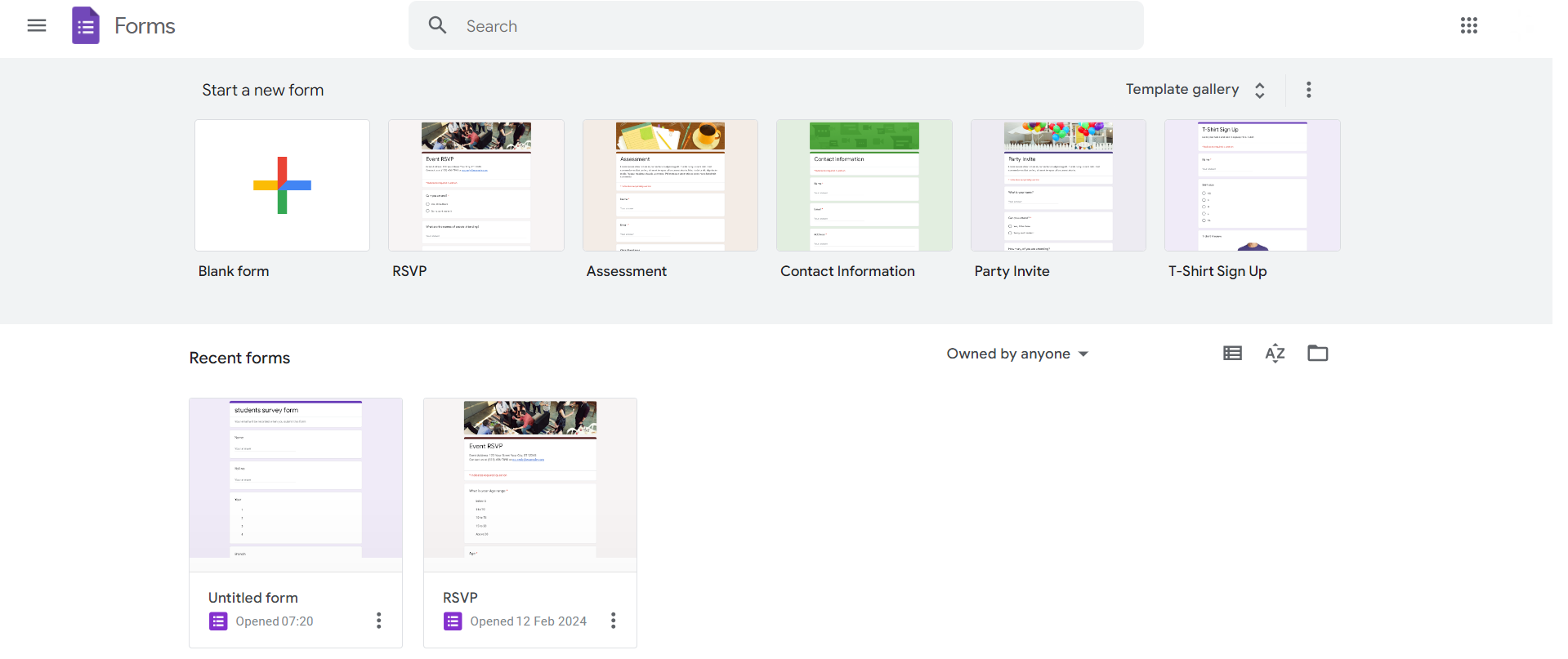
Access Google Forms:
Start by navigating to Google Drive and clicking on "+ New," then selecting "Google Forms."
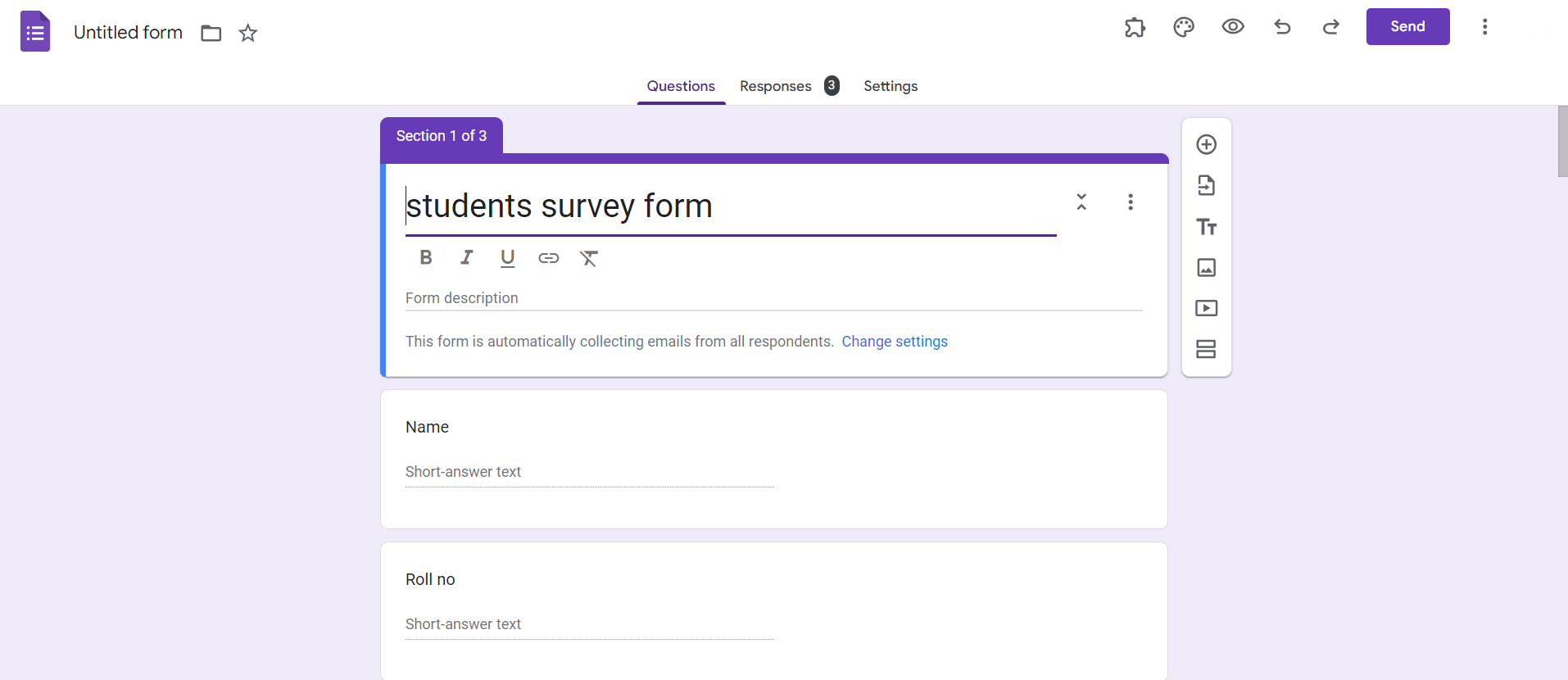
Build Your Form:
Design your survey or questionnaire by adding questions, choosing response formats, and customizing settings to fit your needs.
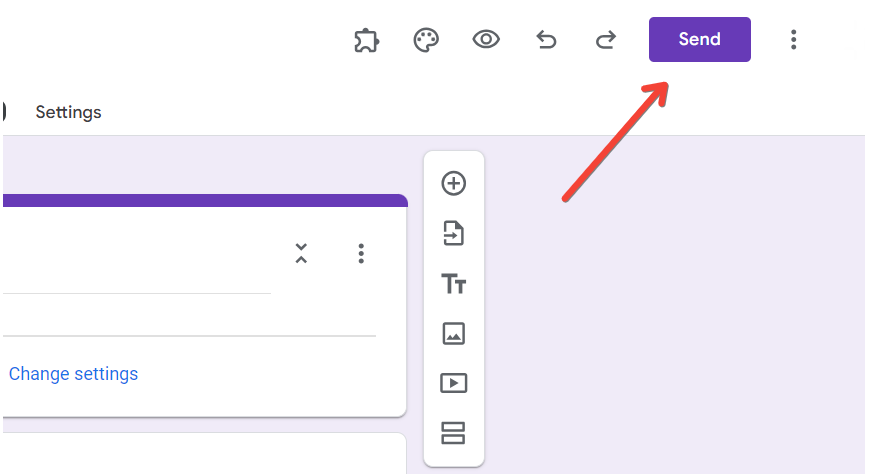
Click on "Send" in the Top Right Corner:
Once your form is ready, click on the "Send" button located in the top-right corner of the Google Forms editor.
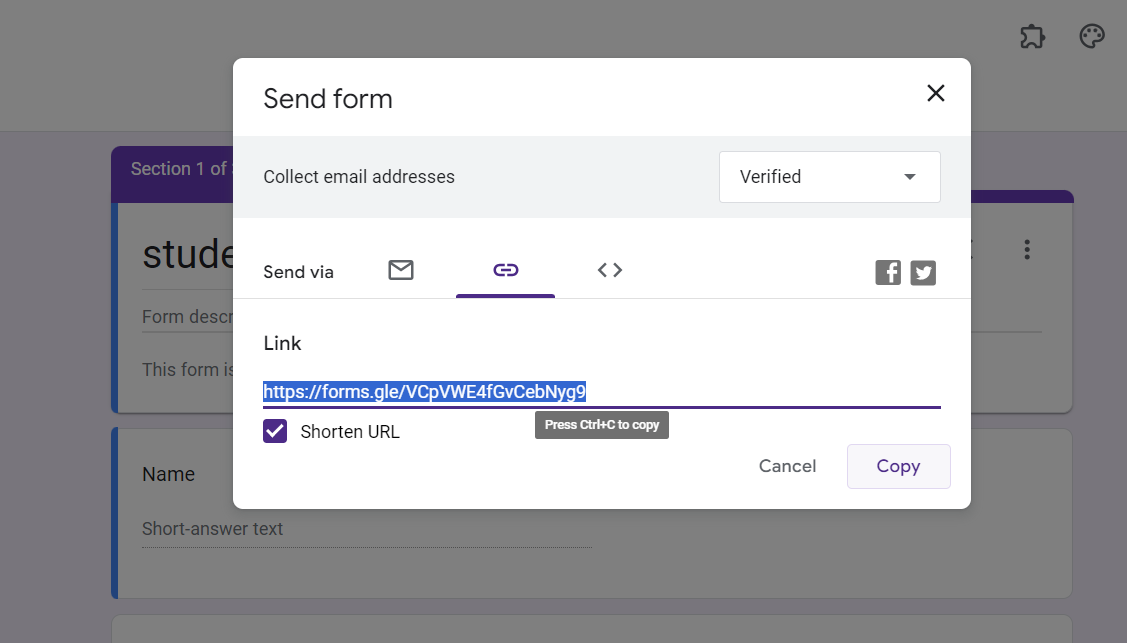
Choose the Link Icon:
In the sharing options, select the link icon. This generates a shareable link to your Google Form.
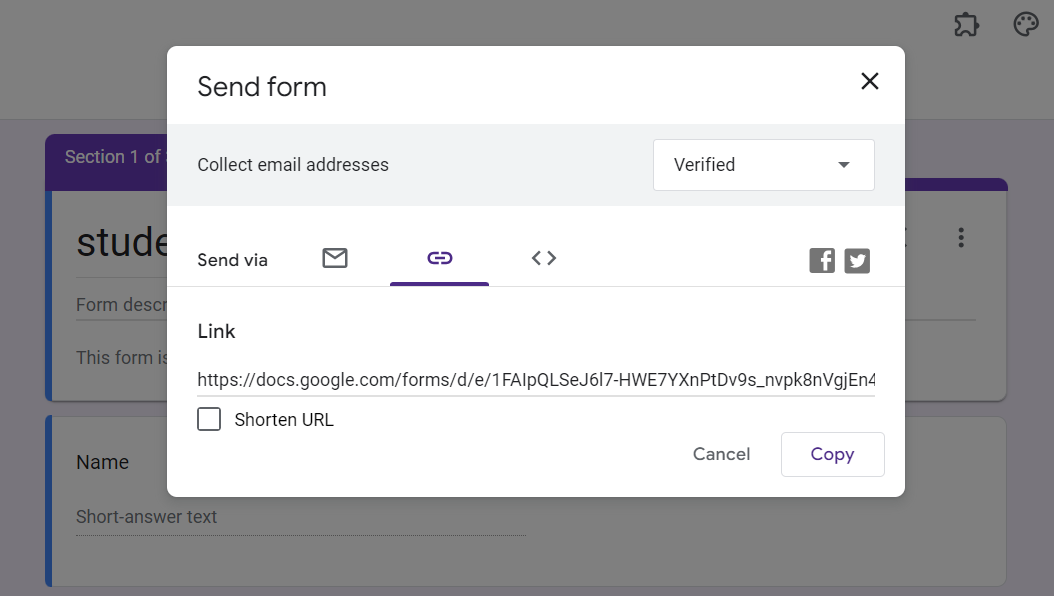
Copy the Link:
Click on the "Copy" button next to the link. Now, you have a copied link ready to be shared with your audience.
Conclusion:
Creating a Google Form link is the key to seamless collaboration and efficient data collection. This guide equips you with the knowledge to navigate Google Forms effortlessly and share your surveys or questionnaires with ease. By following these steps, you'll harness the power of digital connectivity, ensuring your respondents can access and contribute to your forms hassle-free. Ready to share your insights and gather valuable data? Let's get started with your personalized Google Form link!
Frequently Asked Questions:
Can I customize the Google Form link to make it more user-friendly?
While Google generates a default link, you can use URL shorteners or create custom links for simplicity.
Is there an expiration for a Google Form link?
No, Google Form links typically don't expire. However, you can manually disable or close the form.
Can I limit who can access my Google Form using the link?
Yes, you can control access by setting permissions within Google Drive or using a Google Workspace feature.
How do I disable a Google Form link when I no longer want responses?
Simply revisit the "Send" options in your Google Form settings and toggle off the link sharing.


