How to delete Google Slides


Streamline your Google Slides with our guide on efficiently deleting slides for a cleaner presentation.
Google Slides is a powerful tool for creating and collaborating on presentations, but there may be times when you need to tidy up your workspace by deleting unnecessary slides. Whether you're looking to remove outdated content or streamline your presentation, deleting slides in Google Slides is a straightforward process. In this guide, we'll walk you through each step to ensure a seamless and efficient deletion process.
Step-by-Step Guide on How to Delete Google Slides
Open Google Slides:
Launch your web browser and go to the Google Slides homepage (slides.google.com). Sign in to your Google account if you're not already logged in.
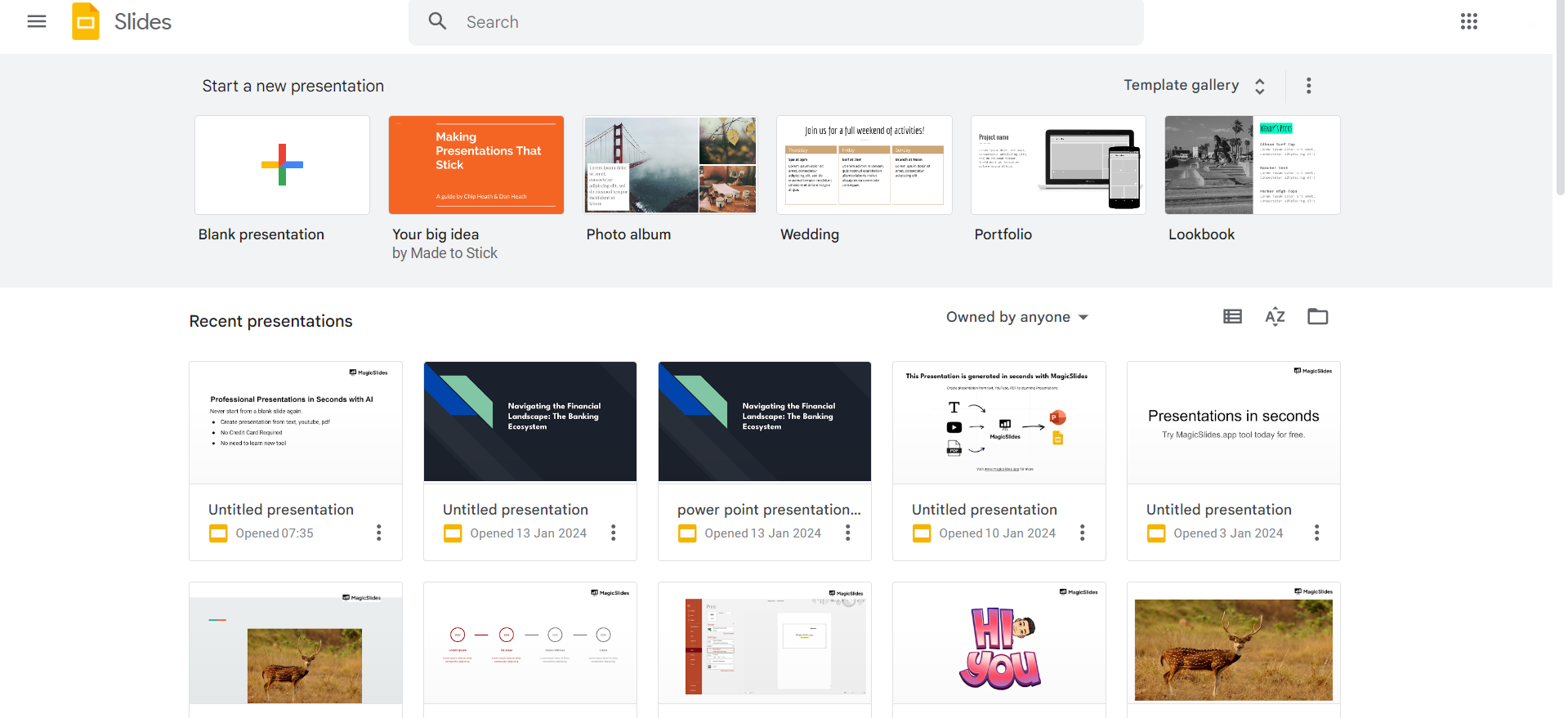
Access the Presentation:
Locate and open the presentation from which you want to delete slides.
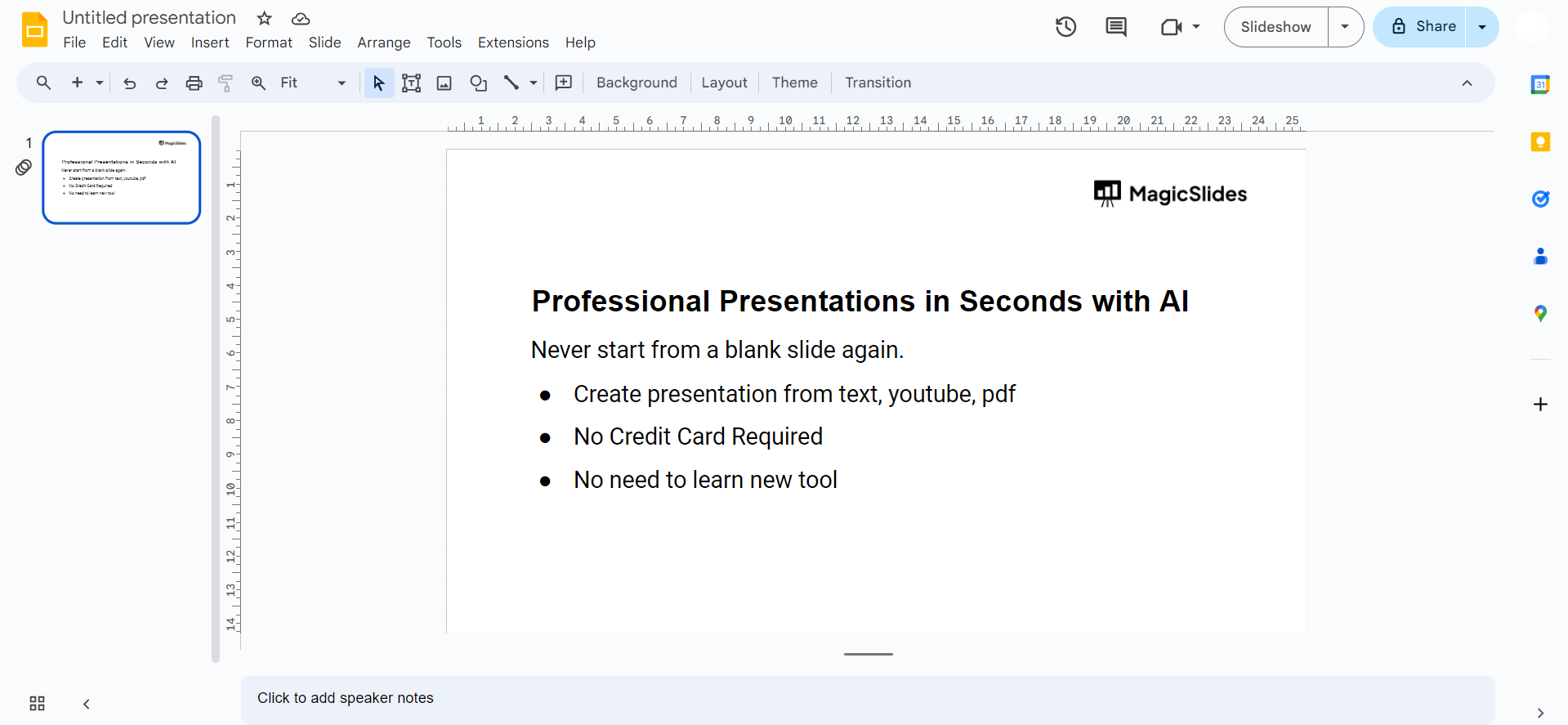
Navigate to the Slide Sorter View:
In the top-left corner, click on the "View" option in the menu. Select "Slide Sorter" from the dropdown menu to view all slides at once.
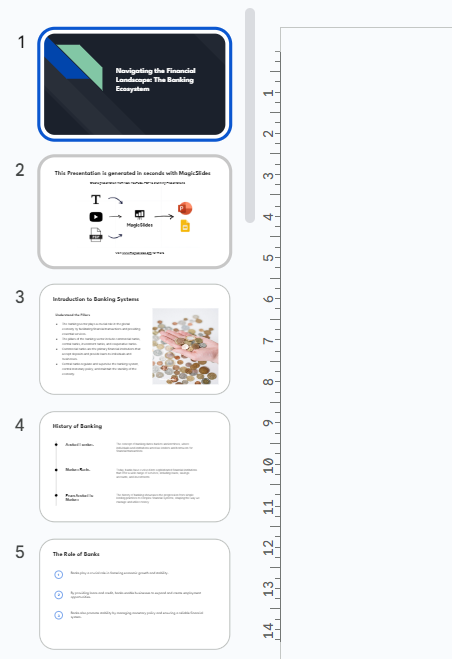
Select Slides to Delete:
Click on the slide thumbnails of the slides you want to delete. You can select multiple slides by holding down the "Ctrl" (Windows/Linux) or "Command" (Mac) key while clicking.
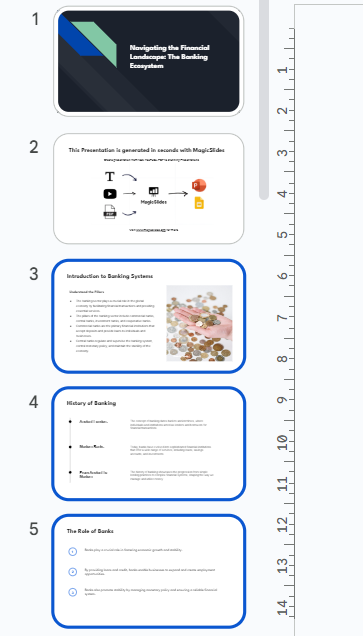
Delete Selected Slides:
Once slides are selected, right-click on one of them. Choose the "Delete" option from the context menu.
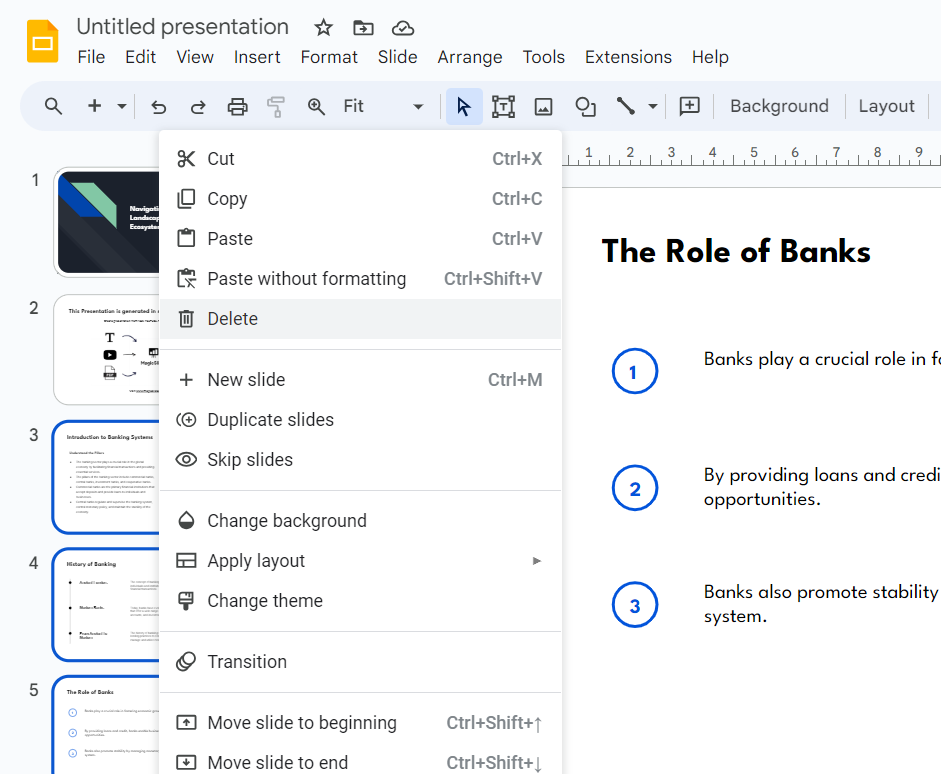
Confirm Deletion:
Google Slides will prompt you to confirm the deletion. Click "Delete" to proceed.
Verify Changes:
Return to the normal view to ensure the selected slides have been successfully deleted.
Conclusion:
Deleting slides in Google Slides is a simple process that can help you keep your presentations organized and focused. By following the step-by-step guide provided above, you can efficiently remove unnecessary slides and streamline your content. Whether you're a student, professional, or anyone using Google Slides for presentations, mastering the art of deletion ensures that your work remains polished and impactful. Keep this guide handy, and feel confident in managing your Google Slides with ease.
Frequently Asked Questions:
Can I recover deleted slides in Google Slides?
Yes, check the "Trash" in Google Drive; deleted slides can be restored within 30 days.
Is there a limit to the number of slides I can delete at once?
No, you can select and delete multiple slides simultaneously for a quick and efficient process.
What happens if I accidentally delete a slide in Google Slides?
Access the "Undo" option (Ctrl+Z or Command+Z) immediately to restore the deleted slide.
Can I delete slides on the Google Slides mobile app?
Yes, open the app, select the presentation, and follow similar steps to delete slides seamlessly.


