How to flip a shape in PowerPoint?


Elevate your PowerPoint designs by learning how to flip shapes for visual impact and alignment.
Flipping shapes in PowerPoint can be a handy technique when you need to mirror or reverse an object for visual impact or alignment purposes. Whether you're working with text boxes, images, or geometric shapes, PowerPoint provides easy tools to flip them horizontally or vertically. In this step-by-step guide, we'll explore how to flip a shape in PowerPoint, helping you enhance the design and layout of your slides.
How to flip a shape in PowerPoint
Step 1: Open Your PowerPoint Presentation
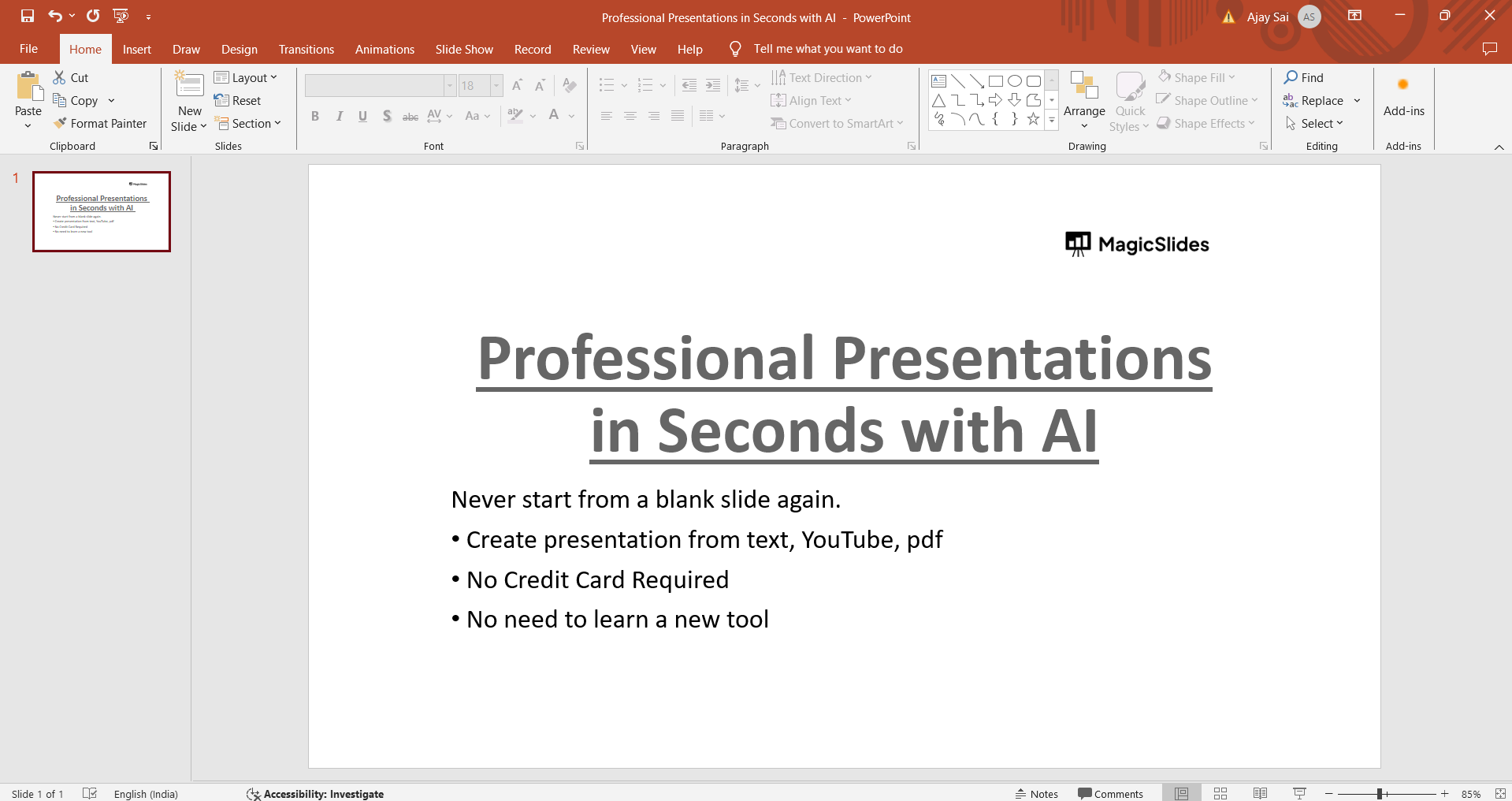
Begin by opening the PowerPoint presentation containing the shape you want to flip. Navigate to the slide where the shape is located.
Step 2: Select the Shape
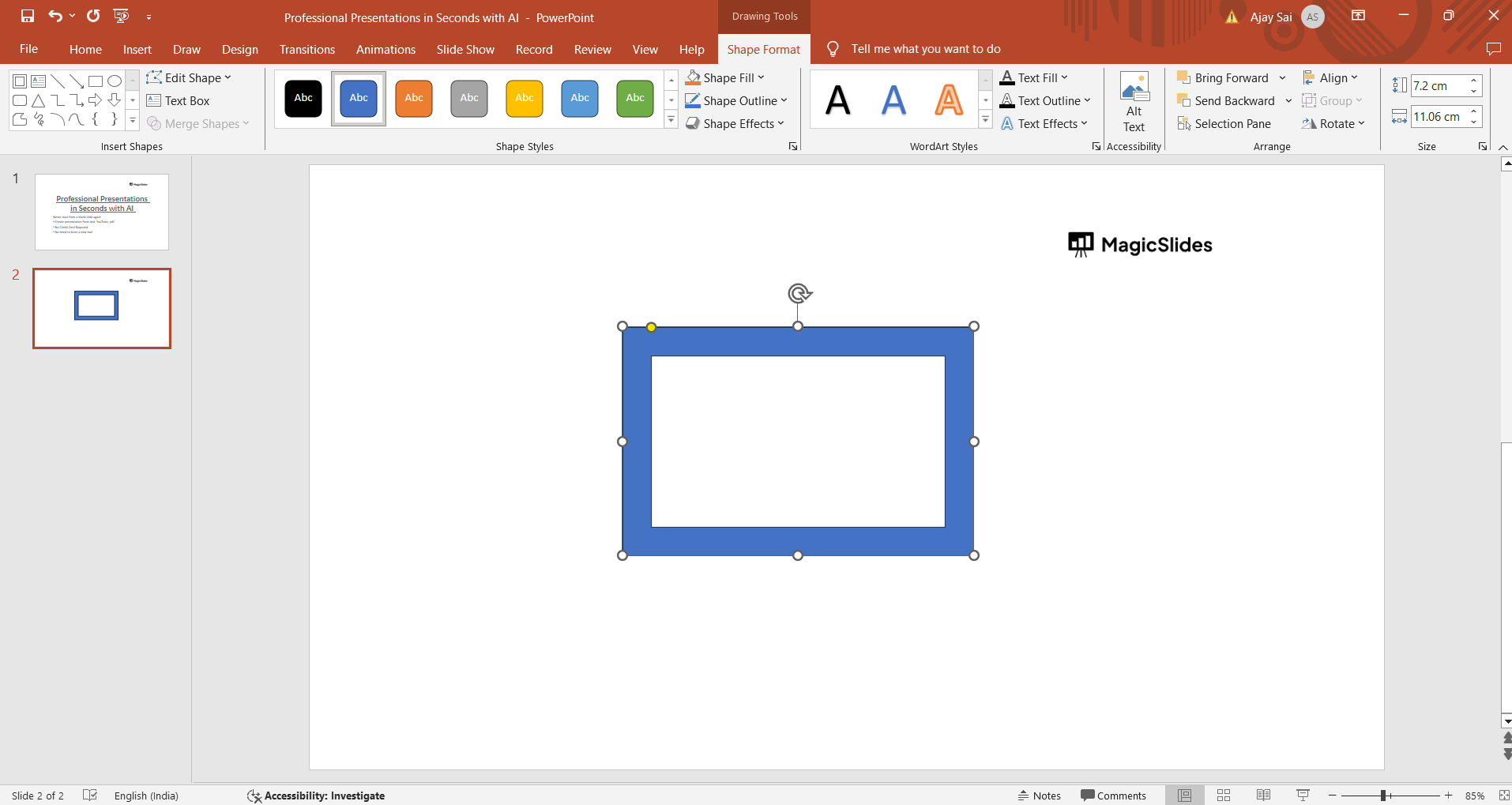
Click on the shape that you want to flip to select it. You can select multiple shapes if needed by holding down the Shift key while clicking on each shape.
Step 3: Access the Format Shape Options
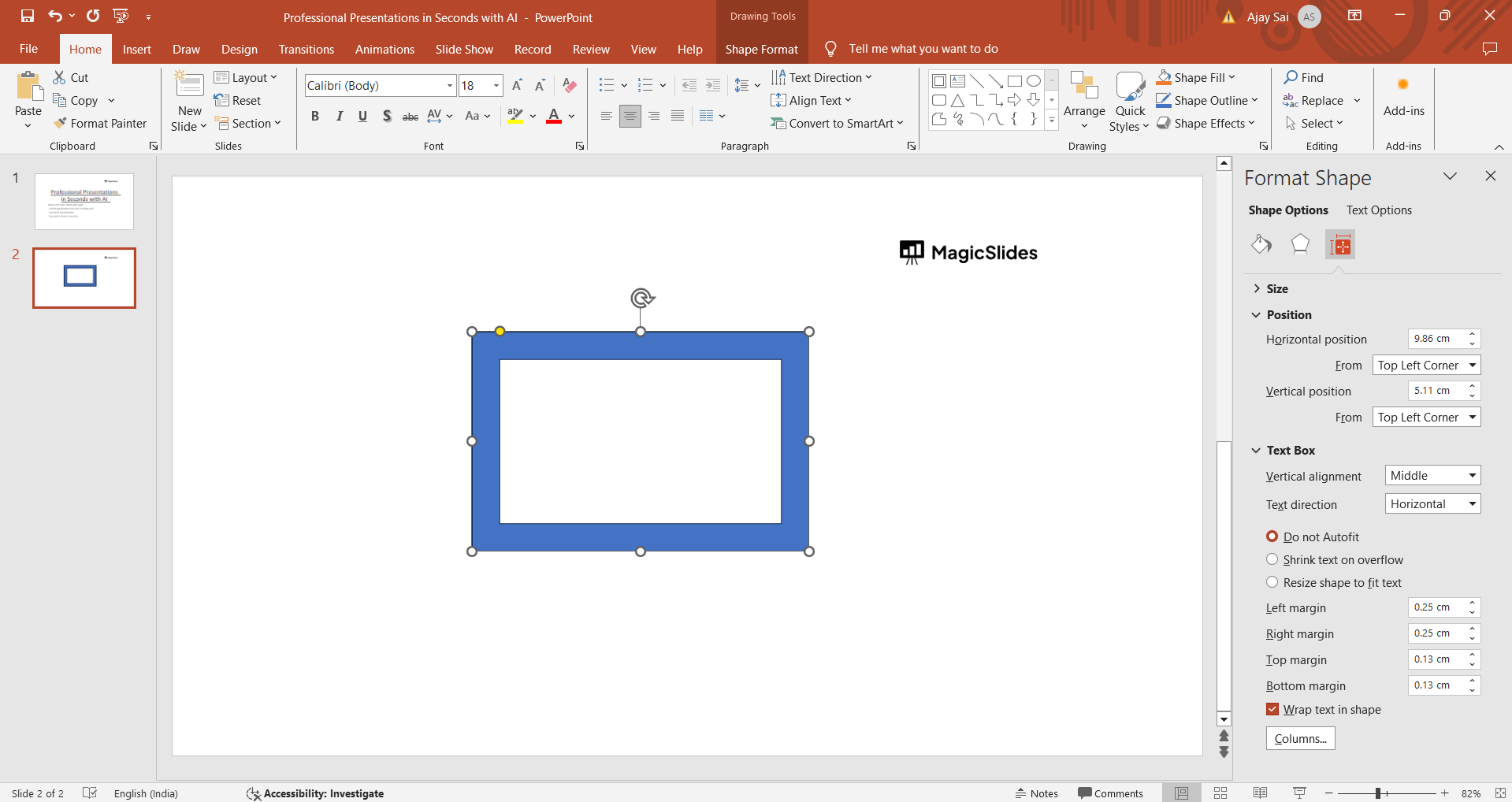
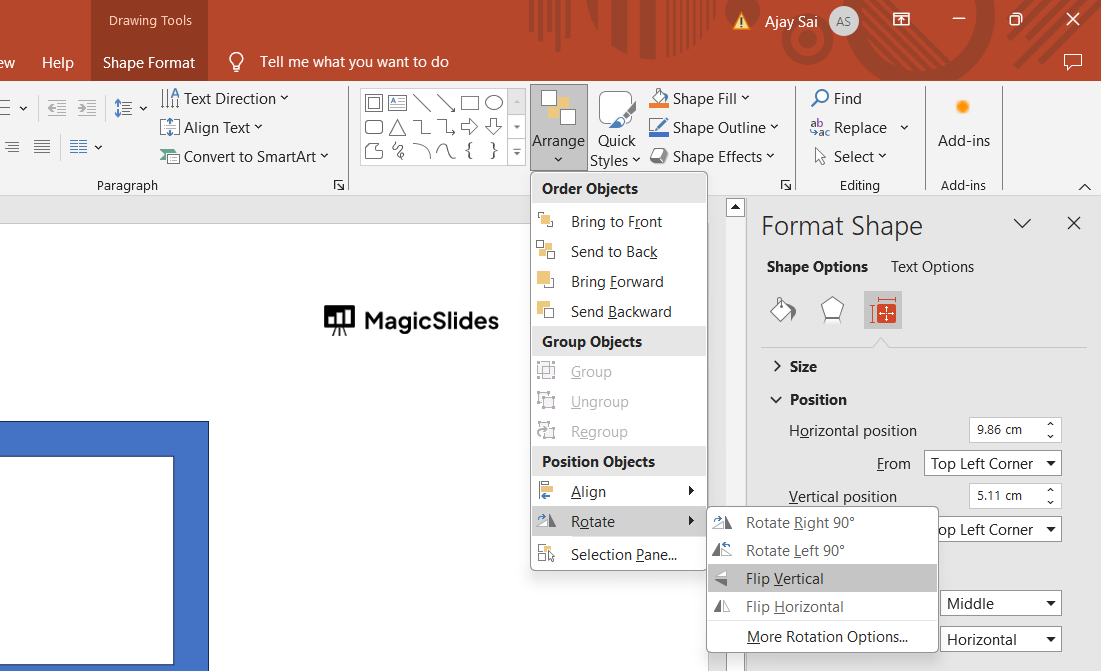
With the shape selected, go to the "Format" tab in the PowerPoint ribbon. Here, you'll find various formatting options for shapes and objects. If you cannot find flipping options click on the arrange tab and hover on “rotate” to see the options.
Step 4: Flip the Shape Horizontally or Vertically
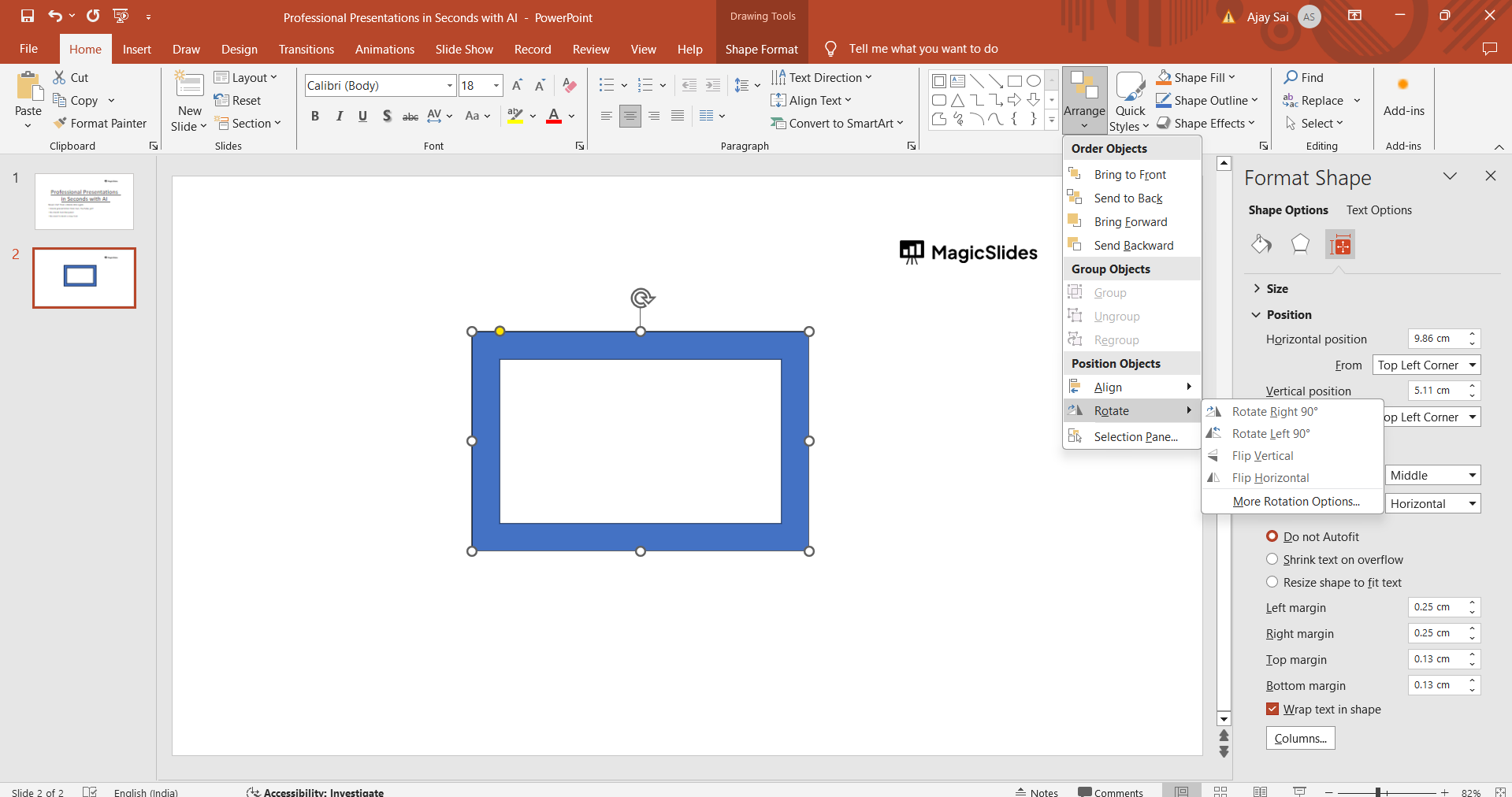
In the Format tab, locate the "Arrange" group. Within this group, you'll find options such as "Rotate" and "Flip." Click on the "Rotate" dropdown arrow to reveal the flip options: "Flip Horizontal" and "Flip Vertical."
Step 5: Choose Flip Horizontal or Flip Vertical
Depending on how you want to flip the shape, select either "Flip Horizontal" to mirror the shape along its horizontal axis or "Flip Vertical" to mirror it along its vertical axis. Clicking on the desired option will immediately flip the shape accordingly.
Step 6: Adjust and Fine-Tune
After flipping the shape, you may need to adjust its position, size, or alignment to fit your design layout perfectly. Use PowerPoint's alignment guides and gridlines for precision adjustments.
Conclusion:
Flipping shapes in PowerPoint is a simple yet powerful technique that can enhance the visual appeal and organization of your slides. Whether you're creating diagrams, infographics, or custom graphics, knowing how to flip shapes horizontally or vertically gives you more flexibility in design. By following this step-by-step guide, you can easily incorporate shape flipping into your PowerPoint presentations, making your content more dynamic and engaging for your audience.
→ Why limit yourself from flipping just a shape, you may be required to flip an image as well in the process of creating a presentation, checkout this simple and quick tutorial on flipping an image from this link: https://www.magicslides.app/blog/How-to-mirror-an-image-in-powerpoint
Frequently Asked Questions:
Can I flip multiple shapes at once in PowerPoint?
Yes, you can select multiple shapes and flip them simultaneously in PowerPoint. Just hold down the Shift key while selecting the shapes, then apply the flip (horizontal or vertical) command as usual.
Does PowerPoint allow precise rotation angles for shapes?
Yes, PowerPoint provides options for precise rotation angles. After selecting a shape, you can right-click and choose "Format Shape," then go to the "Size & Properties" tab to enter specific rotation values.
Can I flip text boxes or WordArt in PowerPoint?
Absolutely, text boxes and WordArt objects can be flipped just like any other shape in PowerPoint. Simply select the text box or WordArt, then use the "Flip Horizontal" or "Flip Vertical" options from the "Format" tab.
Does flipping a shape affect its content or formatting?
Flipping a shape in PowerPoint only changes its orientation (mirroring). It does not alter the content or formatting within the shape, such as text or image properties.


