How to get Ruler in Canva


Learn how to enable and use rulers in Canva for precise alignment and professional designs effortlessly
Rulers in Canva are helpful tools for aligning elements and creating perfectly structured designs.
Although rulers aren’t enabled by default, they can be easily activated to assist with precise measurements and layout adjustments.
This guide provides a step-by-step explanation of how to access and use rulers in Canva, ensuring your designs look professional and well-organized.
How to Get the Ruler in Canva | Steps to Enable and Use Rulers in Canva
Step 1: Open Your Canva Project
Log in to your Canva account and open the design you want to work on.
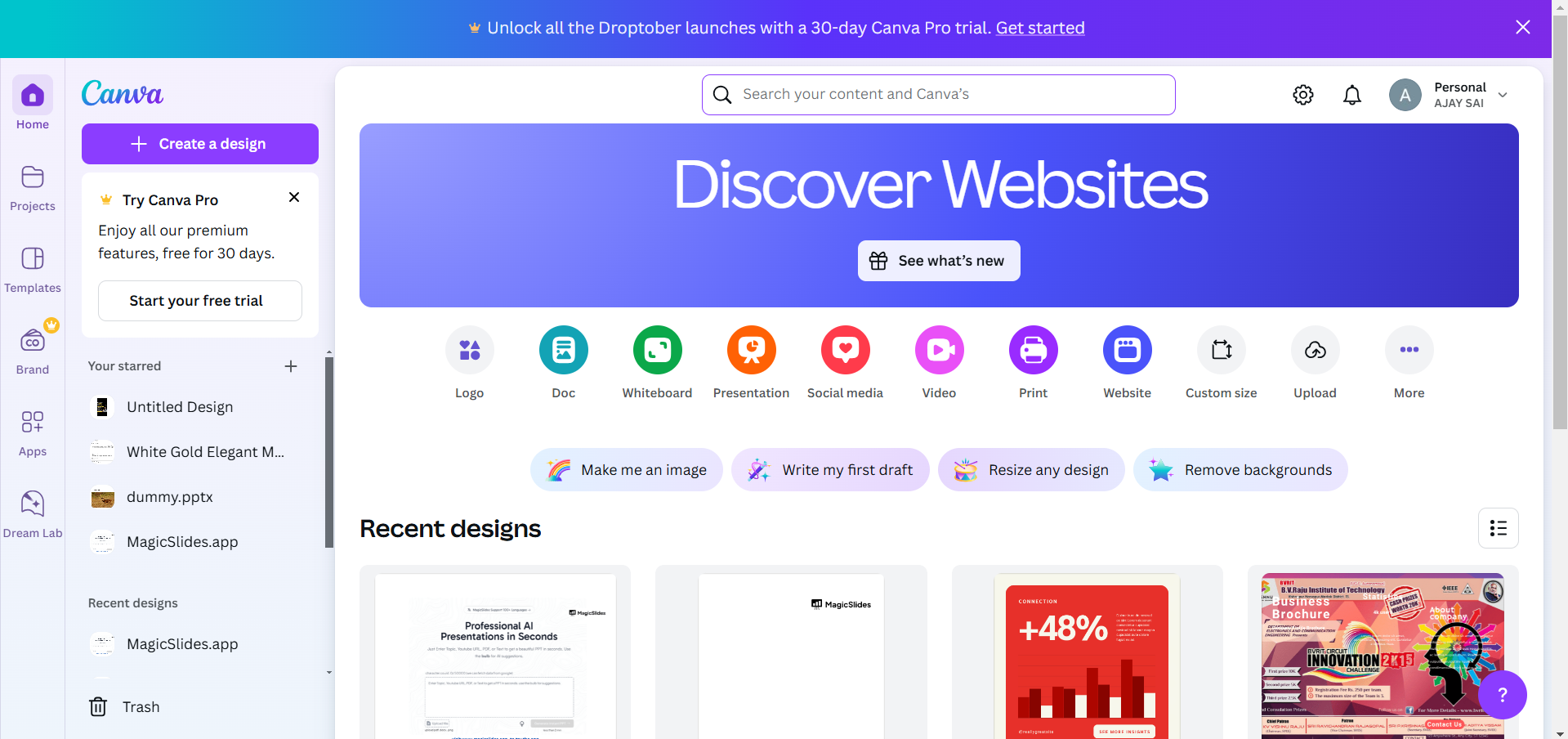
Ensure you are in the Canva editor interface.
Step 2: Access the File Menu
At the top of the editor screen, locate and click on the File menu.
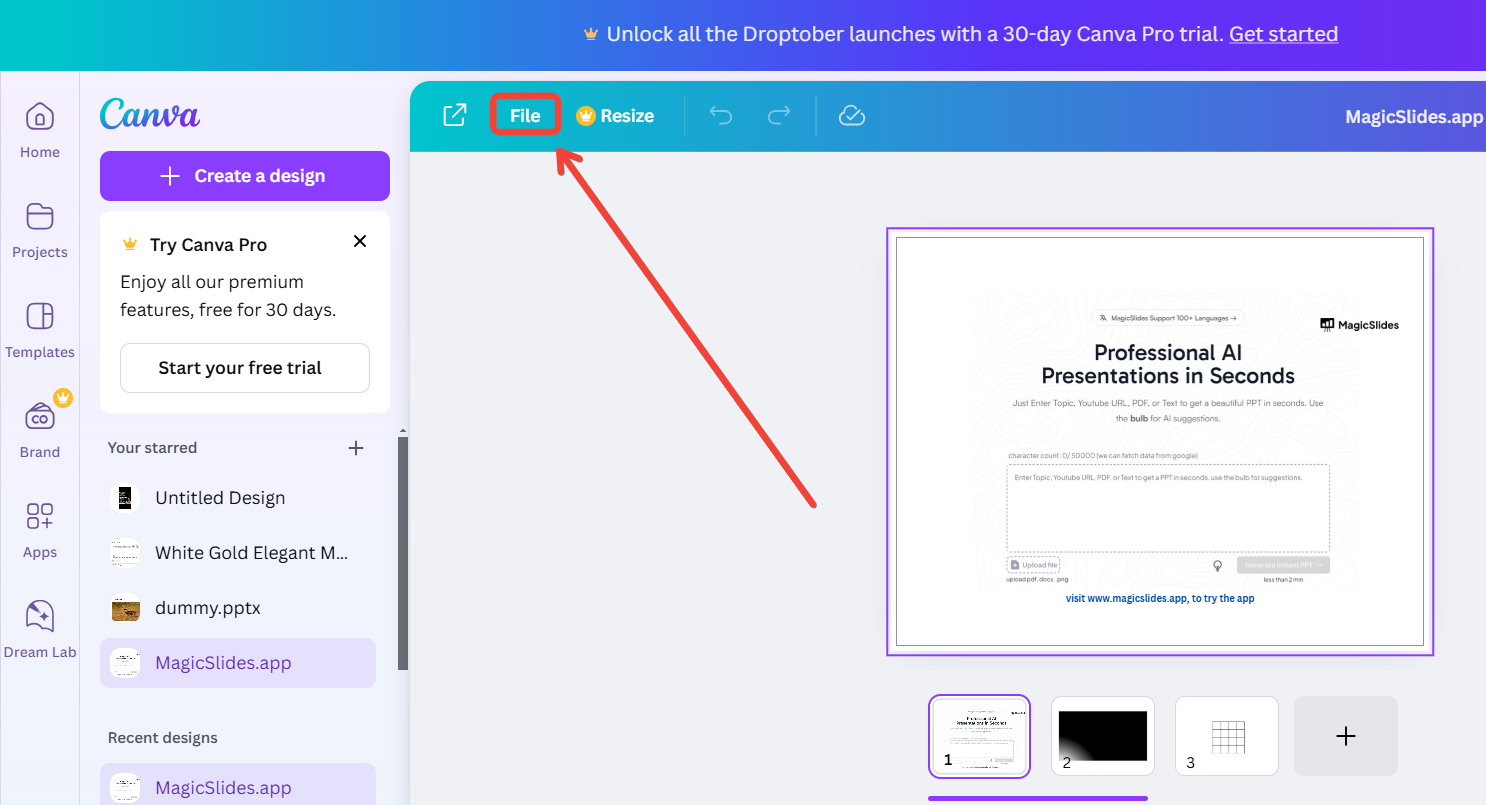
The dropdown menu will display various options for your design tools.
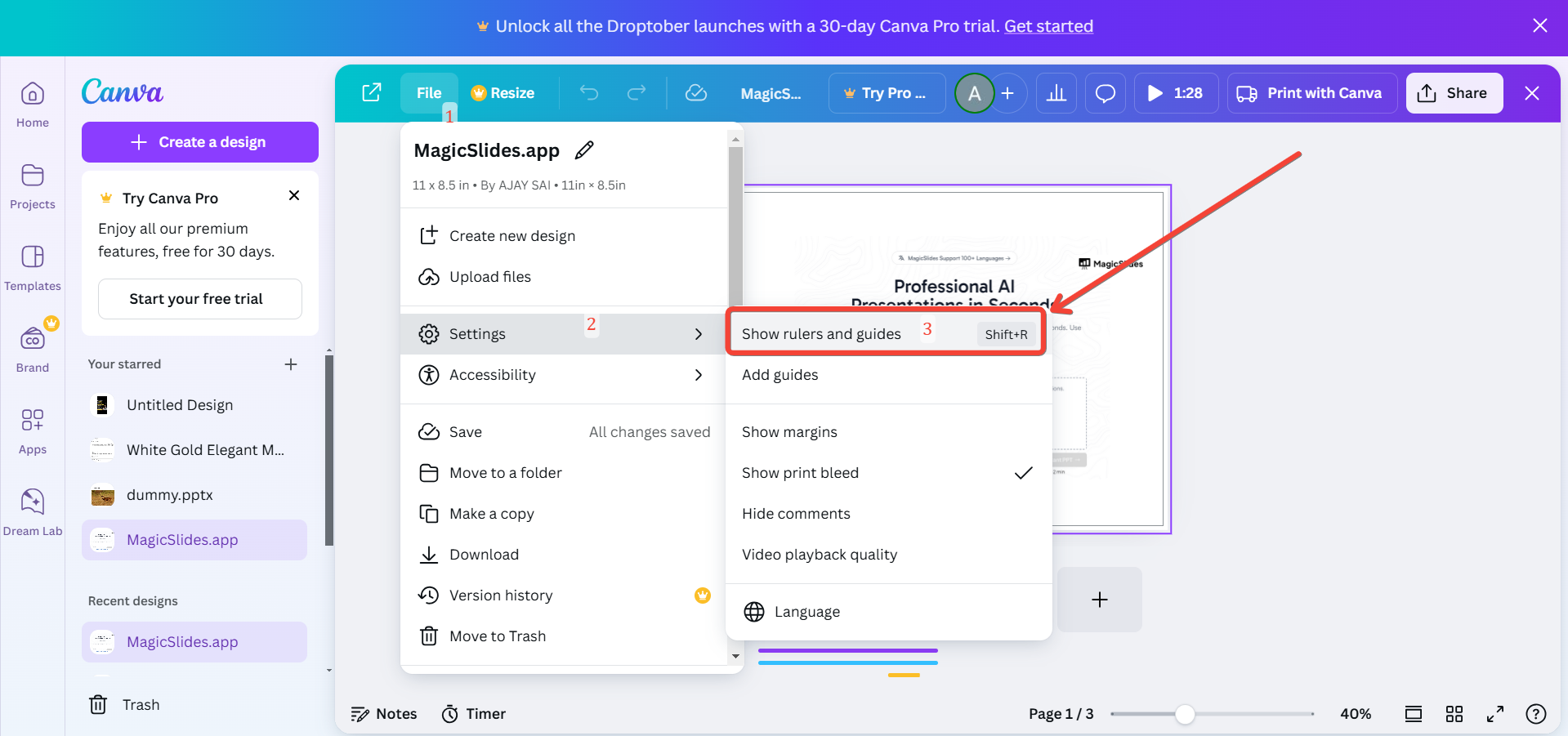
Step 3: Enable the Rulers
In the File menu, look for the option labeled “Show Rulers.” Click on it to activate rulers in your design workspace.
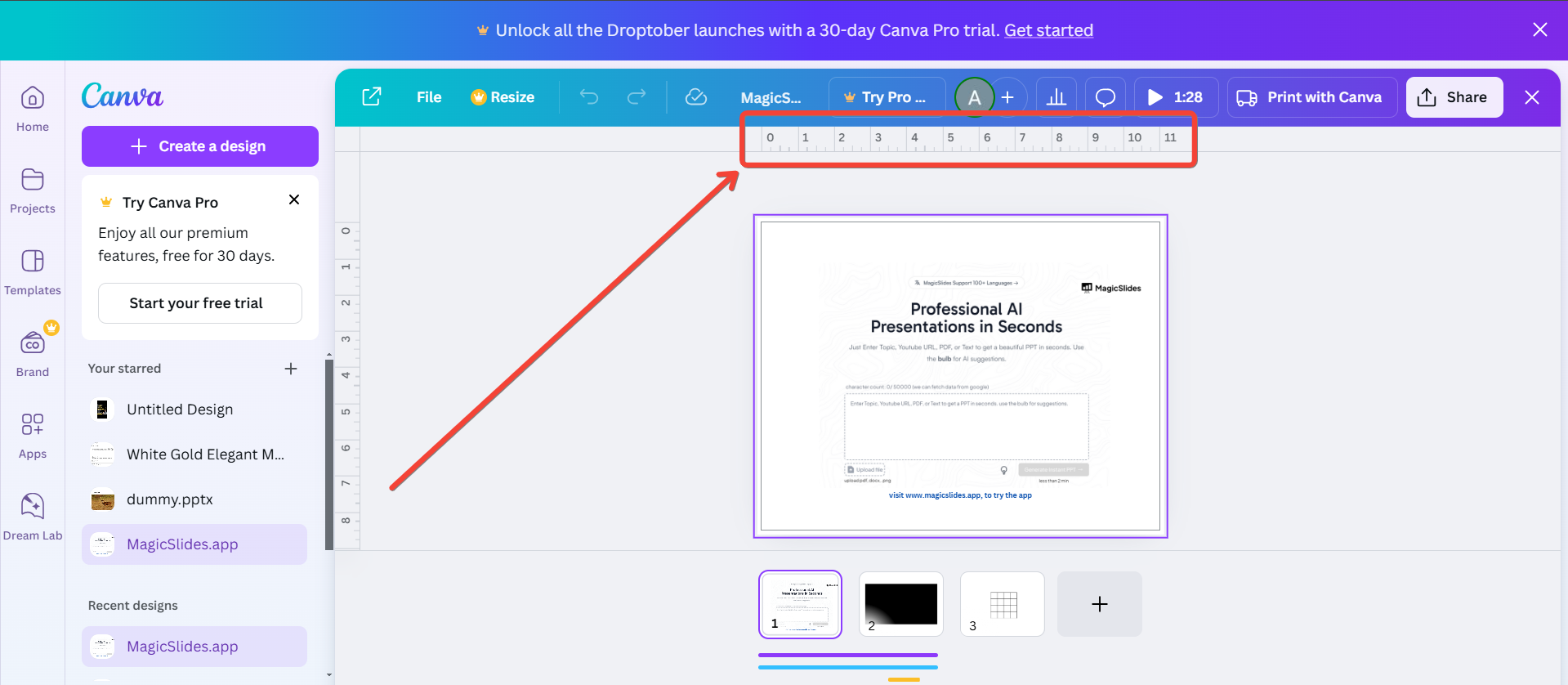
The rulers will appear along the top and left sides of the canvas.
Step 4: Use the Rulers for Alignment
Drag and drop guide lines from the rulers to align elements in your design.
Move objects and watch as their positions snap to the guide lines or ruler measurements.
Use the measurements displayed on the rulers to maintain consistency across your design.
Step 5: Turn Off the Rulers (Optional)
If you no longer need the rulers, you can disable them by going back to the File menu.
Uncheck the “Show Rulers” option to hide them.
Conclusion
Rulers in Canva are indispensable tools for ensuring precision and balance in your designs.
By enabling rulers through the File menu, you can easily align elements, measure spaces, and maintain a clean, professional look.
Make the most of this feature to elevate your design projects to the next level.
FAQs on Getting Rulers in Canva
Why can’t I find the “Show Rulers” option in Canva?
The “Show Rulers” feature is only available on desktops or laptops. Ensure you’re not using Canva’s mobile app.
Can I customize the ruler measurements in Canva?
Currently, Canva uses a default measurement system. You cannot switch between units like pixels or inches.
Are rulers available in Canva’s free version?
Yes, rulers are accessible in both the free and Pro versions of Canva. No subscription is required to use them.
With rulers enabled, organizing and perfecting your Canva designs becomes much simpler and more precise!


