How to Logout of Slack on the Web


Secure your Slack account with these simple steps for logging out on the web browser interface.
Ensuring the security of your Slack account is paramount, and one effective way to achieve this is through proper log-out procedures. This guide provides a step-by-step walkthrough for logging out of Slack when accessing it through a web browser.
Before we begin, if you are looking to send Google form submissions directly to Slack, check SlackNotify.app. It will include all info submitted and sent directly to the Slack channel of your choice
How to Log Out of Slack on the Web
Open Your Web Browser and Navigate to Slack:
Launch your preferred web browser and visit the Slack workspace where you are currently signed in. This could be your team's collaborative space or a community channel.

Access Your Profile Settings:
Once on the Slack platform, direct your attention to the top right corner of the screen. There, you will find your profile name or picture. Click on it to reveal a dropdown menu containing various options.
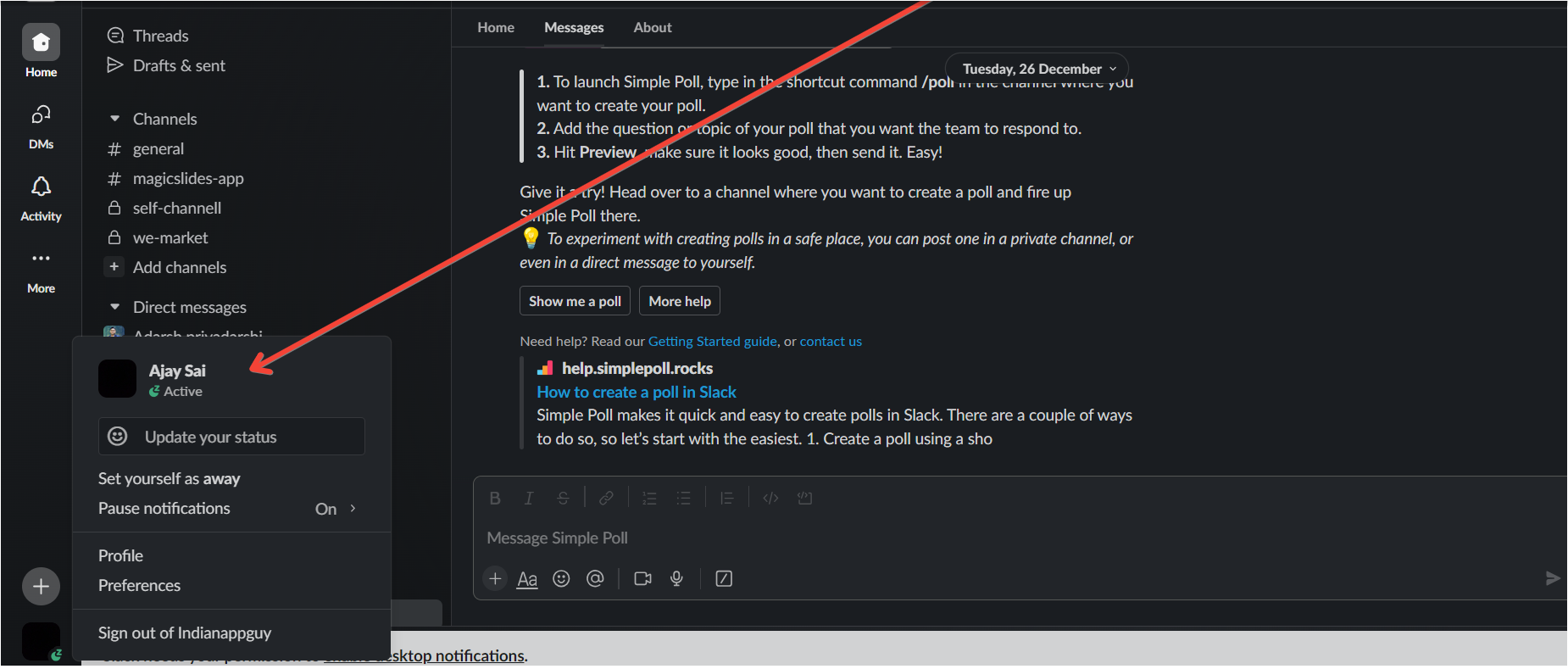
Locate the "Sign Out" Option:
In the dropdown menu, carefully scroll down to the bottom. Look for the "Sign out" or "Sign out of [Workspace Name]" option. This step may involve some scrolling, so ensure you reach the end of the menu.
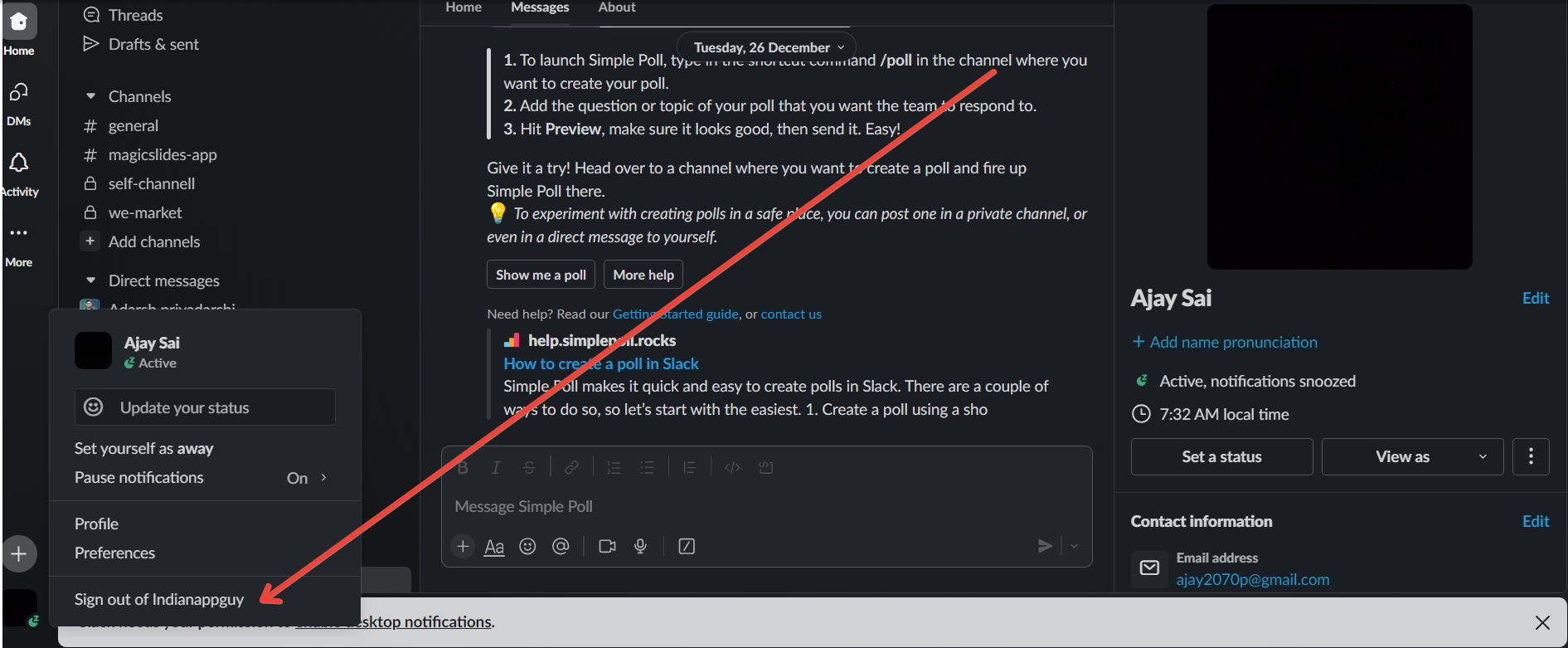
Initiate the Log-Out Process:
Having found the "Sign out" option, click on it to commence the log-out process. This action will prompt Slack to disconnect from your current session, ensuring that your account is no longer accessible from the current browser.
When logging out of Slack on the web, don't miss important updates by setting up Google Form notifications for Slack. Every form submission will still trigger an alert in your Slack channels, keeping your team informed in real-time.
Conclusion:
By following these detailed steps, you can confidently navigate the process of logging out of Slack within a web browser.
Prioritizing security in your online interactions fosters a safe and trustworthy digital workspace. Implementing these log-out practices ensures that your Slack account remains secure and only accessible to those authorized to use it. change the design of slides in PowerPoint in simple clicks and save time.
Frequently Asked Questions:
Why is Logging Out of Slack Important?
Logging out enhances account security, preventing unauthorized access and safeguarding sensitive information in your workspace.
Can I Log Out from Multiple Devices Simultaneously?
Yes, logging out on one device automatically disconnects Slack sessions on other devices for added security.
What if I Forget to Log Out?
Slack employs session timeouts for inactivity, but it's best to manually log out to ensure immediate security.


