How to Make Video Slideshows Using Pictures Easily: A Complete Guide


Creating stunning video slideshows using your pictures has never been easier. Whether you're making a presentation, a digital photo album, or a quick pitch deck, having the right tools makes all the difference. In this guide, we’ll walk you through how to make video slideshows using pictures easily, including step-by-step instructions using MagicSlides.app, an AI-powered […]
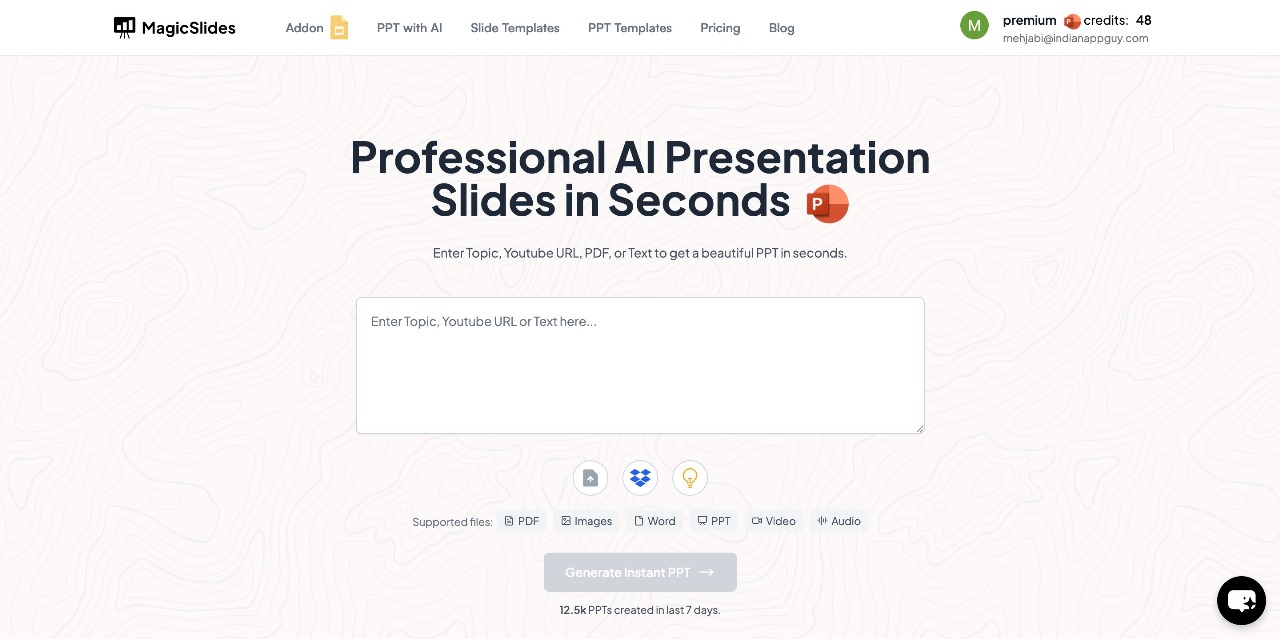
Creating stunning video slideshows using your pictures has never been easier. Whether you're making a presentation, a digital photo album, or a quick pitch deck, having the right tools makes all the difference. In this guide, we’ll walk you through how to make video slideshows using pictures easily, including step-by-step instructions using MagicSlides.app, an AI-powered tool designed to simplify your slideshow creation process.
Why Create Video Slideshows from Pictures?
Before diving into the how-to, let’s understand the why.
- Visual storytelling: Slideshows can turn static images into engaging stories.
- Great for all occasions: Whether for business, education, or personal use (like weddings, birthdays, or travel), video slideshows are perfect for summarizing moments visually.
- Sharable and engaging: A video slideshow is easy to share on social media, YouTube, or via email.
Tools You Can Use for Creating Video Slideshows
There are several tools out there, but many can be time-consuming or complicated. If you're looking for speed, automation, and customization, MagicSlides.app stands out as a top choice.
How to Make Video Slideshows Using Pictures Easily (Step-by-Step with MagicSlides)
MagicSlides is an AI-powered presentation generator that allows you to instantly create slideshows and export them into various formats. Here’s how to use it:
Step 1: Visit MagicSlides.app
Head over to the official MagicSlides website to get started.
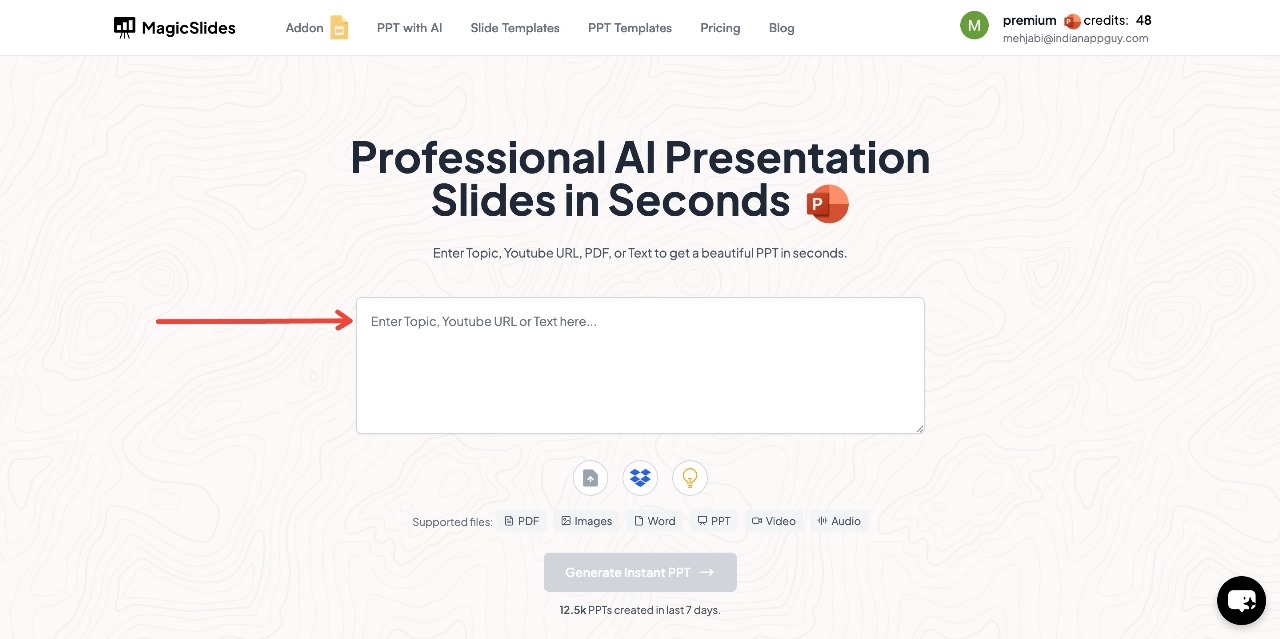
Step 2: Enter Your Topic in the Input Field
Type the topic of your presentation or slideshow—this can be anything from "My Europe Travel Diary" to "Company Q1 Review".
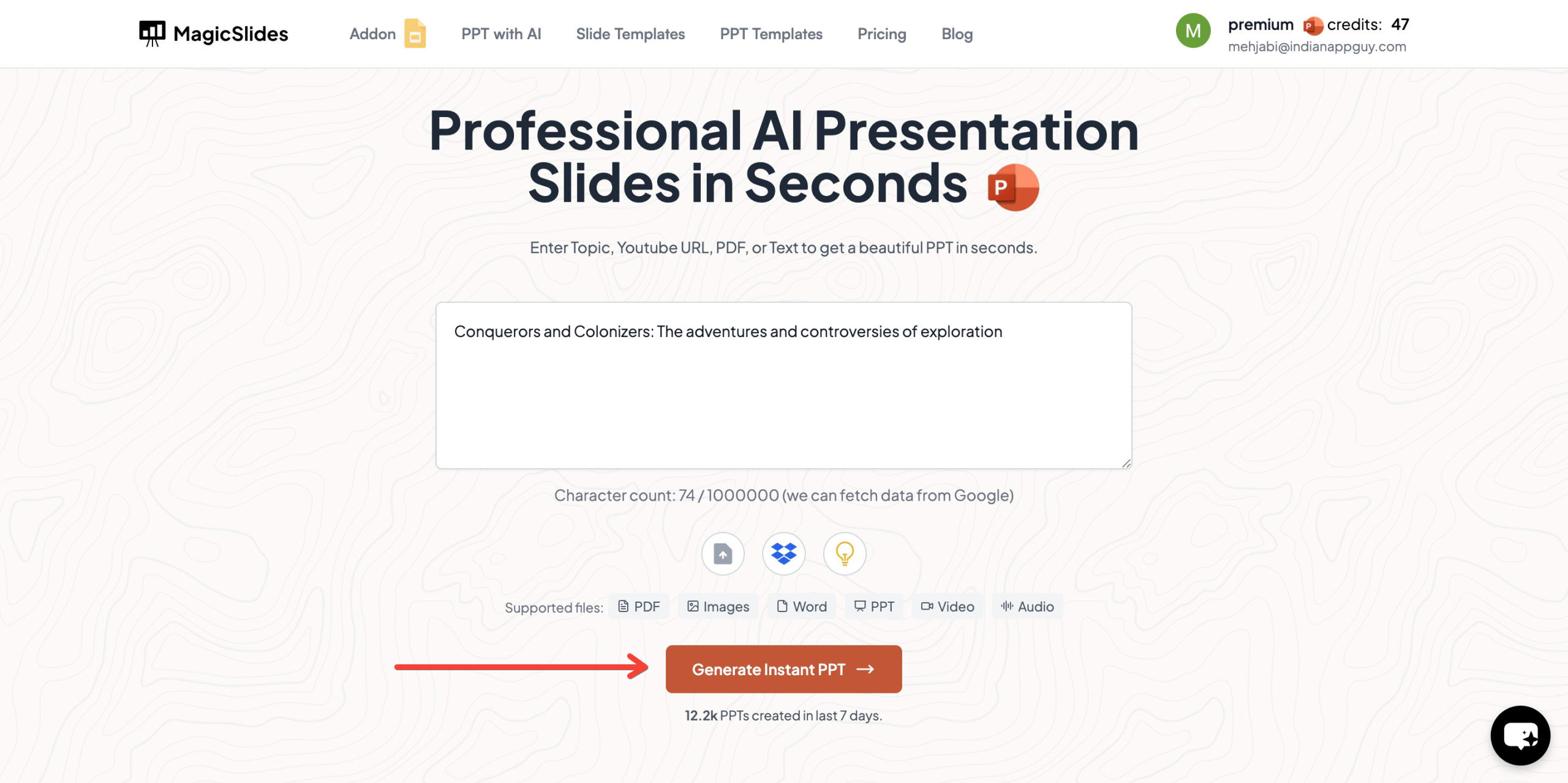
Step 3: Click on “Generate Instant PPT”
Once you enter the topic, click the button to generate your presentation automatically.
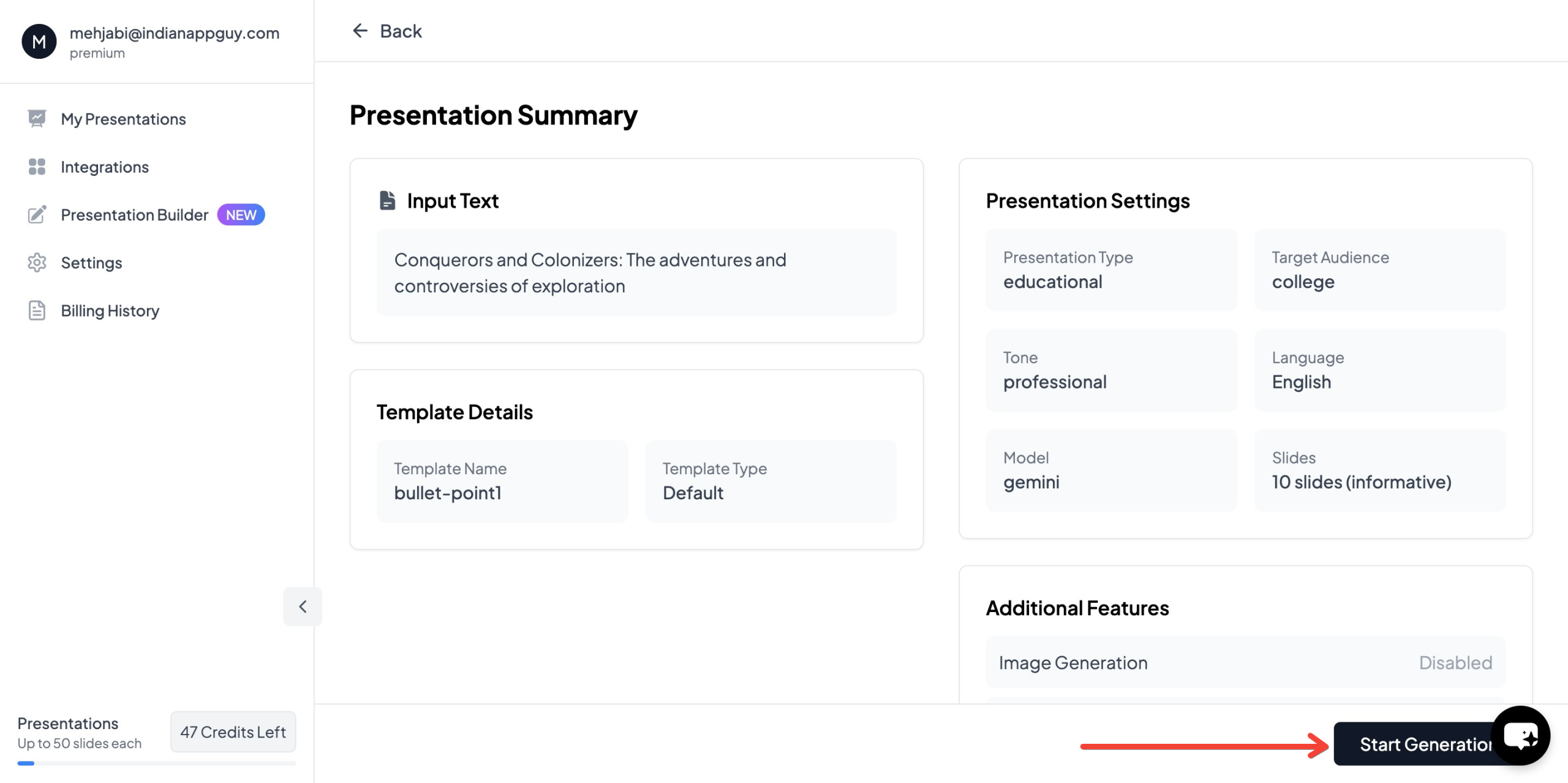
Step 4: Choose Your Template and Number of Slides
The tool will prompt you to select:
- A presentation template
- The number of slides (you can choose depending on your requirement)
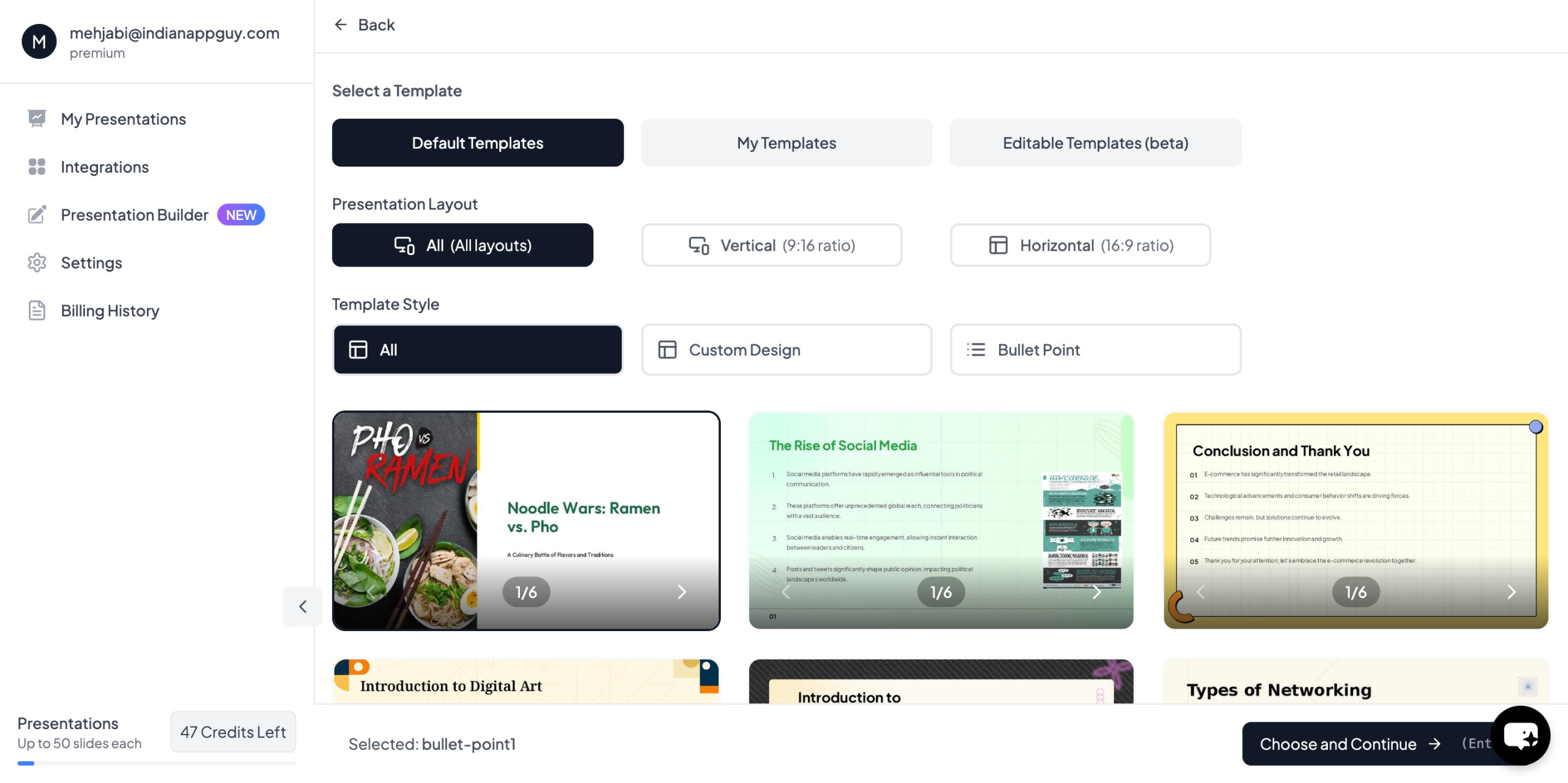
Step 5: Fill in Details as Prompted
If you want to include specific information or customize your input, you’ll have the option to do that before generation.
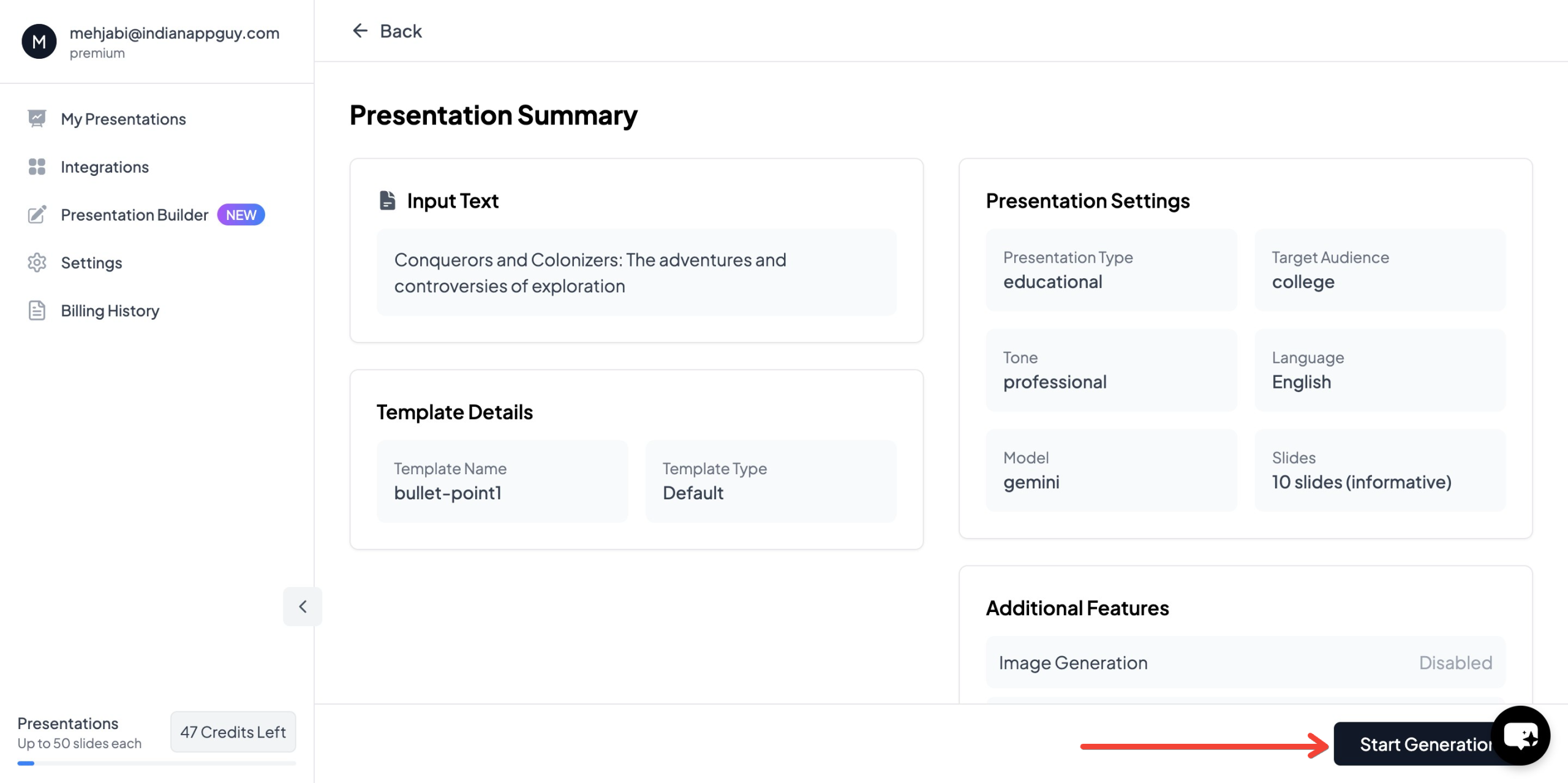
Step 6: Click “Generate Instant PPT”
Once your details are entered, click the button again to generate the presentation.
Step 7: Export or Convert to Video
After your slideshow is ready, you can export it and convert it into a video using built-in integrations or external tools like PowerPoint, Google Slides video recorder, or screen recording software.
Why Choose MagicSlides for Video Slideshows?
MagicSlides simplifies what was once a multi-step, manual process. It:
- Uses AI to automatically generate slide content
- Supports multimedia (images from Google, data from Wikipedia and Google)
- Works with popular platforms like Google Slides and Figma
- Integrates with Zapier for workflow automation
- Allows PDF and YouTube conversions
MagicSlides Pricing Breakdown
While MagicSlides offers powerful features, the pricing is structured to suit different needs:
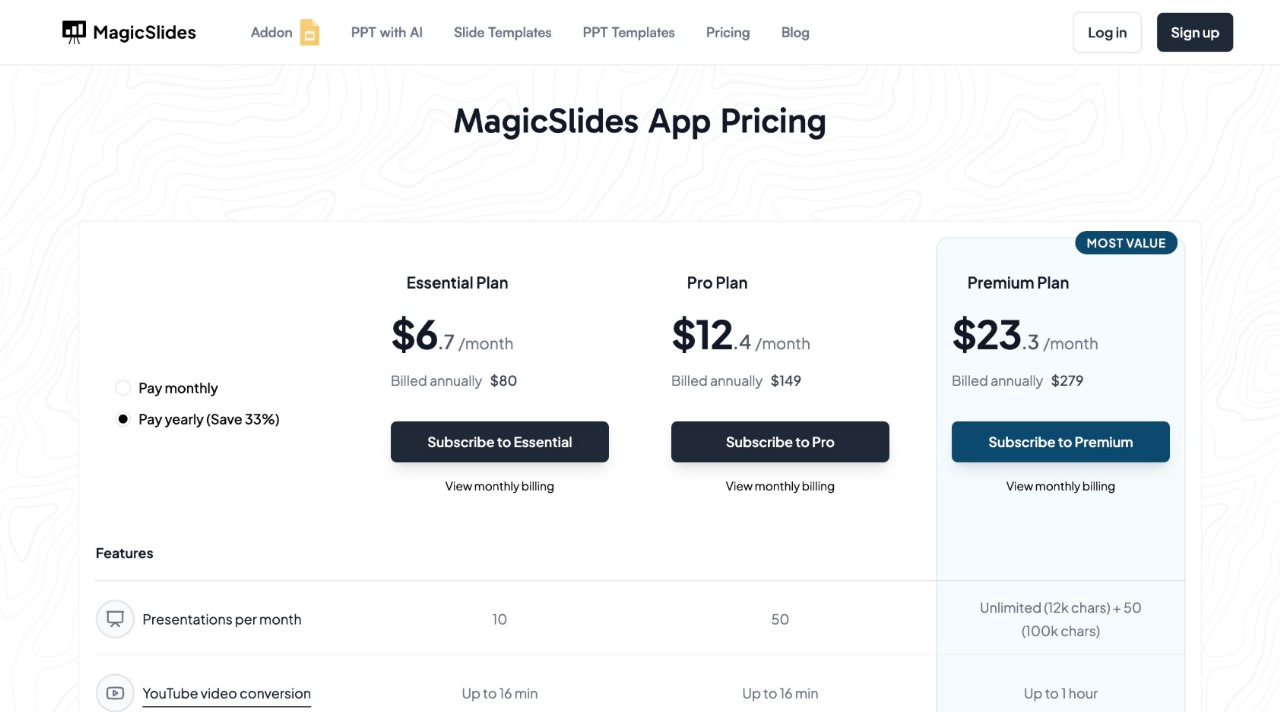
💡 Not sure which plan fits your needs? Use the pricing calculator on the website to estimate what’s best for you.
Bonus Tips for a Better Slideshow-to-Video Conversion
- Keep it concise: Each slide should deliver one clear message.
- Use visuals wisely: Add relevant photos that match your theme.
- Add transitions: Whether using PowerPoint, Google Slides, or video editors, smooth transitions between slides keep viewers engaged.
- Use music: Add a background track that matches the mood of your presentation.
Final Thoughts
If you’re wondering how to make video slideshows using pictures easily, MagicSlides is one of the most effective tools out there. Its intuitive interface, AI-powered slide generation, and flexible export options make it suitable for both beginners and professionals. Whether you're creating a personal slideshow or a business pitch deck, you can do it faster and better using MagicSlides.
Give it a try and see how your pictures come to life in just a few clicks.


