How to remove someone from Slack channel


Efficiently manage Slack channels by learning how to remove members with these step-by-step instructions.
Effectively managing your Slack channels is crucial for a streamlined communication experience. If you need to remove a member from a Slack channel, follow these simple steps.
Whether you're an admin or have the necessary permissions, this guide will help you navigate through the process seamlessly.
To remove someone from a Slack channel, you need to be an admin or have the necessary permissions to manage members in that channel. Here's a step-by-step guide:
Before we begin, if you are looking to send Google form submissions directly to Slack, check SlackNotify.app. It will include all info submitted and sent directly to the Slack channel of your choice
How to remove someone from Slack channel
1. Open Slack and Navigate to the Specific Channel:
- Launch the Slack application or open the Slack website.
- Locate and select the workspace where the target channel is situated.
- Within the workspace, click on the specific channel from which you want to remove a member.
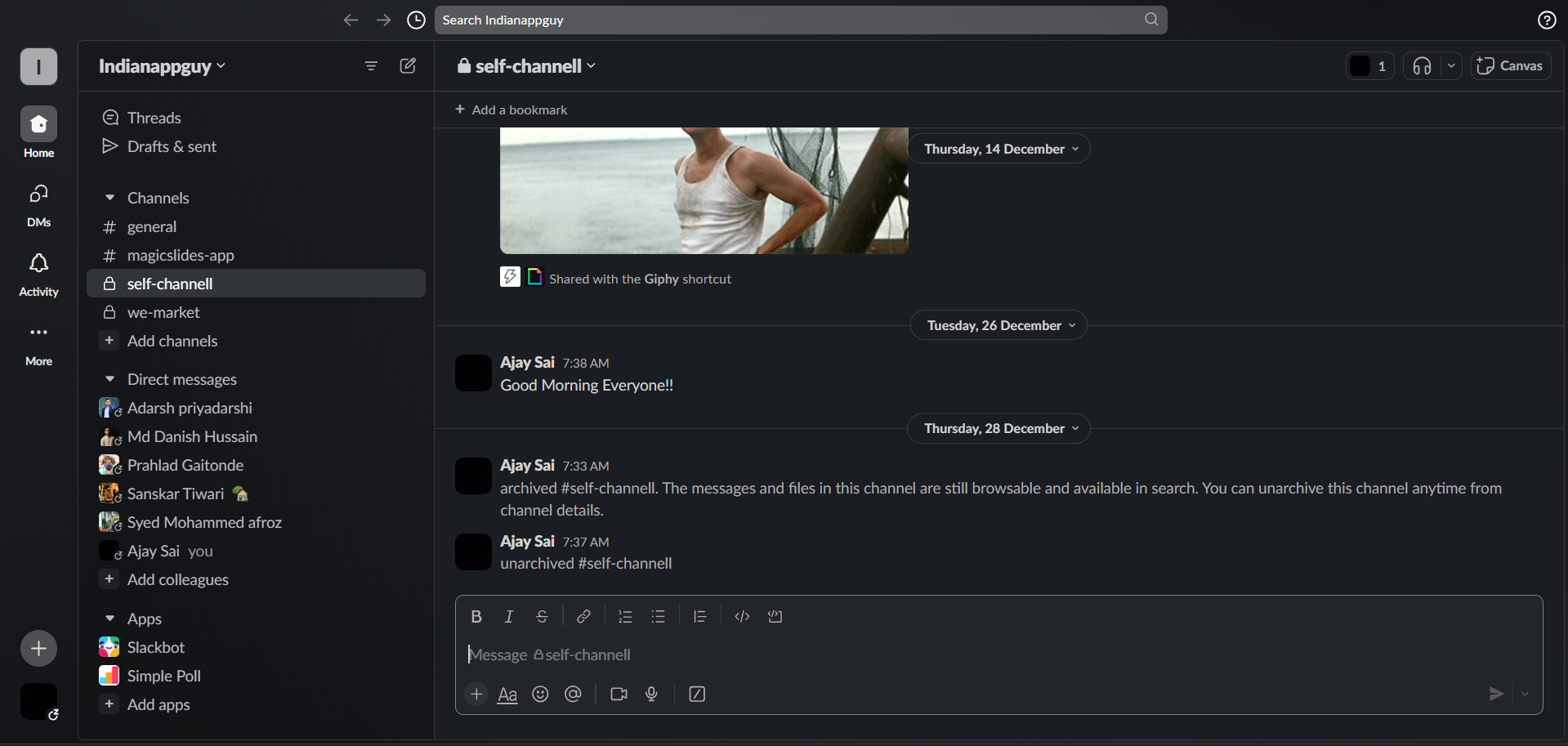
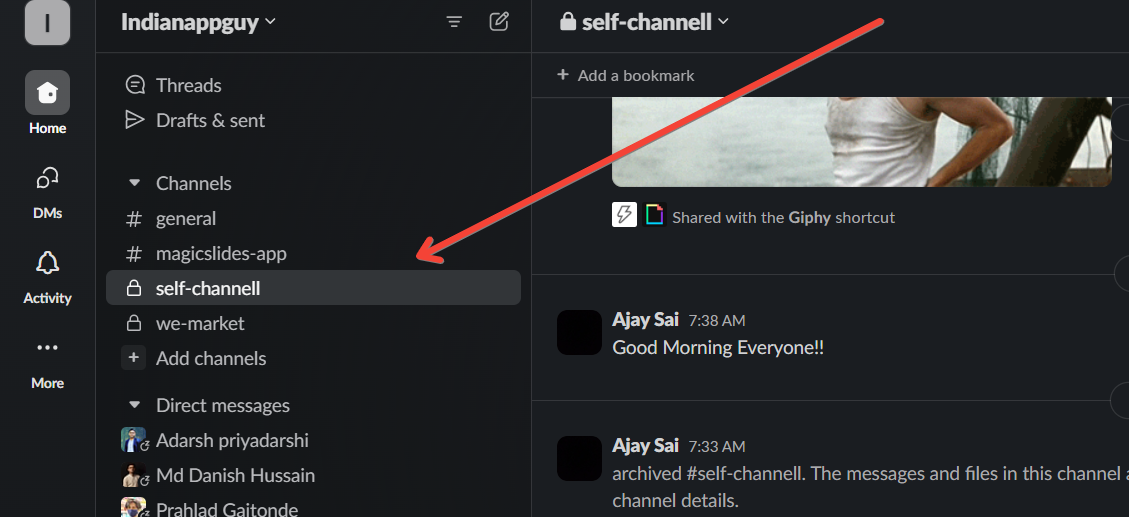
2. Click on the Channel Name to Open Its Settings:
- Once you're in the desired channel, identify the channel name at the top of the Slack interface.
- Click on the channel name to open the channel settings.
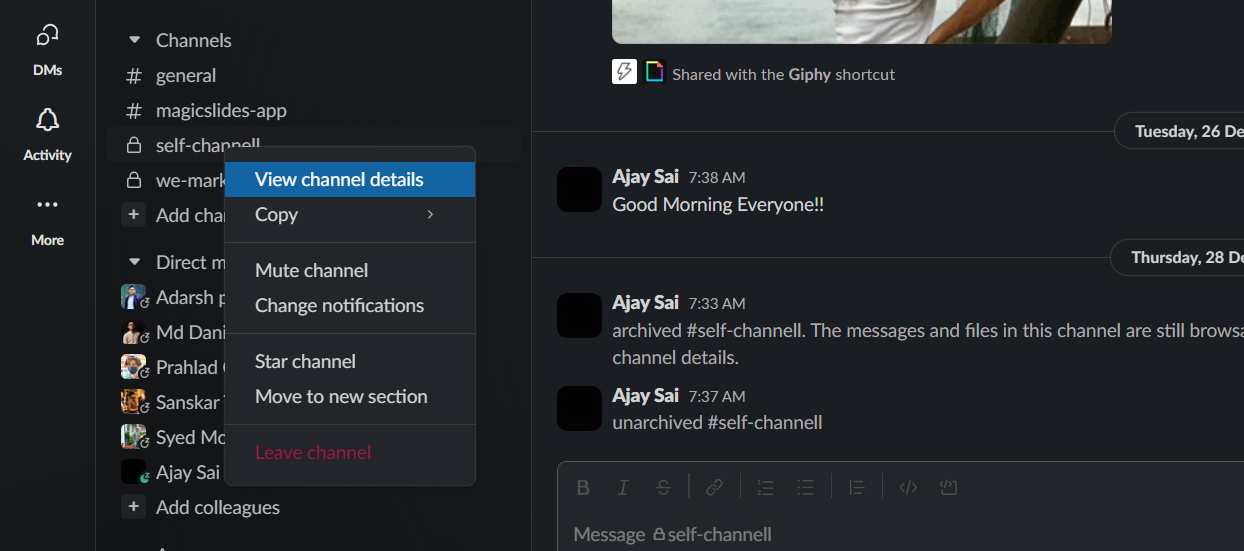
3. Access Additional Options by Clicking on "More" (Three Vertical Dots):
- In the top-right corner of the channel window, look for three vertical dots or the "More" option.
- Click on "More" to reveal a dropdown menu with additional channel-related options.
4. Select "Manage Channel":
- From the dropdown menu, find and select the "Manage Channel" option.
- This will open a new window with various settings and controls for the selected channel.
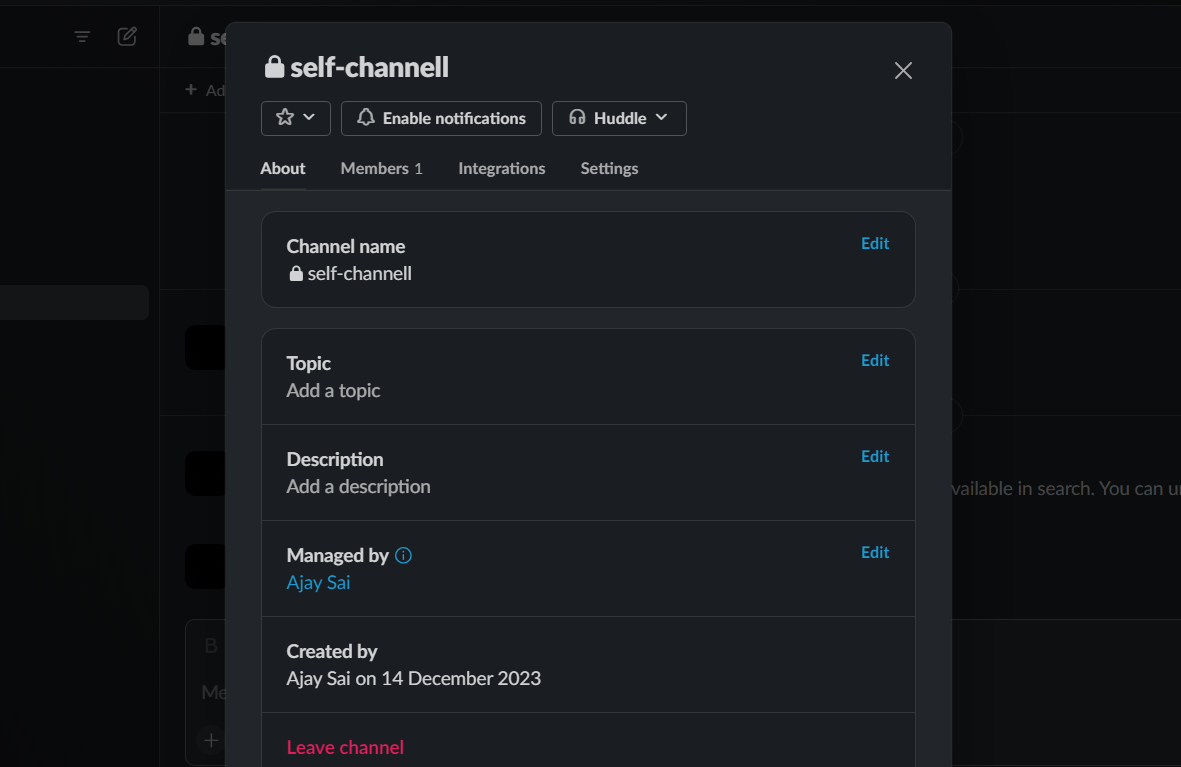
5. Go to the "Members" Tab:
- Within the "Manage Channel" settings, locate and click on the "Members" tab.
- This tab displays a list of all members currently in the channel.
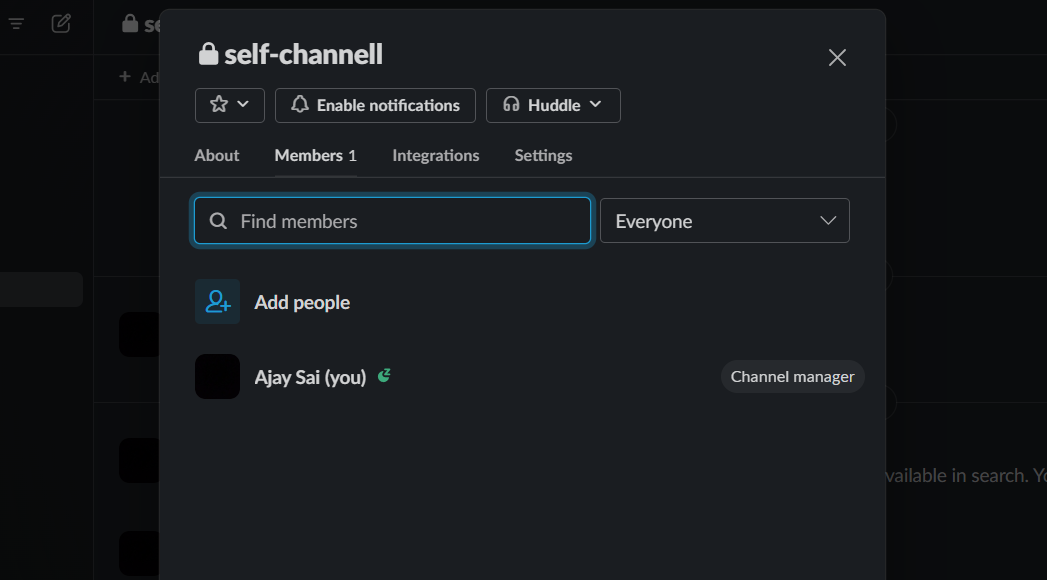
6. Locate the Member and Click on "Remove from Channel":
- Scroll through the list of channel members to find the person you want to remove.
- Hover over the member's name and click on the option that says "Remove from Channel" or a similar action.
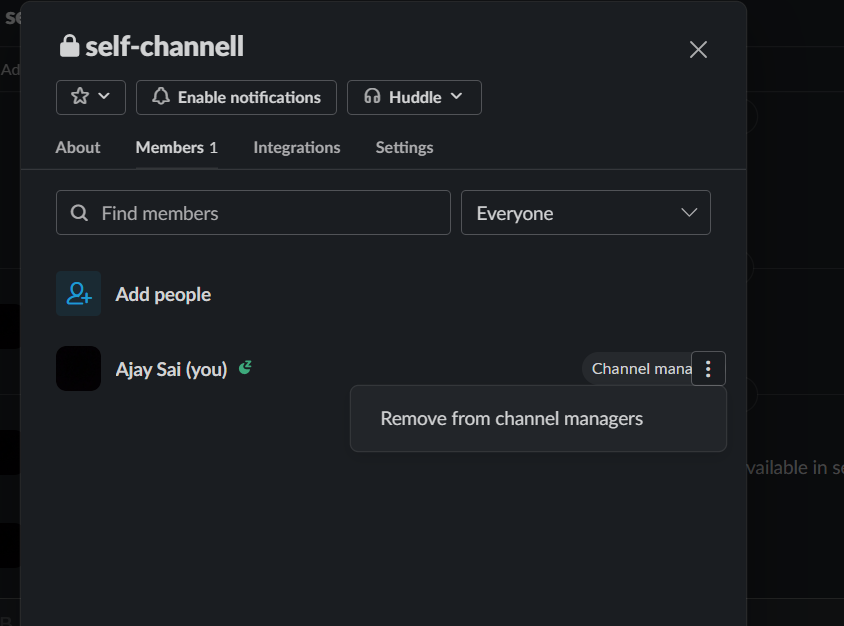
**Note: If you don't see the option to remove someone, you might not have the necessary permissions. In that case, contact a Slack admin or someone with the appropriate permissions to assist you.
While removing someone from a Slack channel, keep your team updated by integrating Google Form Slack notifications. Every Google Form submission will send an automatic alert, ensuring the rest of the team is still in the loop.
Conclusion:
In conclusion, mastering the art of managing Slack channels ensures effective communication. Understanding member removal nuances streamlines collaboration.
By following these detailed steps, you can efficiently navigate through Slack's interface and manage channel members with precision.
This process ensures that you can maintain a focused and organized communication environment within your workspace. Create stunning PPTs For Seminar Topics with just Website URL.
Frequently Asked Questions:
Can I remove someone from a Slack channel if I'm not an admin?
Ans: No, you generally need admin or member management permissions to remove someone from a Slack channel.
Does removing a member from a channel remove them from the entire workspace?
Ans: No, removing someone from a channel only excludes them from that specific channel, not the entire workspace.
What happens if I accidentally remove someone from a Slack channel?
Ans: Accidental removals can be reversed by re-inviting the member to the channel or using the "Invite to Channel" feature ‘Explore More’


