How to Strikethrough Text in Google Slides (Step-by-Step Guide)


Learn how to strikethrough text in Google Slides using the Format menu or keyboard shortcuts. Follow this step-by-step guide with FAQs and tips.
Applying strikethrough in Google Slides is a simple formatting trick that can make your presentations more effective. Whether you’re marking completed tasks, highlighting revisions, comparing ideas, or visually indicating outdated information, strikethrough helps communicate changes without removing the original text.
In this guide, you’ll learn how to add and remove strikethrough text in Google Slides using both the menu options and keyboard shortcuts. By the end, you’ll be able to use this formatting feature to create cleaner, more professional, and visually engaging presentations.
What Is Strikethrough in Google Slides?
Strikethrough is a text formatting feature that places a horizontal line through selected text while keeping it visible. Instead of deleting words or phrases, it lets you indicate that the content is no longer relevant, has been updated, or should be viewed differently.
In Google Slides, strikethrough is commonly used to highlight revisions, mark completed tasks, compare old and new information, or emphasize changes during presentations. Since the original text remains visible, your audience can easily understand the context behind the edits.
Whether you’re collaborating with a team, presenting project updates, or creating educational content, using strikethrough can make your slides more organized and easier to follow.
How to Strikethrough Text in Google Slides?
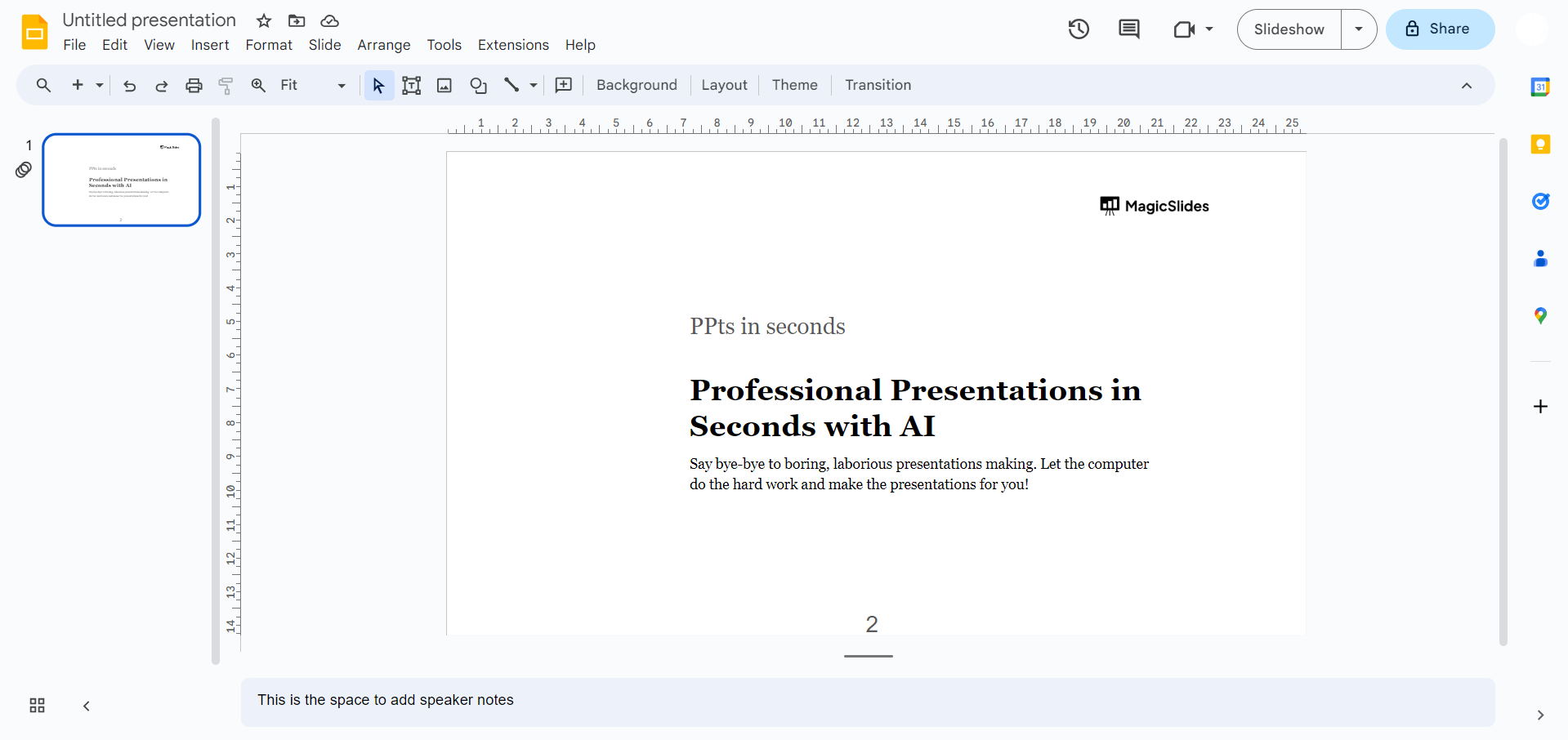
Step 1. Open Your Google Slides:
Open the Google Slides presentation where you want to apply strikethrough formatting.
Step 2. Select the Text:
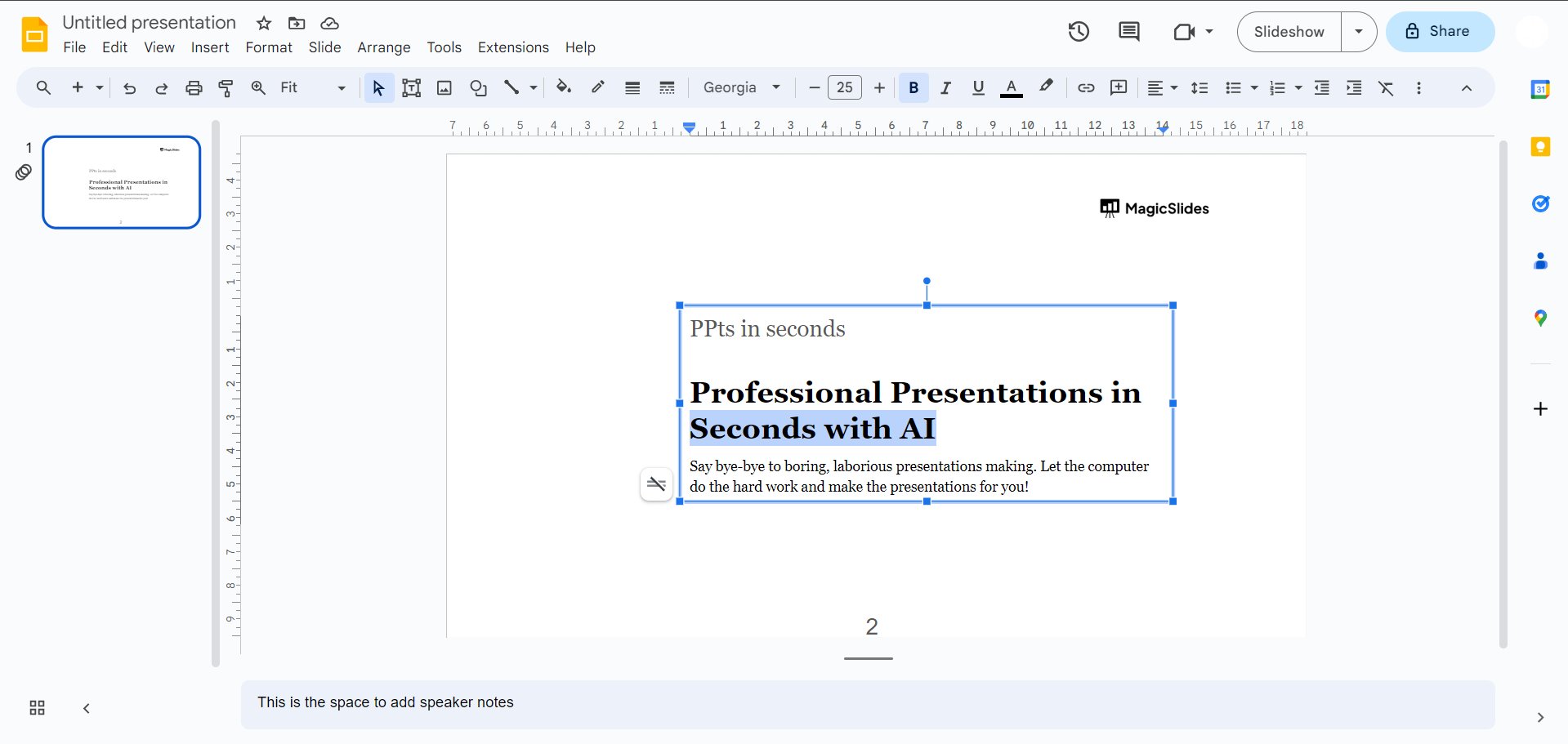
Click on the text box or highlight the specific text within a text box that you want to format with strikethrough.
Step 3. Access the Format Options:
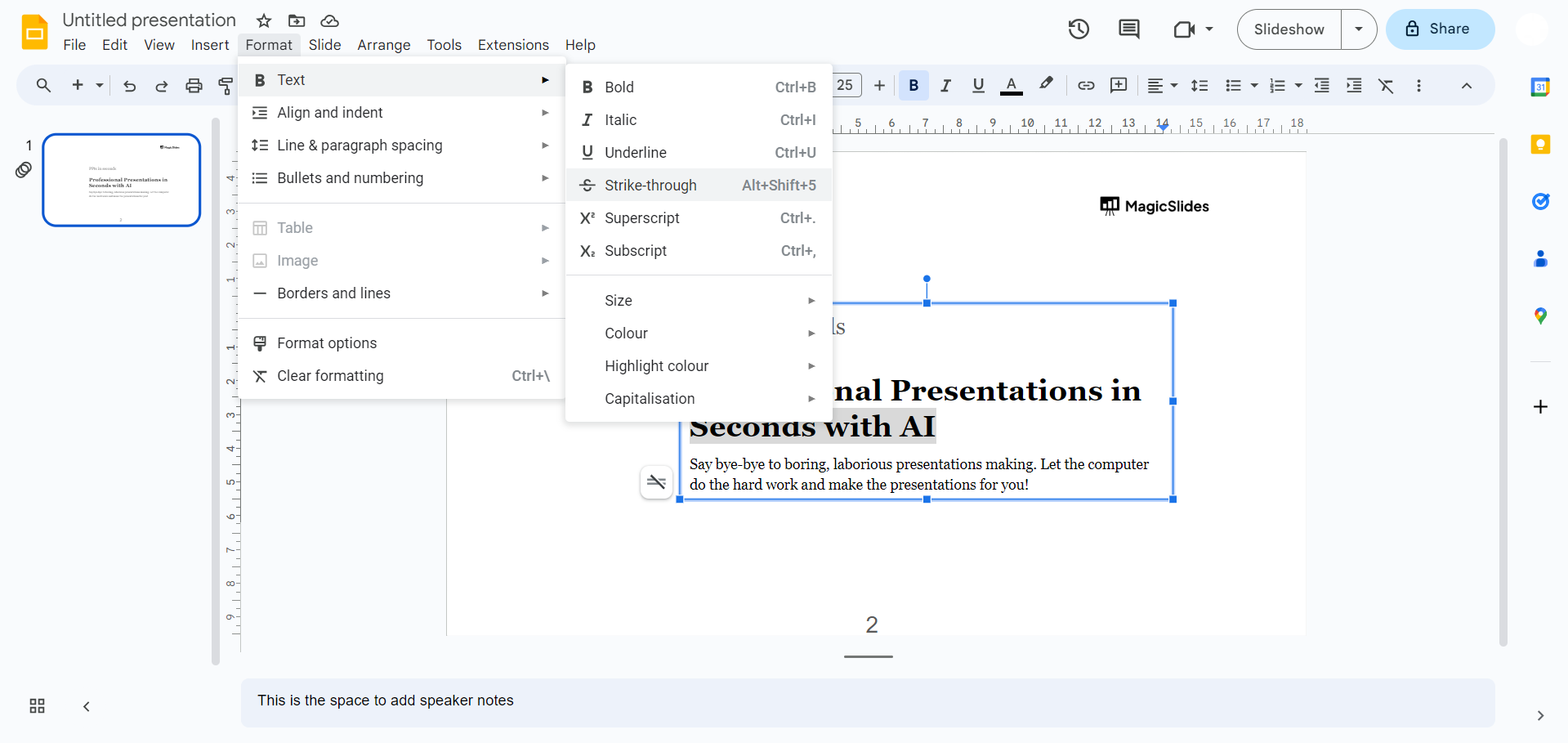
Navigate to the menu bar and click on “Format.” From the dropdown menu, select “Text.”
Step 4. Apply Strikethrough:
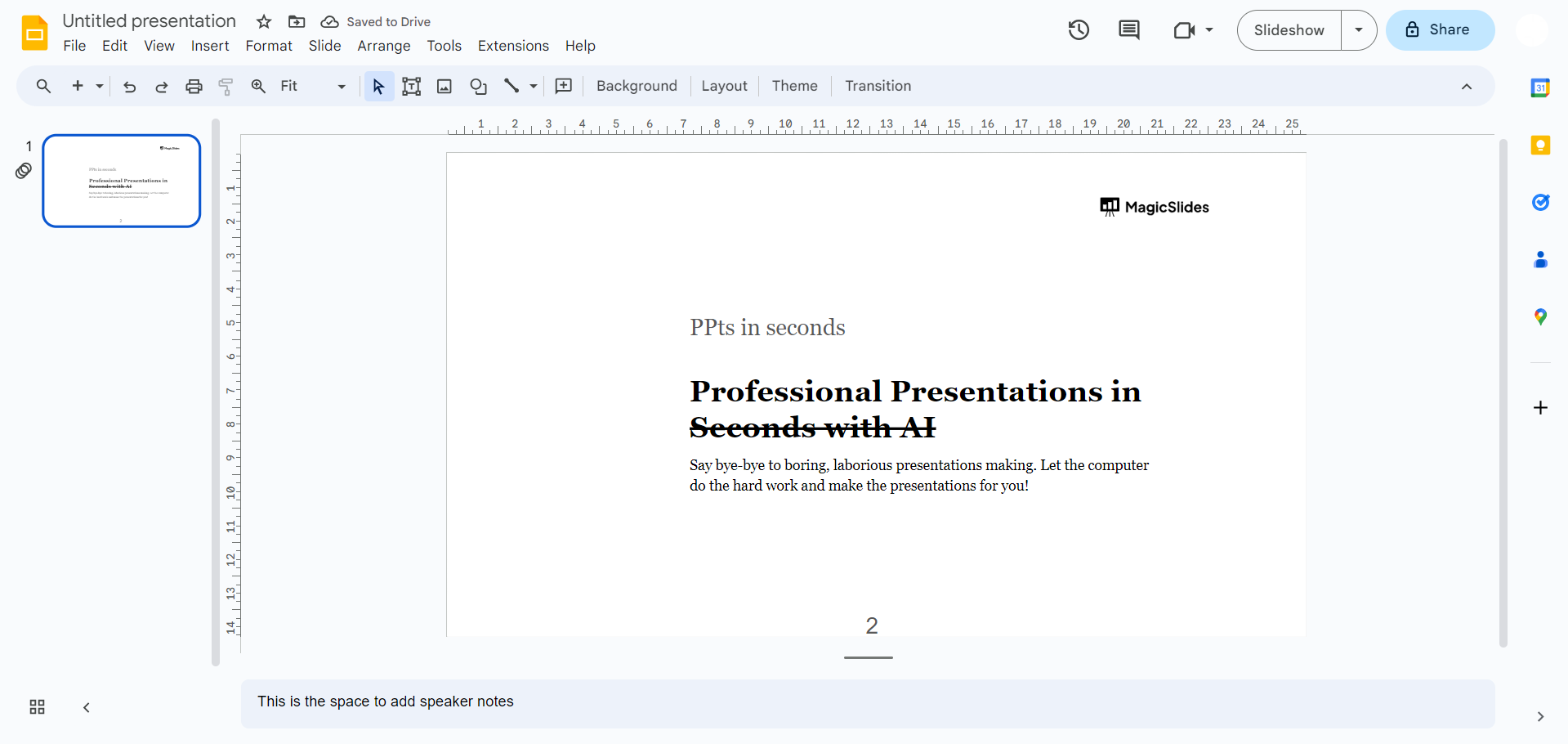
In the “Text” menu, hover over “Strikethrough.” You’ll see a small pop-up menu with formatting options. Click on “Strikethrough” to apply the formatting to the selected text.
Keyboard Shortcut to Strikethrough Text in Google Slides
If you frequently edit presentations, using keyboard shortcuts can help you work more efficiently. Instead of navigating through the Format menu, you can apply strikethrough instantly with a simple key combination.
Use the following shortcuts based on your operating system:
| Operating System | Keyboard Shortcut |
|---|
| Windows/Linux | Ctrl + Alt + Shift + 5 |
| Mac | Command (⌘) + Option + Shift + X |
To use the shortcut, simply highlight the text you want to format and press the appropriate key combination. Press the same shortcut again to remove the strikethrough, as the formatting works as a toggle.
Create Professional Presentations Faster with MagicSlides
Formatting features like strikethrough help improve the clarity of your slides, but creating an entire presentation from scratch can still be time-consuming. If you want to save time while producing high-quality presentations, MagicSlides AI Presentation Maker can help.

With MagicSlides, you can generate professional Google Slides and PowerPoint presentations from a simple prompt, document, PDF, YouTube video, or web page in just a few minutes. The tool automatically creates well-structured slides with engaging content and visually appealing designs, allowing you to focus on delivering your message instead of designing every slide manually.
Whether you’re a student, educator, business professional, or content creator, MagicSlides makes it easy to build presentation-ready decks with minimal effort.
Conclusion
Applying strikethrough in Google Slides is a simple yet useful formatting technique that helps you present edits, mark completed tasks, and highlight outdated information without removing the original text. Whether you use the Format menu or a keyboard shortcut, you can quickly add or remove strikethrough to make your slides more organized and easier to understand.
If you’re looking to create professional presentations even faster, consider using MagicSlides to generate polished Google Slides and PowerPoint presentations from prompts, documents, PDFs, YouTube videos, or web pages in just a few clicks.
Frequently Asked Questions (FAQs)
Q1. How do I strikethrough text in Google Slides?
To apply strikethrough, select the text you want to format, then go to Format → Text → Strikethrough. The selected text will immediately appear with a line through it.
Q2. Is there a keyboard shortcut for strikethrough in Google Slides?
Yes. You can use the following shortcuts:
- Windows/Linux: Ctrl + Alt + Shift + 5
- Mac: Command (⌘) + Option + Shift + X
Q3. How do I remove strikethrough from text in Google Slides?
Select the text with the strikethrough, navigate to Format → Text → Strikethrough, and click the option again. Since it’s a toggle, selecting it a second time removes the formatting.
Q4. Can I apply strikethrough to multiple words or sentences?
Yes. Simply highlight all the text you want to format before selecting the Strikethrough option. The formatting will be applied to the entire selection.
Q5. Will strikethrough formatting remain when I present or export my slides?
Yes. Strikethrough formatting is preserved when you present your slides or export them to formats such as PDF or Microsoft PowerPoint.
Q6. Can I customize the appearance of strikethrough in Google Slides?
No. Google Slides doesn’t provide options to customize the thickness, color, or style of the strikethrough line. You can only enable or disable the formatting.
Also read: How to Use AI to Write a Story: A Beginner’s Guide


