How to Transform Health Article Summaries into Informative PPTs


Learn to craft compelling health PPTs from article summaries! Transform information into engaging presentations with our step-by-step guide.
In the fast-paced world of information consumption, transforming lengthy health article summaries into engaging and informative PowerPoint presentations can be a game-changer. Leveraging tools like MagicSlides GPT simplifies the process, making it accessible to individuals seeking a visually appealing way to share health insights. Follow this step-by-step guide to seamlessly convert health article summaries into compelling presentations.
How to Transform Health Article Summaries into Informative PPTs
Visit Google Slides
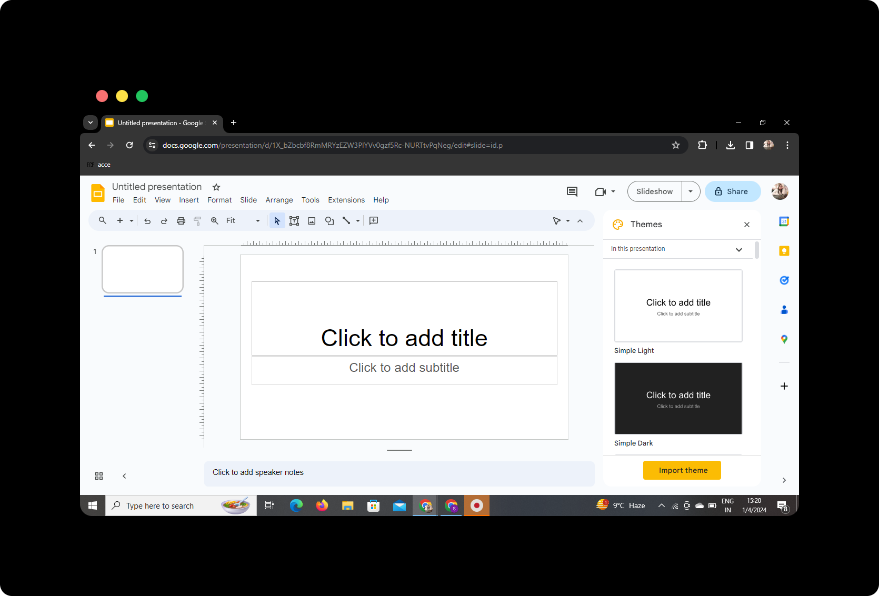
Begin by visiting Google Slides, Google's user-friendly presentation platform. If you don't have an account, sign up or log in to get started.
Sign In with Google to Google Slides
Ensure you're signed in with your Google account to access the full suite of features on Google Slides. This step is essential for saving your work and leveraging external tools like MagicSlides GPT.
Step-by-Step Guide
1. In Extensions, Click on MagicSlides GPT if Downloaded
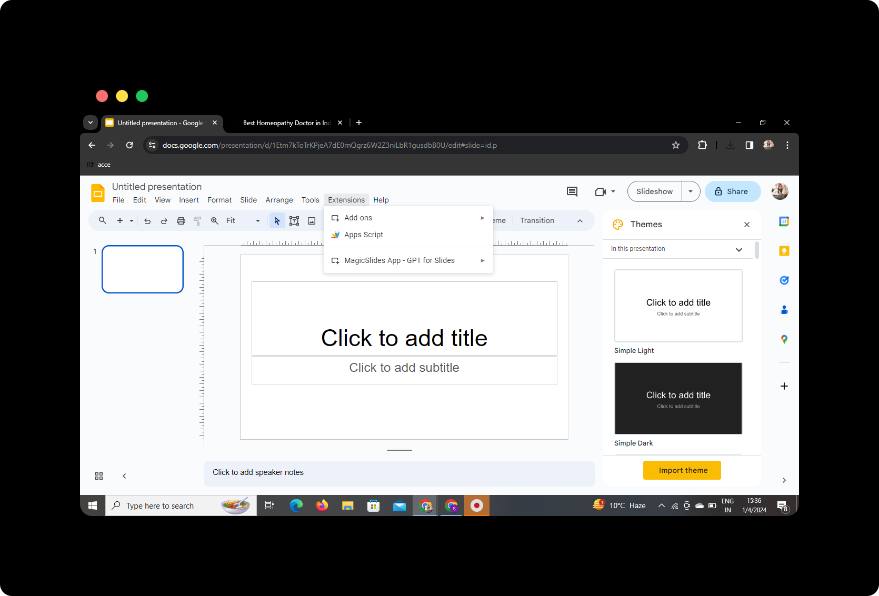
If you've already downloaded MagicSlides GPT as a browser extension, navigate to the extensions tab and click on MagicSlides GPT to activate it.
2. If Not Downloaded, First Download as an Extension, Then Open
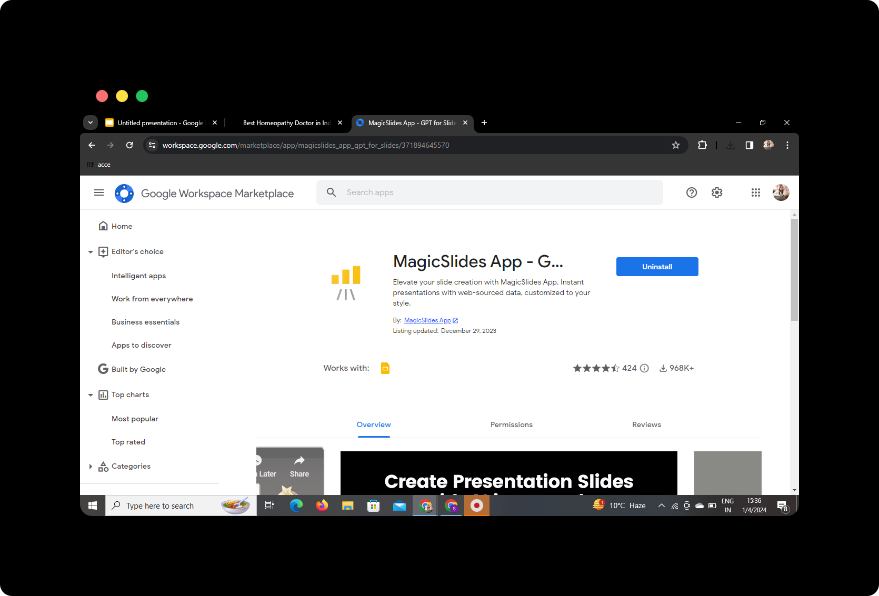
If you haven't downloaded MagicSlides GPT yet, visit the extension store for your browser, search for MagicSlides GPT, and install it. Once installed, open the extension to access its features.
3. Click on 'Generate PPT' in MagicSlides GPT
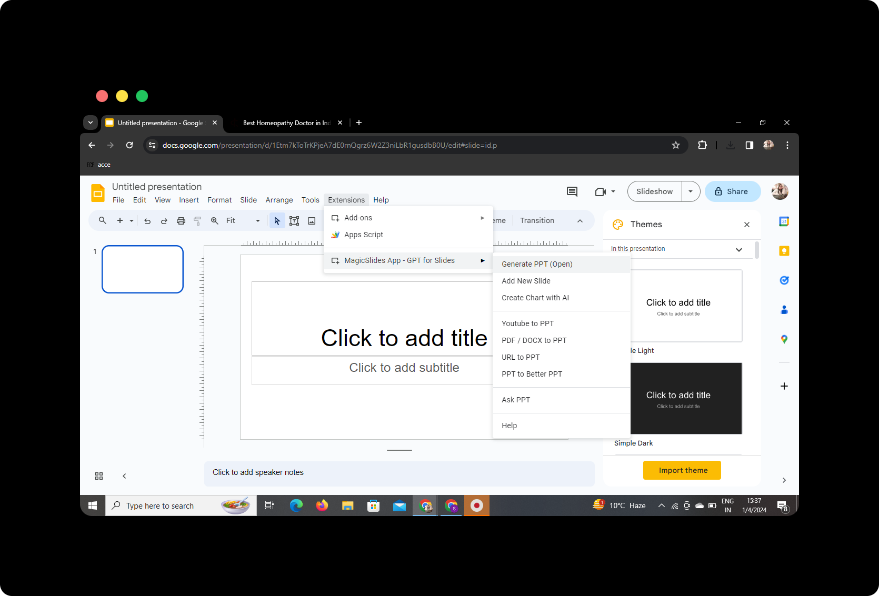
Within the Google Slides interface, locate the MagicSlides GPT extension and click on "Generate PPT" to initiate the conversion process.
4. Click on 'Summarize' Option
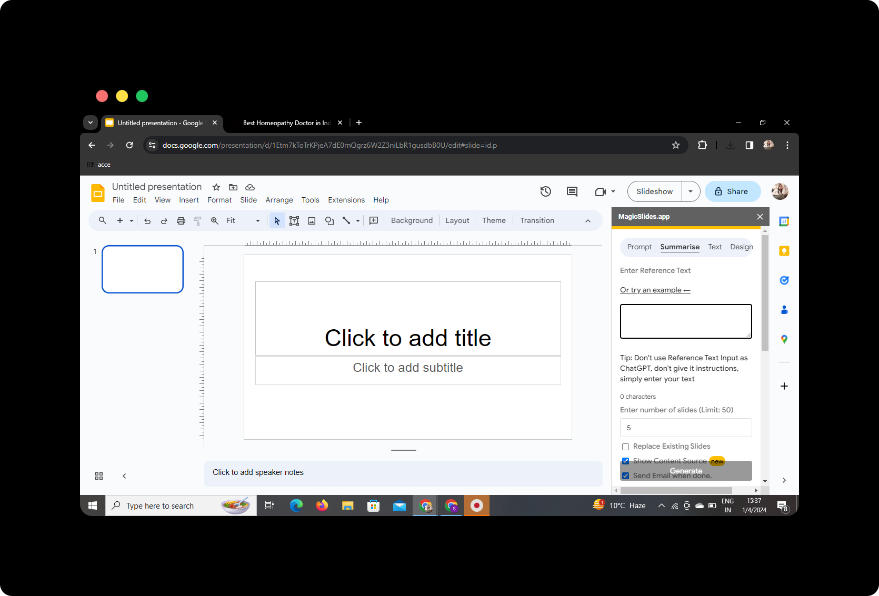
Select the "Summarize" option within MagicSlides GPT to instruct the tool to condense the health article summary into key points for your presentation.
5. Paste Your Health Article
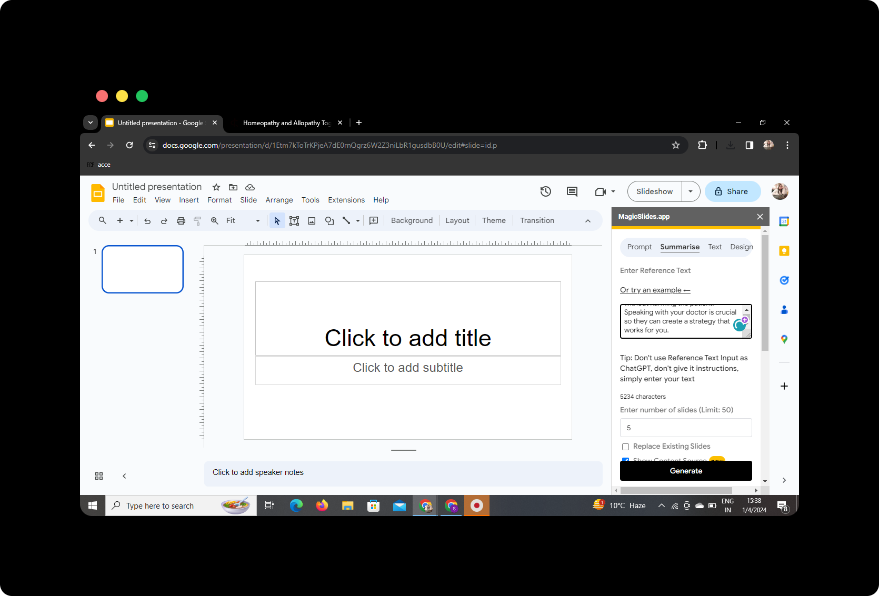
Paste the content of the health article summary into the designated area.
6. Select the Number of Slides
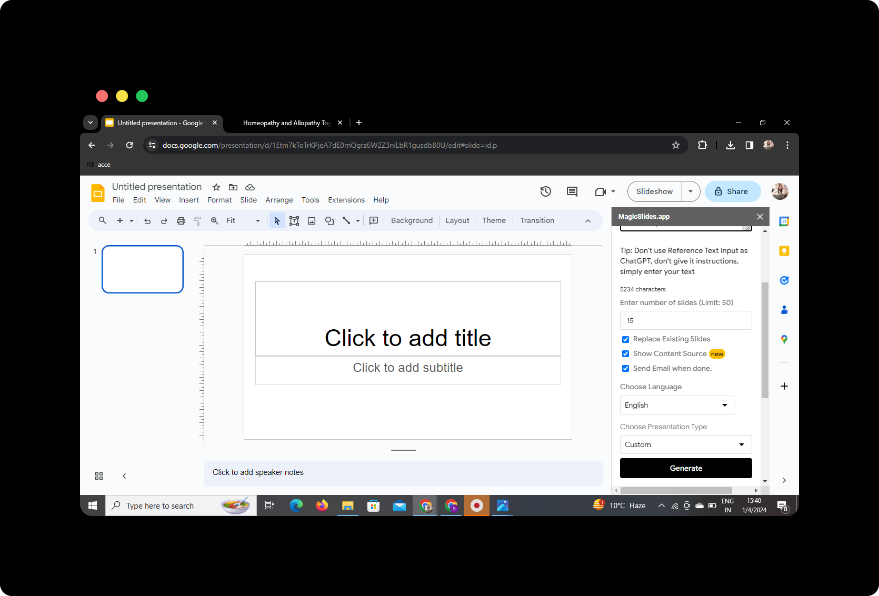
Specify the desired number of slides you want MagicSlides GPT to generate for your presentation.
7. Click on 'Generate Presentation'
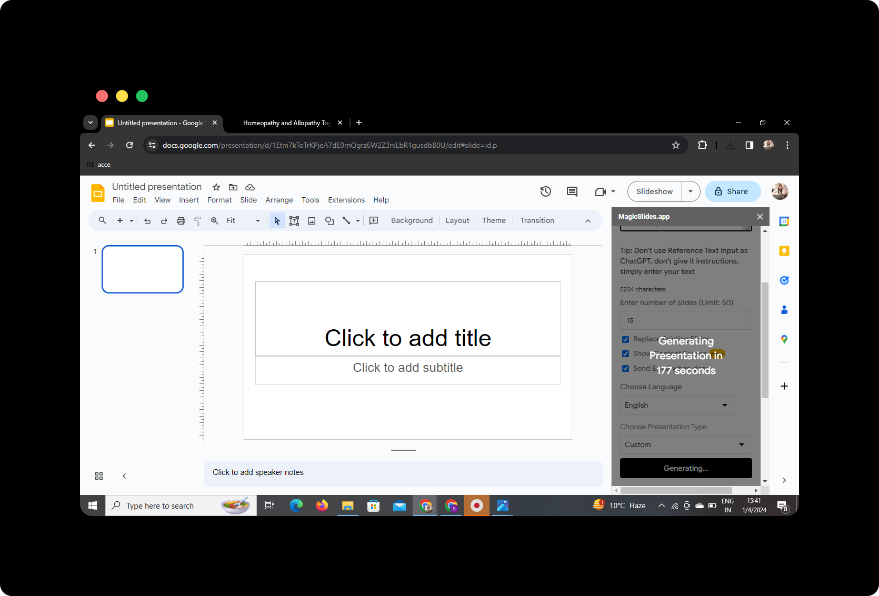
Initiate the presentation generation process by clicking on the "Generate Presentation" button. MagicSlides GPT will analyze the content and create a set of slides based on the summarized information.
Your Presentation Is Ready!
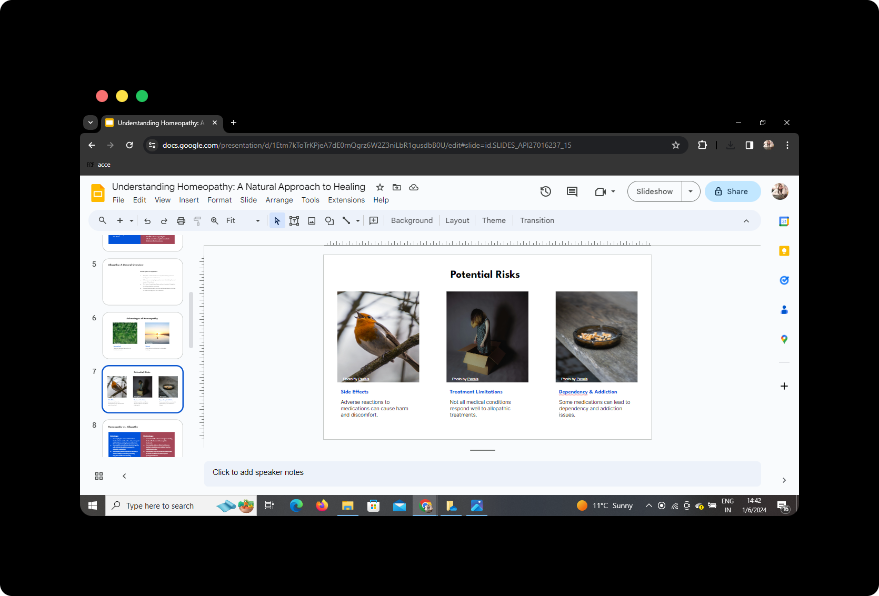
Once the generation process is complete, your presentation is ready. Review the slides, make any necessary edits, and add visuals to enhance the overall impact.
Conclusion
In a world where information is constantly evolving, turning health article summaries into dynamic presentations with MagicSlides GPT provides a fresh and engaging way to share valuable insights. This process not only saves time but also ensures that complex health topics are presented in an accessible format.
Frequently Asked Questions (FAQs)
Can I use MagicSlides GPT with any browser?
Yes, MagicSlides GPT is compatible with popular browsers such as Chrome, Firefox, and Edge. Ensure you have the extension installed for seamless integration.
Is there a limit to the number of slides MagicSlides GPT can generate?
While there may be practical limits, MagicSlides GPT is designed to handle a variety of content lengths. Experiment with the tool to find the optimal number of slides for your presentation.
Can I customize the generated slides?
Absolutely! MagicSlides GPT provides editing features within Google Slides, allowing you to refine the content, add visuals, and personalize the presentation according to your preferences.
How accurate is the summarization process in MagicSlides GPT?
MagicSlides GPT leverages advanced language models for summarization, resulting in accurate and concise content. However, it's always a good idea to review and refine the slides for precision.
Can I share the presentation with others?
Yes, Google Slides allows for easy sharing and collaboration. Once satisfied with your presentation, use the sharing options in Google Slides to distribute it to your audience.
Incorporate these steps into your workflow, and you'll find yourself effortlessly transforming health article summaries into impactful presentations that captivate and inform your audience.


