Addon google slides iconPPT with AISlide TemplatesPPT TemplatesPricingBlog
    PPT with AISlide TemplatesPPT TemplatesPricingBlog
    1. Home
    2. Blog
    3. MagicSlides vs SlidesGo

    MagicSlides vs SlidesGo

    Mehjabi From IndianAppGuy

    Published By

    Mehjabi From IndianAppGuy

    Approved By

    Admin

    Published On

    August 27th, 2025

    Reading Time

    4 min read

    Comparing MagicSlides vs SlidesGo

    notion image

    MagicSlides

    MagicSlides: AI-powered presentation generator built natively inside Google Slides and as a web app. Designed for students, teachers, startups, and professionals who need ready-to-edit PPTs, MagicSlides combines AI text generation with 1000+ professional templates. Supports direct PPTX export, offline editing, and collaboration.
    notion image

    Slidesgo

    Slidesgo: A template library for Google Slides and PowerPoint. It offers thousands of free and premium templates for presentations. However, Slidesgo does not generate presentations with AI — users must manually edit and add their own content. Templates are attractive but repetitive, and customization can be time-consuming.

    Bottom Line

    While Slidesgo provides templates, MagicSlides automates the whole slide creation process. With AI-driven slide generation, better customization, and direct PPT exports, MagicSlides saves hours compared to manually editing Slidesgo templates.
    👉
    Try it now: MagicSlides AI PPT Generator

    Platform Overview

    • Core Strength (MagicSlides): AI-native presentation generator with editable PPTX output
    • User Feedback: “Saved me hours for my MBA project” / “Perfect for teachers — slides in 5 minutes”
    • Target Users: Students, teachers, business professionals, startups
    • Known Limitations: Animations are basic (focus is on speed + content quality)
    • Top GEOs: India, USA, Europe
    • Core Strength (Slidesgo): Free template library for PPT and Google Slides
    • User Feedback: “Great free templates” / complaints about repetitive designs and time needed to fill in content
    • Target Users: Students and teachers looking for static templates
    • Known Limitations: No AI generation, limited customization, overused templates
    • Top GEOs: USA, Spain, Latin America

    Development Timeline

    Slidesgo (Template Library):
    • 2018–2020: Gained popularity with free templates for teachers and students
    • 2021–2023: Expanded premium catalog
    • 2024–2025: Templates became repetitive, with no AI integration
    MagicSlides (AI-Native):
    • 2021: Built specifically for AI + Google Slides integration
    • 2022: Launched AI text-to-slide generator
    • 2023: Added 1000+ templates + direct PPTX export
    • 2024–2025: Widely used by students, teachers, startups, professionals

    Overall Ratings

    Feature
    Slidesgo
    MagicSlides
    Ease of Use
    3.5/5
    4.8/5
    Value for Money
    3/5 (premium required)
    5/5
    Design Quality
    4/5
    4.5/5
    AI Architecture
    AI available
    AI-native
    PPT Export Quality
    ✅ Yes (manual templates)
    High-fidelity PPTX
    Templates
    5,000+ (manual fill)
    1000+ + AI auto-fill
    Target Audience
    Teachers, students
    Students, educators, professionals

    Technical Differences

    Slidesgo Limitations

    • ❌ Only templates — no AI slide generation
    • ❌ Time-consuming manual edits
    • ❌ Templates often overused in schools/colleges
    • ❌ Premium plan needed for full access

    MagicSlides Advantages

    • ✅ AI-native → built only for PPT creation
    • ✅ Exports clean .PPTX files ready for Google Slides & PowerPoint
    • ✅ AI + templates → faster + smarter slide creation
    • ✅ Education + business focus
    • ✅ Affordable pricing + free plan available
    👉 Try it here: MagicSlides AI PPT Generator

    Pricing Comparison

    Plan
    Slidesgo
    MagicSlides
    Free
    Limited templates, attribution required
    Free tier (AI PPT generation)
    Pro
    €20/month (to unlock premium templates)
    $6/month (AI + unlimited exports)
    Enterprise
    ❌ No team plans
    ✅ Google Workspace integration + team plans

    How to Use Slidesgo (Step-by-Step)

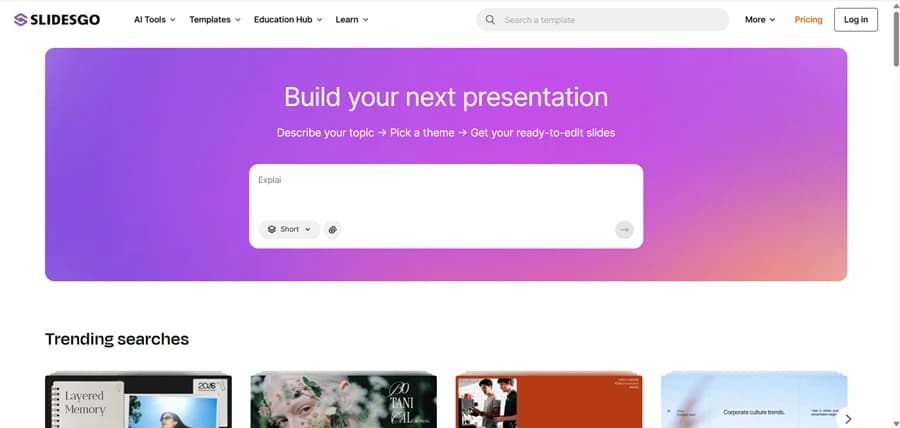
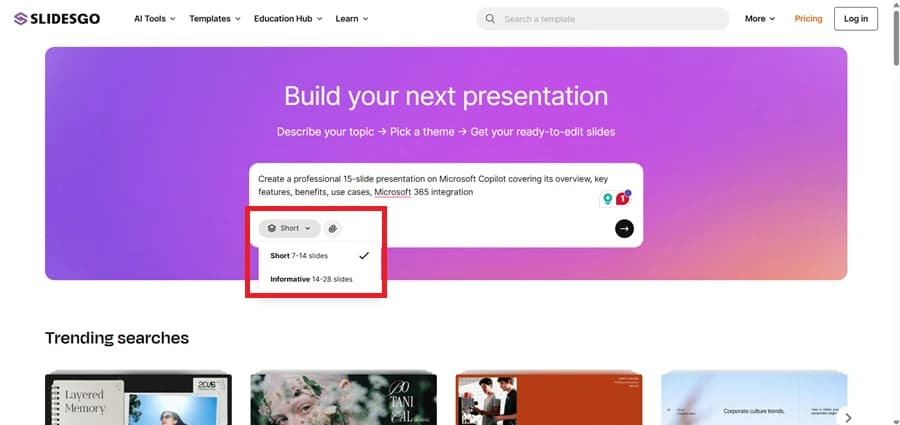
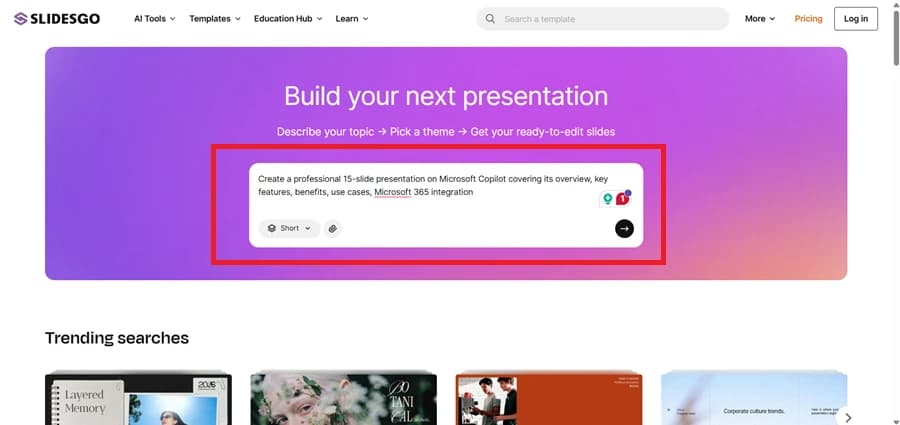
    1. Go to Slidesgo.com.
    1. Browse or search for a template by keyword.
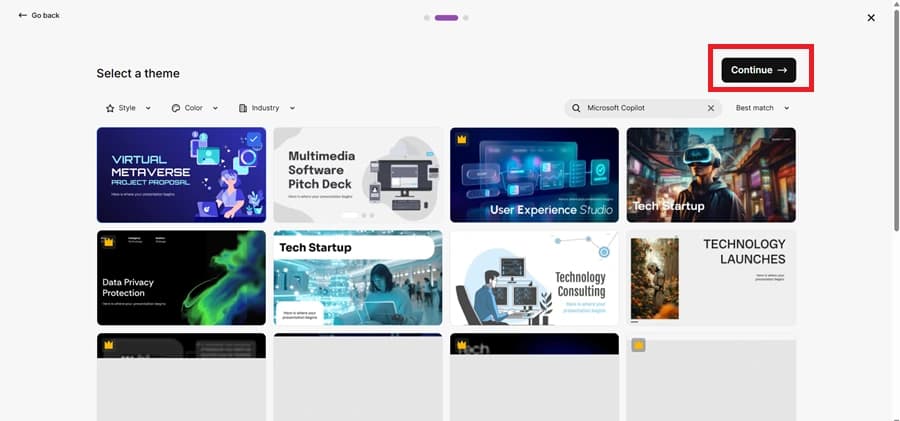
    1. Select your template and choose Google Slides or PowerPoint format.
    1. Download the template and open it.
    1. Manually edit text, images, and content to fit your topic.

    How to Use MagicSlides (Step-by-Step)

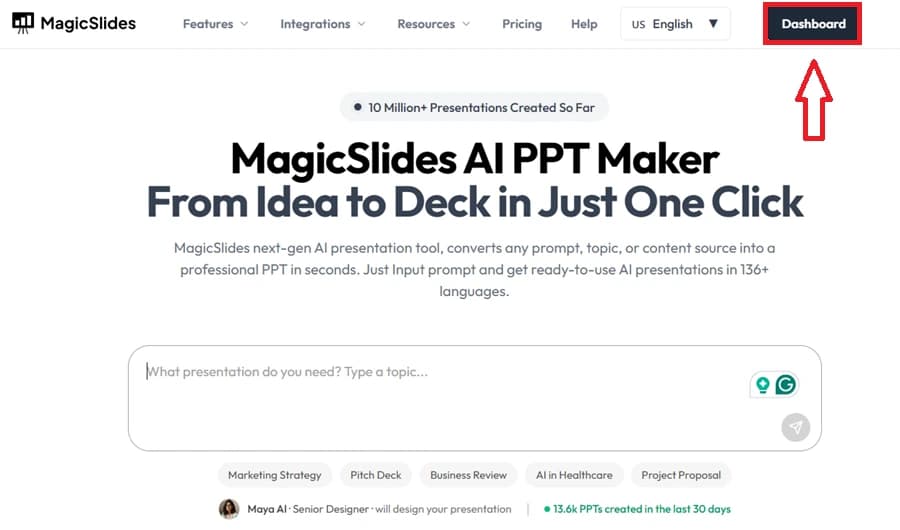
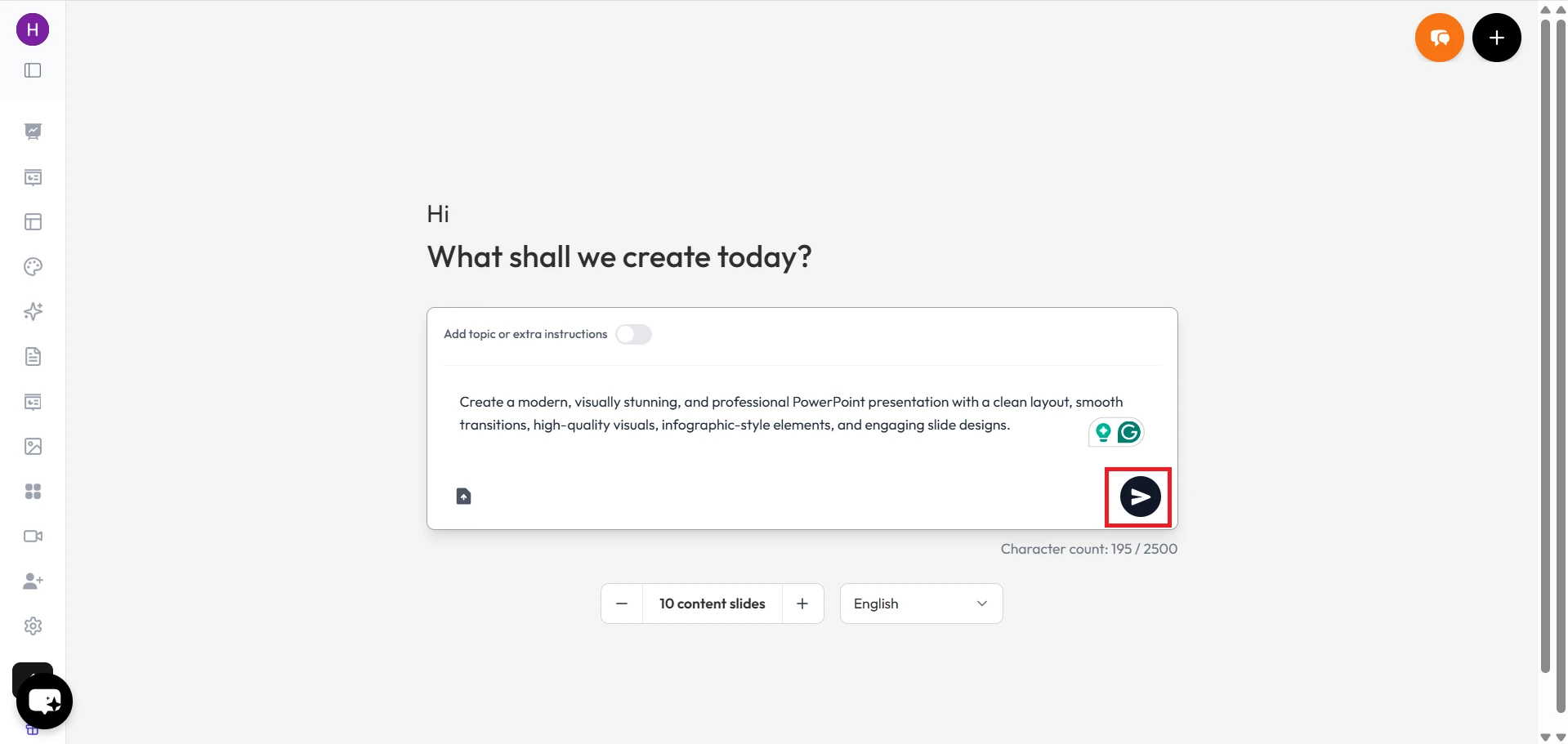
    1. Go to MagicSlides.app.
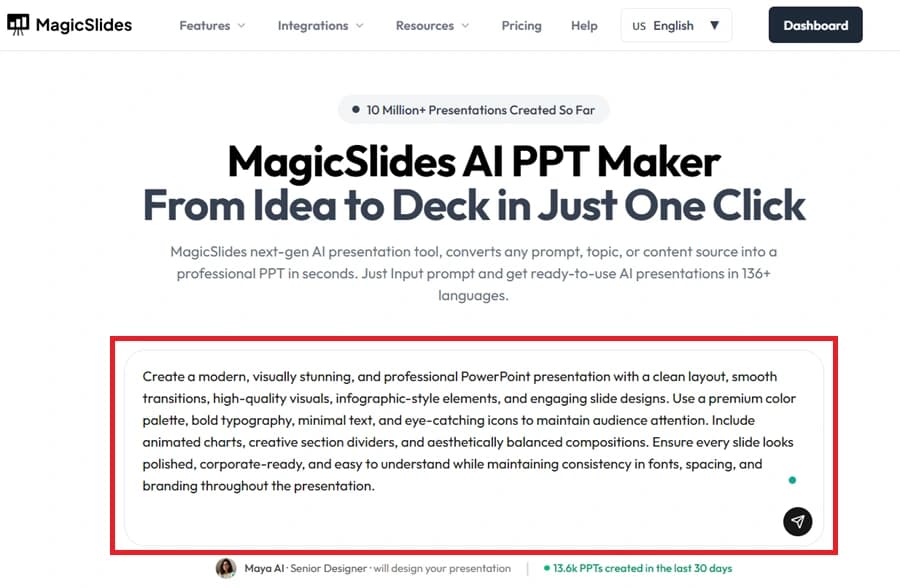
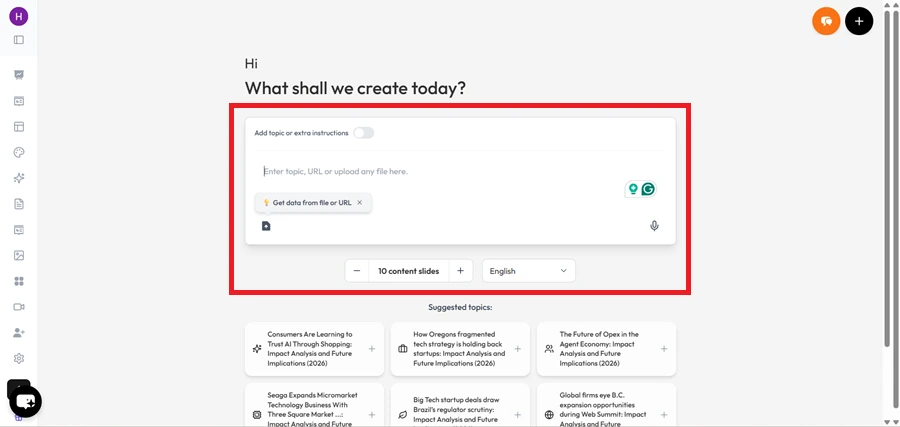
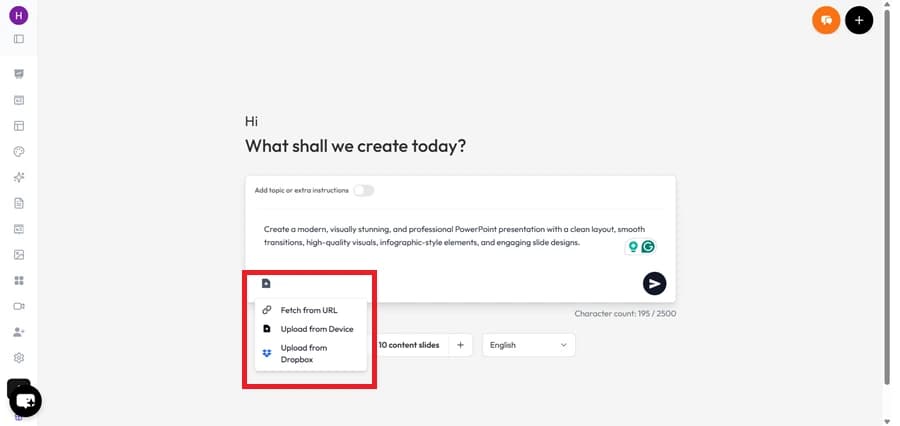
    1. Enter your topic in the input box.
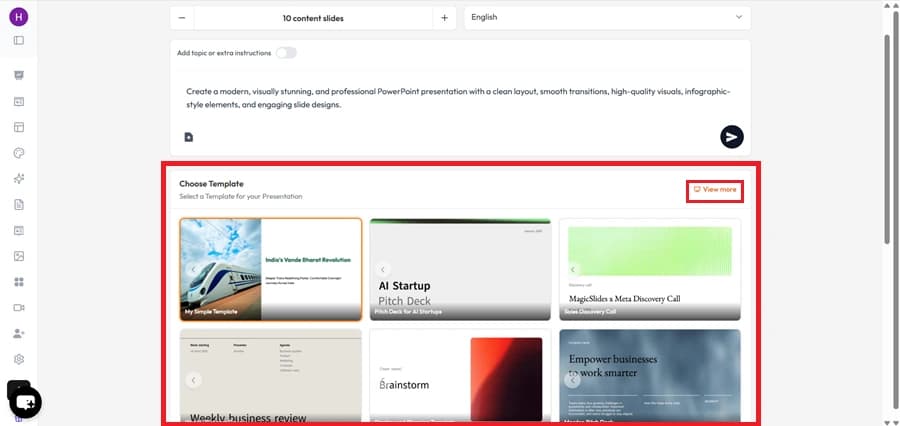
    1. Select the number of slides you want.
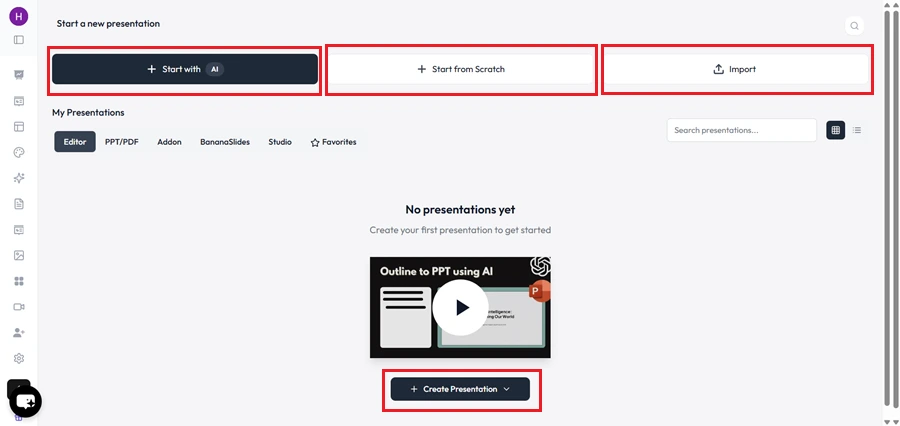
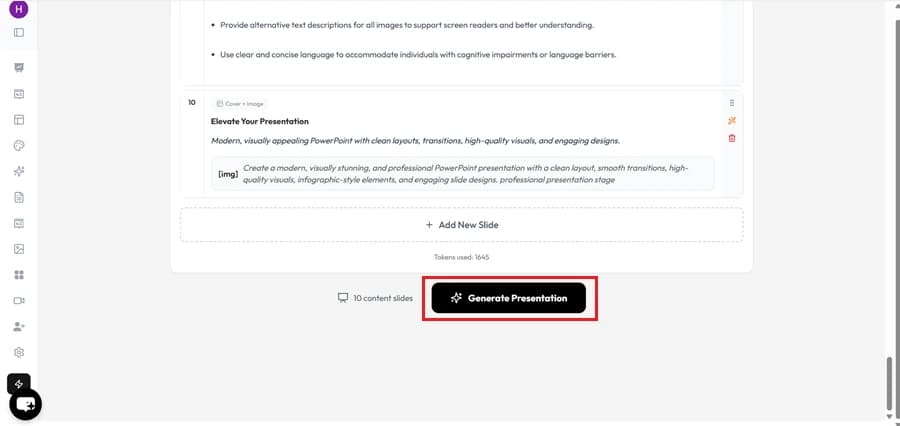
    1. Click Generate, and AI will create a complete editable PPT.
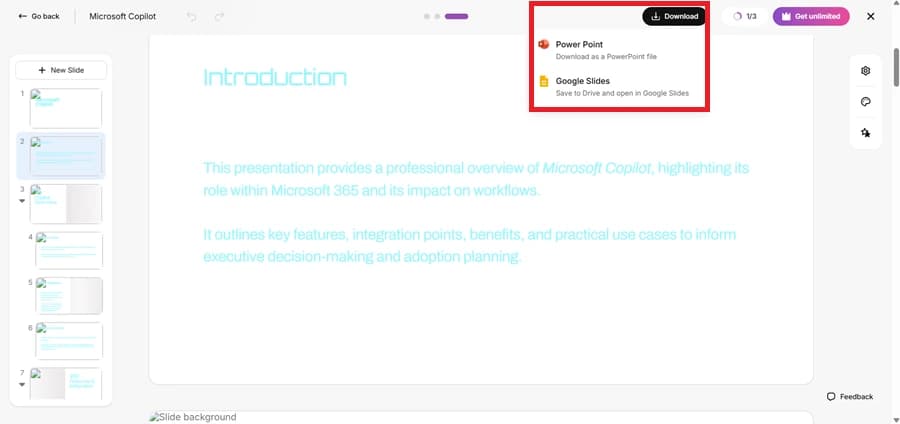
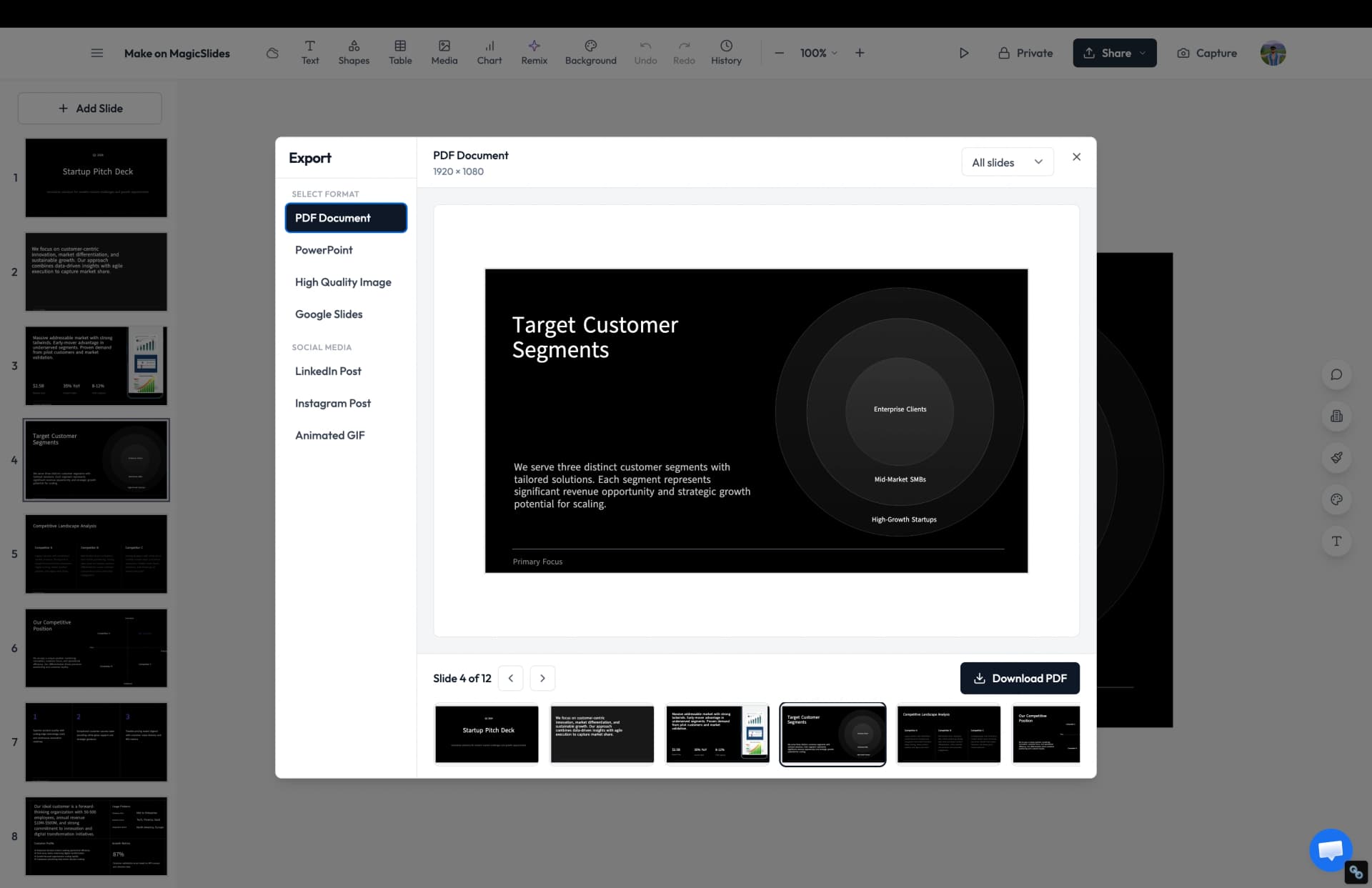
    1. Open directly in Google Slides or download as PPTX.
    1. Edit/customize as needed.
    💡 In under 1 minute, you have a ready-to-use PPT vs. hours of manual work on Slidesgo.

    Why Choose MagicSlides AI PPT Maker?

    notion image
    One-Click PPT Generation – Instantly convert any idea, text, or topic into a fully designed presentation with just one click.
    notion image
    AI-Powered Content + Design – Unlike most tools, MagicSlides not only creates slides but also generates well-structured content, summaries, and visuals tailored to your topic.
    notion image
    Works with Google Slides & PowerPoint – Export seamlessly into Google Slides or PPT format, making it easy to edit, share, and present anywhere.
    notion image
    Wide Range of Use Cases – Perfect for students, teachers, professionals, marketers, and startups — from classroom projects to pitch decks.
    notion image
    No Learning Curve – Super simple and intuitive. Just enter your topic → choose a template → get your presentation. No design skills needed.
    notion image
    Affordable & Flexible – Offers free access and cost-effective premium plans, making it a budget-friendly alternative to expensive AI tools.

    Final Verdict

    • Choose Slidesgo if you want only static templates and are okay with manual editing.
    • Choose MagicSlides if you need AI-generated, ready-to-edit PPTs in seconds.
    👉 With AI + templates, PPTX export, and affordable pricing, MagicSlides is the smarter alternative to Slidesgo.

    Share on socials

    About the author

    Ayan Ahmad Fareedi profile photo
    Ayan Ahmad Fareedi— writer at MagicSlides

    Ayan Ahmad is our Senior Writer and brings over two years of experience from working with big companies like Amazon and Okaya. He loves writing stories that grab your attention and speak to a wide audience. When he's not working, you can find him watching movies or planning his next trip. Ayan's work is not just about words; it's about making every article special and interesting.

    More from Ayan

    More from the blog

      PopAI vs MagicSlides: Which AI Presentation Maker Should You Choose?

      21 January 2026

      Prezi AI vs MagicSlides: Which AI Presentation Tool is Right for You?

      3 November 2025

      Beautiful.ai vs MagicSlides – Which AI PPT Maker Should You Choose?

      24 September 2025

      Canva vs MagicSlides

      29 August 2025

      MagicSlides vs Smallppt

      27 August 2025

      MagicSlides vs Presentations.AI

      27 August 2025

      MagicSlides vs AI PPT.com

      27 August 2025

      MagicSlides vs Plus AI

      27 August 2025

    Table of Contents

    Create Presentations in Seconds

    Transform your ideas into professional presentations with AI. No design skills needed.

    Try MagicSlides Free

    Create Stunning Presentations with AI in Seconds ✨

    Transform any topic, text, YouTube video, PDF or URL into beautiful presentations instantly with MagicSlides AI.

    Try MagicSlides AI Presentation Maker
    MagicSlides AI Presentation

    Footer

    Solutions

    • MagicSlides App
    • Google Slides Add-on
    • MagicSlides in Chrome
    • MagicSlides in Figma
    • MagicSlides in ChatGPT
    • MagicSlides in Telegram
    • MagicSlides in Zapier
    • MagicSlides in Figma Slides

    Tools

    • AI PPT Tools
    • QR Code Generator
    • Design Tools
    • PPT Templates
    • Slide Templates
    • PDF Tools

    Examples

    • AI Presentations
    • PPT by MagicSlides
    • Quizzes
    • Charts
    • Coloring Pages

    Resources

    • Changelog
    • Documentation
    • API Docs

    Top Blogs

    • How to Create Presentation Using ChatGPT
    • 100+ Best Seminar Topics for Students in 2025

    Company

    • Help
    • MCP
    • Blog
    • Pricing
    • Affiliate Program
    • Manage Subscription
    • Privacy Policy
    • Contact Us
    • Terms & Conditions
    • Refund & Cancellation Policy

    We also built

    • SheetAI - GPT For Sheets
    • MagicForm - GPT For Google Forms
    • SecondBrain.fyi
    • BlogBee - Free Blogging Platform

    © 2026 IndianAppGuy Tech Pvt Ltd. All rights reserved.