Addon google slides iconPPT with AISlide TemplatesPPT TemplatesPricingBlog
    PPT with AISlide TemplatesPPT TemplatesPricingBlog
    1. Home
    2. Blog
    3. Prezi AI vs MagicSlides: Which AI Presentation Tool is Right for You?

    Prezi AI vs MagicSlides: Which AI Presentation Tool is Right for You?

    Mehjabi From IndianAppGuy

    Published By

    Mehjabi From IndianAppGuy
    Sanskar Tiwari

    Approved By

    Sanskar Tiwari

    Published On

    November 3th, 2025

    Reading Time

    3 min read

    Comparing Prezi AI vs Magicslides

    Introduction

    AI-powered presentation tools are changing the way we create and deliver slides. Among the most popular are Prezi AI and MagicSlides. Prezi is known for its dynamic, non-linear presentations, while MagicSlides focuses on instant, professional slide generation within familiar tools like Google Slides and PowerPoint. This guide compares Prezi AI vs MagicSlides to help you decide which tool is better suited for your needs.
    notion image

    Prezi AI

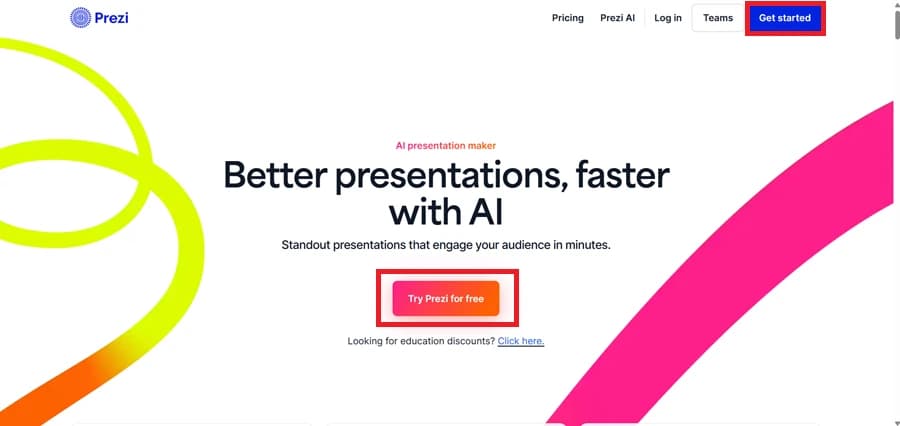
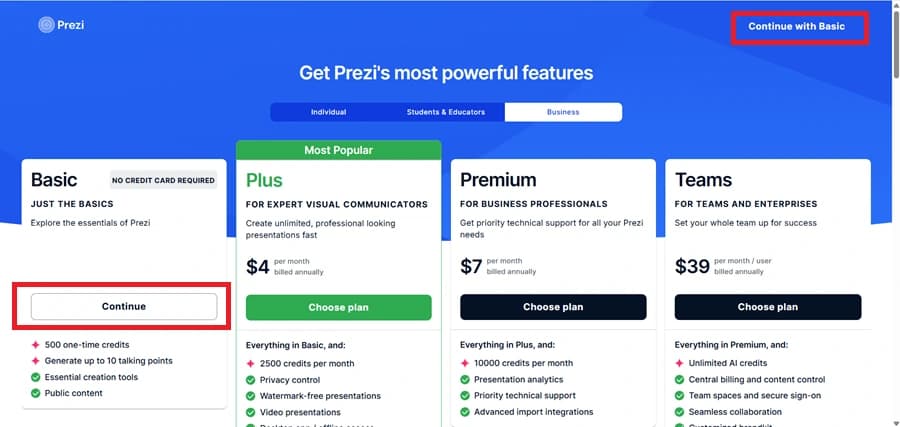
    Prezi AI is an upgrade to the traditional Prezi platform, combining its well-known dynamic zooming interface with artificial intelligence. It helps you brainstorm, design, and generate presentations with engaging visuals, data charts, and images without starting from scratch. Prezi AI is often favored by educators and presenters looking for more interactive storytelling.
    notion image

    MagicSlides

    MagicSlides is an AI-powered presentation generator designed for speed, simplicity, and professional results. Unlike Prezi’s non-linear canvas approach, MagicSlides creates clean, structured, and editable slide decks directly in Google Slides or PowerPoint. It’s ideal for professionals, educators, and teams who want quick, high-quality presentations without a steep learning curve.
     

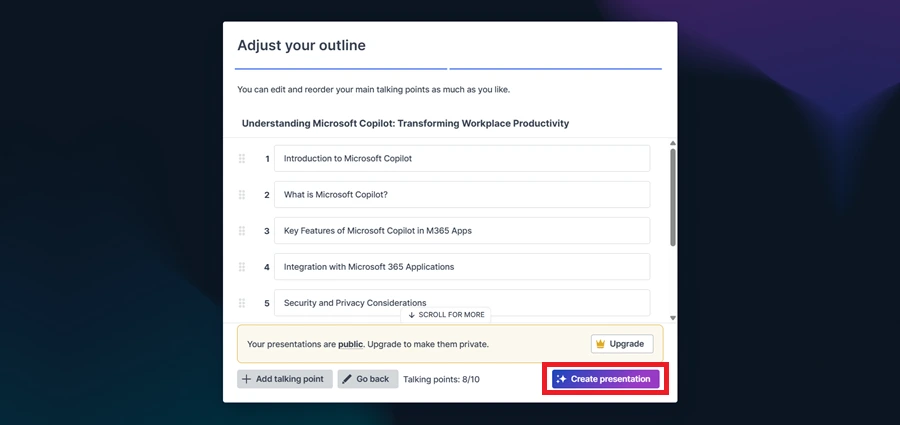
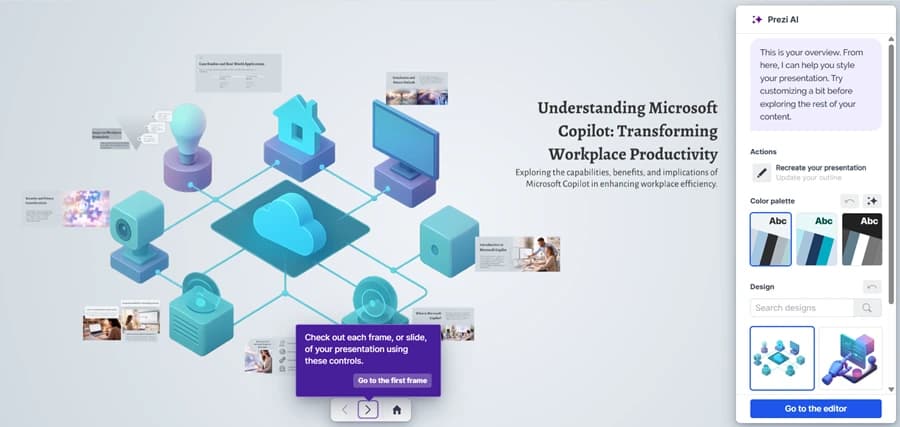
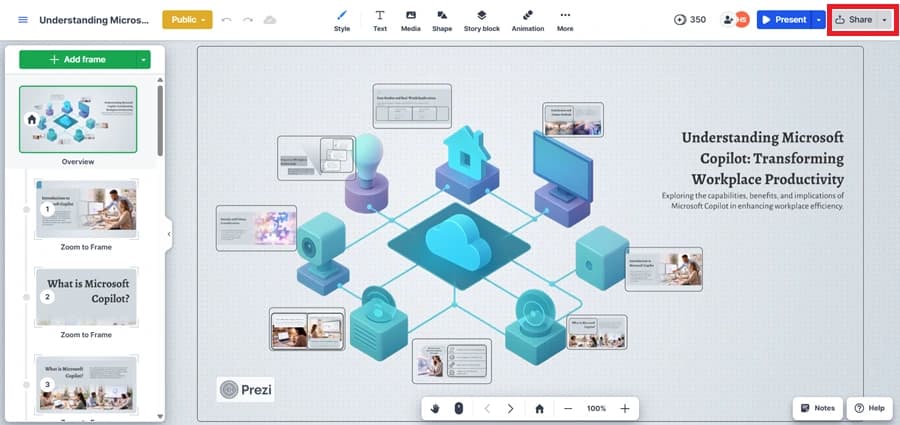
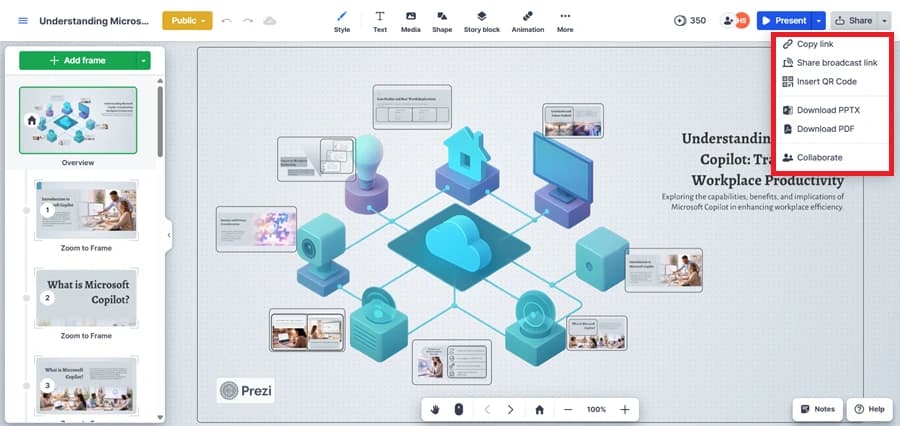
    How to Use Prezi AI (Step by Step)

    1. Go to the Prezi website and sign up or log in.
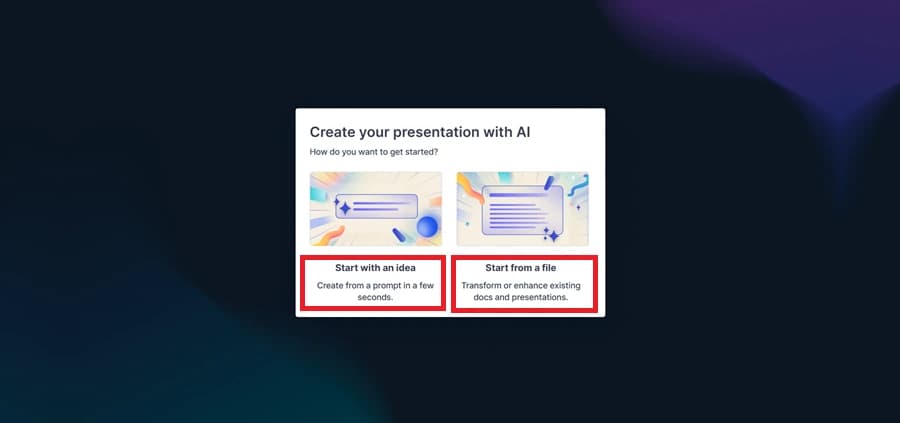
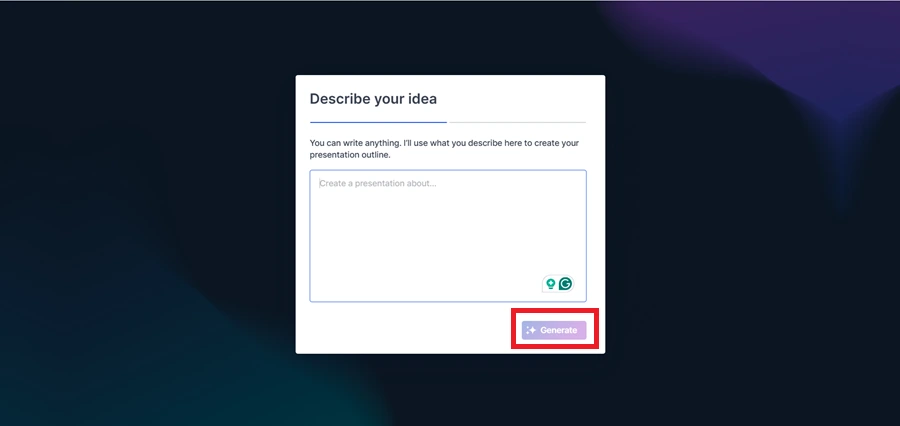
    1. Click “Create with AI” and type in your topic or upload content.
    1. Prezi AI suggests a layout, visuals, and structure.
    1. Customize with images, GIFs, charts, and brand colors.
    1. Use Presenter View to add notes and stay on track.
    1. Export your Prezi as a PDF, share via link, or record a video presentation.


    How to Use MagicSlides (Step by Step)

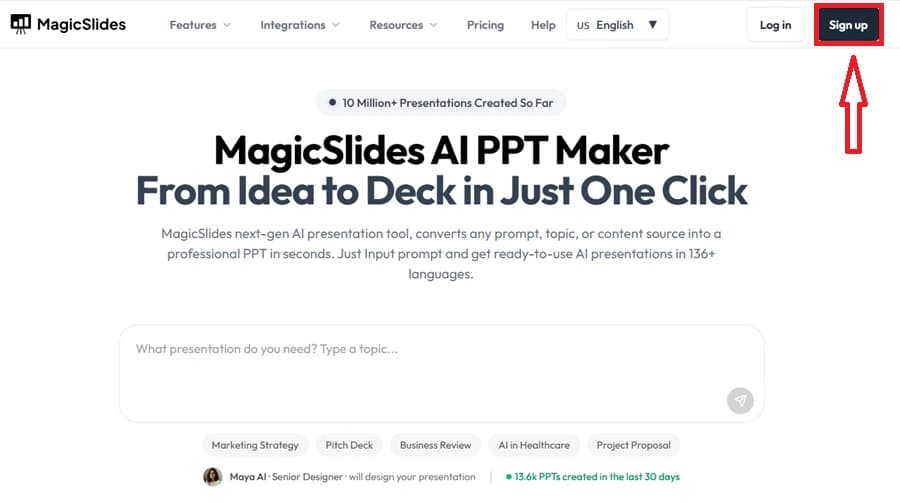
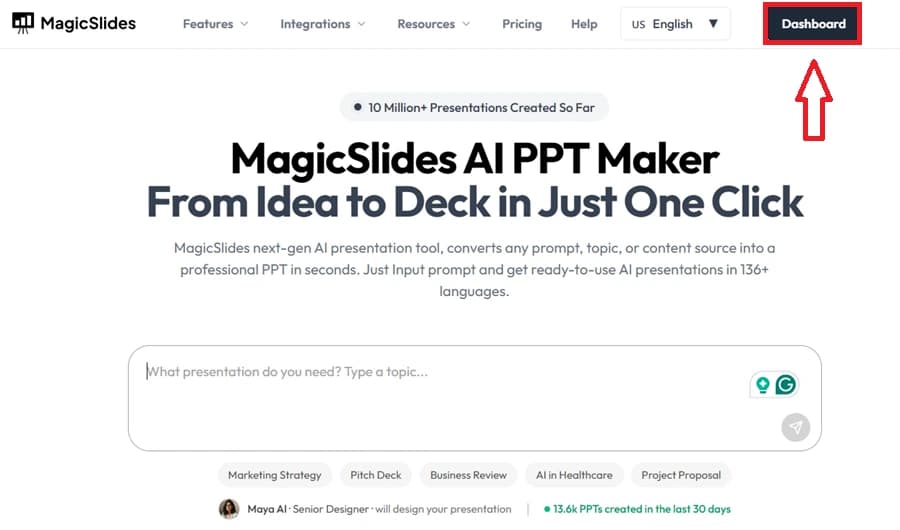
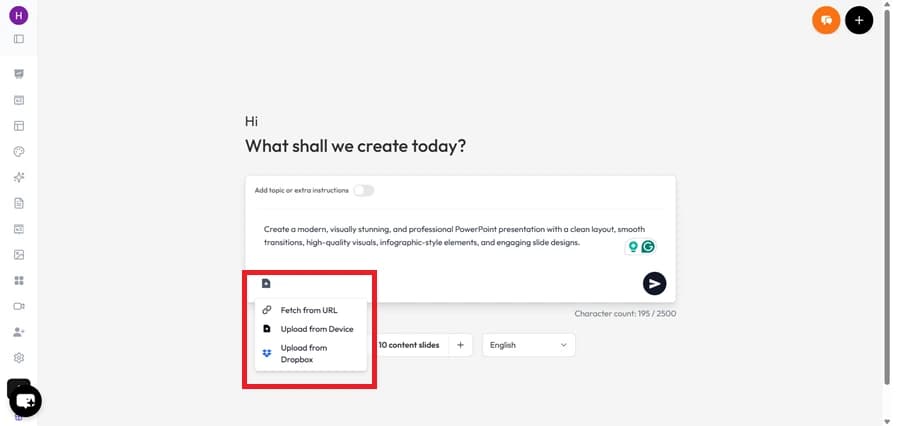
    1. Visit MagicSlides.app and log in with your Google account.
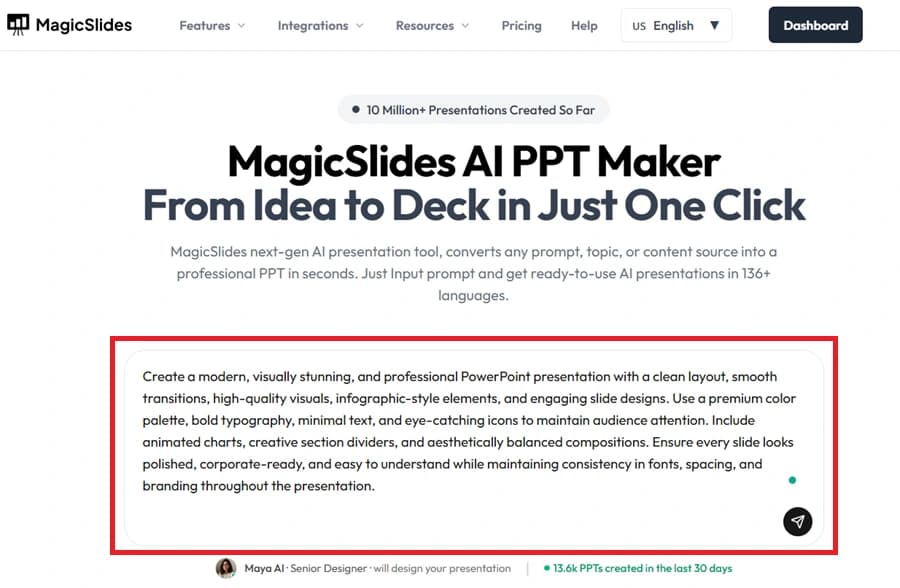
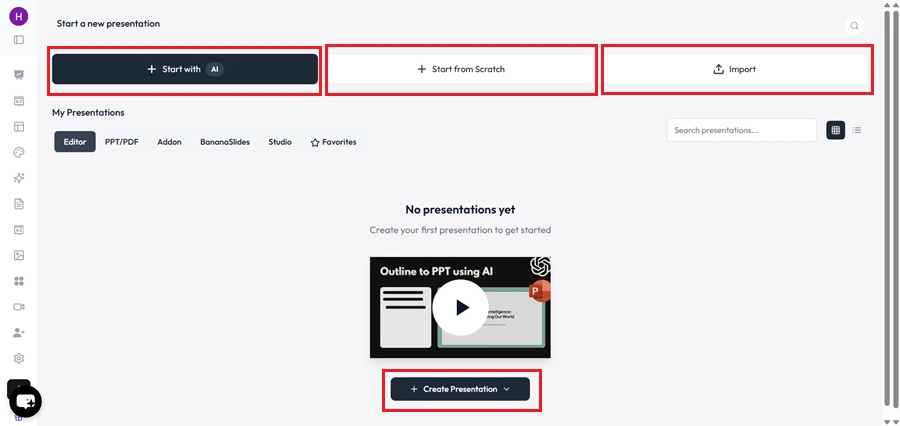
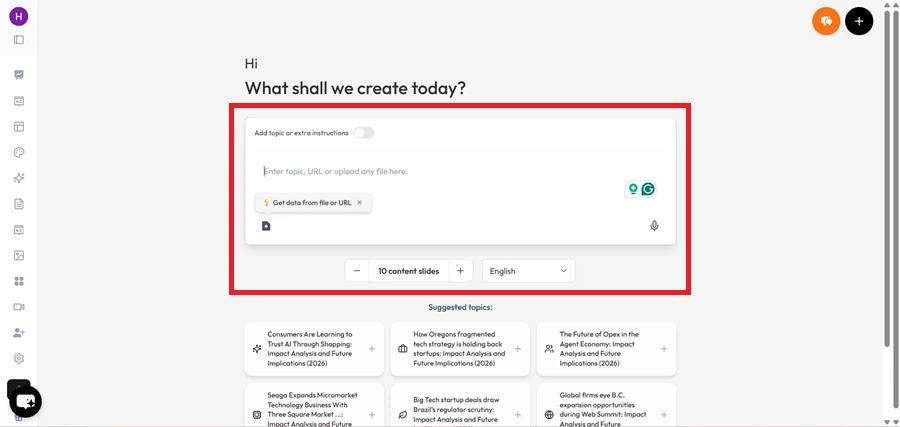
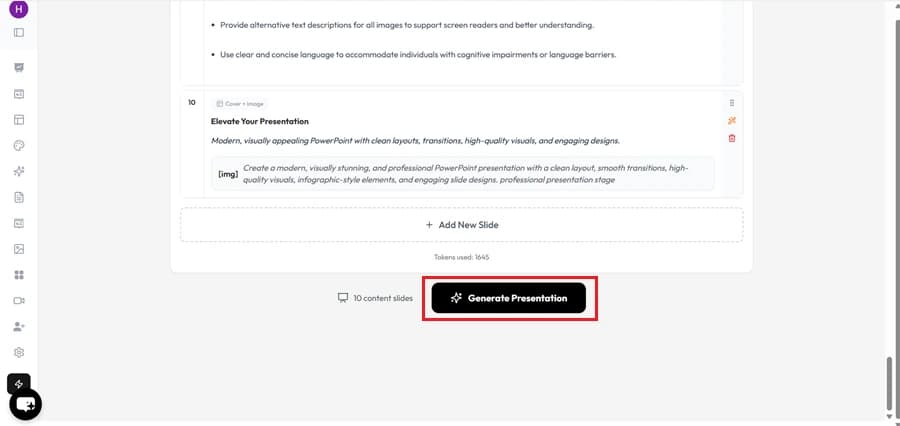
    1. Click “Create Presentation” and enter your topic.
    1. Choose the number of slides and preferred tone/style.
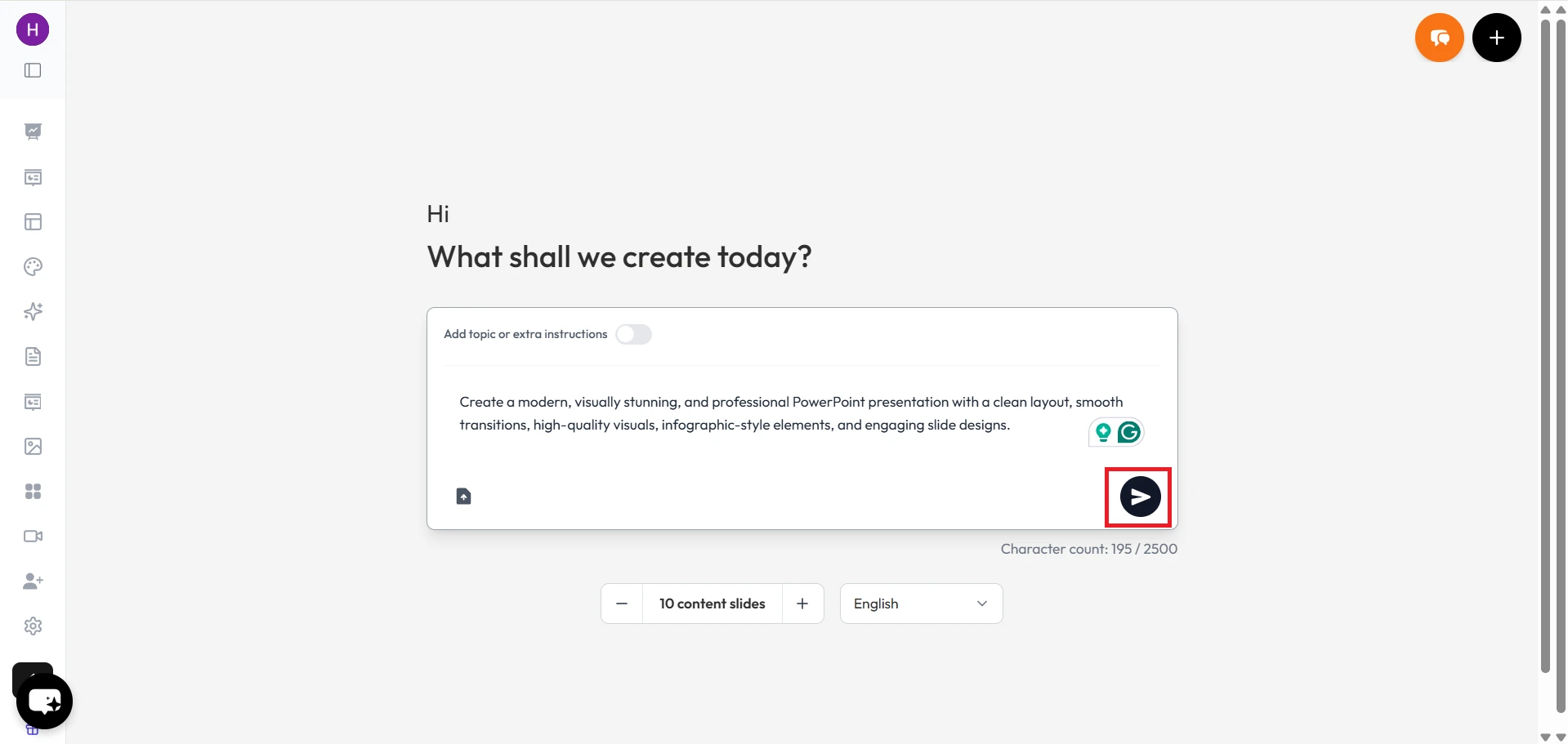
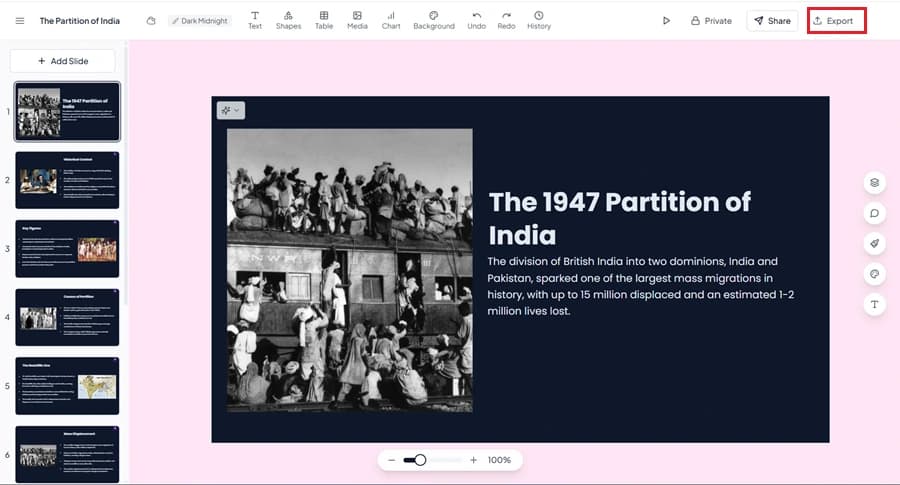
    1. MagicSlides instantly generates a ready-to-edit deck.
    1. Customize in Google Slides or export to PowerPoint.
    1. Share, collaborate, or present instantly.

    Prezi AI vs MagicSlides: Feature Comparison

    Feature
    Prezi AI
    MagicSlides
    Presentation Style
    Non-linear, zoom-based storytelling
    Structured, professional slide decks
    Ease of Use
    Moderate learning curve
    Extremely simple (one-click generation)
    AI Features
    Content + visuals generation
    Outline to deck, text-to-slides, PDF/URL/YouTube to PPT
    Customization
    Good, but within Prezi’s ecosystem
    Full control in Google Slides/PowerPoint
    Collaboration
    Real-time commenting & brand kits
    Google Slides native collaboration
    Export Options
    PDF, video, online sharing
    Google Slides, PPT, PDF, images
    Best For
    Educators & storytellers
    Professionals, students, business teams

    Why Choose MagicSlides Over Prezi AI?

    1. Instant PPT/Google Slides Export – Work directly in the formats you already use.
    1. More AI Input Options – Generate from text, topics, YouTube, PDFs, Word docs, or URLs.
    1. Faster Workflow – Create a polished deck in under a minute.
    1. Scalable for Teams – Built-in collaboration with Google Slides.
    1. Simpler Interface – No steep learning curve like Prezi’s zoom-based navigation.
    1. Professional Templates – Business-ready, brand-consistent slide designs.

    Why Choose MagicSlides AI PPT Maker?

    notion image
    One-Click PPT Generation – Instantly convert any idea, text, or topic into a fully designed presentation with just one click.
    notion image
    AI-Powered Content + Design – Unlike most tools, MagicSlides not only creates slides but also generates well-structured content, summaries, and visuals tailored to your topic.
    notion image
    Works with Google Slides & PowerPoint – Export seamlessly into Google Slides or PPT format, making it easy to edit, share, and present anywhere.
    notion image
    Wide Range of Use Cases – Perfect for students, teachers, professionals, marketers, and startups — from classroom projects to pitch decks.
    notion image
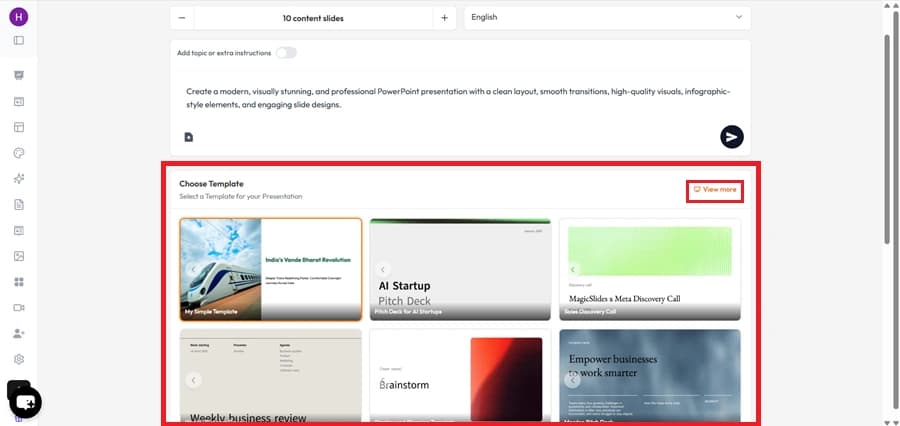
    No Learning Curve – Super simple and intuitive. Just enter your topic → choose a template → get your presentation. No design skills needed.
    notion image
    Affordable & Flexible – Offers free access and cost-effective premium plans, making it a budget-friendly alternative to expensive AI tools.

    Conclusion

    Prezi AI shines when you want highly visual, non-linear presentations, especially for education and storytelling. However, if your priority is speed, professional polish, and full compatibility with Google Slides/PowerPoint, then MagicSlides is the better choice.
    👉 Try MagicSlides today and create presentations at the speed of thought.

    Share on socials

    About the author

    Mehjabi Khan profile photo
    Mehjabi Khan— Writer

    Mehjabi Khan is one of our talented writers with a background in creating content for major companies like Mahindra and Suzuki. She has a knack for explaining complex ideas in a way that’s easy to understand and enjoyable to read. When she's not writing, Mehjabi loves to cook, bringing the same creativity to her recipes as she does to her articles.

    More from Mehjabi

    More from the blog

      PopAI vs MagicSlides: Which AI Presentation Maker Should You Choose?

      21 January 2026

      Beautiful.ai vs MagicSlides – Which AI PPT Maker Should You Choose?

      24 September 2025

      Canva vs MagicSlides

      29 August 2025

      MagicSlides vs Smallppt

      27 August 2025

      MagicSlides vs Presentations.AI

      27 August 2025

      MagicSlides vs AI PPT.com

      27 August 2025

      MagicSlides vs Plus AI

      27 August 2025

      MagicSlides vs SlidesGo

      27 August 2025

    Table of Contents

    Create Presentations in Seconds

    Transform your ideas into professional presentations with AI. No design skills needed.

    Try MagicSlides Free

    Create Stunning Presentations with AI in Seconds ✨

    Transform any topic, text, YouTube video, PDF or URL into beautiful presentations instantly with MagicSlides AI.

    Try MagicSlides AI Presentation Maker
    MagicSlides AI Presentation

    Footer

    Solutions

    • MagicSlides App
    • Google Slides Add-on
    • MagicSlides in Chrome
    • MagicSlides in Figma
    • MagicSlides in ChatGPT
    • MagicSlides in Telegram
    • MagicSlides in Zapier
    • MagicSlides in Figma Slides

    Tools

    • AI PPT Tools
    • QR Code Generator
    • Design Tools
    • PPT Templates
    • Slide Templates
    • PDF Tools

    Examples

    • AI Presentations
    • PPT by MagicSlides
    • Quizzes
    • Charts
    • Coloring Pages

    Resources

    • Changelog
    • Documentation
    • API Docs

    Top Blogs

    • How to Create Presentation Using ChatGPT
    • 100+ Best Seminar Topics for Students in 2025

    Company

    • Help
    • MCP
    • Blog
    • Pricing
    • Affiliate Program
    • Manage Subscription
    • Privacy Policy
    • Contact Us
    • Terms & Conditions
    • Refund & Cancellation Policy

    We also built

    • SheetAI - GPT For Sheets
    • MagicForm - GPT For Google Forms
    • SecondBrain.fyi
    • BlogBee - Free Blogging Platform

    © 2026 IndianAppGuy Tech Pvt Ltd. All rights reserved.