Why is Google Slides not Showing Words Bigger


Google Slides text may appear small due to zoom, font settings, or auto-fit options
Why Is Google Slides Not Showing Words Bigger?
Google Slides is a powerful presentation tool, but sometimes text may appear smaller than expected.
This issue can occur due to incorrect zoom settings, text box formatting, or slide display settings.
Here’s a step-by-step guide to fixing the issue and ensuring your text appears at the desired size.
Steps to Fix Text Size Issues in Google Slides
Step 1: Check Zoom Settings
Open your Google Slides presentation.
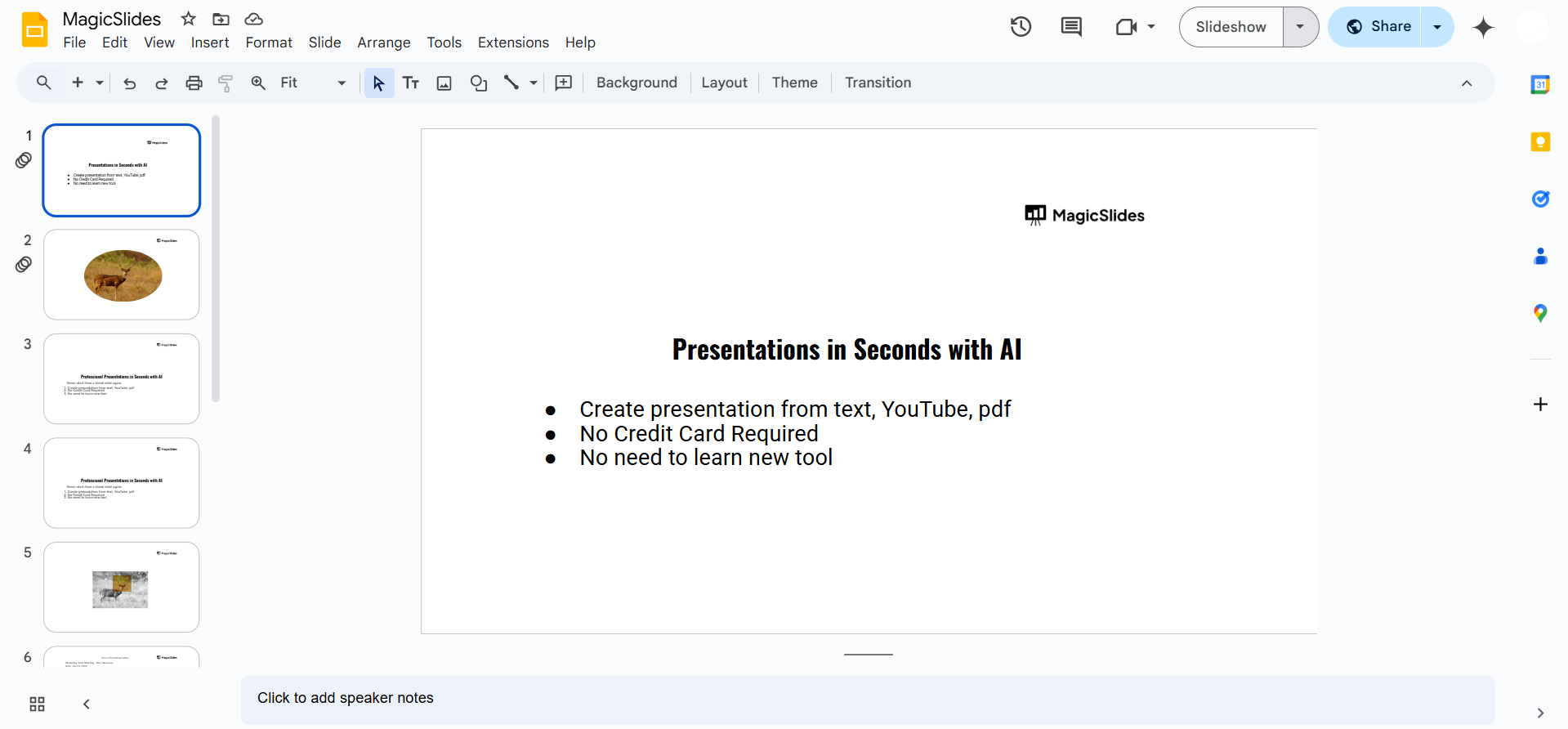
Look at the zoom percentage in the toolbar (top-right corner).
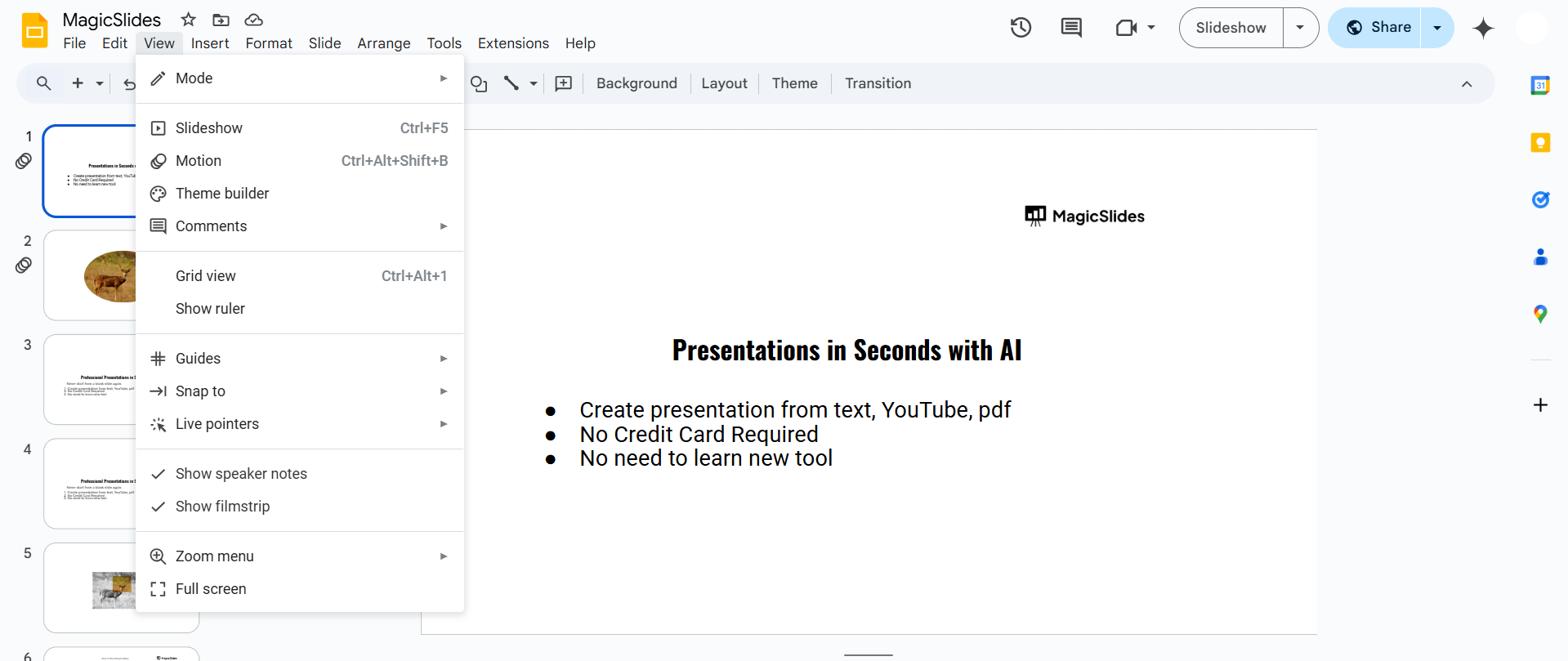
If it’s set below 100%, increase it to 100% or more to see larger text. Alternatively, use Ctrl + Plus (+) (Windows) or Cmd + Plus (+) (Mac) to zoom in.
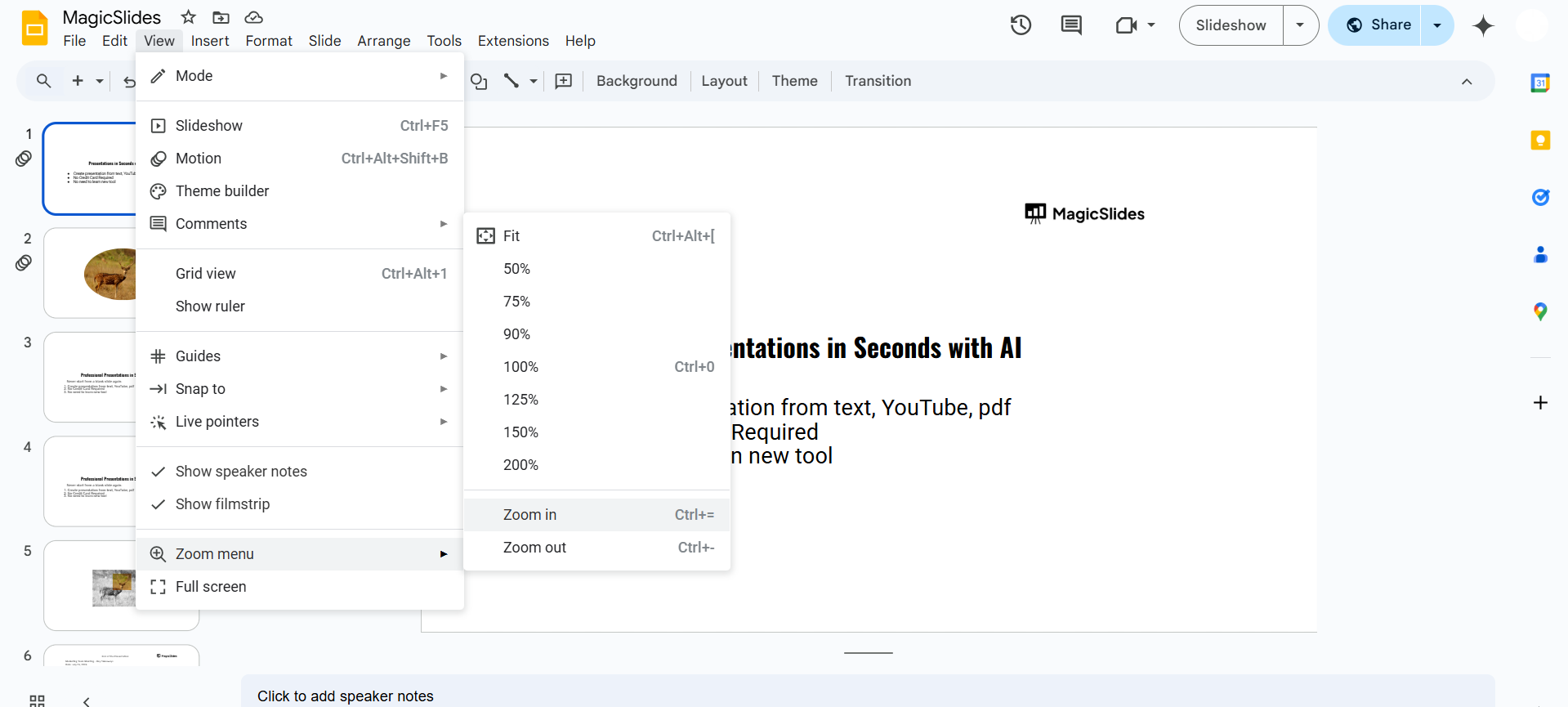
Step 2: Increase Font Size in Text Box
Click on the text box where the small text appears. Highlight the text and check the font size in the toolbar.
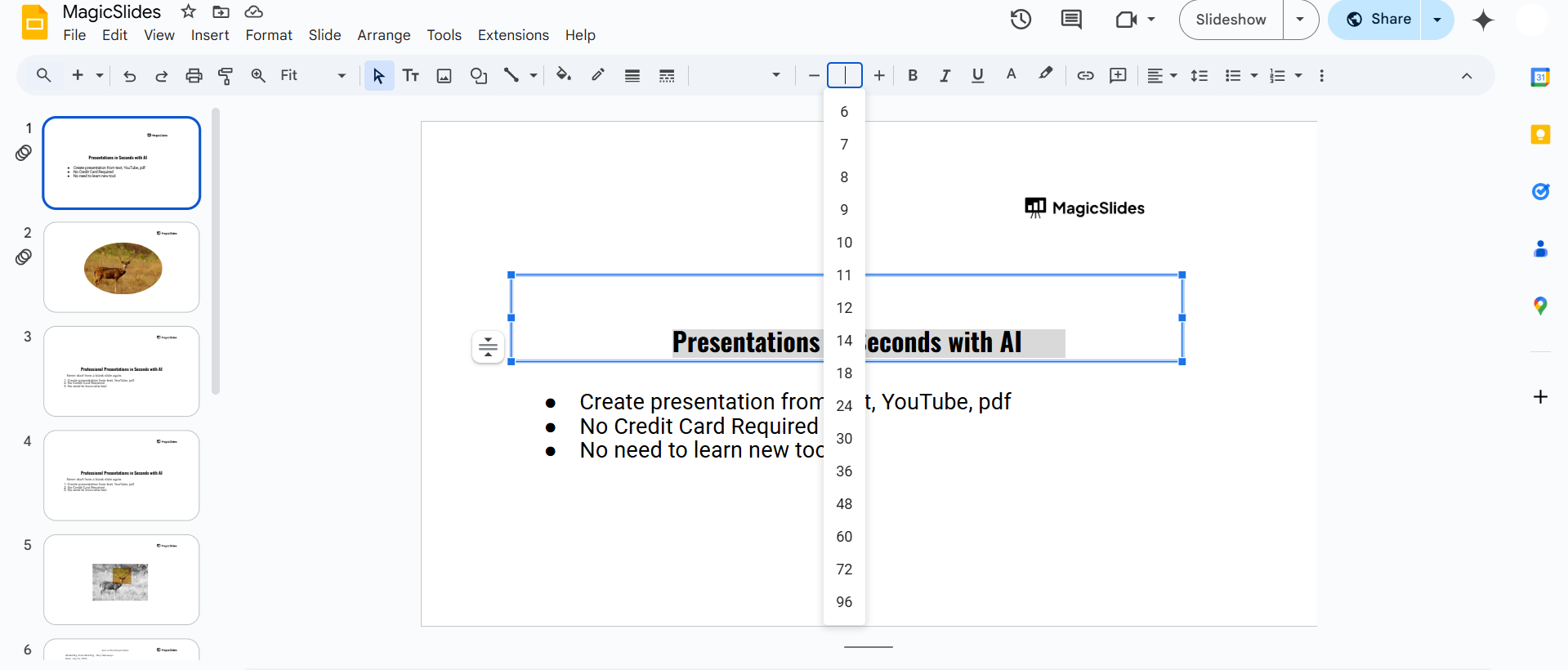
Increase the font size to a larger value (e.g., 24pt or higher). If needed, adjust the text box size to fit the enlarged text properly.
Step 3: Check Text Box Auto-Fit Settings
Select the text box and right-click on it. Click Format options > Text fitting.
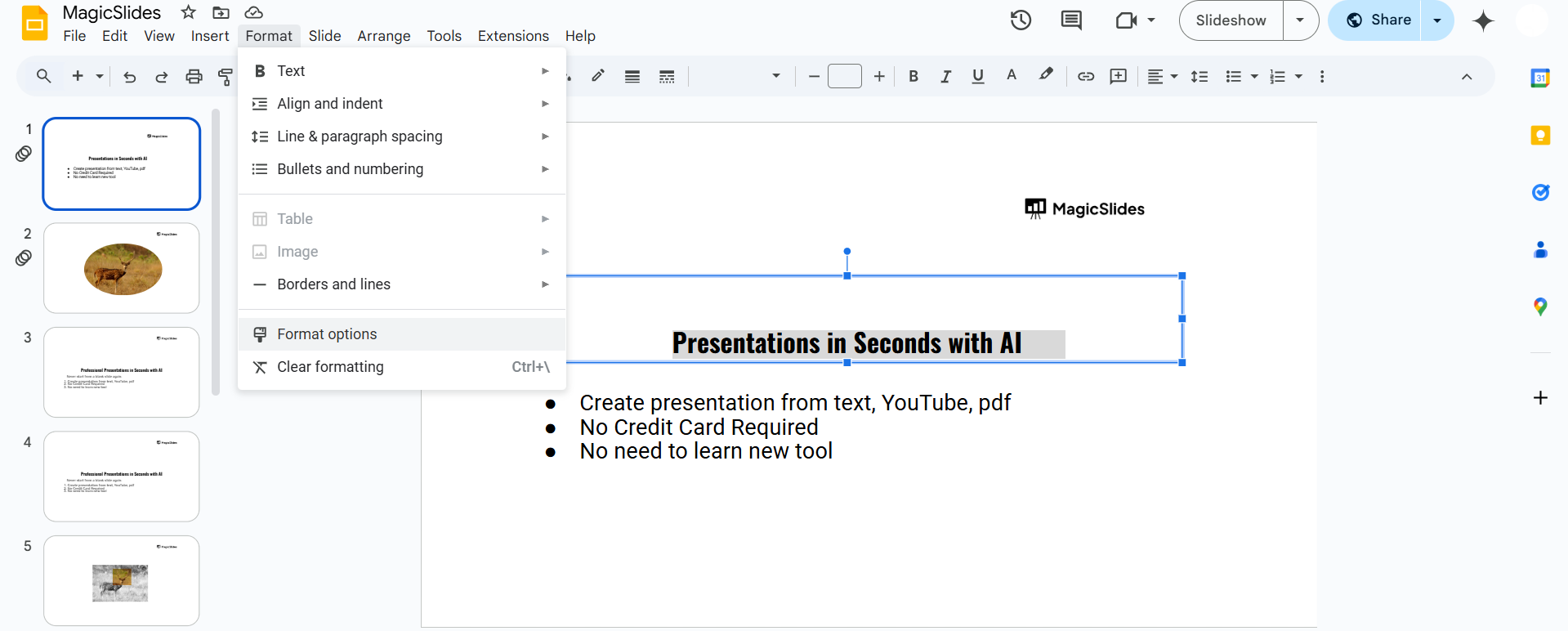
Ensure that "Do not auto-fit" is selected instead of "Shrink text on overflow", which may be reducing the text size.
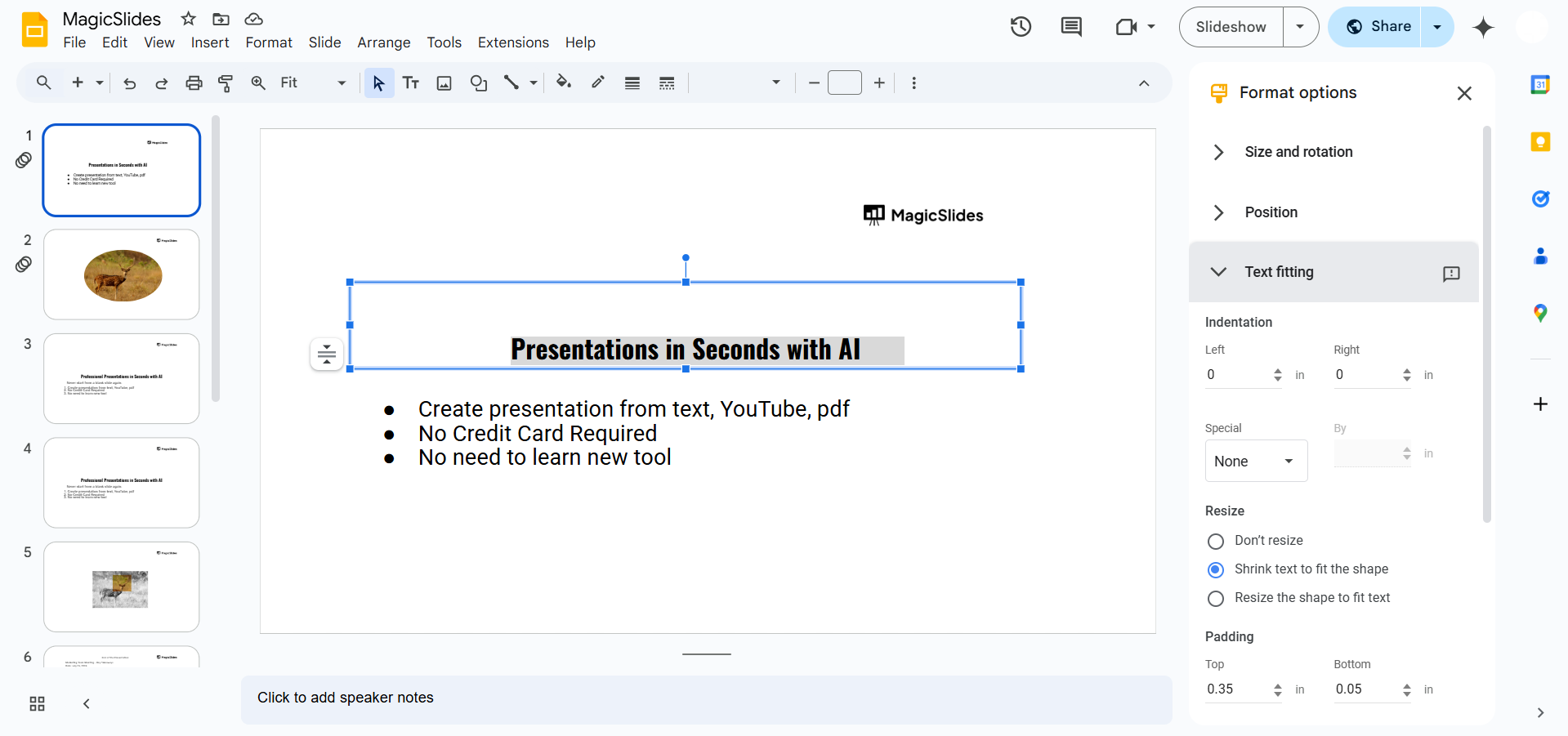
Step 4: Adjust Slide Layout
If the slide layout is compressing the text, change it:
- Click Slide in the top menu.
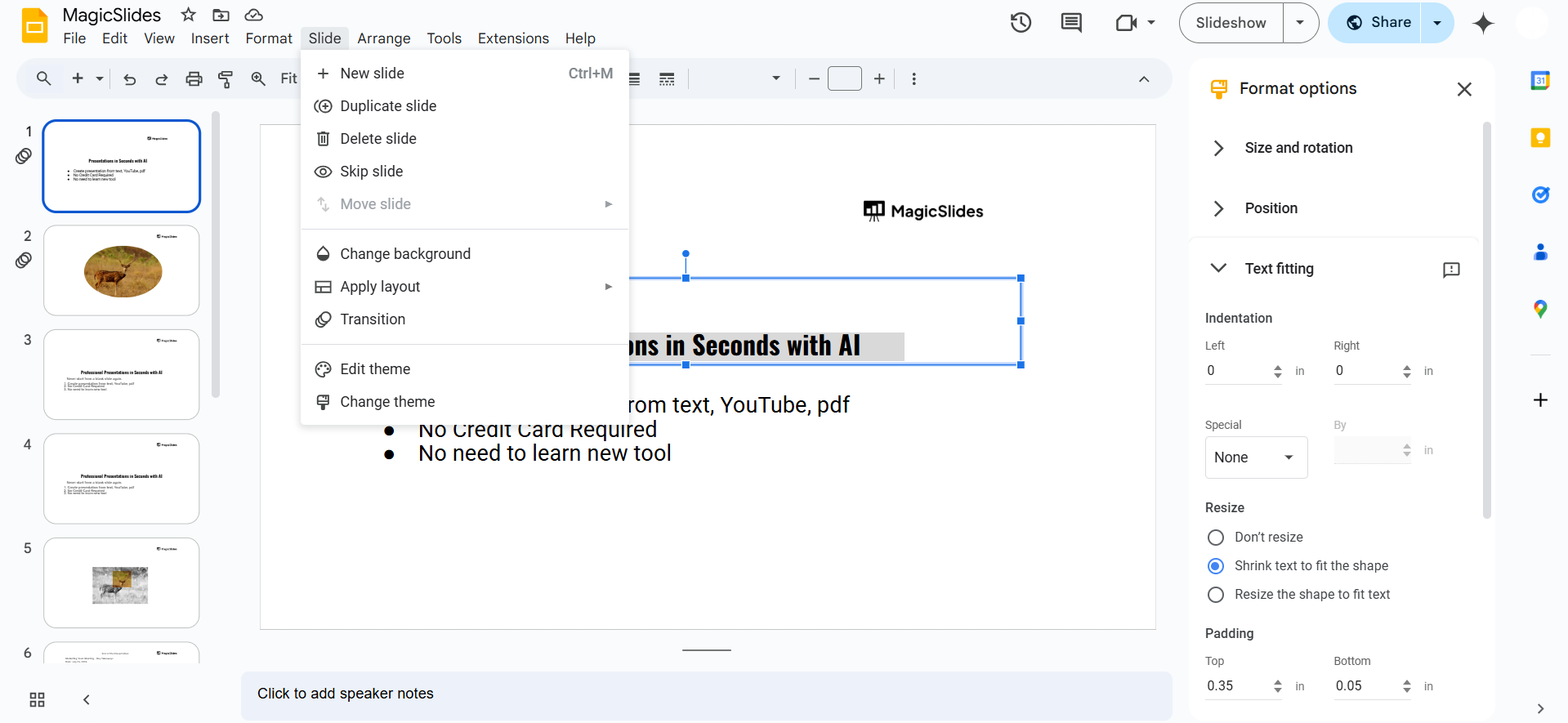
- Select Apply layout and choose a simpler layout with more space.
- Resize or reposition the text box to make the text more readable.
Step 5: Check Browser Display Settings
If Google Slides still shows small text, your browser may be zoomed out. Press Ctrl + 0 (Windows) or Cmd + 0 (Mac) to reset the zoom.
Try using a different browser or updating your current browser to fix display issues.
Conclusion
If Google Slides is not displaying text larger, the issue is likely due to zoom settings, font size, auto-fit options, or slide layout constraints.
Adjusting these settings will help ensure your text appears clearly and at the correct size.
FAQs on Google Slides Text Size Issues
Why does my text shrink automatically in Google Slides?
Google Slides may shrink text if the auto-fit setting is enabled. Change it to "Do not auto-fit" under Text fitting options.
How do I reset my text size in Google Slides?
Highlight the text, go to the font size menu, and set it to your preferred size.
Does browser zoom affect text size in Google Slides?
Yes, if your browser zoom is set below 100%, text may appear smaller. Reset it using Ctrl + 0 (Windows) or Cmd + 0 (Mac).
Now your Google Slides text should appear at the right size! 🎯✨


