Best PowerPoint Designs for Medical Presentations: A Comprehensive Guide


Create professional medical presentations effortlessly with the best PowerPoint designs. Learn how to use MagicSlides.app for AI-generated slides in seconds.
Medical presentations require a high level of accuracy, clarity, and professionalism. Whether you're a healthcare professional, researcher, or student, your presentation should effectively communicate complex medical concepts while maintaining audience engagement. A well-designed PowerPoint (PPT) can make a significant impact by enhancing comprehension and retention.
In this blog, we’ll explore the best PowerPoint designs for medical presentations, key design elements, and how you can create professional presentations quickly using MagicSlides.app—a powerful AI-powered tool.
Key Elements of an Effective Medical Presentation Design
Before selecting a PowerPoint design, it’s crucial to understand the key components that make a medical presentation effective:
1. Professional and Clean Layout
- Avoid cluttered slides; keep designs simple and structured.
- Use a consistent theme that aligns with the medical topic.
- Utilize section dividers to separate topics clearly.
2. Readable Fonts and Colors
- Use professional fonts like Arial, Calibri, Verdana, or Times New Roman.
- Maintain font sizes of at least 24-30 pts for body text.
- Avoid bright or flashy colors; stick to blue, white, or gray for a professional look.
3. Visuals Over Text
- Medical topics can be complex; use charts, diagrams, and infographics instead of long paragraphs.
- Utilize high-quality images from reputable sources to maintain credibility.
- Consider incorporating 3D models and animations for anatomy-related presentations.
4. Data Visualization
- Graphs and tables should be clear and easy to read.
- Use contrast and highlights to emphasize key points.
- Prefer simple bar charts and pie charts for quick understanding.
5. Minimal Animations and Transitions
- Keep animations subtle to maintain a professional tone.
- Avoid excessive transitions that may distract from the content.
6. Consistent Branding
- Use a hospital, university, or company logo where necessary.
- Maintain uniform fonts, colors, and slide styles across the presentation.
Best PowerPoint Designs for Medical Presentations
Choosing the right design for your medical presentation can enhance audience engagement and comprehension. Here are some recommended PowerPoint templates and themes:
1. Medical Infographic PowerPoint Template
- Best for data-heavy presentations.
- Includes charts, graphs, and icons to visualize statistics.
- Ideal for clinical trials, research presentations, and healthcare reports.
2. Anatomy and Physiology Template
- Designed for medical students and professors.
- Contains detailed 3D anatomy models.
- Perfect for explaining body systems and functions.
3. Clinical Case Study Presentation
- Focused on patient cases and medical diagnoses.
- Offers structured layouts for case history, symptoms, treatment, and outcome.
- Recommended for hospital rounds, medical seminars, and case discussions.
4. Minimalist Medical Presentation
- Features simple and elegant slides with high readability.
- Uses neutral colors and a clean design.
- Ideal for corporate medical presentations, hospital training, and conferences.
5. Emergency Medicine PowerPoint Template
- Designed for first aid and emergency response training.
- Includes action-based visuals and protocol flowcharts.
- Best suited for paramedics, emergency medicine professionals, and medical instructors.
6. Research and Pharmaceutical Presentation
- Best for clinical research, drug trials, and medical breakthroughs.
- Includes sections for hypothesis, methodology, and results.
- Integrates scientific diagrams and study findings visually.
How to Create Instant Medical Presentations with MagicSlides.app
Creating a high-quality medical PowerPoint can be time-consuming, but MagicSlides.app simplifies the process with AI-generated presentations.
Steps to Use MagicSlides.app
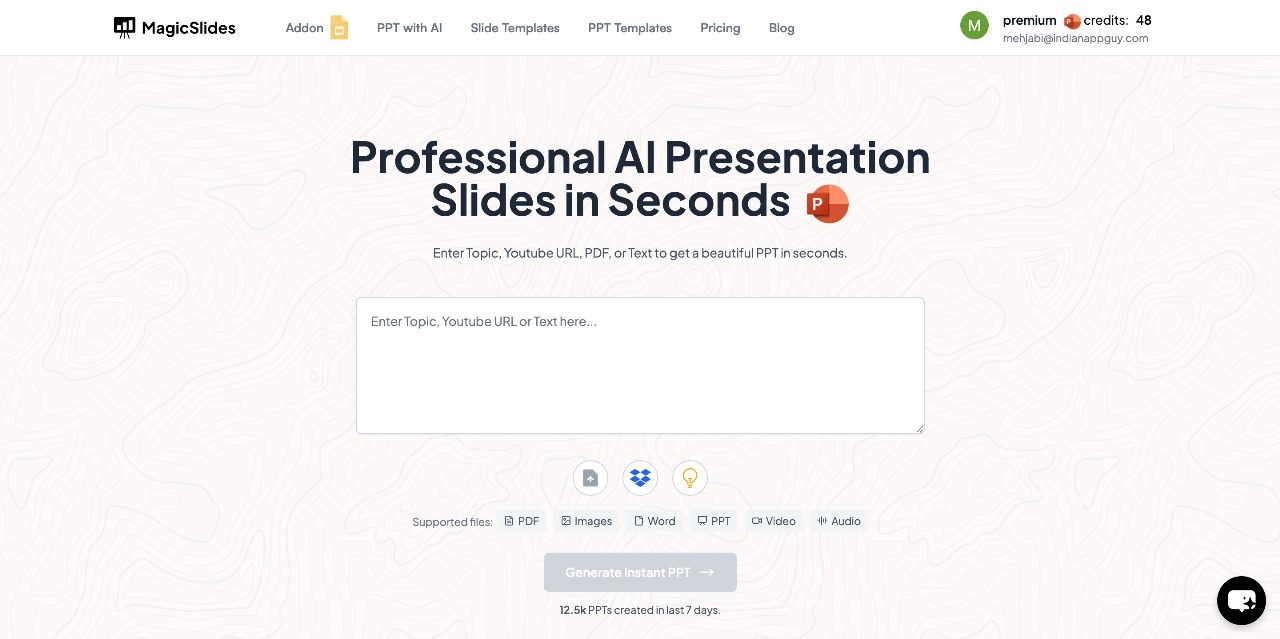
- Visit MagicSlides.app – Open your web browser and go to MagicSlides.app.
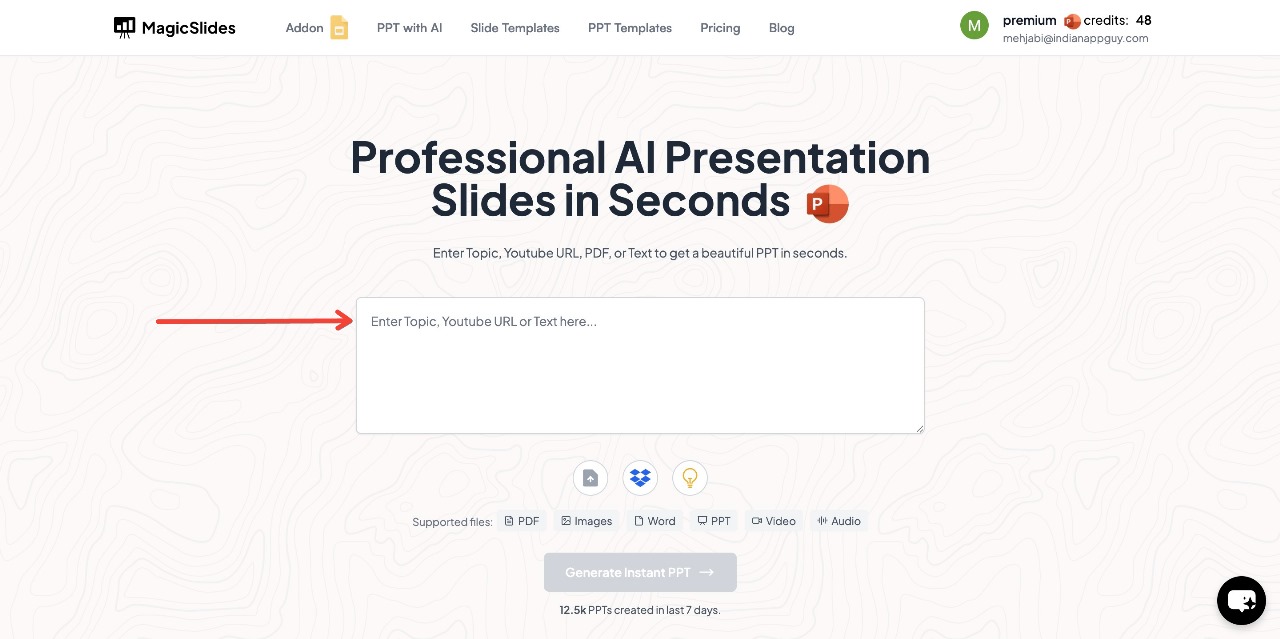
- Enter Your Topic – Type in the subject or title of your medical presentation in the provided space.
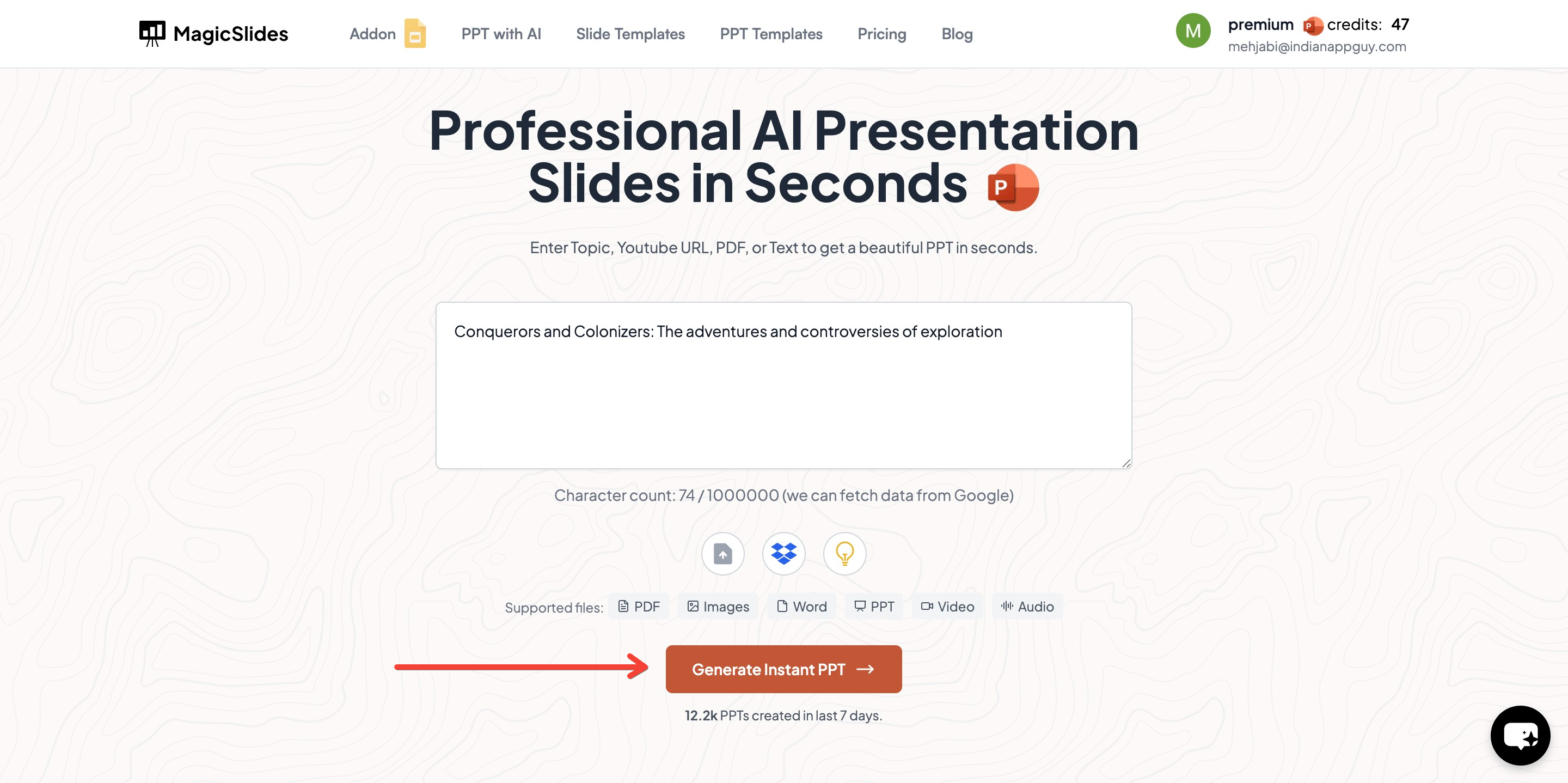
- Click "Generate Instant PPT" – The AI will start creating slides based on your topic.
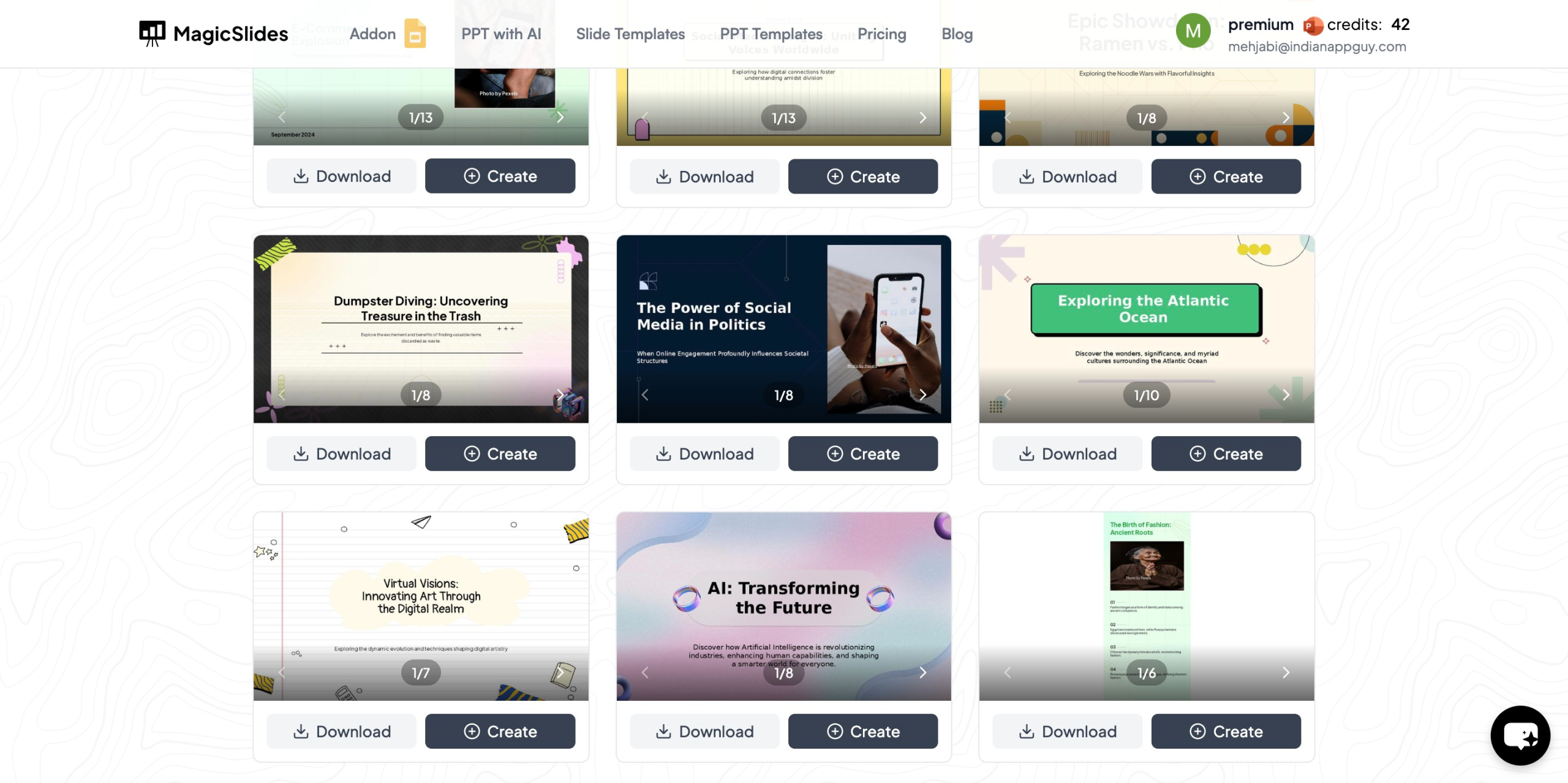
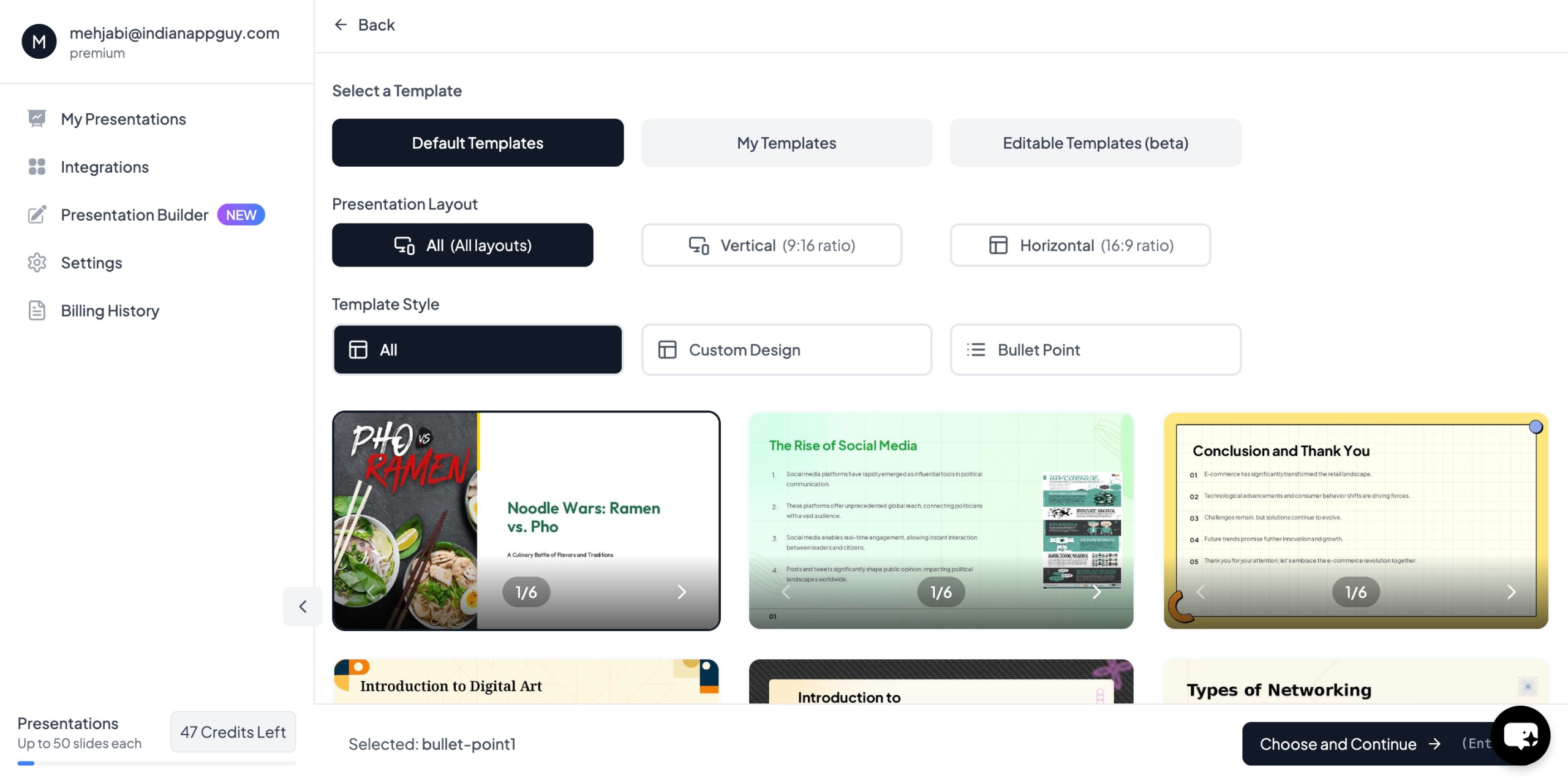
- Choose Your Template – Select a design that suits your presentation and choose the number of slides as prompted.
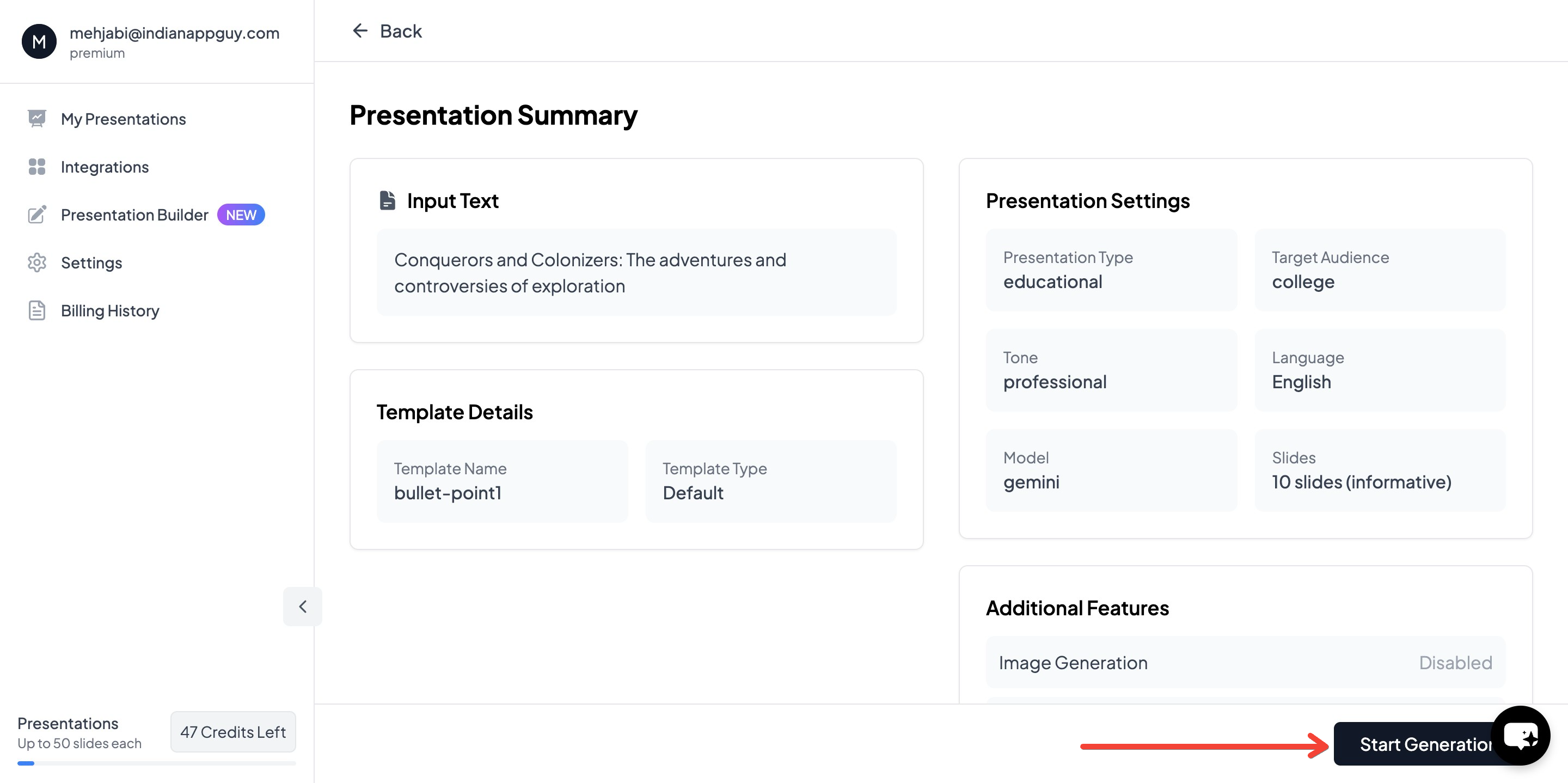
- Click "Start Generation" – The AI will process your input and begin creating slides.
- Your Presentation is Ready! – Within seconds, your AI-generated medical PowerPoint will be complete with structured content and relevant images.

This AI-powered process saves time while ensuring professional, well-organized slides for any medical presentation.
Why Use MagicSlides.app for Medical Presentations?
1. Saves Time
- No need to spend hours designing slides.
- AI generates structured content instantly.
2. Professional and Customizable
- Provides medically themed templates with professional designs.
- Allows you to edit and refine content as per your preference.
3. AI-Powered Research Assistance
- Integrates data from Wikipedia and Google to enhance medical content.
- Converts YouTube videos into PowerPoint presentations for additional insights.
4. Affordable and Cost-Effective
- Cheaper than hiring a professional designer.
- Offers various pricing plans to suit different needs.
MagicSlides.app Pricing & Plans
MagicSlides offers flexible pricing plans based on usage needs:
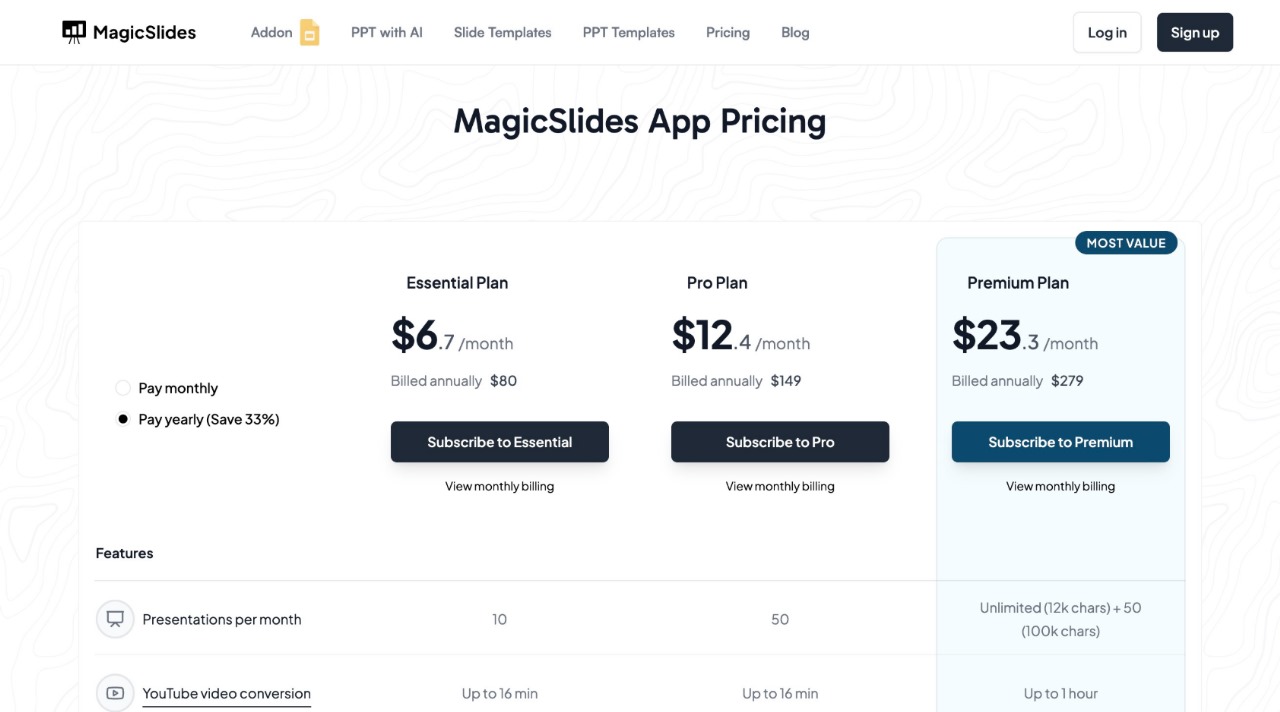
For more details, visit MagicSlides.app and choose a plan that fits your needs.
Final Thoughts
A well-designed medical PowerPoint can enhance learning, improve audience engagement, and effectively communicate complex medical concepts. Whether you’re presenting research findings, teaching anatomy, or discussing clinical cases, selecting the right PowerPoint design is crucial.
With MagicSlides.app, you can create AI-generated medical presentations in minutes, saving time while ensuring professional quality. Try it today and streamline your medical presentation process effortlessly.


