How to change slack account password


Elevate your Slack security with a quick password change. Follow these simple steps for protection.
Securing your online accounts is paramount, and your Slack workspace is no exception. In this quick guide, we'll walk you through the steps to change your password on Slack.
It's a simple but crucial measure to enhance the security of your workspace and keep your communications protected.
Before we begin, if you are looking to send Google form submissions directly to Slack, check SlackNotify.app
How to change slack account password
Go to your Slack workspace:
Open your web browser and log in to your Slack account.
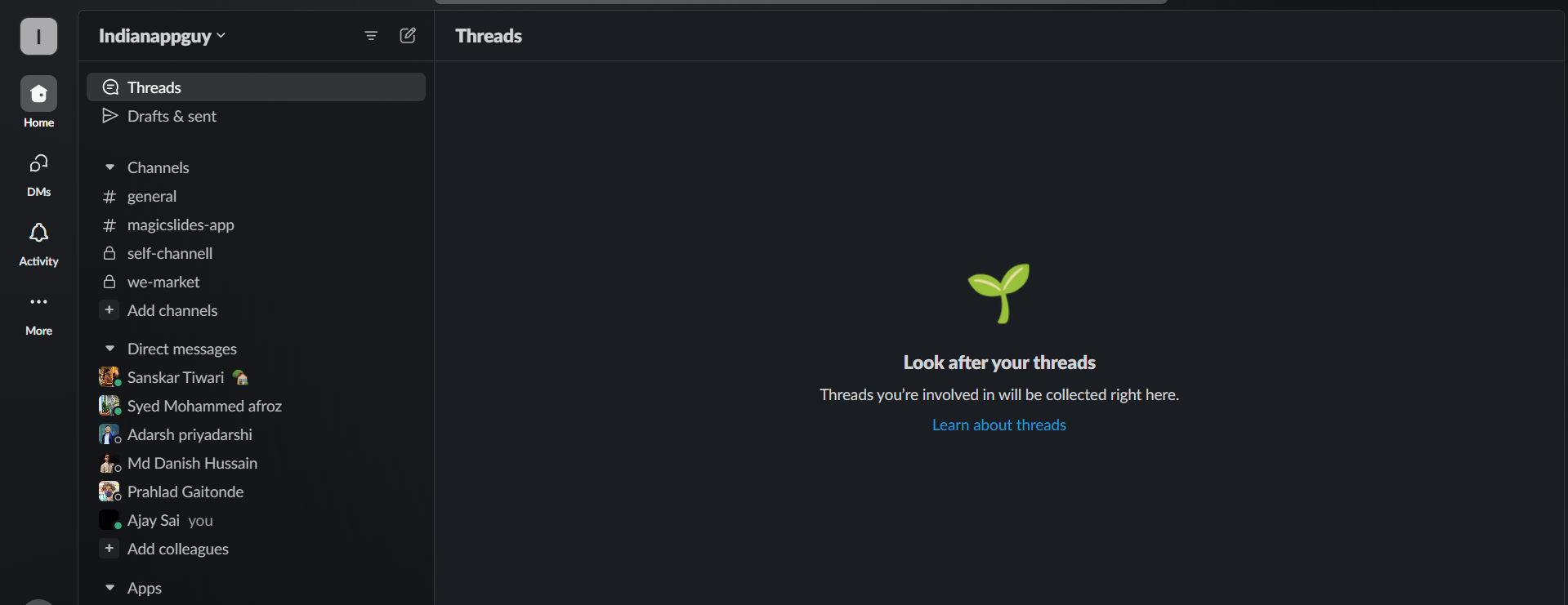
Access your profile menu:
Click on your profile name in the top-right corner.
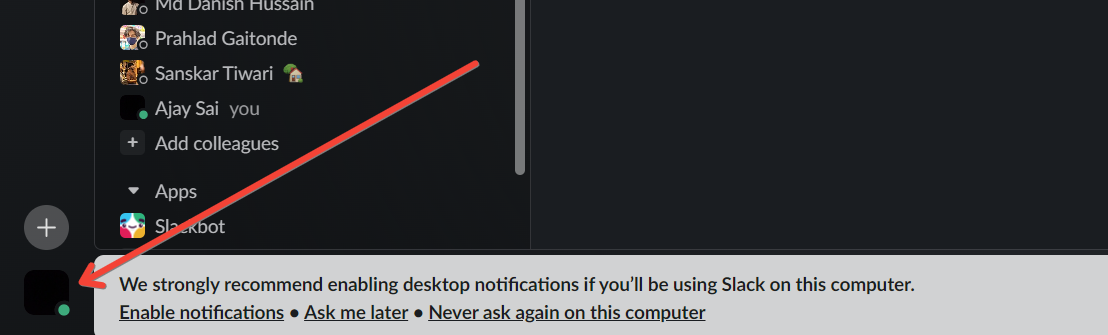
Select "View profile":
Choose "View profile" from the dropdown menu.
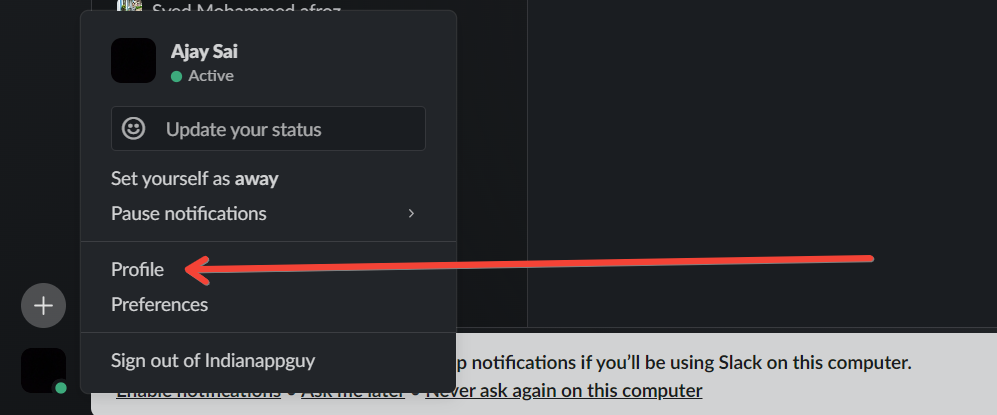
Access account settings:
Click on "More" in the top-right corner of your profile, then select "Account settings."
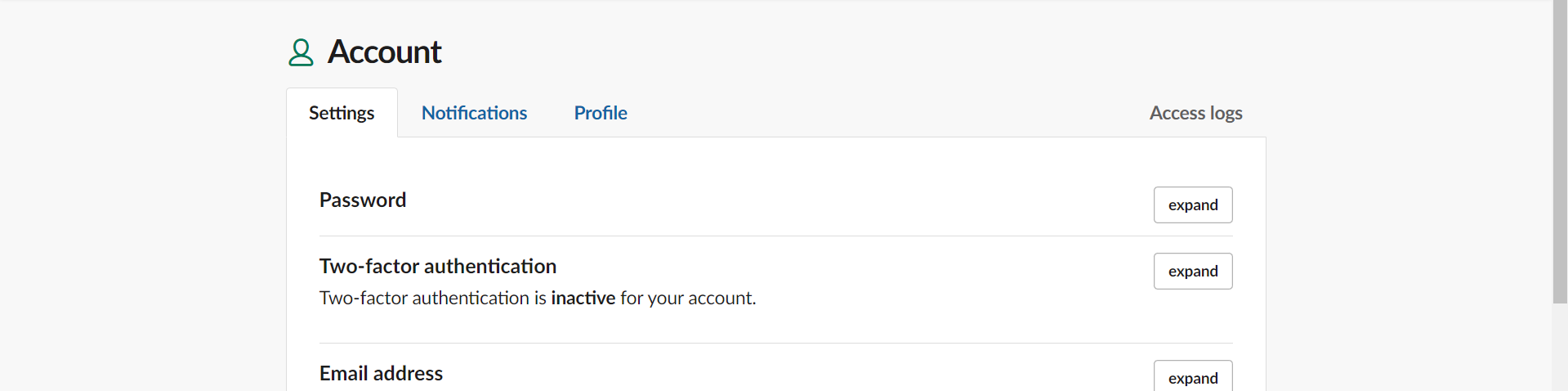
Change your password:
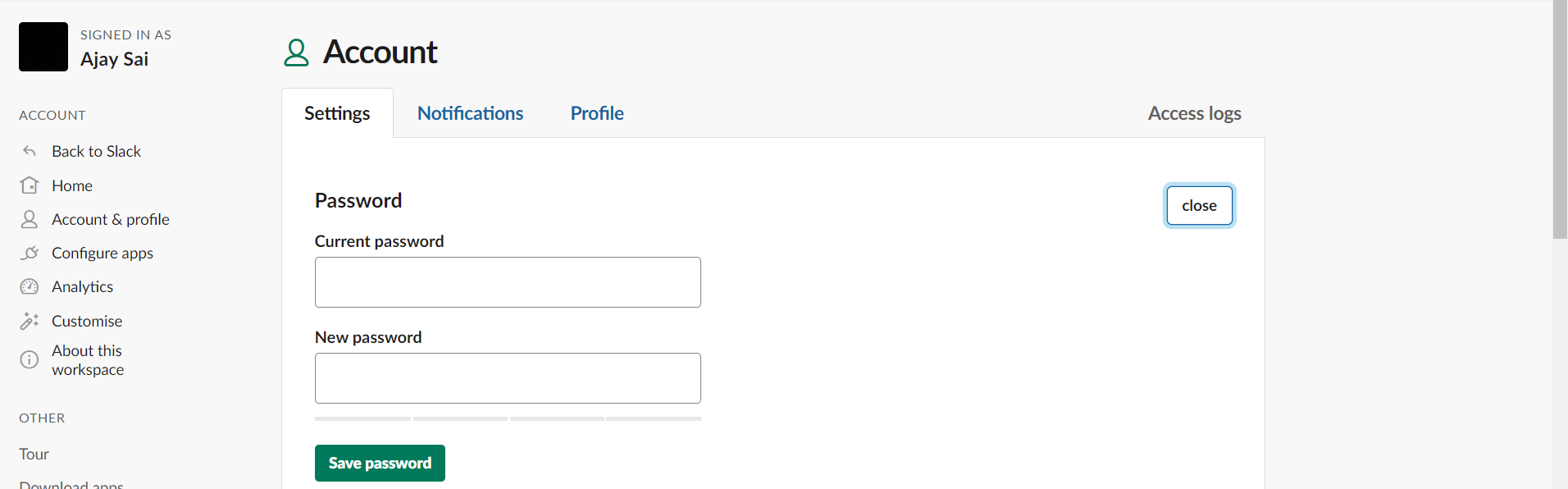
Under the "Password" section, click on "Expand" and follow the prompts to change your password.
After changing your Slack account password, consider connecting Google Forms to Slack for instant notifications. Every Google Form submission will trigger an alert, ensuring your team stays updated without missing any responses.
Conclusion:
By taking a few minutes to change your Slack password, you're adding a robust layer of security to your workspace.
Stay proactive in safeguarding your online presence, and regularly updating your password is a small yet effective step towards maintaining a secure and reliable communication hub within Slack. Save time by creating PowerPoint Presentations from just Wikipedia URL.
Frequently Asked Questions:
Why should I change my Slack password regularly?
Ans: Regularly changing your Slack password enhances security, reducing the risk of unauthorized access to your account.
Can I change my Slack password on the mobile app?
Ans: Yes, you can change your password on Slack's mobile app by accessing your account settings.
What should I do if I forget my Slack password?
Ans: Visit the Slack login page, click "Forgot your password?" to initiate the password recovery process.


