How to Make a Subscript in PowerPoint: A Detailed Guide


Learn how to create and format subscripts in PowerPoint effectively, enhancing presentation clarity and professionalism
Creating a subscript in PowerPoint is a fundamental skill that can enhance the readability and professionalism of your presentations. Whether you're presenting scientific data, mathematical formulas, or simply want to give detailed references, knowing how to format subscripts is essential. In this guide, we'll walk you through the steps to create subscripts in PowerPoint, offer tips for effective use, and mention how tools like MagicSlides.app can streamline your presentation process.
What are Subscripts?
Subscripts are characters set slightly below the normal line of type and are usually smaller than the rest of the text. They are commonly used in scientific and mathematical contexts to denote variables, chemical formulas, or other annotations.
Step-by-Step Guide to Creating Subscripts in PowerPoint
Step 1: Open Your Presentation
Launch PowerPoint and open the presentation where you want to add subscripts.
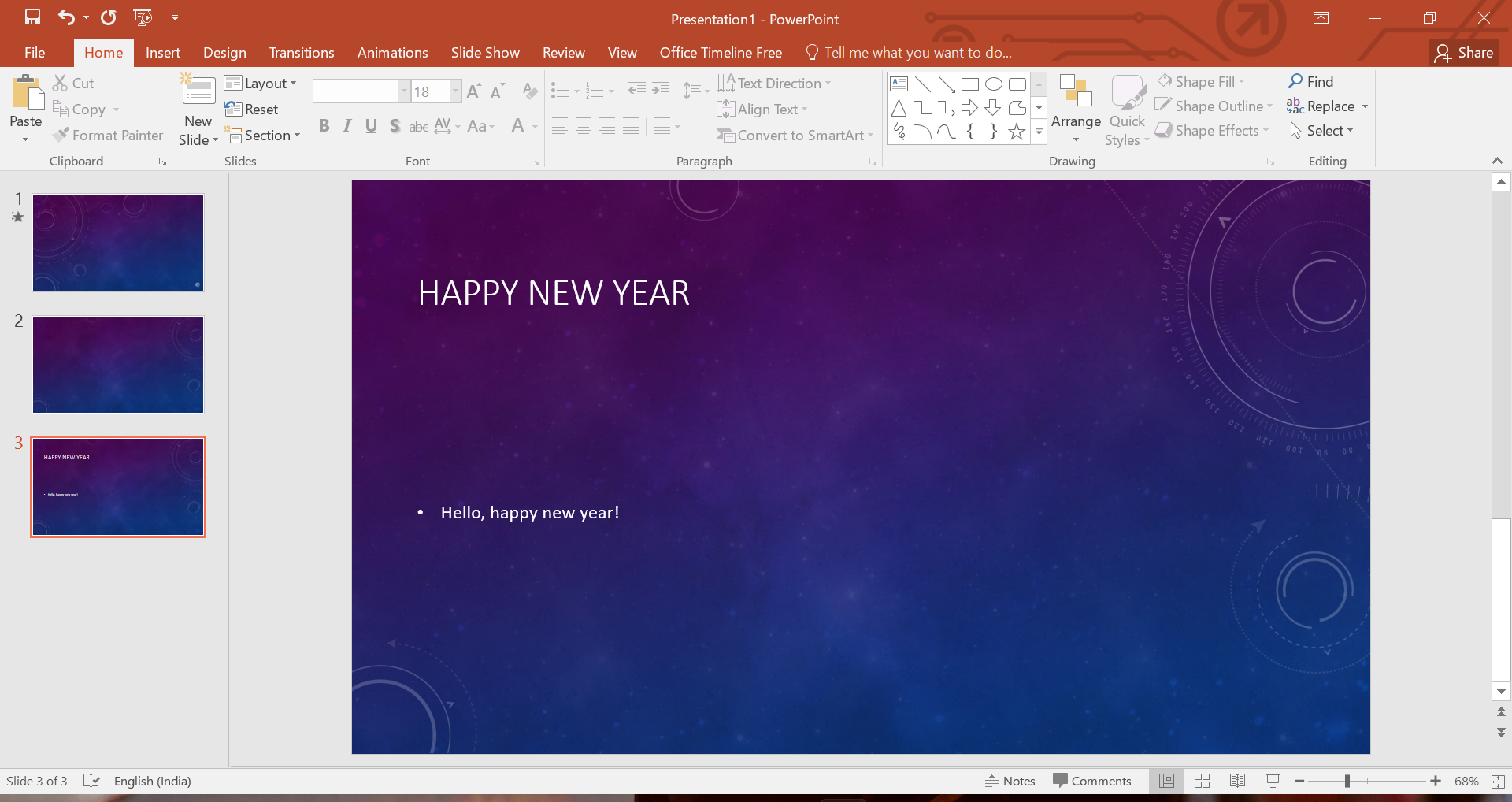
Step 2: Select the Text
Click on the text box where you want to insert a subscript. If you haven’t added a text box yet, go to the "Insert" tab, select "Text Box," and then click anywhere on the slide to create one.
Step 3: Insert Subscript
There are two main ways to apply subscript formatting in PowerPoint:
Using the Ribbon
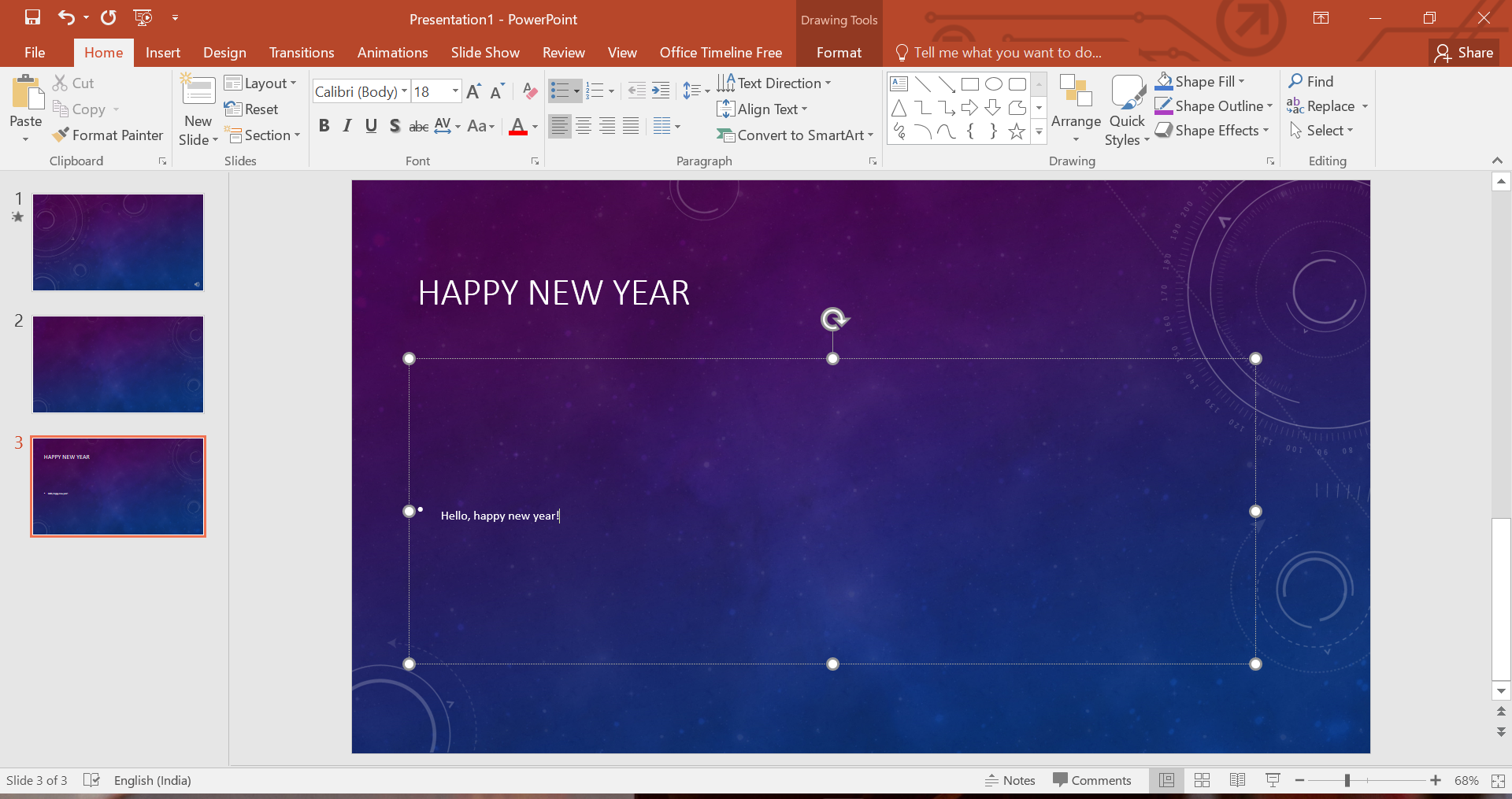
- Highlight the character(s) you want to make subscript
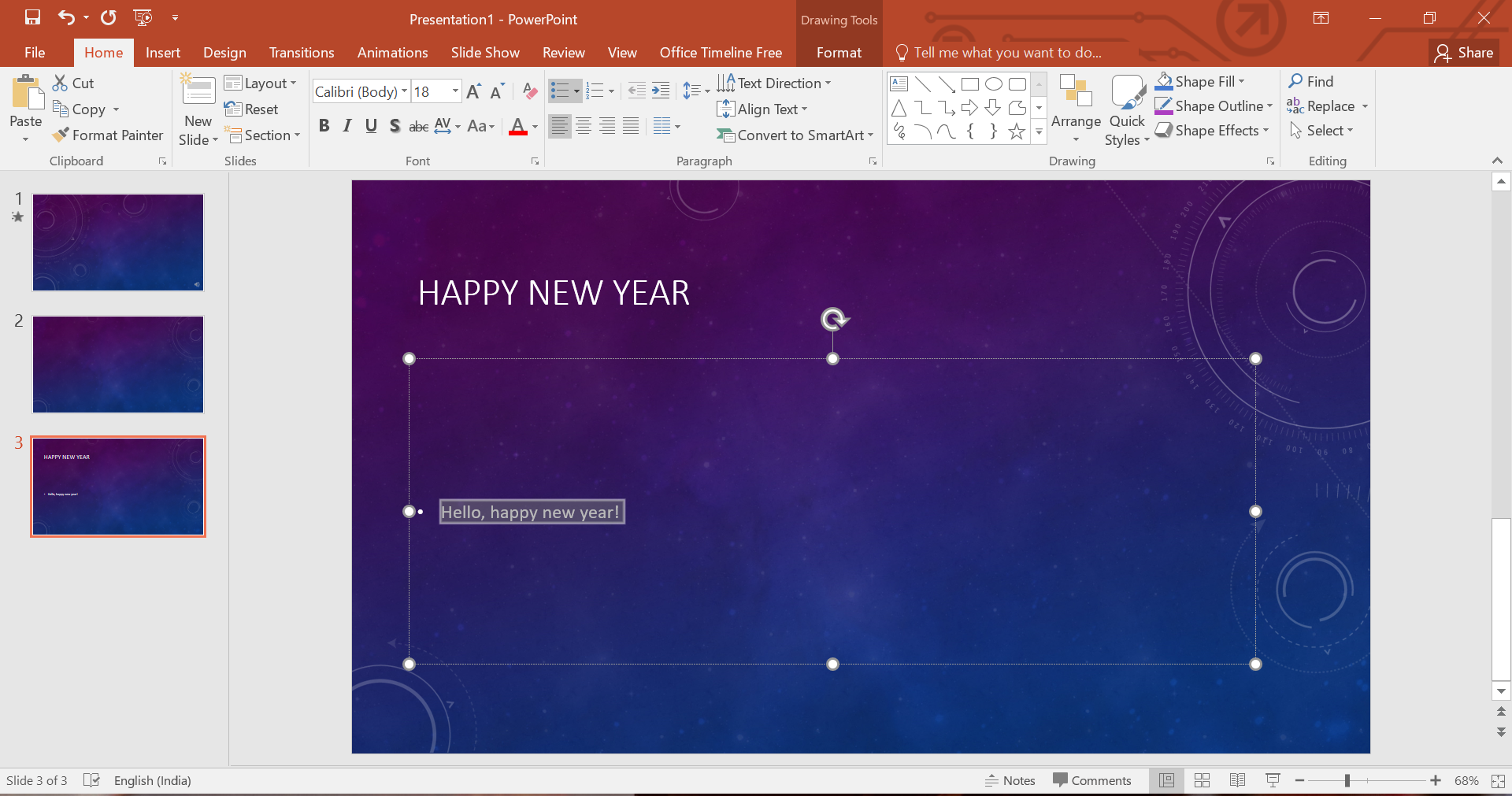
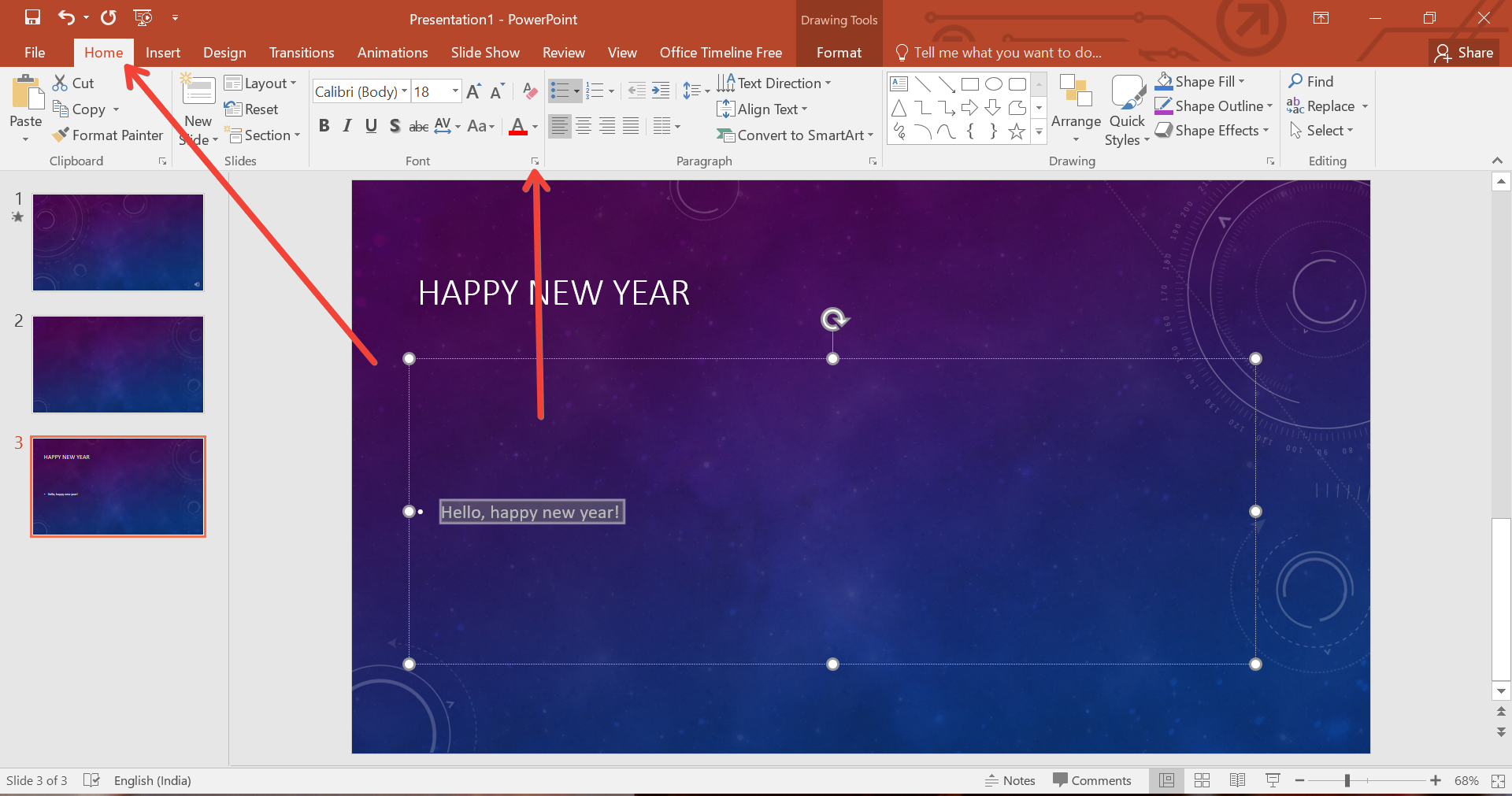
- Navigate to the “Home” tab on the Ribbon.
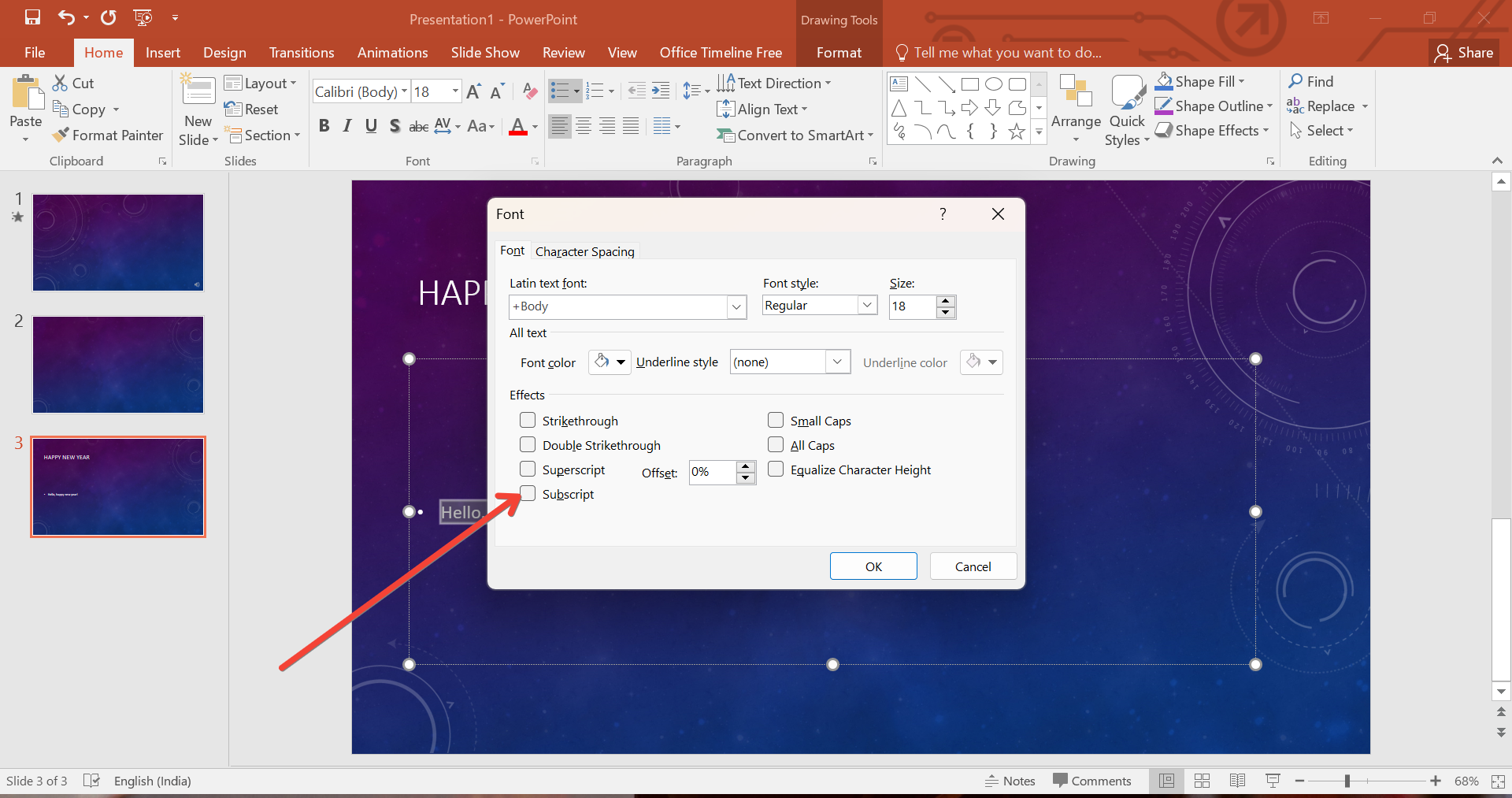
- In the "Font" group, click on the small arrow. This will open a new dialog box. Check the option for subscript and it will convert the selected text into subscript.
Using Keyboard Shortcuts
- Highlight the character(s) you want to make subscript.
- Press
Ctrl+=on your keyboard. This shortcut instantly formats the text as subscript.
Step 4: Adjusting Subscript Text
Sometimes, the default subscript might not perfectly fit your needs in terms of size or positioning. To fine-tune:
- Right-click the subscript text and select "Font."
- In the "Font" dialog box, you can adjust the font size and position manually to better align with your overall slide aesthetics.
Tips for Using Subscripts Effectively in Presentations
- Consistency is Key: Ensure that all subscripts in your presentation have the same formatting to maintain a professional and cohesive look.
- Size Matters: Make sure that the subscript text is legible but not overly distracting from the main content.
- Use Sparingly: Too many subscripts can clutter your slide. Use them only when necessary to enhance understanding of the content.
How MagicSlides.app Can Enhance Your PowerPoint Experience
While PowerPoint provides robust tools for creating presentations, platforms like MagicSlides.app offer additional features that can simplify the design process and make your presentations more impactful. MagicSlides.app is a versatile tool that helps you create, edit, and share presentations effortlessly. It provides templates and design tools that ensure your presentations look polished and professional without spending hours on design.
Moreover, MagicSlides.app allows for easy collaboration and sharing, making it a valuable tool for teams working remotely or in different locations. While this guide focuses on using PowerPoint, incorporating MagicSlides.app into your workflow can save time and enhance the quality of your presentations.
Conclusion
Mastering the art of creating subscripts in PowerPoint is a small but significant step towards more effective presentations. By following the steps outlined above, you can enhance the clarity and professionalism of your slides, ensuring your data and references are presented clearly.
Remember, while tools like PowerPoint and MagicSlides.app are powerful on their own, combining their strengths can significantly improve your presentation creation process, making it more streamlined and impactful. Whether you're a student, educator, or professional, these tools are designed to enhance your ability to communicate visually effectively.


