How to Make Your Google Slides Look Cool (A Guide)


Clean design, engaging visuals, subtle animations, and structured content elevate Google Slides for effective presentations.
How to make your google slides look cool
In a world filled with presentations, standing out is key to getting your message across effectively. When it comes to Google Slides, it's not just about the content you deliver but also how you present it. In this article, we'll explore four cool tricks that will transform your run-of-the-mill slides into captivating visual experiences. From adding zoom effects to incorporating music, these techniques will make your Google Slides truly shine.
Step 1: Add Zoom Effects to Emphasize Content
Zoom effects are a game-changer when it comes to making your Google Slides more engaging. By zooming in on specific content, you can draw your audience's attention to critical points in your presentation. Here's how:
- Select the Object: Choose the object or text you want to emphasize.
- Go to Insert: Click on "Insert"/ ”link” in the top menu.
- Choose Link: Select "Link" and then "Slides in this presentation."
- Set Zoom: Pick the slide you want to zoom in on and adjust the zoom level.
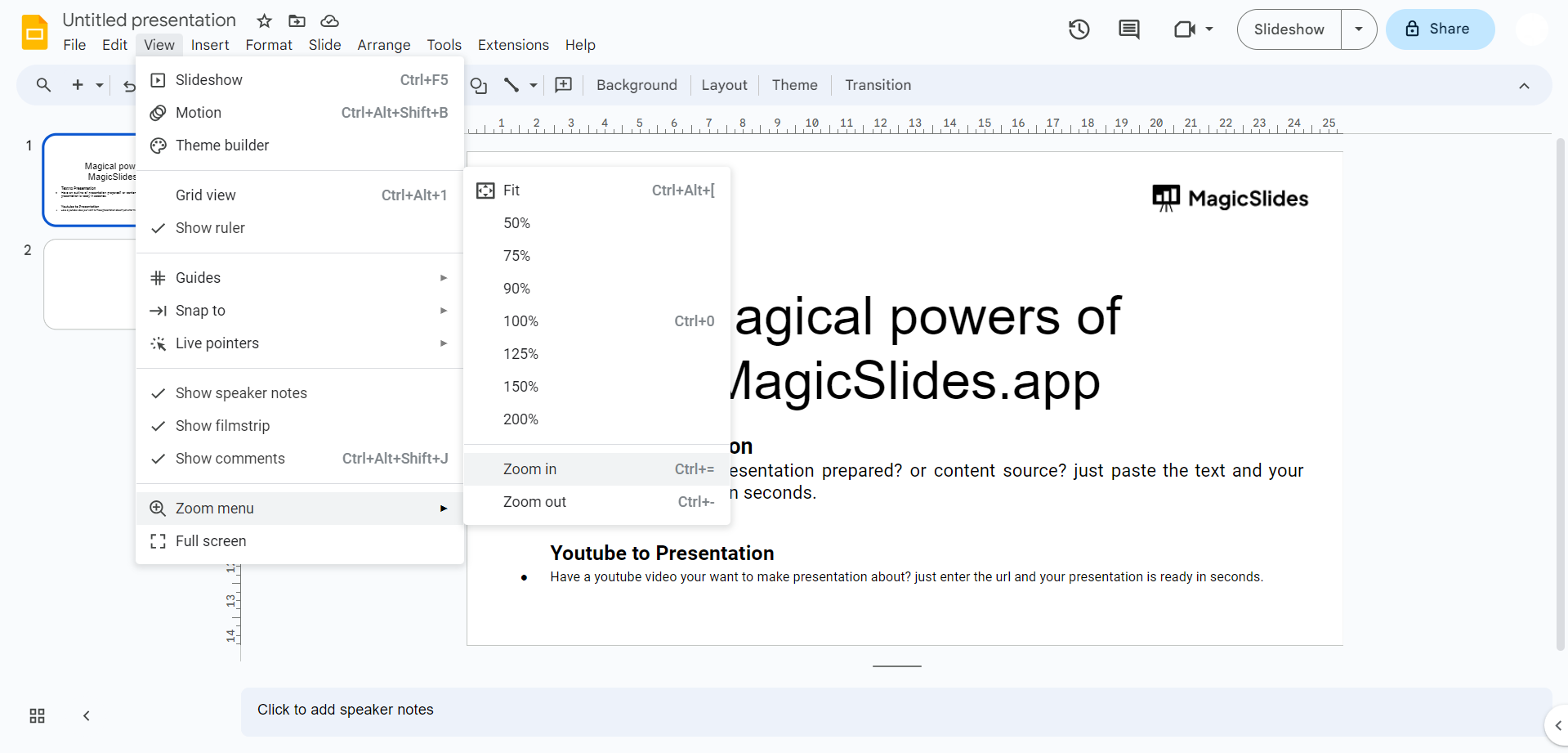
- Apply: Click "Apply" to create the zoom effect.
This simple trick can make a significant impact on how your audience perceives your content.
Step 2: Animate Objects
Adding animations to your Google Slides is another effective way to make them look cool and keep your audience engaged. Animations can bring your content to life and help convey complex ideas more effectively. To animate objects:
- Select the Object: Choose the object you want to animate.
- Go to Slide: Click on "Insert" in the top menu.
- Select Animation: Choose "Animation" and pick from various animation options.
- Adjust Settings: Customize the animation settings, such as duration and direction.
- Apply: Click "Apply" to add the animation to your object.
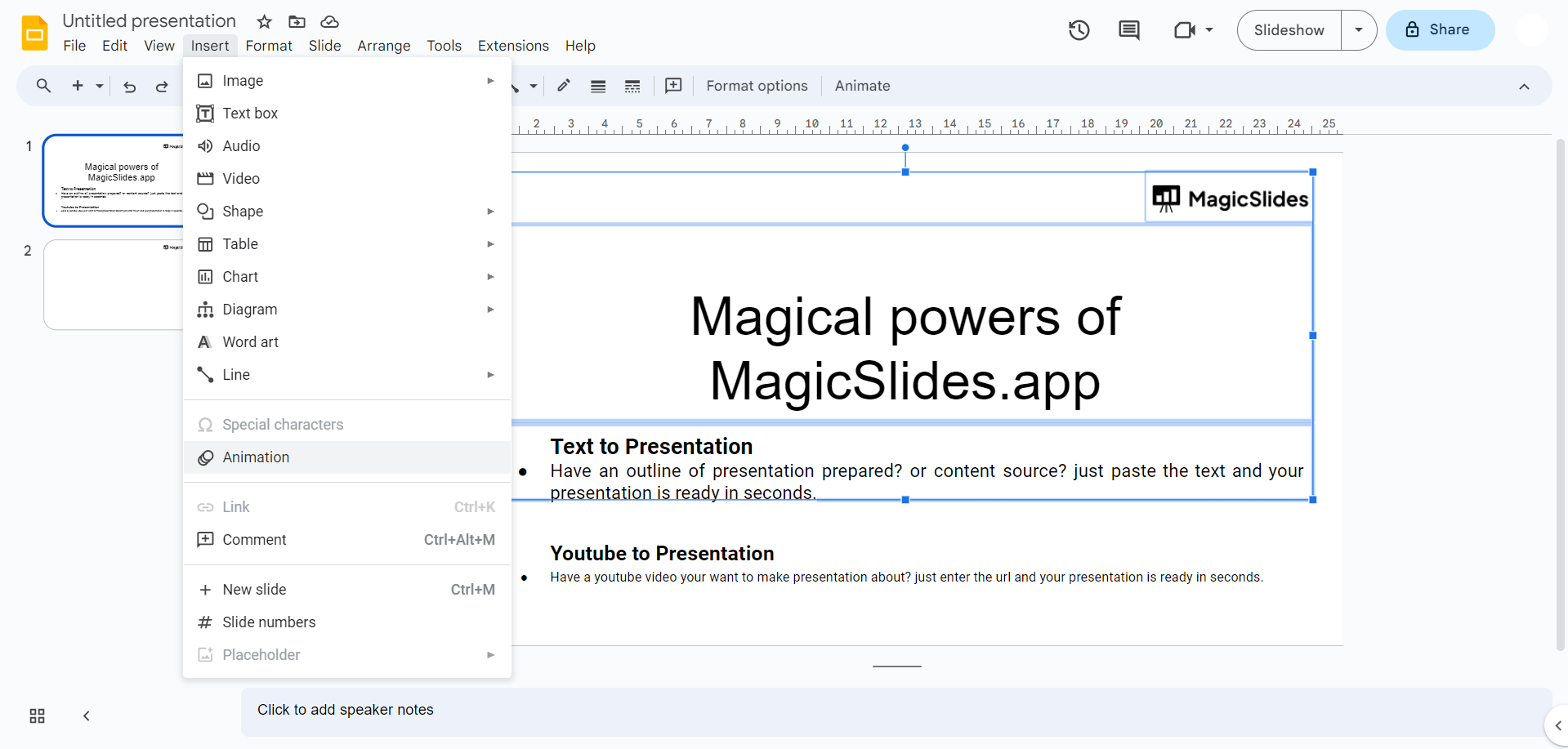
However, remember that less is often more when it comes to animations. Use them strategically to avoid overwhelming your audience.
Step 3: Add Music
Music has the power to evoke emotions and create memorable experiences. Incorporating music into your Google Slides can set the tone for your presentation and make it more engaging. Here's how to do it:
- Insert Audio: Go to "Insert" and select "Audio."
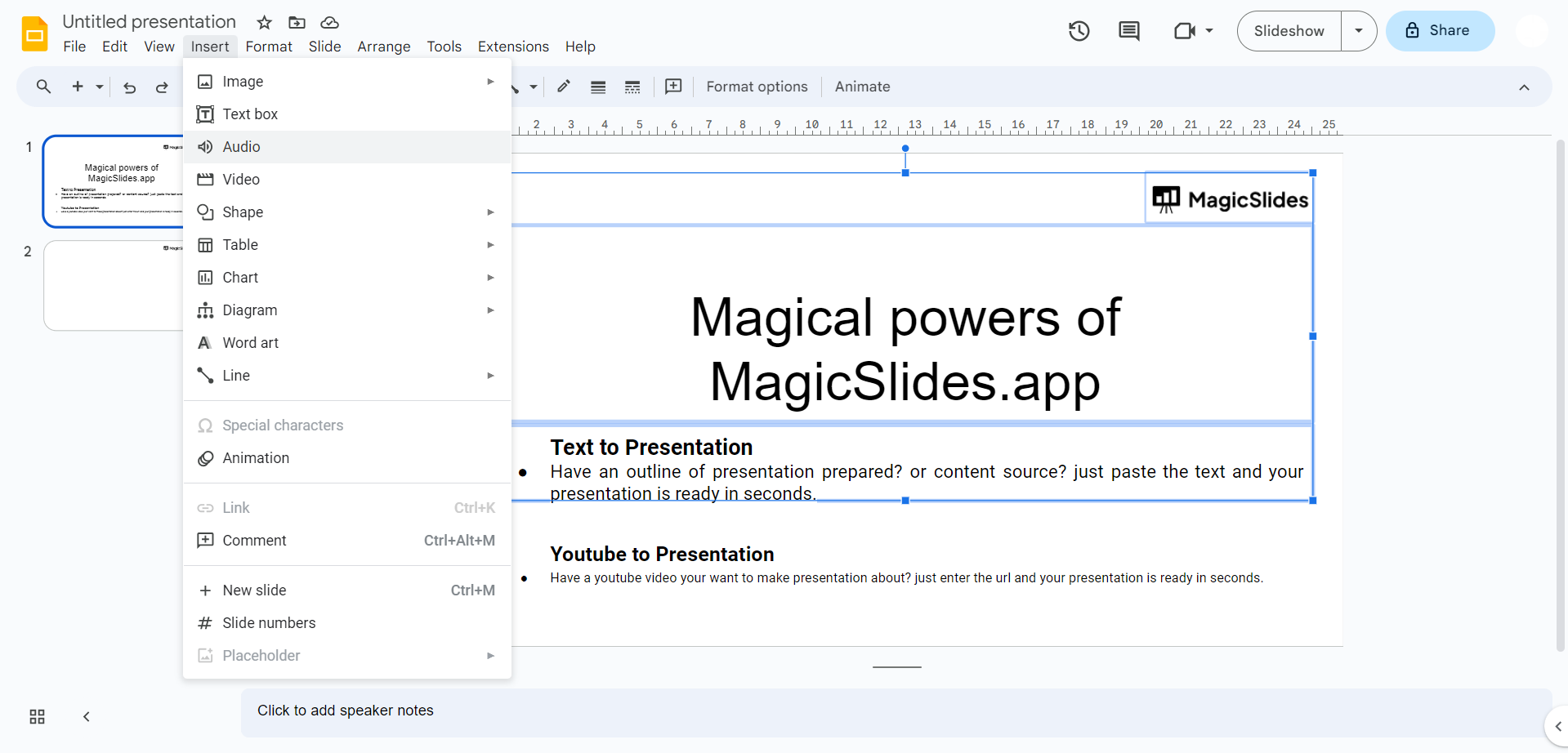
- Choose a Track: You can upload an audio file from your computer or search for music in the YouTube Audio Library.
- Adjust Settings: Set the playback options, such as auto-play or looping.
- Place and Resize: Drag and resize the audio icon to position it on your slide discreetly.
Adding the right music track can elevate your presentation and leave a lasting impression.
Step 4: Use a Professional Google Slides Theme
A well-chosen theme can instantly make your Google Slides look cool and polished. Google Slides offers a variety of professionally designed themes to choose from. Here's how to select one:
- Open Theme Options: Click on "Slide" in the top menu.
- Choose Change Background: Select "Change background" and then "Theme."
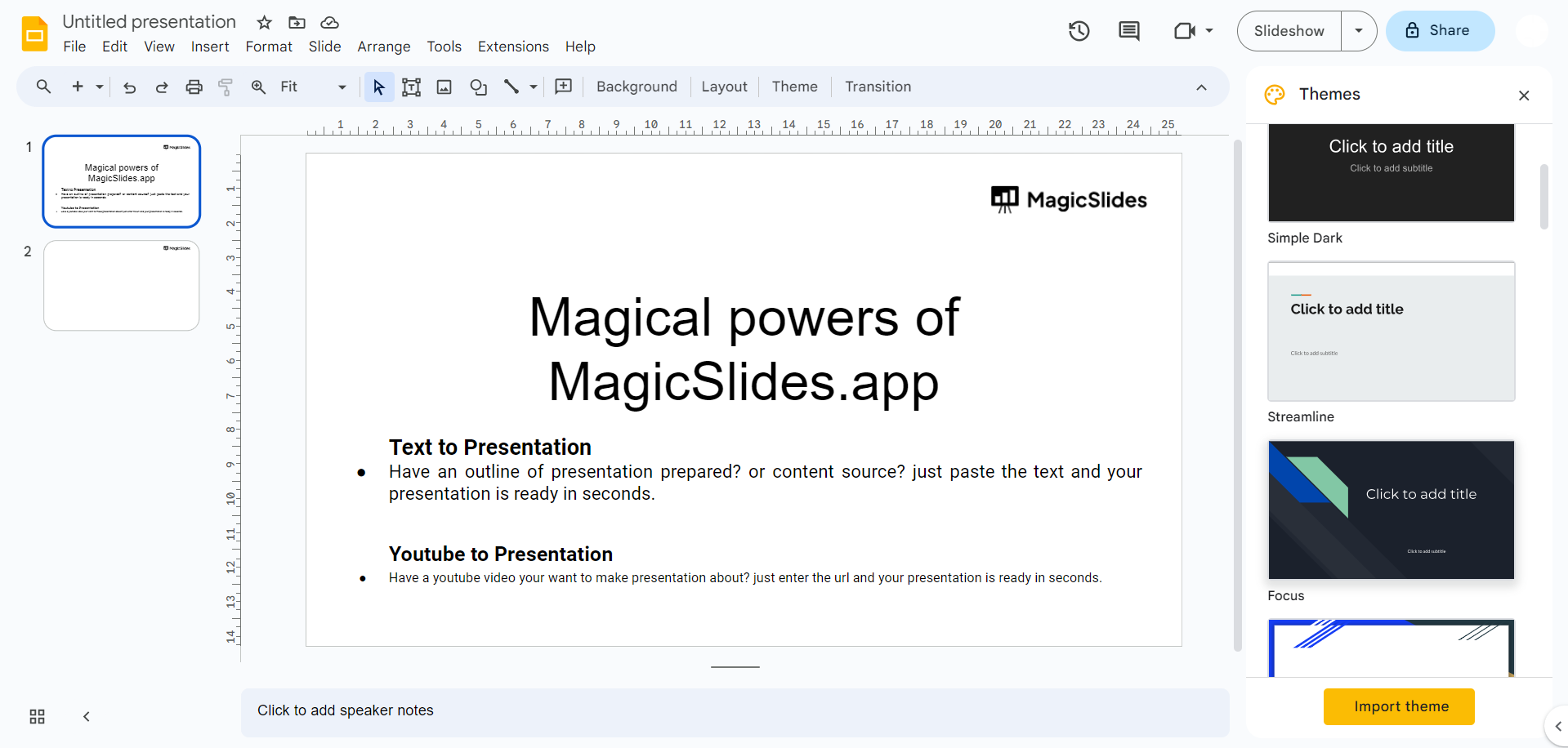
- Browse Themes: Browse the available themes and pick one that suits your content.
- Apply Theme: Click "Apply" to change the theme for your presentation.
A cohesive theme gives your slides a sleek and unified appearance, making your content more visually appealing.
Conclusion:
With these four cool tricks – zoom effects, animations, music, and professional themes – you can take your Google Slides presentations to the next level. Remember that while these techniques can make your slides look cool, content remains king. Ensure that your message is clear, concise, and well-structured to complement the eye-catching visuals. By combining compelling content with these visual enhancements, you'll create presentations that are not only visually appealing but also highly effective in delivering your message. So, go ahead and give these tricks a try, and watch your Google Slides presentations captivate your audience like never before.


