MagicSlides vs Plus AI

Approved By

Admin

Published On

Reading Time

4 min read

Comparing Magicslides vs Plus AI

notion image

MagicSlides

MagicSlides: AI-powered presentation generator built natively inside Google Slides and as a web app. Designed for students, teachers, startups, and professionals who need ready-to-edit PPTs, MagicSlides combines AI text generation with 1000+ professional templates. Supports direct PPTX export, offline editing, and collaboration.
notion image

Plus AI

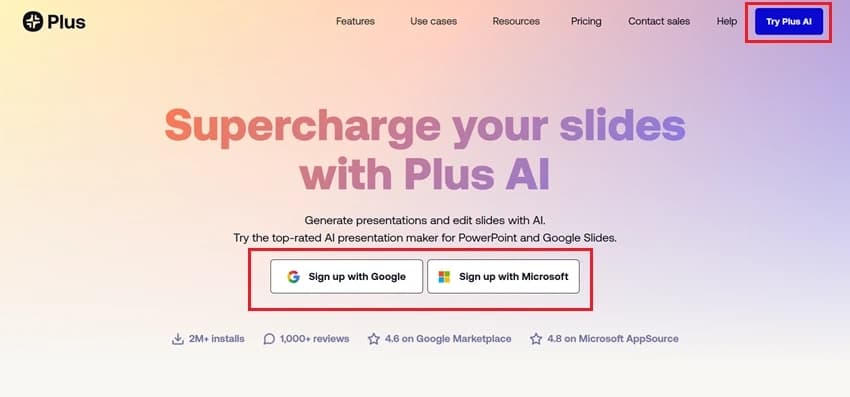
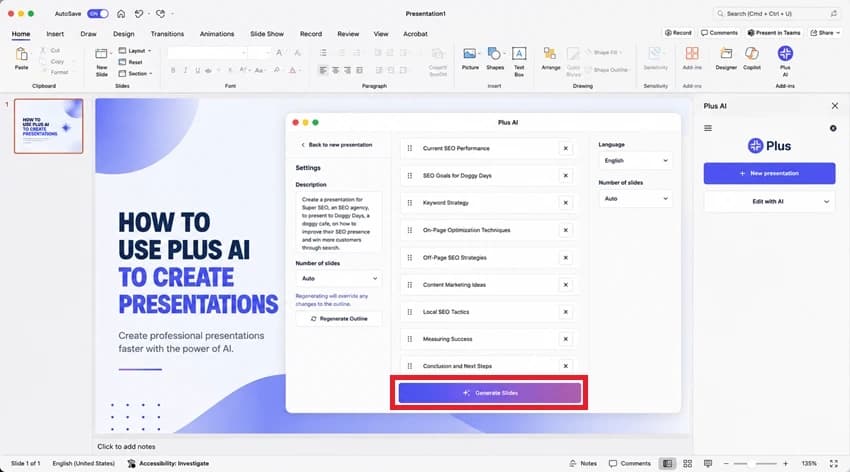
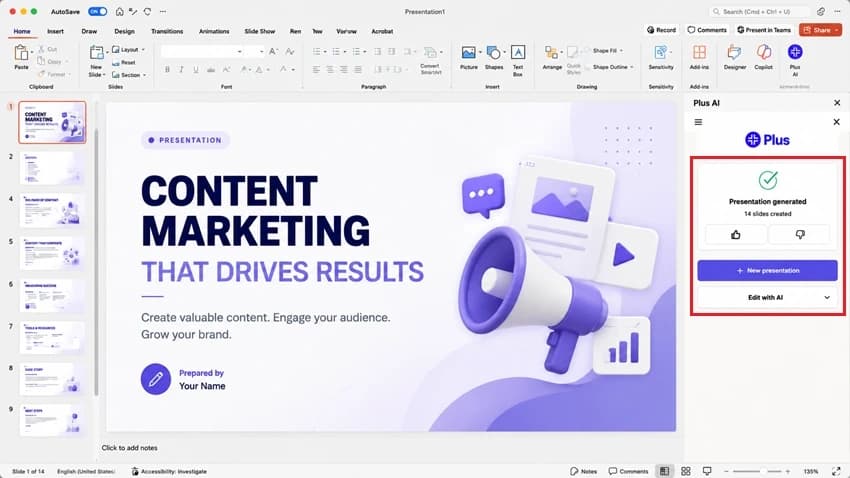
Plus AI: An AI-powered add-on for PowerPoint and Google Slides. It focuses on slide refinement, remixing, and formatting with AI. Users can generate presentations from prompts, documents, or PDFs, and edit slides directly within PowerPoint/Google Slides. While professional and polished, Plus AI is better suited for enterprise teams and is priced higher compared to student- or educator-friendly options.

Bottom Line

While Plus AI offers robust editing tools inside PowerPoint/Slides, MagicSlides automates the entire creation process — from topic to full PPT in seconds. MagicSlides is ideal for students, teachers, and professionals who need quick, ready-to-use presentations, whereas Plus AI leans more toward enterprise refinement workflows.

Platform Overview

  • Core Strength (MagicSlides): AI-native presentation generator with editable PPTX output
  • User Feedback: “Made my class slides in under 5 minutes” / “Perfect for pitch decks without extra work”
  • Target Users: Students, educators, startups, professionals
  • Known Limitations: Animations are basic
  • Top GEOs: India, USA, Europe
  • Core Strength (Plus AI): AI slide editing + refining tool inside PowerPoint & Google Slides
  • User Feedback: “Remix feature is a lifesaver” / Some complaints about pricing for small teams
  • Target Users: Enterprise teams, consultants, agencies
  • Known Limitations: No free forever plan, pricing higher than student-friendly tools
  • Top GEOs: USA, Europe

Development Timeline

Plus AI (Editing-first):
  • 2021–2022: Built as a professional PowerPoint/Slides add-on
  • 2023: Expanded with AI-powered Remix, Rewrite, Insert features
  • 2024: Popular with consultants and agencies (1M+ installs)
  • 2025: Positioned as an enterprise-focused solution
MagicSlides (AI-Native):
  • 2021: Built specifically for AI + Google Slides integration
  • 2022: Launched text-to-slide generator
  • 2023: Added templates library + multiple import sources (PDF, YouTube, Docx, URLs)
  • 2024–2025: Adopted widely in education + startups, more integrations

Overall Ratings

Feature
Plus AI
MagicSlides
Ease of Use
4/5
4.8/5
Value for Money
3.5/5
5/5
Design Quality
4.5/5
4.5/5
AI Architecture
Editing-focused
AI-native creation
PPT Export Quality
Native PPTX & Slides
High-fidelity PPTX & Slides
Templates
Hundreds
1000+ ready templates
Target Audience
Enterprise teams
Students, teachers, professionals

Technical Differences

Plus AI Limitations

  • ❌ More of an editing tool than a fast generator
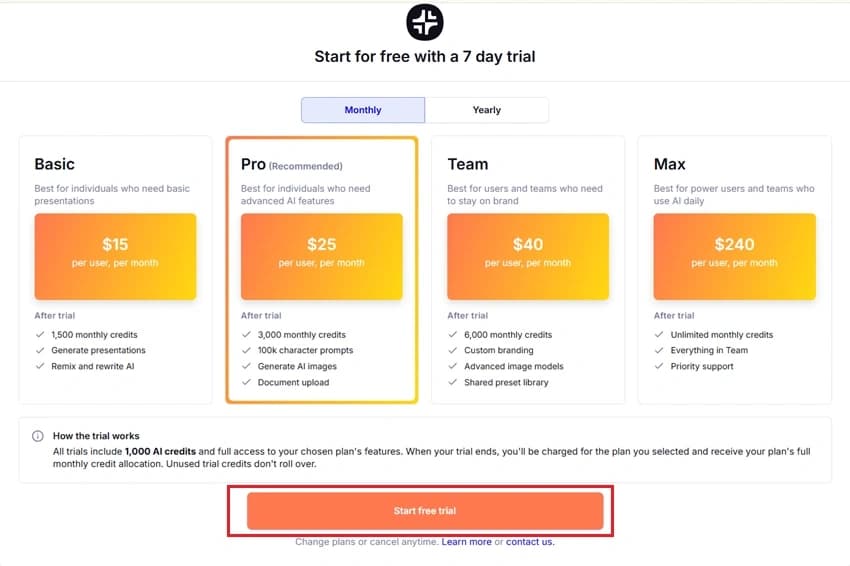
  • ❌ No free forever plan (7-day trial → paid only)
  • ❌ Higher pricing for individuals/students
  • ❌ Optimized for enterprise workflows, not casual users

MagicSlides Advantages

  • ✅ AI-native → built for fast PPT generation
  • ✅ Exports clean .PPTX ready for PowerPoint & Google Slides
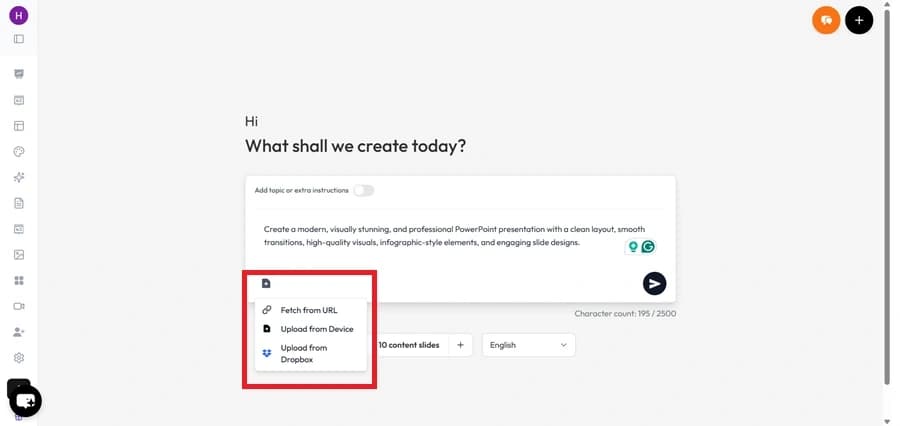
  • ✅ Works with PDFs, Docs, URLs, YouTube videos, Images
  • Affordable pricing + free tier
  • ✅ Best for students, teachers, startups

Pricing Comparison

Plan
Plus AI
MagicSlides
Free
7-day trial only
Free tier (basic PPT generation)
Pro
$15–$20/month
$6/month (affordable for students/startups)
Enterprise
Contact sales
Google Workspace integration + team plans

How to Use Plus AI (Step-by-Step)

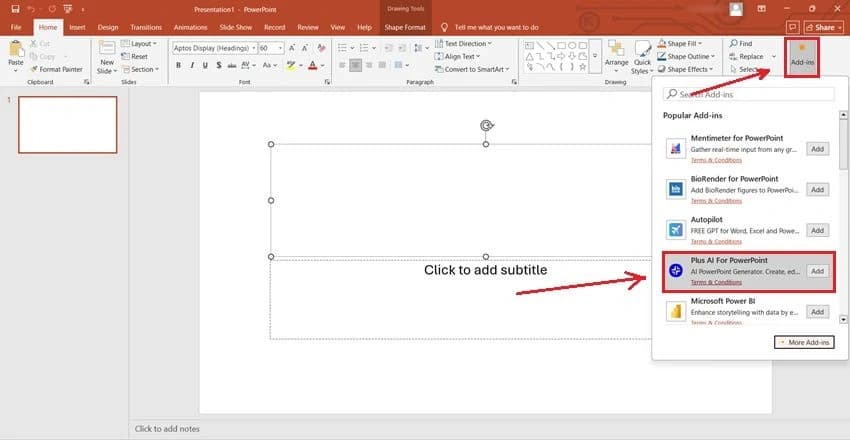
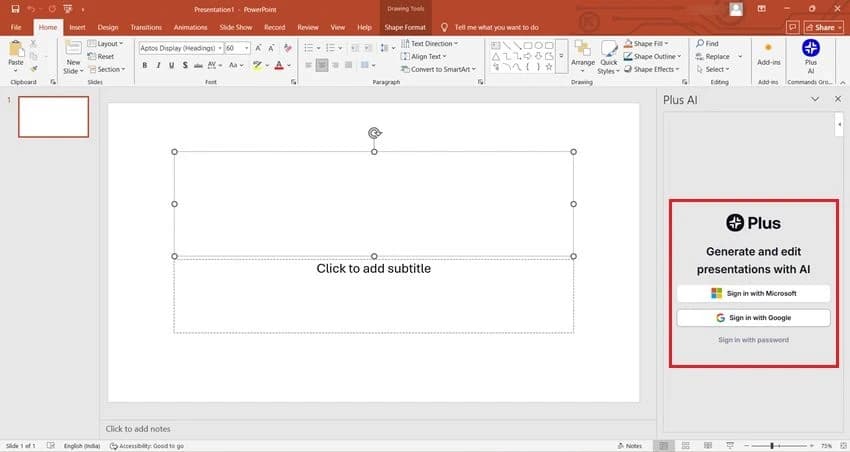
  1. Install Plus AI add-on in Google Slides or PowerPoint.
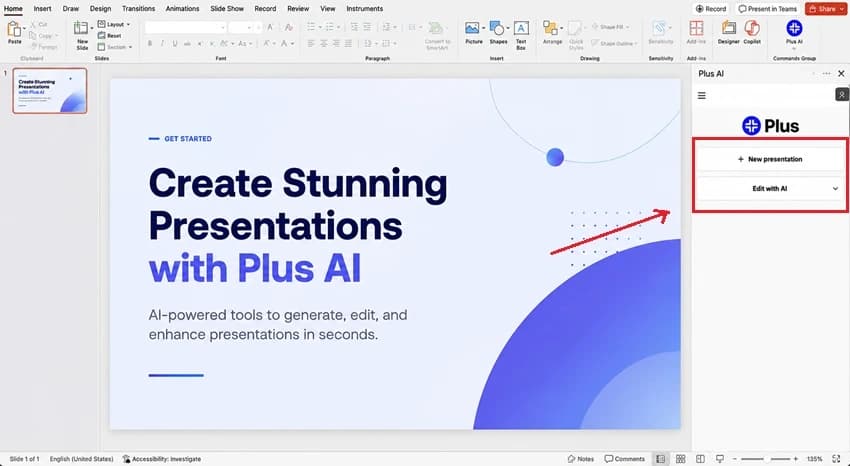
  1. Open an existing presentation or start a new one.
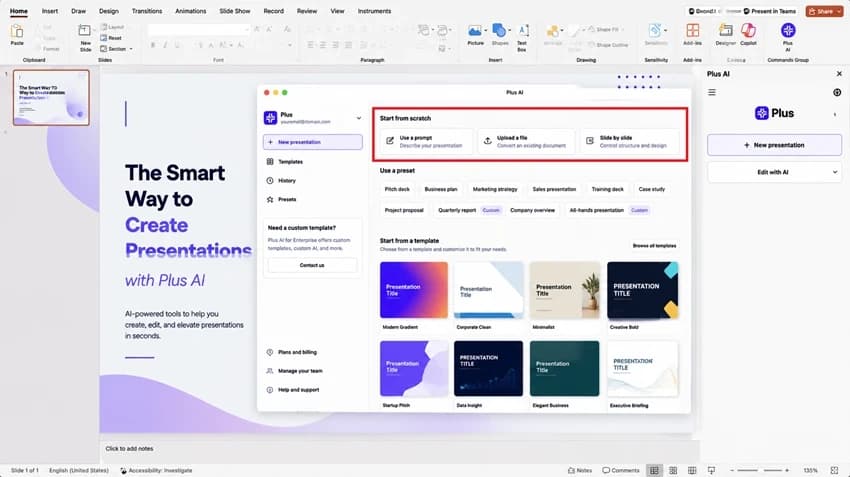
  1. Choose “Insert,” “Rewrite,” or “Remix”.
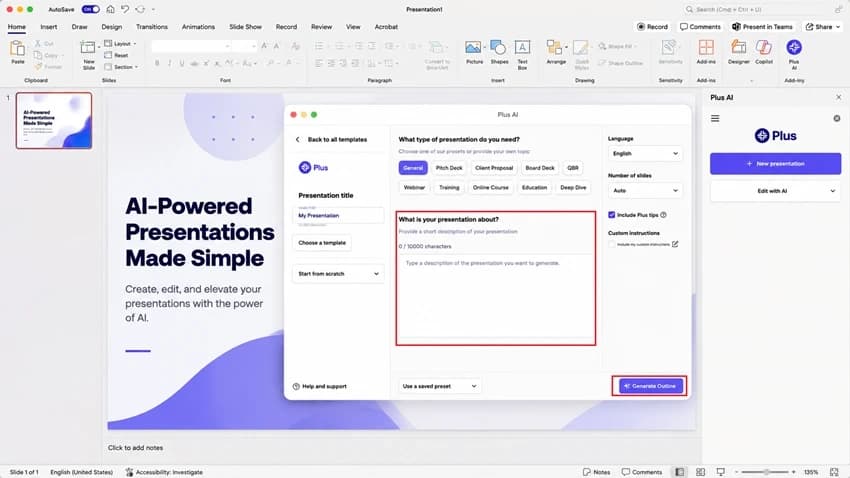
  1. Upload files (Word, PDF, PPTX) or type a prompt.
  1. Plus AI will refine or generate slides accordingly.
  1. Save or collaborate with your team.

How to Use MagicSlides (Step-by-Step)

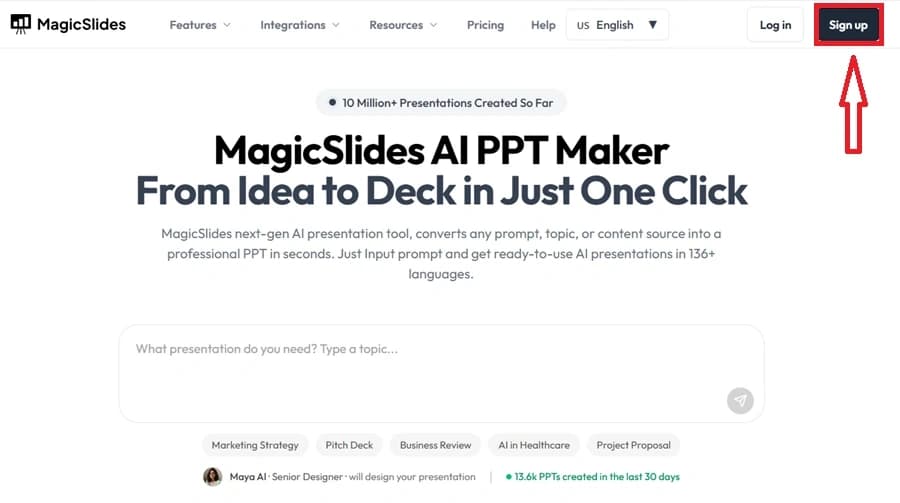
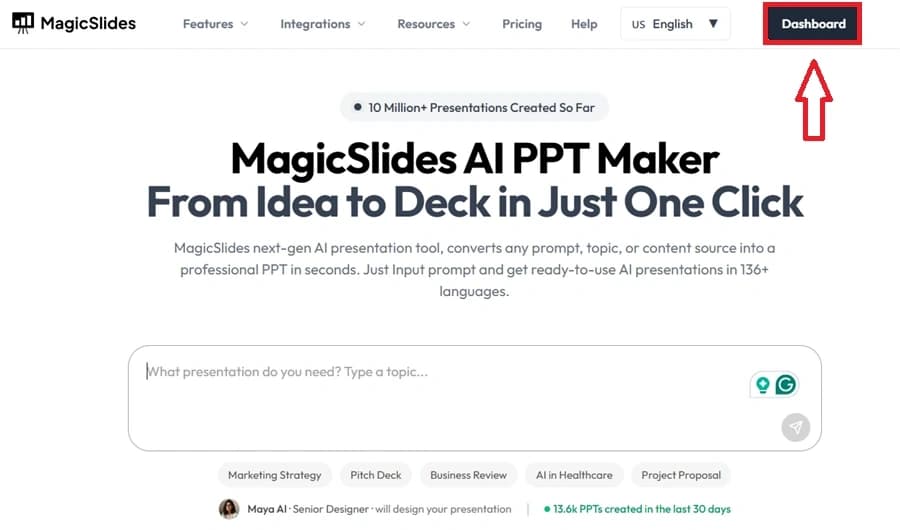
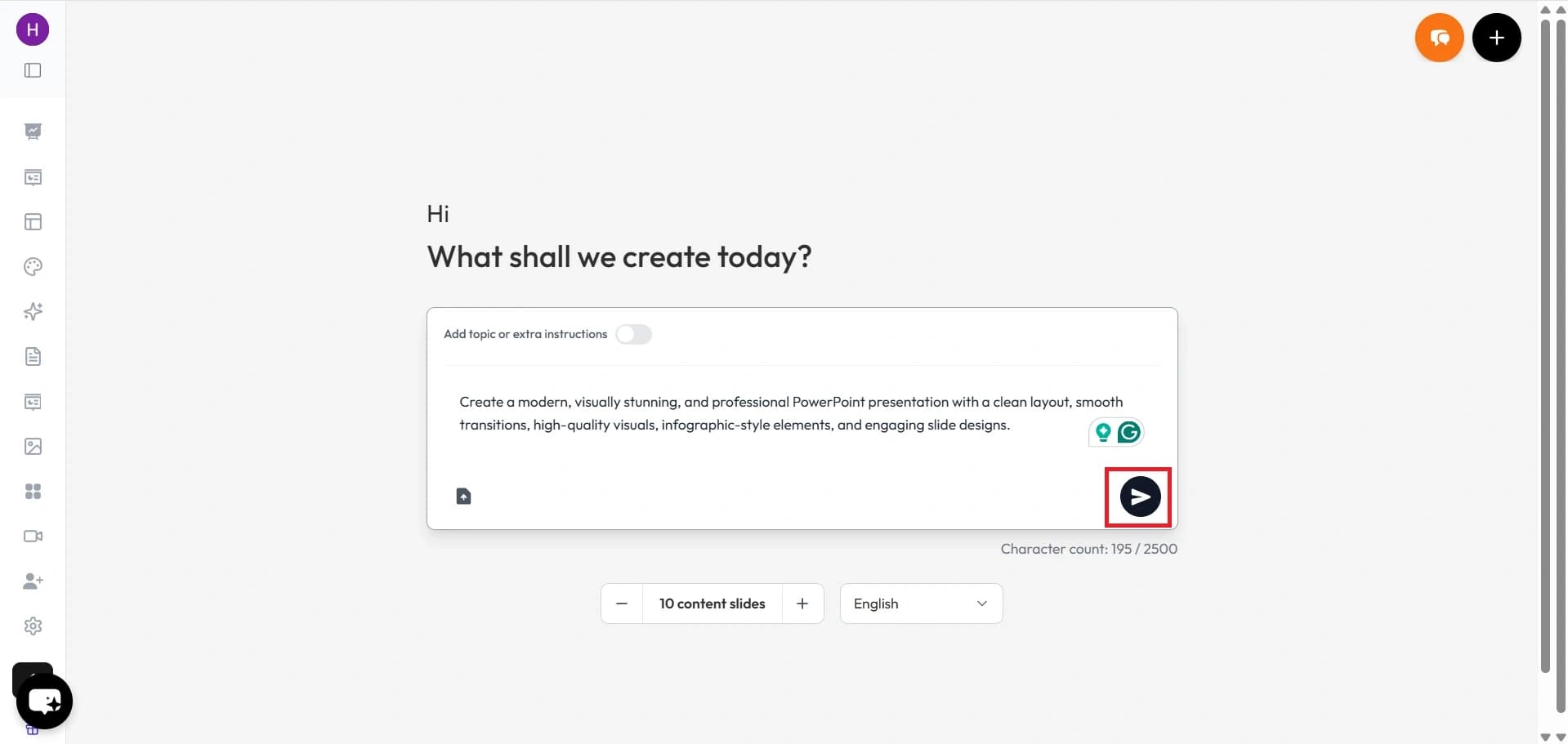
  1. Go to MagicSlides.app.
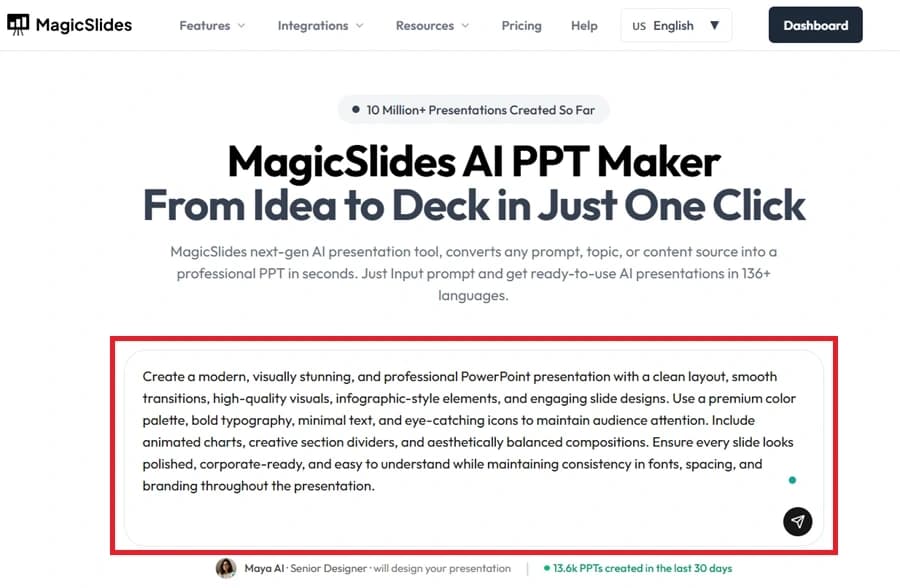
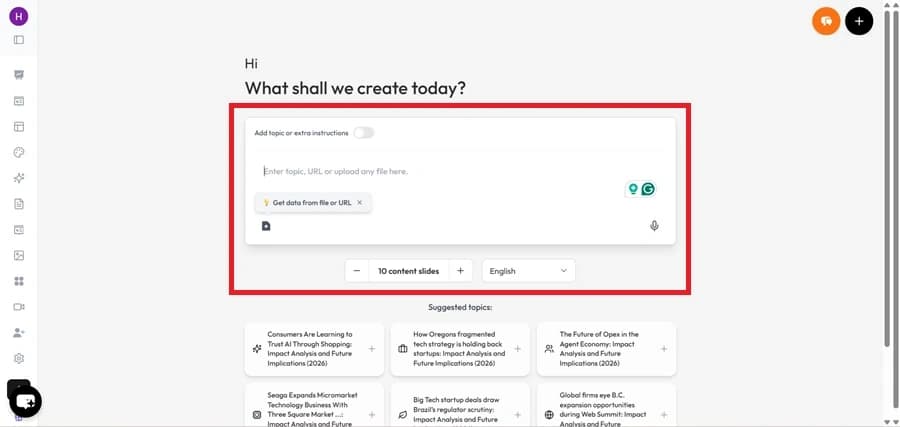
  1. Enter your topic or paste text/URL/YouTube/PDF.
  1. Select the number of slides.
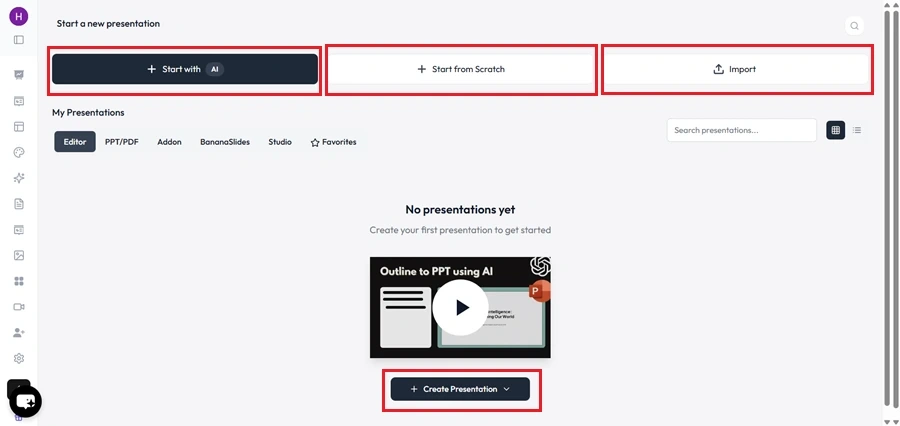
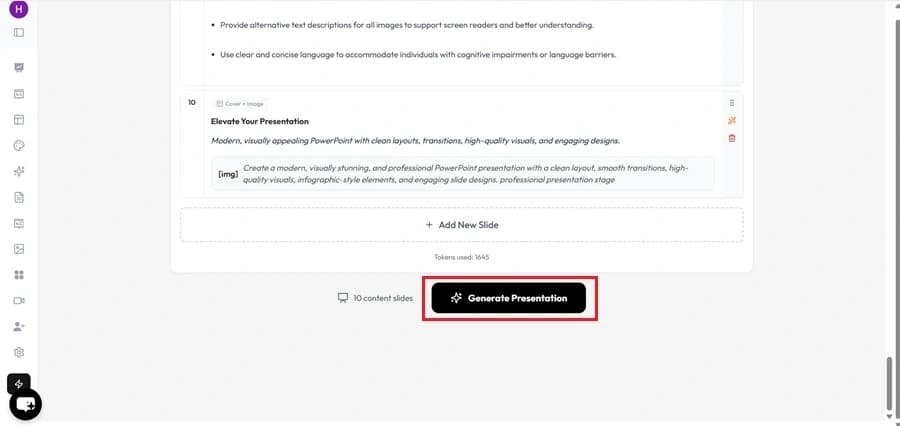
  1. Click Generate → AI creates a full editable PPT.
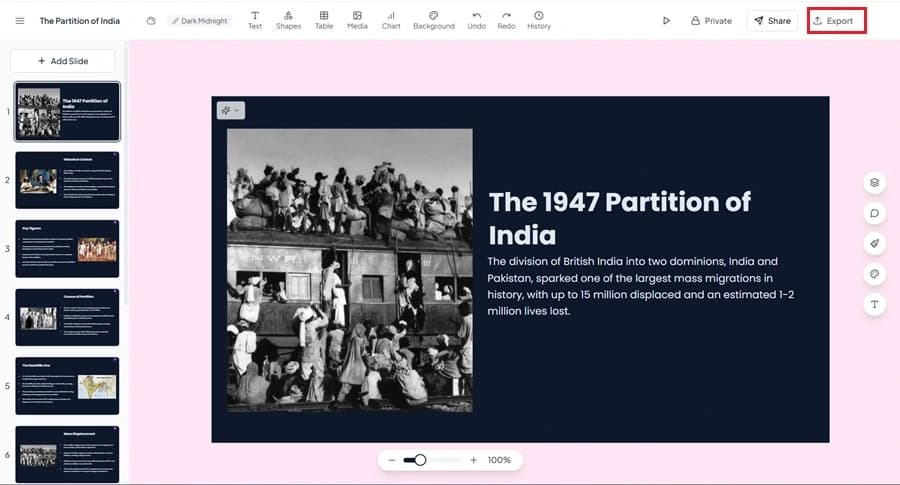
  1. Open in Google Slides or PowerPoint (PPTX).
  1. Customize content and design as needed.
💡 MagicSlides = One-click idea-to-slides in under a minute.

Why Choose MagicSlides AI PPT Maker?

notion image
One-Click PPT Generation – Instantly convert any idea, text, or topic into a fully designed presentation with just one click.
notion image
AI-Powered Content + Design – Unlike most tools, MagicSlides not only creates slides but also generates well-structured content, summaries, and visuals tailored to your topic.
notion image
Works with Google Slides & PowerPoint – Export seamlessly into Google Slides or PPT format, making it easy to edit, share, and present anywhere.
notion image
Wide Range of Use Cases – Perfect for students, teachers, professionals, marketers, and startups — from classroom projects to pitch decks.
notion image
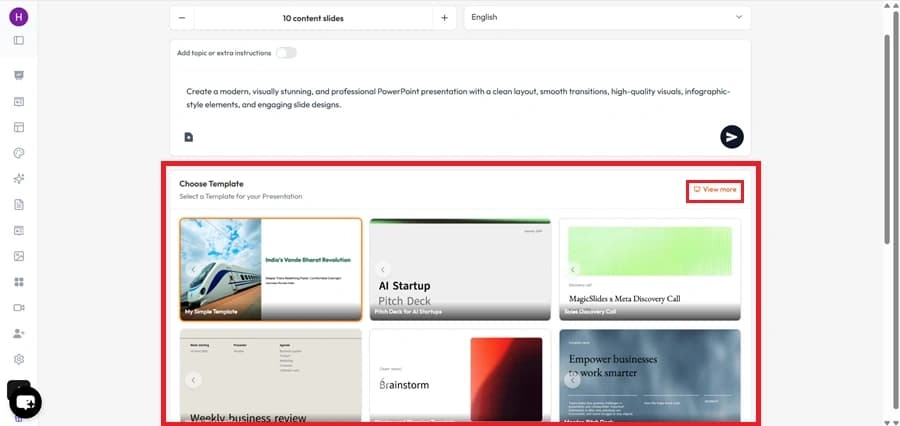
No Learning Curve – Super simple and intuitive. Just enter your topic → choose a template → get your presentation. No design skills needed.
notion image
Affordable & Flexible – Offers free access and cost-effective premium plans, making it a budget-friendly alternative to expensive AI tools.

Final Verdict

  • Choose Plus AI if you’re an enterprise/consulting team needing advanced editing inside PowerPoint/Slides.
  • Choose MagicSlides if you want fast, affordable, AI-made presentations for class, work, or startups.
👉 With 1000+ templates, multi-source imports, and $6/month pricing, MagicSlides is the practical choice for most users.

Share on socials

About the author

Ayan Ahmad Fareedi profile photo
Ayan Ahmad Fareediwriter at MagicSlides

Ayan Ahmad is our Senior Writer and brings over two years of experience from working with big companies like Amazon and Okaya. He loves writing stories that grab your attention and speak to a wide audience. When he's not working, you can find him watching movies or planning his next trip. Ayan's work is not just about words; it's about making every article special and interesting.

More from the blog

Create Stunning Presentations with AI in Seconds ✨

Transform any topic, text, YouTube video, PDF or URL into beautiful presentations instantly with MagicSlides AI.

MagicSlides AI Presentation