What Is the Paper Size Name for a PowerPoint Slide?


Learn the correct PowerPoint slide sizes and how to match them with standard paper formats
What Is the Paper Size Name for a PowerPoint Slide?
When working with PowerPoint, choosing the correct slide size is important for printing, presenting, and designing.
PowerPoint slides don’t use traditional paper size names like A4 or Letter by default, but they have specific dimensions that align with standard print and screen formats.
This guide will help you understand the different PowerPoint slide sizes and their equivalent paper size names.
Common PowerPoint Slide Sizes and Their Paper Equivalents
Step 1: Identify the Default PowerPoint Slide Sizes
PowerPoint provides two main slide size options:
- Widescreen (16:9) – 13.33 x 7.5 inches (Default for most presentations)
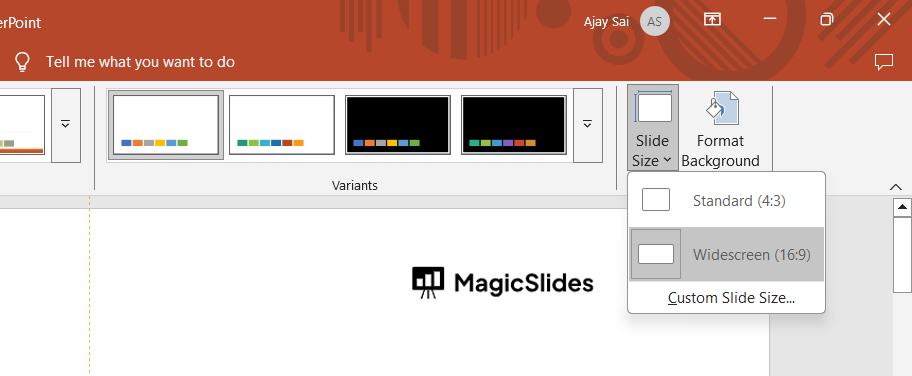
- Standard (4:3) – 10 x 7.5 inches (Used for older projectors and print-friendly layouts)
These dimensions don’t directly match standard paper sizes but can be adjusted for printing.
Step 2: Match PowerPoint Slide Sizes to Paper Size Names
To print slides on paper, match their dimensions to standard paper sizes:
- A4 (8.27 × 11.69 inches) – Best for printing reports and documents
- Letter (8.5 × 11 inches) – Common for U.S. office printing
- Legal (8.5 × 14 inches) – Used for contracts and official documents
- Tabloid (11 × 17 inches) – Suitable for posters and large prints
If you need an exact match, you may need to adjust your slide size manually.
Step 3: Adjust Slide Size in PowerPoint
To change the slide size to match a paper format:
Open your PowerPoint presentation. Click on the Design tab.
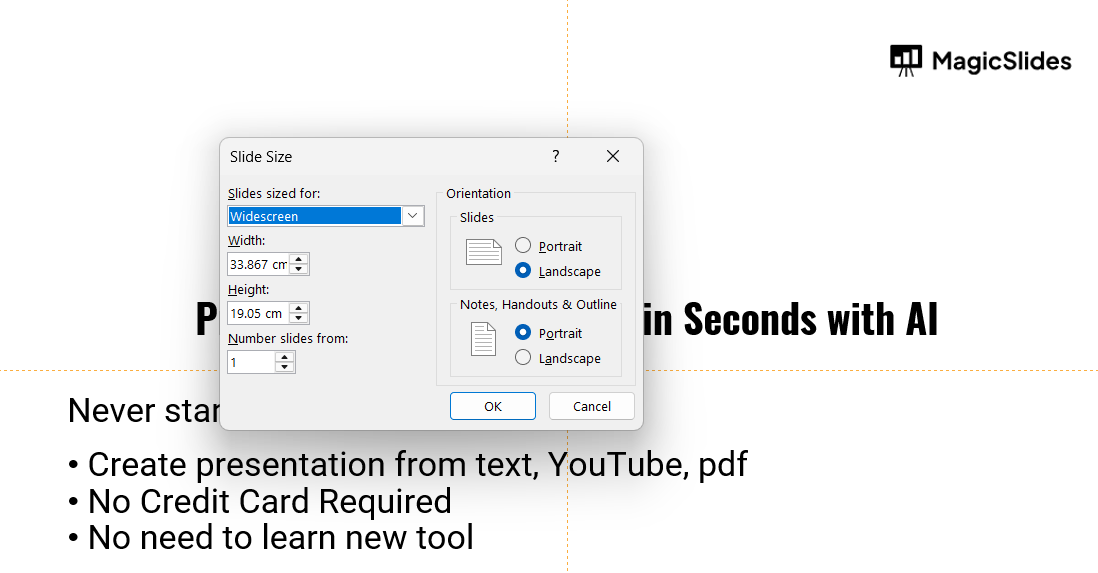
Select Slide Size > Custom Slide Size.
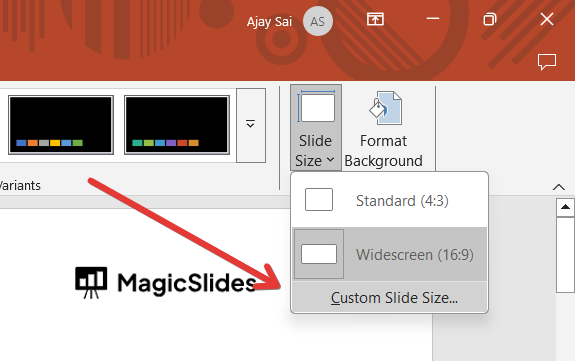
Choose a preset size or enter custom dimensions.
Click OK and select "Ensure Fit" or "Maximize" based on your needs.
Step 4: Prepare for Printing PowerPoint Slides
- If printing on A4 or Letter paper, ensure the content fits within the margins.
- Use Landscape or Portrait orientation based on the desired layout.
- Adjust fonts and images to prevent cropping issues.
PowerPoint slides typically use standard sizes like 16:9 (Widescreen) or 4:3. But if you want to skip manual adjustments and create stunning slides instantly, try MagicSlides.app AI-powered presentations at your fingertips!"
Conclusion
PowerPoint slides don’t have specific paper size names, but you can adjust them to match A4, Letter, or other formats.
Understanding slide dimensions helps you create presentations that print correctly without distortion.
FAQs About PowerPoint Slide Sizes
What is the default paper size for PowerPoint slides?
PowerPoint does not use standard paper sizes, but its default Widescreen (16:9) format is 13.33 x 7.5 inches.
How do I print PowerPoint slides on A4 paper?
Go to Design > Slide Size > Custom Slide Size, select A4 dimensions, and adjust content to fit.
Can I change a PowerPoint slide to fit an exact paper size?
Yes, you can manually enter custom dimensions in the Custom Slide Size settings to match any paper format.
Now you can choose the perfect PowerPoint slide size for your printing and presentation needs! 🚀


