How to convert YouTube lectures to PowerPoint for concise summaries


Effortlessly distill YouTube lectures into impactful PowerPoint summaries with this step-by-step guide using MagicSlides on Google.
Unlock the potential of your favorite YouTube lectures by transforming them into concise PowerPoint presentations. This step-by-step guide will walk you through the process, making knowledge absorption and retention more efficient.
How to convert YouTube lectures to PowerPoint for concise summaries
Visit Google Slides:
Start by accessing slides.google.com. Google Slides provides a collaborative and user-friendly platform for creating presentations.
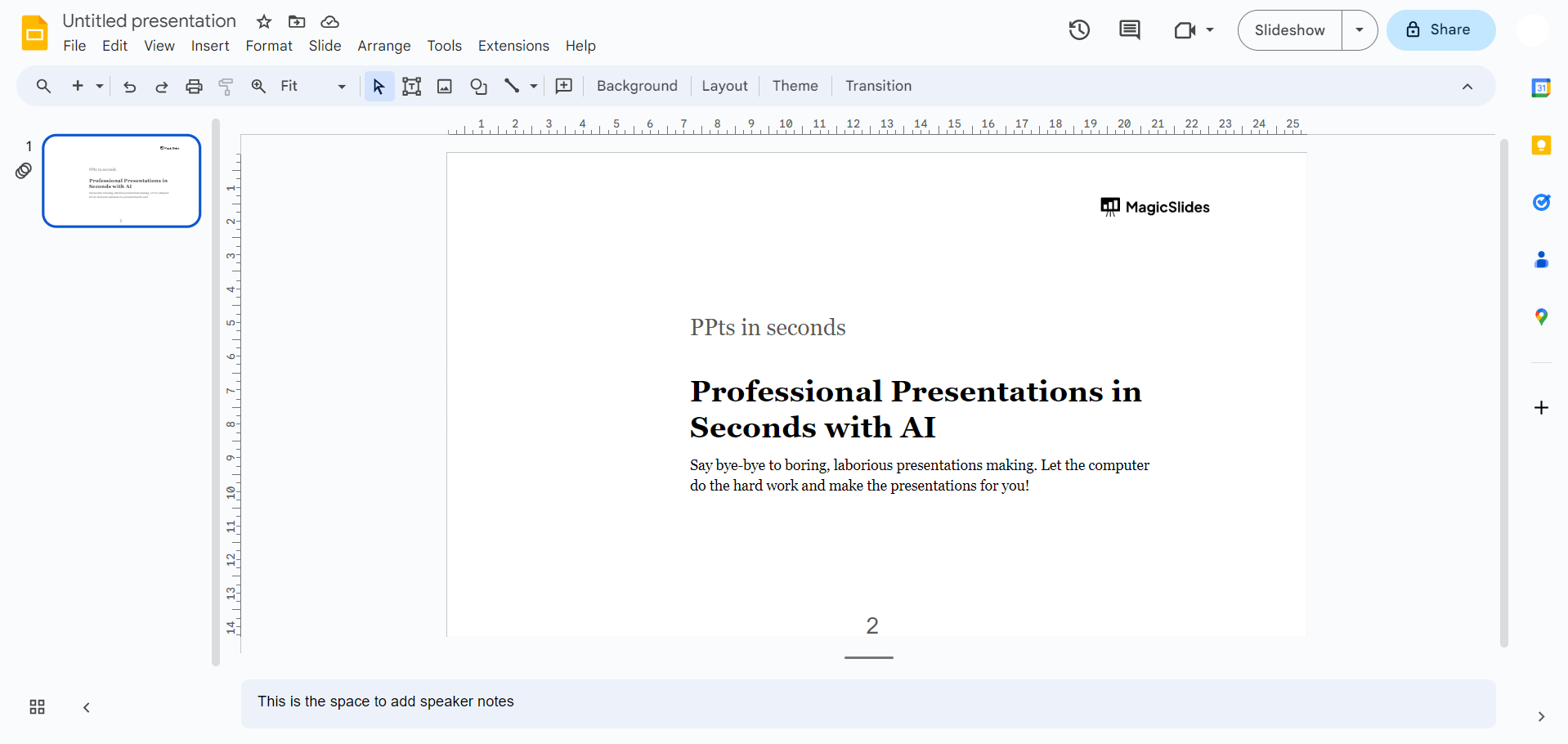
Sign In with Google:
Ensure you are signed in with your Google account to leverage the full functionality of Google Slides and seamlessly save your work.
case a: Open MagicSlides Extension (If Already Downloaded):
- For users who have previously downloaded the MagicSlides extension, conveniently open it from the extensions tab in Google Slides. This step ensures a direct connection to the powerful features of MagicSlides.
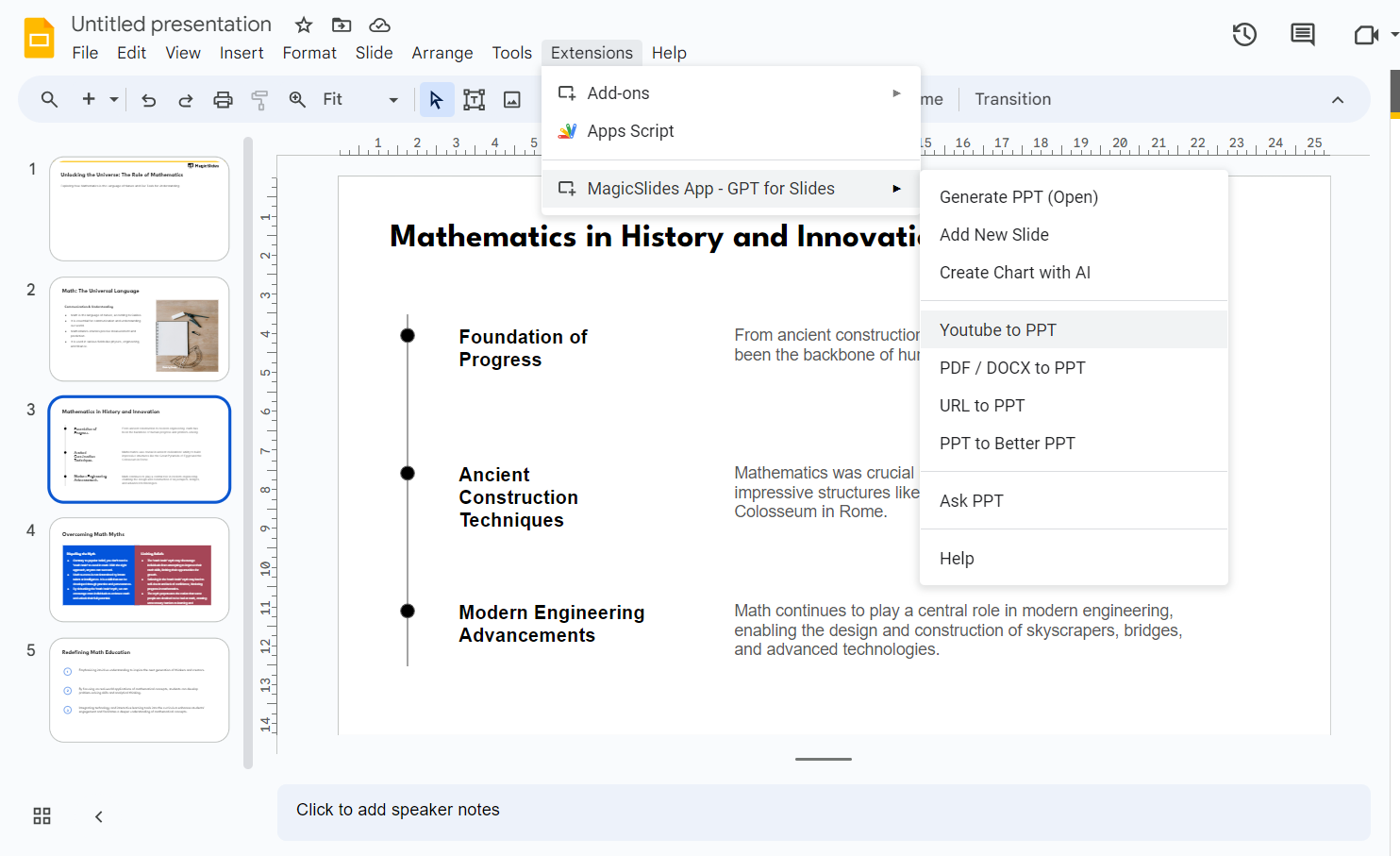
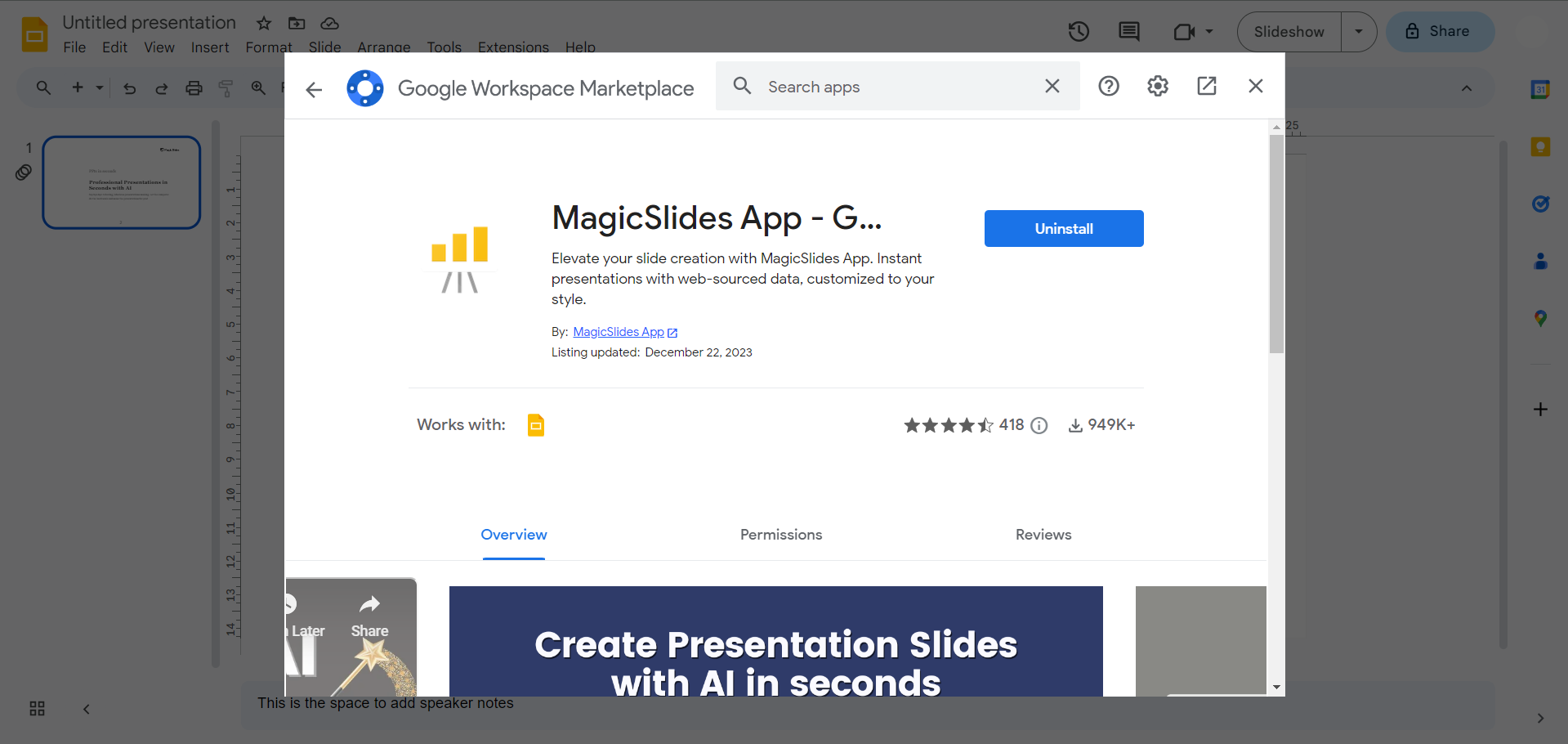
case b: Download and Open MagicSlides Extension (If Not Downloaded):
- If MagicSlides is not part of your extensions yet, navigate to the extensions marketplace within Google Slides. A quick search for "magicslides.app" will lead you to the extension. Download it to add the transformative capabilities to your Google Slides.
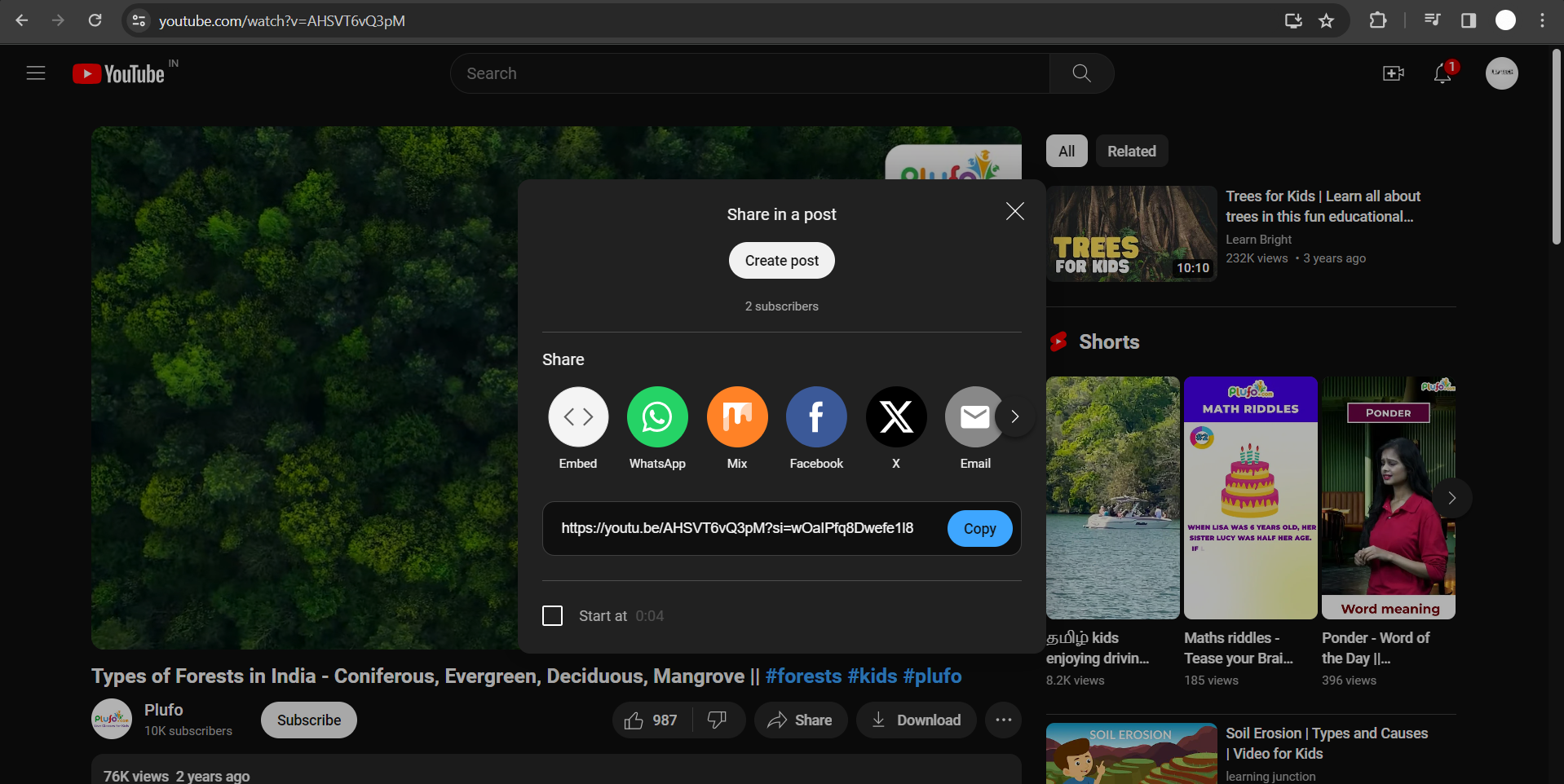
Copy YouTube Video URL:
Head to YouTube and locate the lecture video you wish to summarize. Copy the video URL from the browser's address bar.
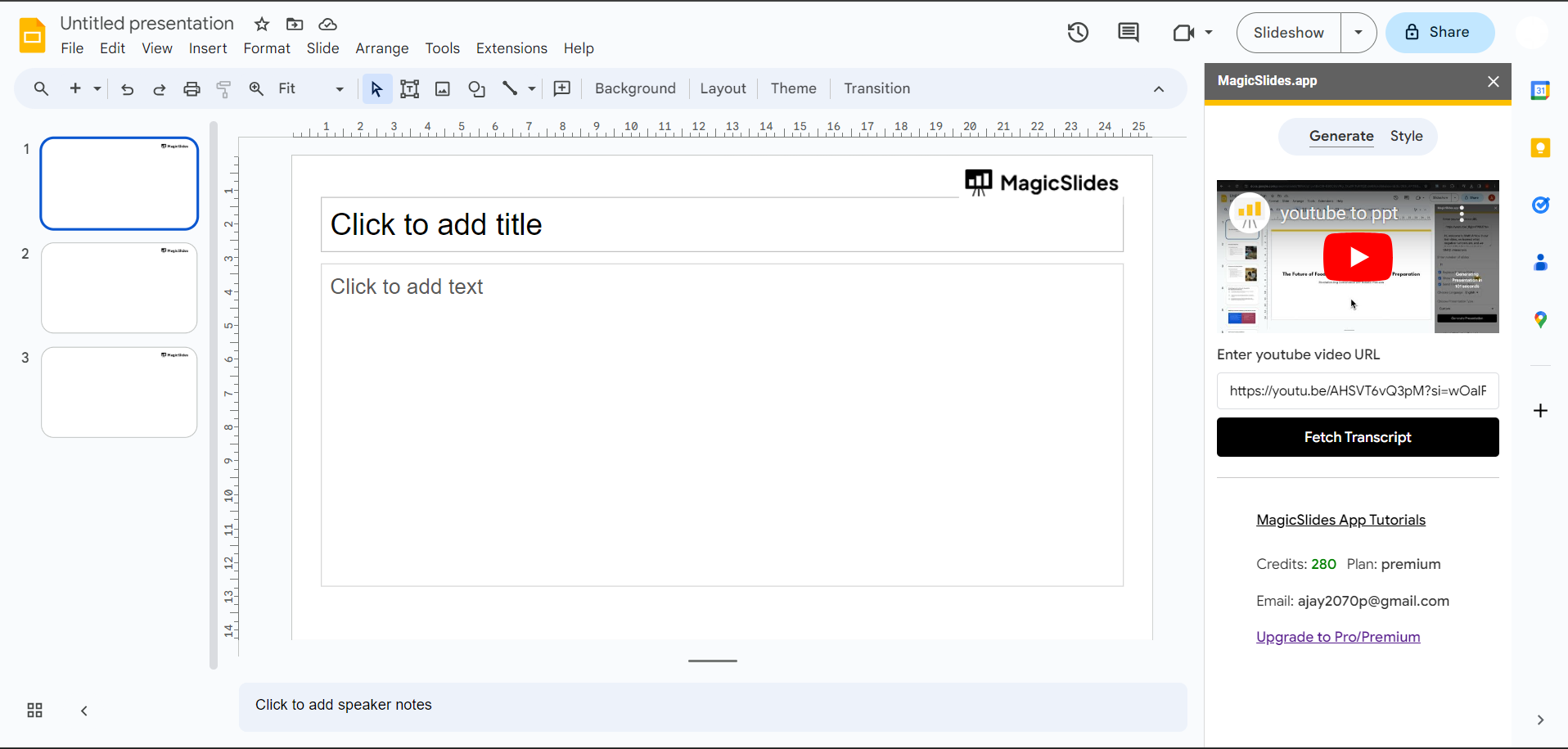
Enter Video URL in MagicSlides:
Return to Google Slides, specifically MagicSlides. Locate the field designated for the YouTube video URL and paste the copied link. This is the gateway for MagicSlides to access and process the video content.
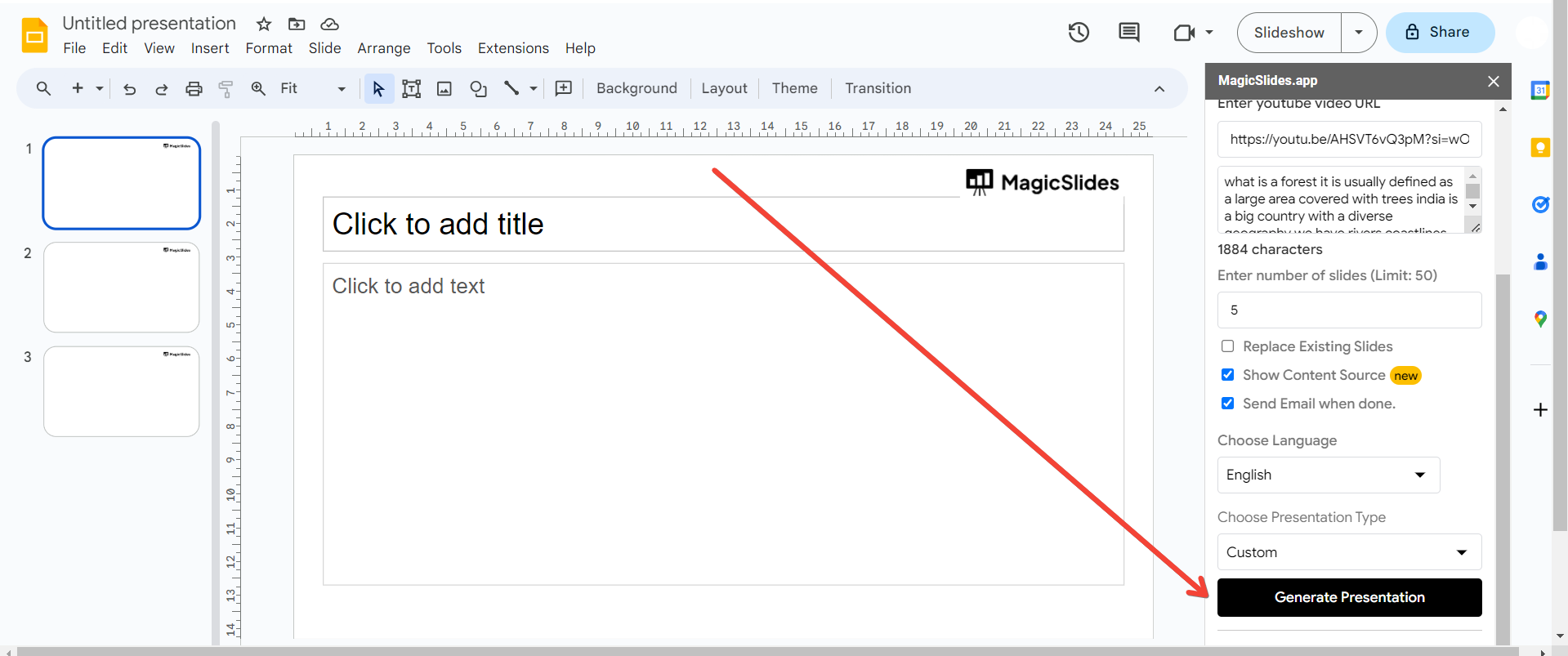
Click on the "Generate Presentation" Button:
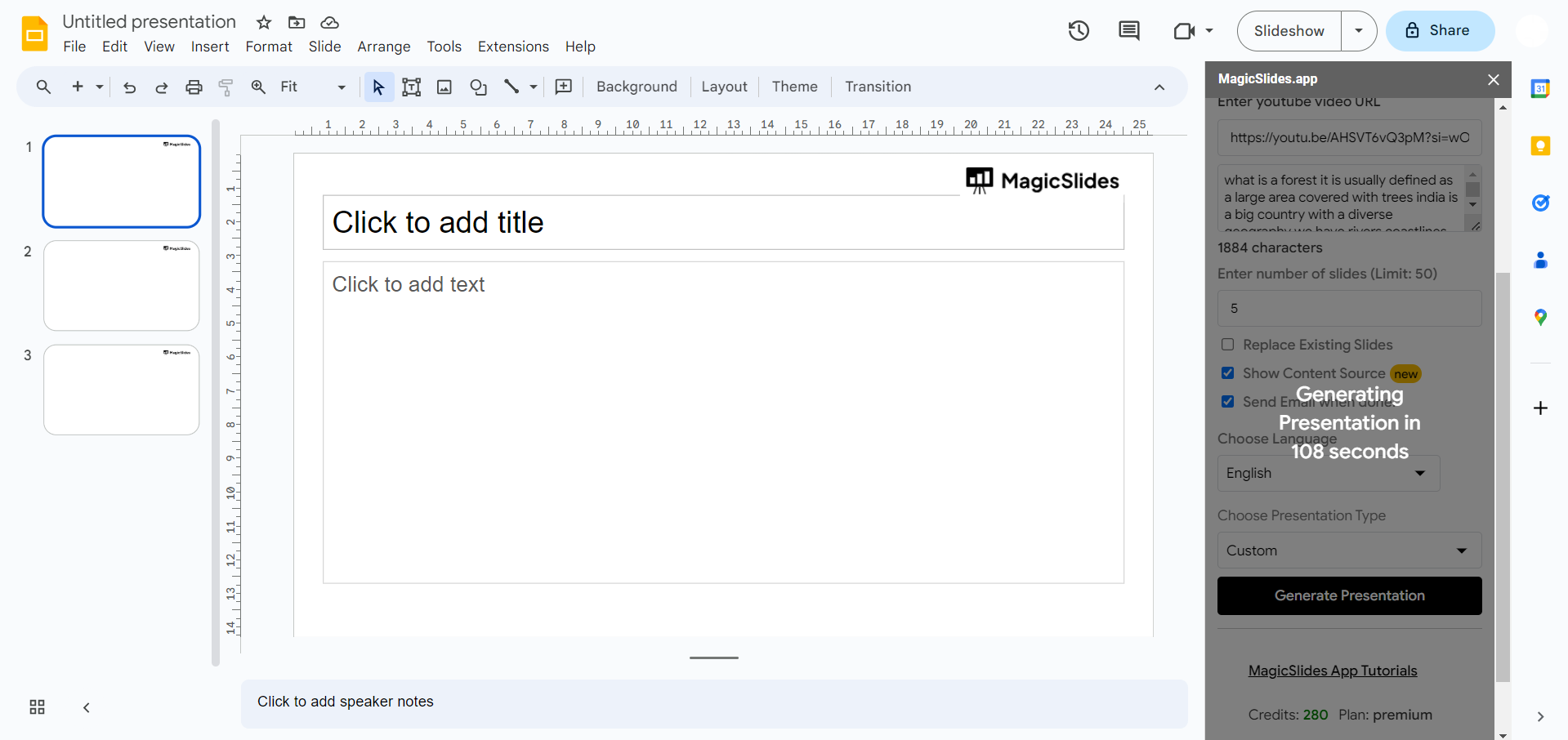
Once the URL is input, initiate the magic by clicking on the "Generate Presentation" button. This prompts MagicSlides to analyze the YouTube video and automatically generate a corresponding PowerPoint presentation.
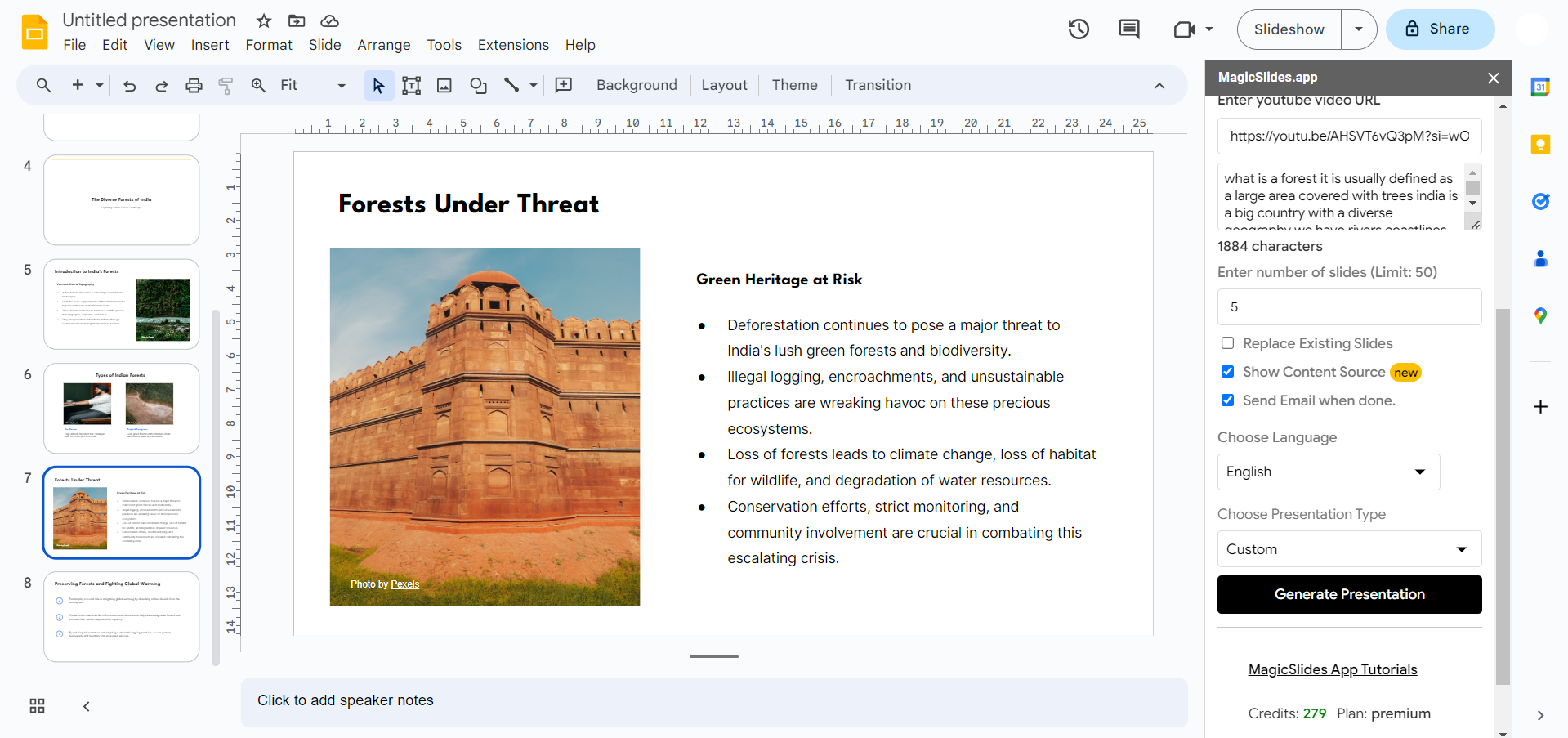
Your Presentation is Ready:
Witness the transformation! Your YouTube lecture content is now organized into a concise PowerPoint presentation. Feel free to explore the slides, add any necessary adjustments, and enjoy the benefits of a summarized version of the lecture at your fingertips.
Conclusion:
Empower your learning journey by converting YouTube lectures into PowerPoint presentations. This streamlined process, coupled with the magic of tools like MagicSlides, ensures that you can focus on understanding and summarizing content effectively. Incorporate this method into your study routine to enhance comprehension and retention, making education a more accessible and organized experience.
Frequently Asked Questions:
Is MagicSlides Compatible with All YouTube Videos?
Ans: MagicSlides generally works with most YouTube videos, but certain content restrictions or privacy settings may affect compatibility.
Can I Customize the Generated PowerPoint Presentation?
Ans: Absolutely! After MagicSlides generates the presentation, you can customize and refine it according to your preferences.
Do I Need to Keep MagicSlides Open While the Presentation is Generated?
Ans: No, once you click on "Generate Presentation," MagicSlides processes the content independently, allowing you to continue working on other tasks in Google Slides.
Have a look @these informative blogs by us:
- How To Create PPTs For Seminar Topics From Website URL: https://www.magicslides.app/blog/how-to-create-ppts-for-seminar-topics-from-website-url
- How To Convert A Research Paper PDF To PowerPoint Slides?: https://www.magicslides.app/blog/how-to-convert-a-research-paper-pdf-to-powerpoint-slides
- How To Remove An App From Slack: https://www.magicslides.app/blog/how-to-remove-an-app-from-slack
- How To Convert Blog Post To Presentations: https://www.magicslides.app/blog/how-to-convert-blog-post-to-presentations


