How to Turn PDF ebook into interactive PowerPoint presentation


Revolutionize reading: Learn how to transform your PDF ebooks into captivating interactive presentations using MagicSlides.
In a world where digital content is king, finding innovative ways to engage with your audience is key. Imagine turning your static PDF ebook into an interactive PowerPoint presentation effortlessly. With the help of MagicSlides, a powerful extension for Google Slides, you can breathe new life into your reading experience. Follow our step-by-step guide to unlock the potential of your PDF ebooks in an exciting and interactive format.
How to Turn PDF ebook into interactive PowerPoint presentation
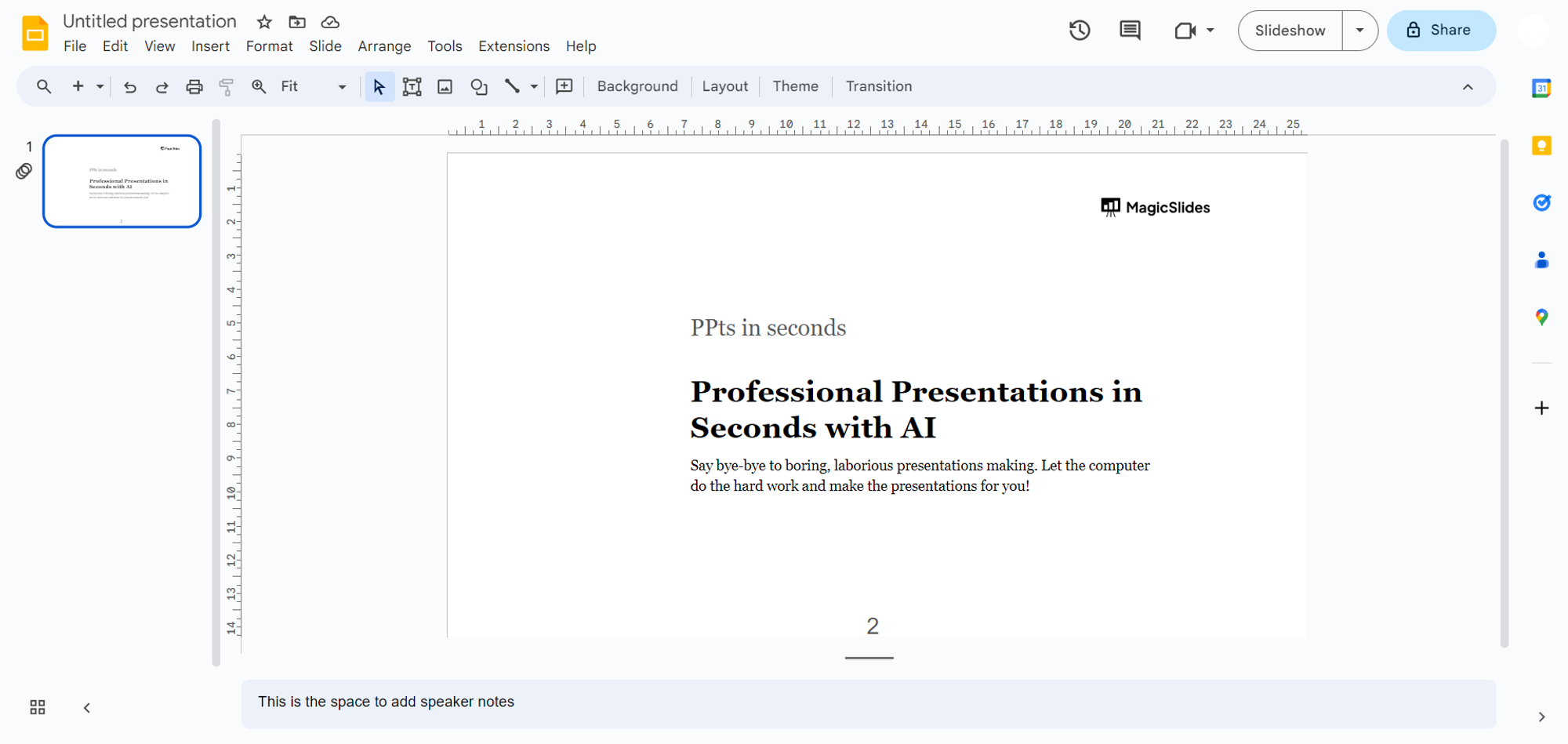
Step 1: Navigate to Google Slides
Embark on your journey by visiting slides.google.com. If you're not already signed in, log in with your Google account to access the powerful features of Google Slides.
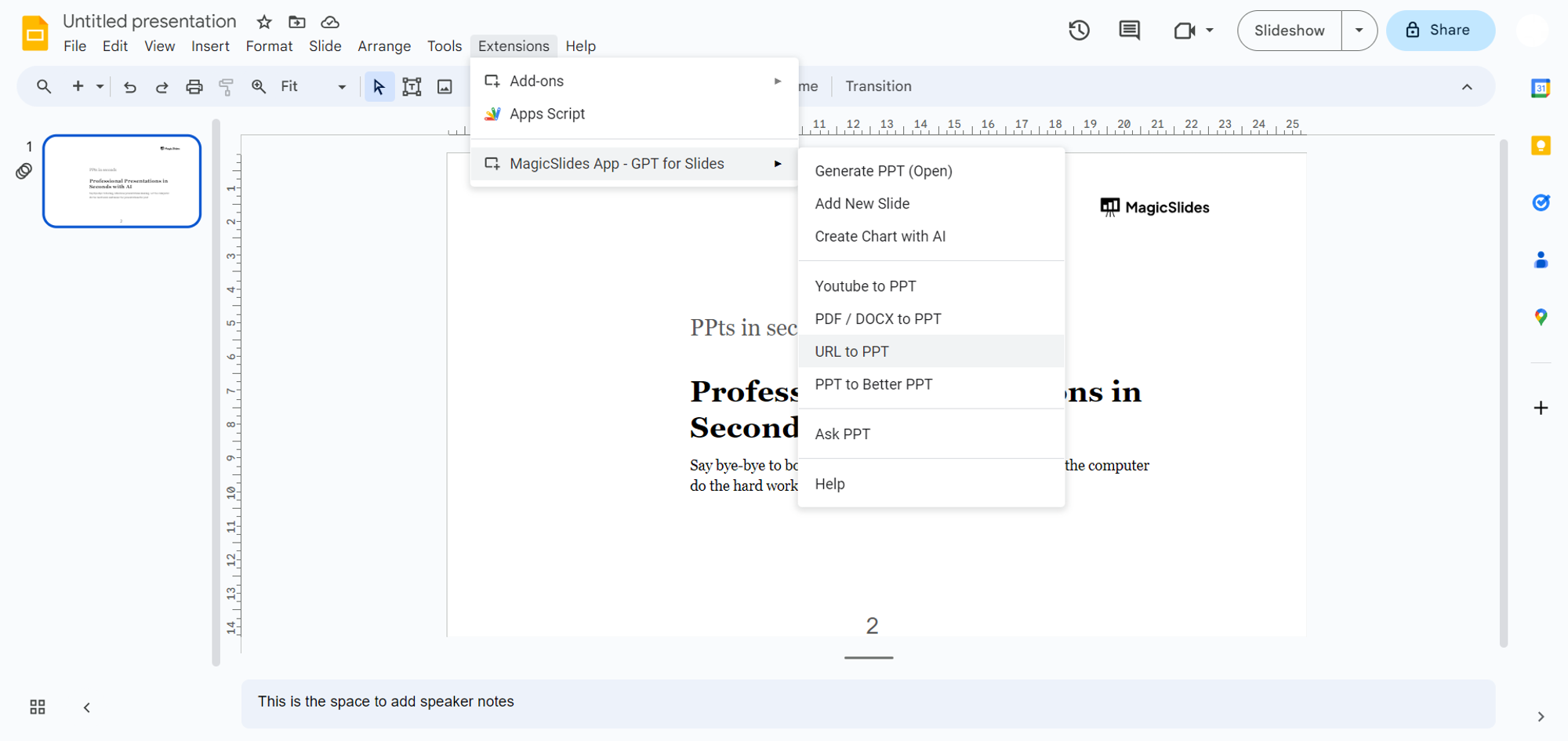
Step 2a: Open MagicSlides app
If MagicSlides is ready to go, open it directly from the extensions tab in Google Slides. It's usually located in the toolbar or settings of your interface.
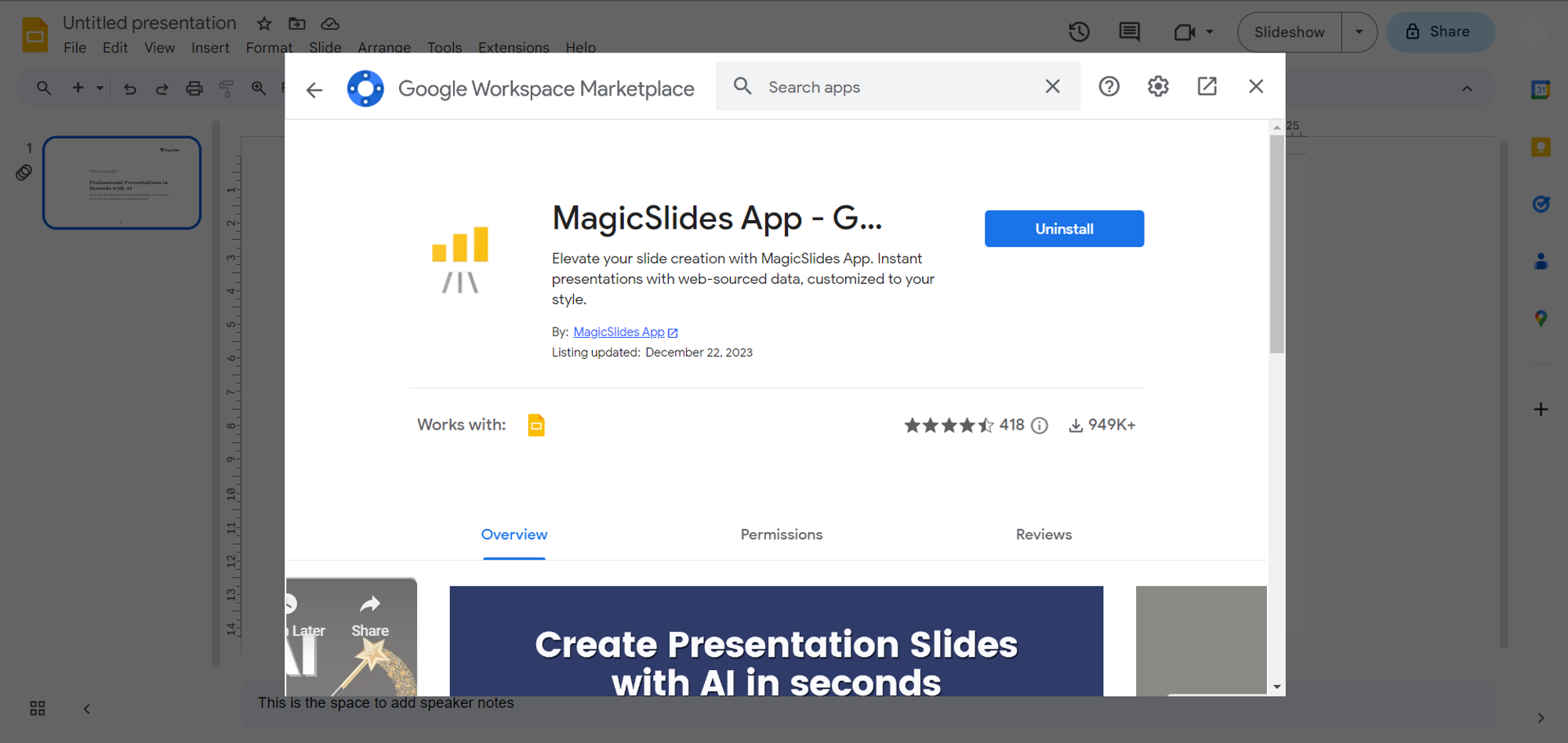
Step 2b: Download MagicSlides Extension (if not installed)
For new users, open the extensions tab, typically found in the toolbar or settings. Locate MagicSlides.app and click to install. Once installed, you're all set to explore the magic.
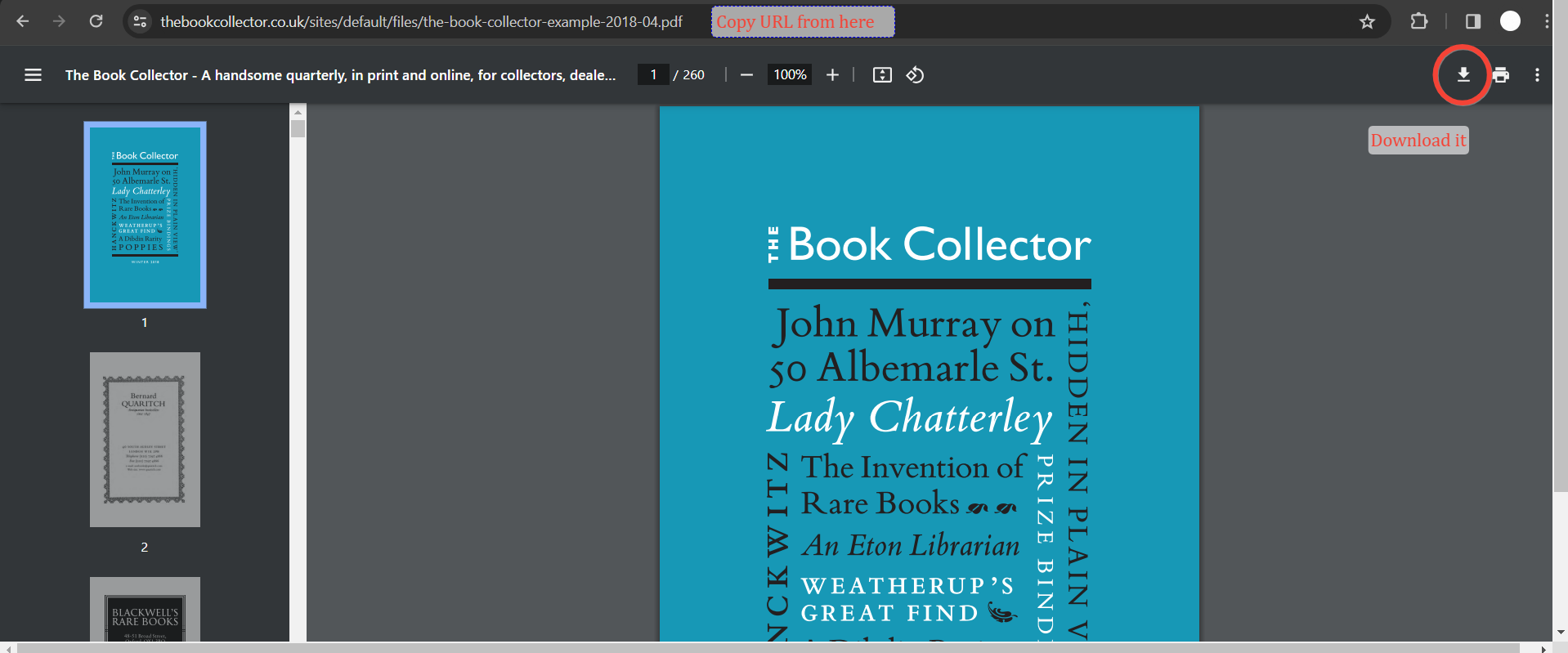
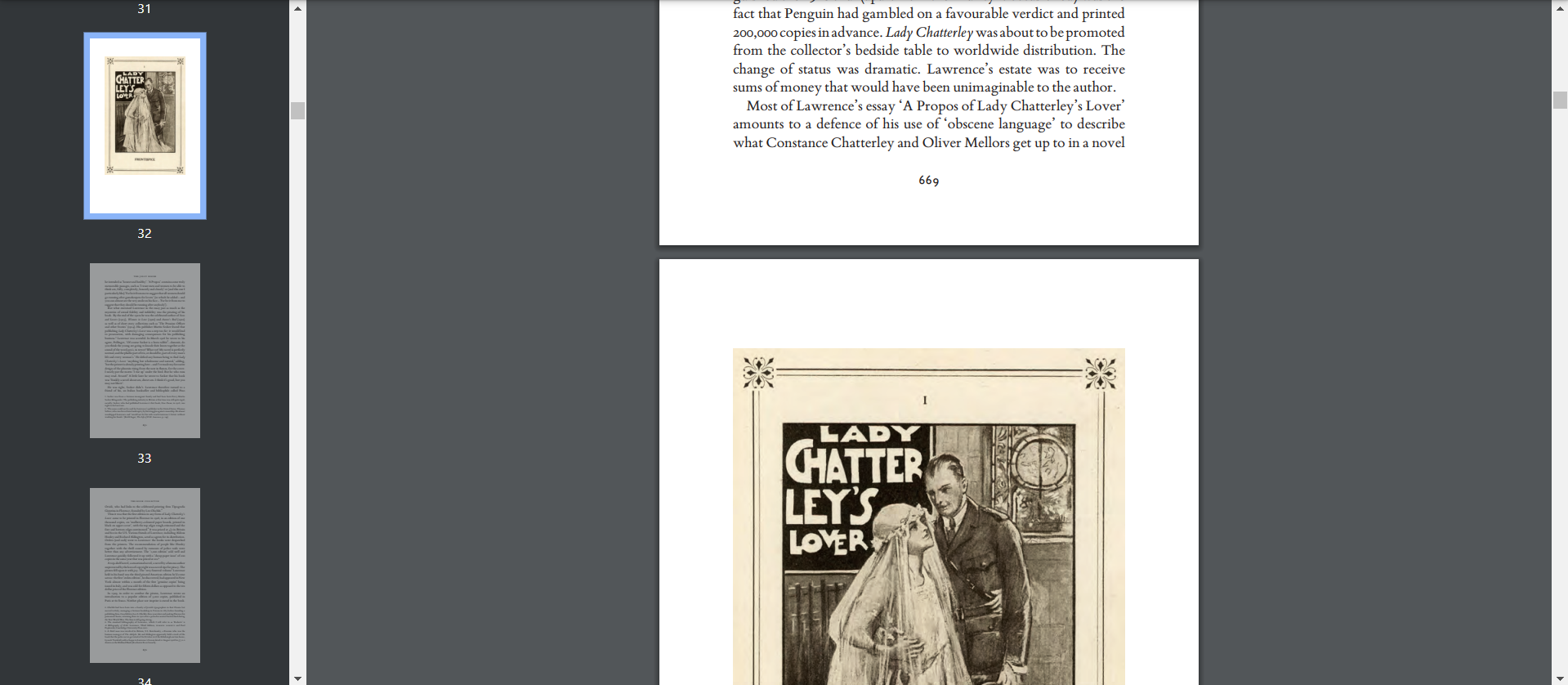
Step 3: Choose Your Ebook PDF
Locate the PDF version of your ebook, whether it's online or downloaded to your device. You can either copy the URL or have the PDF file ready for the next steps.
Step 4: Enter URL or Upload PDF
Paste the URL of the online ebook or upload the downloaded PDF directly into MagicSlides. This ensures that the extension knows which content to convert into an interactive presentation.
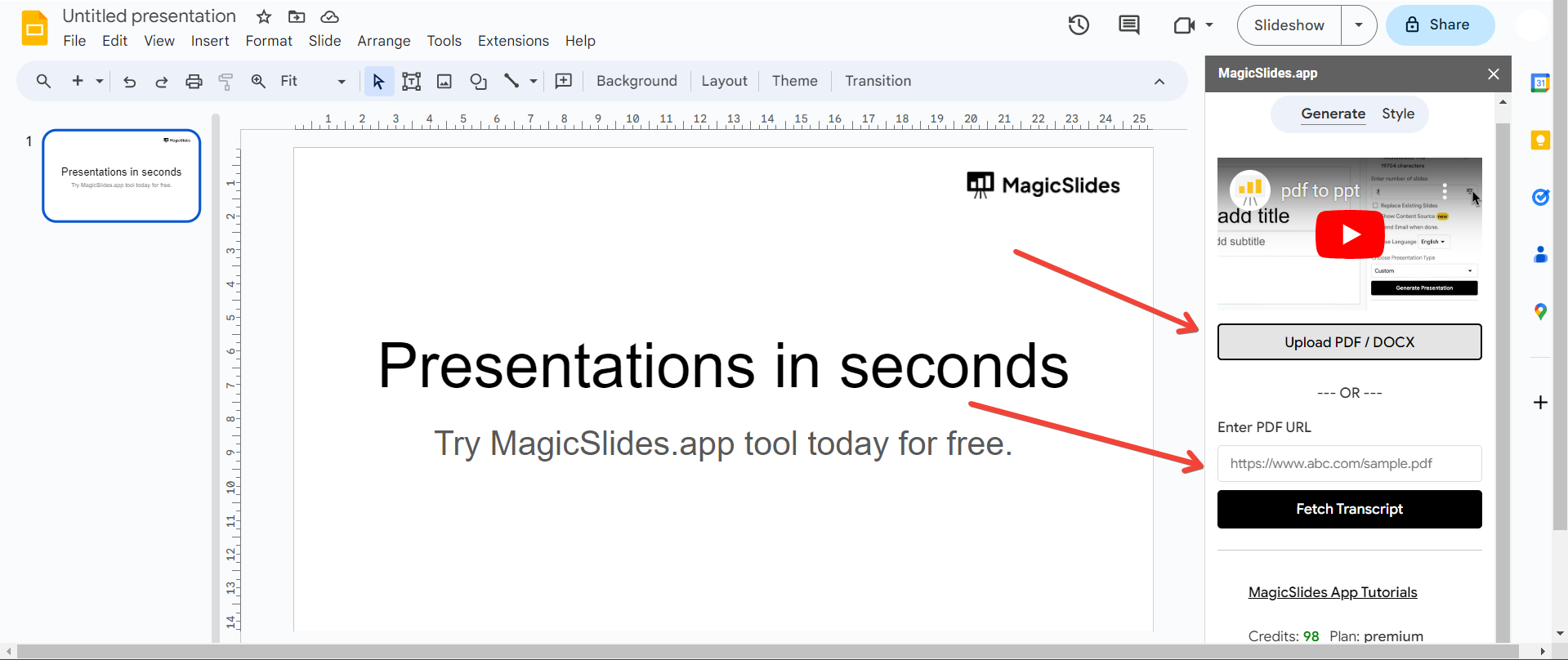
Step 5: Click "Generate to Presentation"
With your ebook data in place, click the "Generate to Presentation" button. Let MagicSlides work its magic, transforming your static ebook into an engaging, interactive PowerPoint presentation.
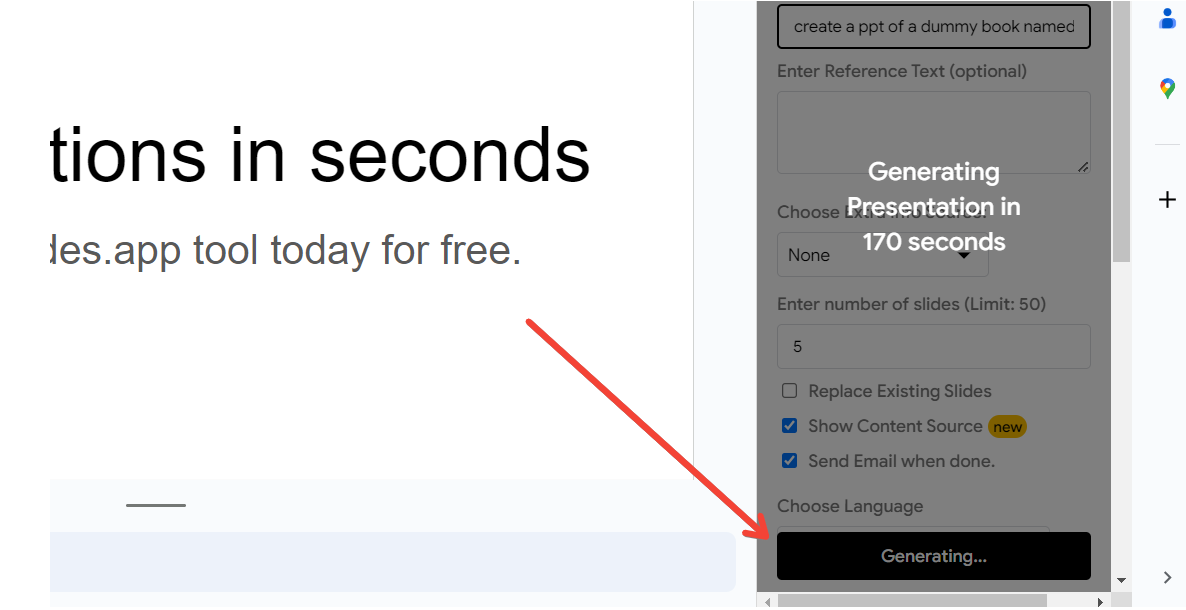
Step 6: Your Interactive Presentation is Ready!
Sit back and witness the transformation. Your once static PDF ebook is now a dynamic and interactive presentation, ready to captivate your audience.
Conclusion:
Experience the magic of bringing your PDF ebooks to life with MagicSlides. This simple yet powerful extension for Google Slides opens up a world of possibilities, allowing you to create interactive presentations from your favorite reading materials. Elevate your content and engage your audience in a whole new way. Give it a try, and let the magic unfold in your next presentation!
Want to see how MagicSlides can create a PPT from PDFs? watch this quick video by us and subscribe to our channel:-
Frequently Asked Questions:
Can MagicSlides handle long ebooks with multiple pages?
Yes, MagicSlides is designed to handle ebooks of varying lengths, creating interactive presentations seamlessly.
Are interactive elements preserved during the conversion process?
Absolutely! MagicSlides retains interactive elements from your ebook, ensuring an engaging and dynamic presentation.
Can I share the interactive presentation with others who don't have MagicSlides?
Yes, the interactive presentation can be shared like any other Google Slides presentation, making collaboration hassle-free.
You might also like:
- How To Convert PDF Lecture Notes To PowerPoint: https://www.magicslides.app/blog/how-to-convert-pdf-lecture-notes-to-powerpoint
- How To Summarize Blog Posts Text Into Visual Slideshows: https://www.magicslides.app/blog/how-to-summarize-blog-posts-text-into-visual-slideshows
- How To Create Concise Presentations From Lengthy Articles: A Step-By-Step Guide: https://www.magicslides.app/blog/how-to-create-concise-presentations-from-lengthy-articles-a-step-by-step-guide


