Which option is used to change shadow Text colour and the colour of the box in PowerPoint


Easily customize shadow text color and shape fill in PowerPoint to enhance your presentation’s design
In PowerPoint, adding shadow effects to text and shapes can make your presentation more visually appealing.
However, you might want to customize these shadows and the color of text boxes or shapes to match your overall design.
PowerPoint offers easy-to-use options to change the shadow color of text and the fill color of text boxes or shapes.
In this blog post, we'll guide you through the steps to adjust these colors, helping you enhance your slides with personalized and professional touches.
Step-by-Step Guide to Changing Shadow Text Color and Box Color in PowerPoint
Step 1: Open Your PowerPoint Presentation
Start by opening the PowerPoint presentation where you want to make these color changes.
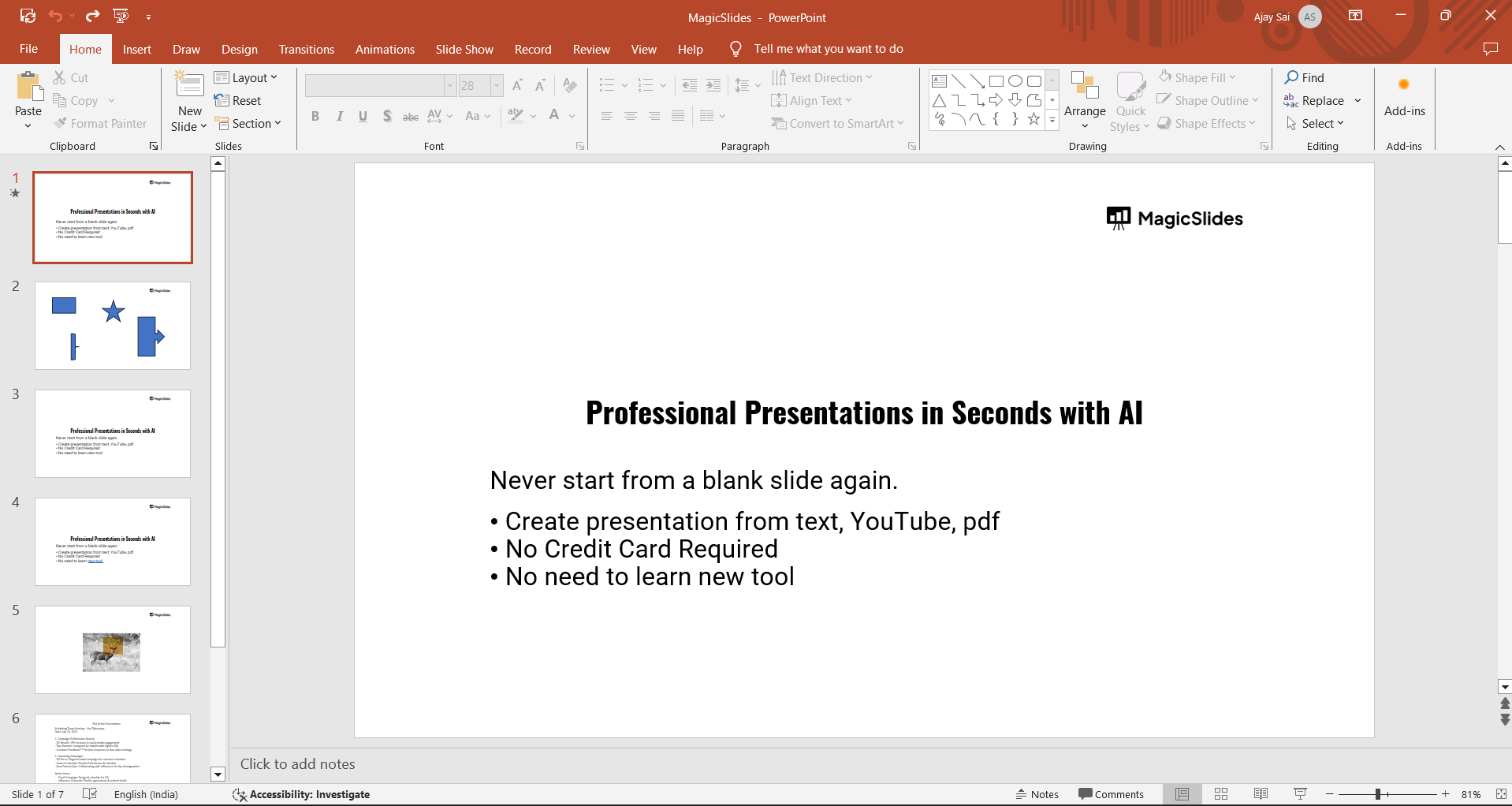
If you don't have a presentation ready, create a new one by clicking on "Blank Presentation" or by choosing a template.
Track changes in PowerPoint using comments, comparisons, and version history for effective collaboration.
Step 2: Select the Text or Shape
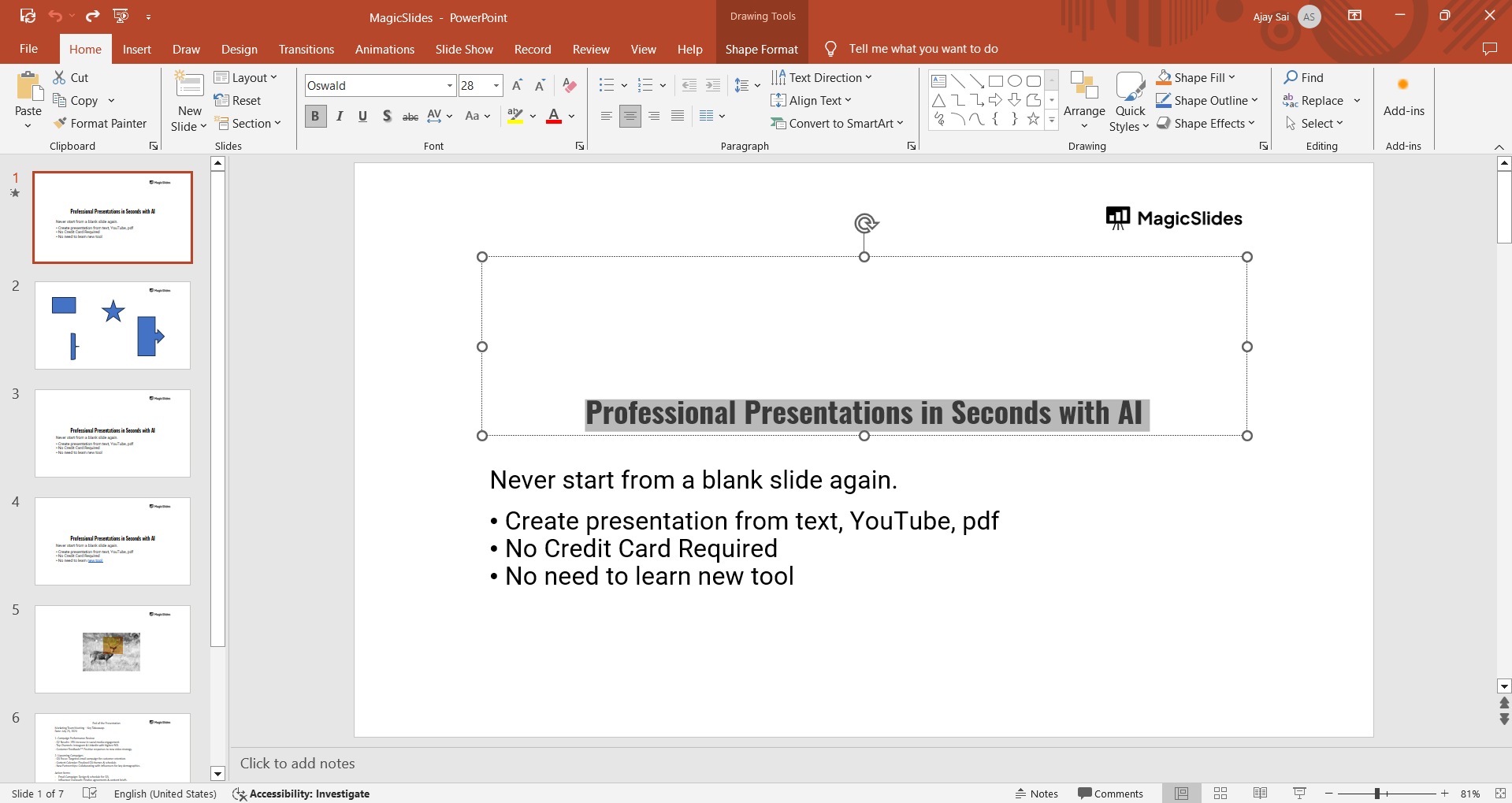
Click on the text or shape that has a shadow or a fill color that you want to change.
This will highlight the object, making the formatting options available in the ribbon.
PowerPoint’s Animations feature adds dynamic motion effects to objects, enhancing presentations' visual appeal, checkout from the link.
Step 3: Go to the Format Tab
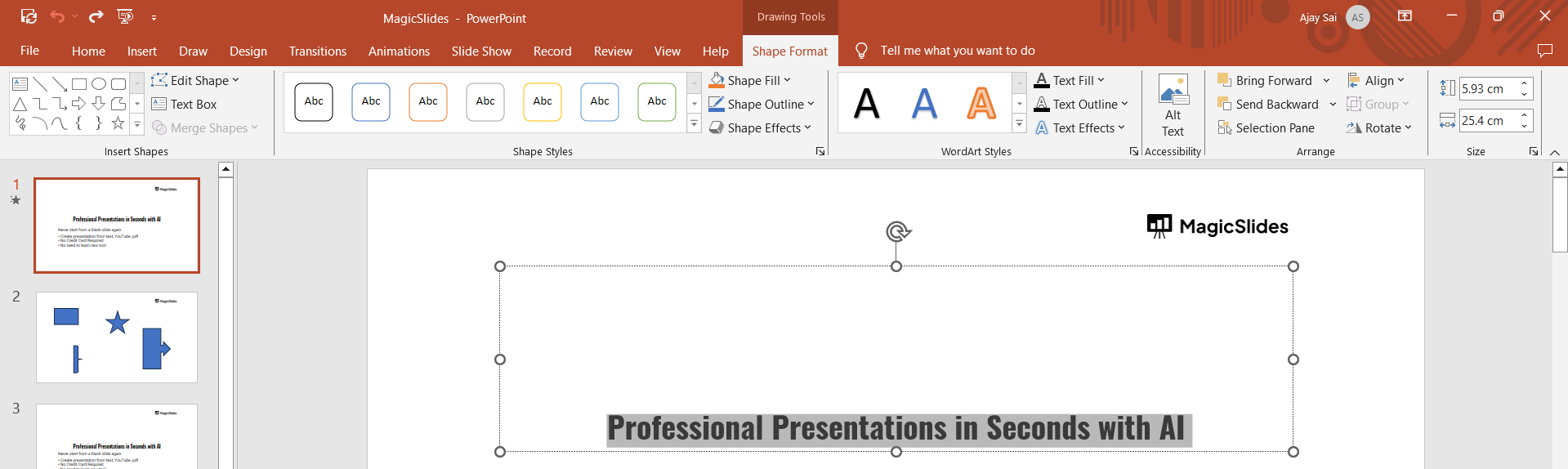
With the object selected, navigate to the "Format" tab in the PowerPoint ribbon.
If you’ve selected text, it will be under “Shape Format” or “Drawing Tools,” and if you’ve selected a shape or text box, it will be under "Shape Format."
Step 4: Change the Shadow Text Color
To change the shadow color of the text:
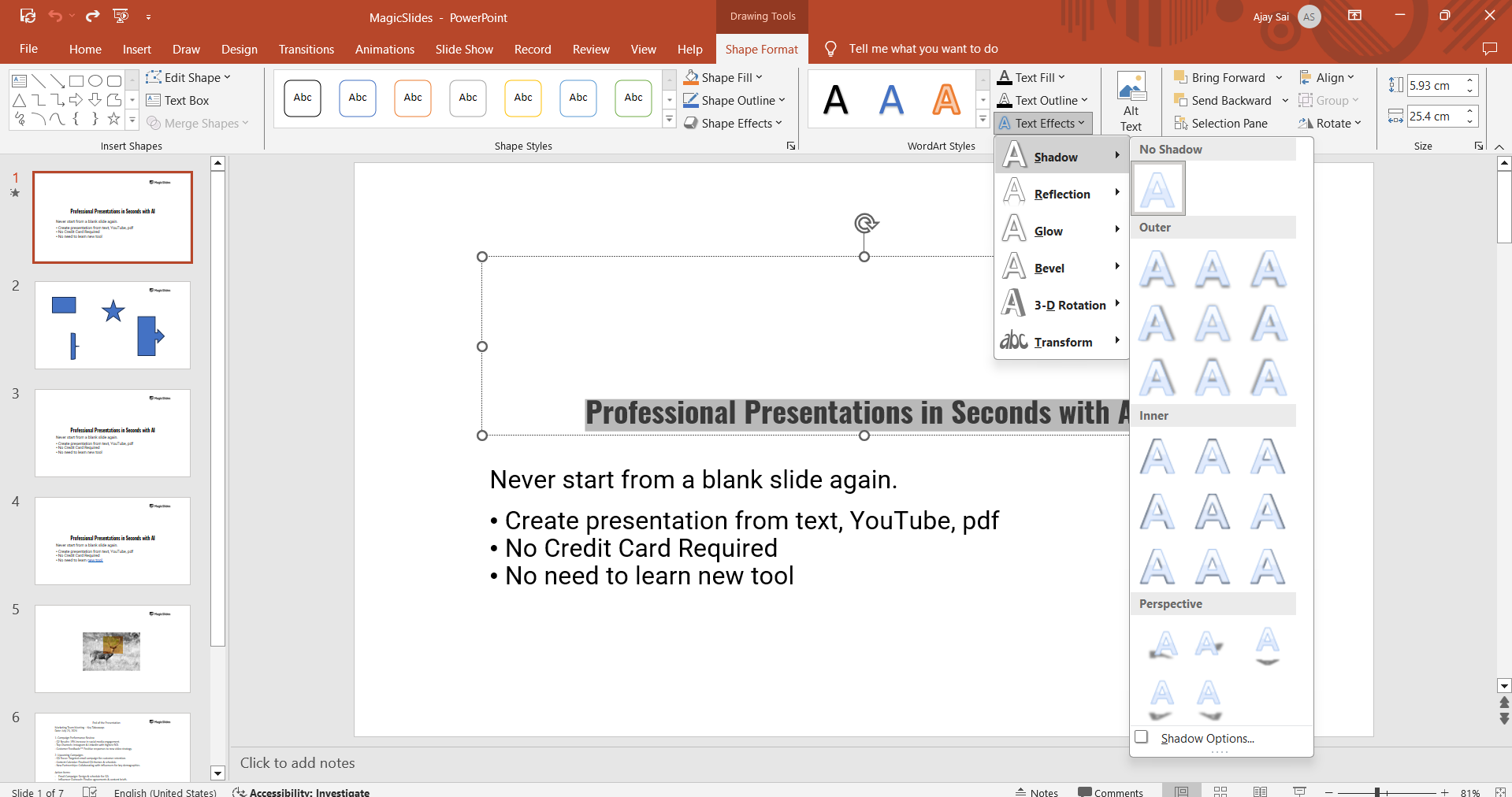
- Click on the "Text Effects" option in the Format tab. This is usually represented by an "A" with a glowing effect.
- Hover over "Shadow" to see a drop-down menu with shadow options.
- Click on "Shadow Options" at the bottom of the drop-down menu. This will open the "Format Text Effects" pane on the right side.
- In the "Shadow" section, look for the "Color" option. Click on the color box next to "Color" to open the color palette.
- Choose your desired shadow color from the palette, or select "More Colors" to create a custom color. The shadow color of your text will change accordingly.
Step 5: Change the Box or Shape Color
To change the color of a text box or shape:
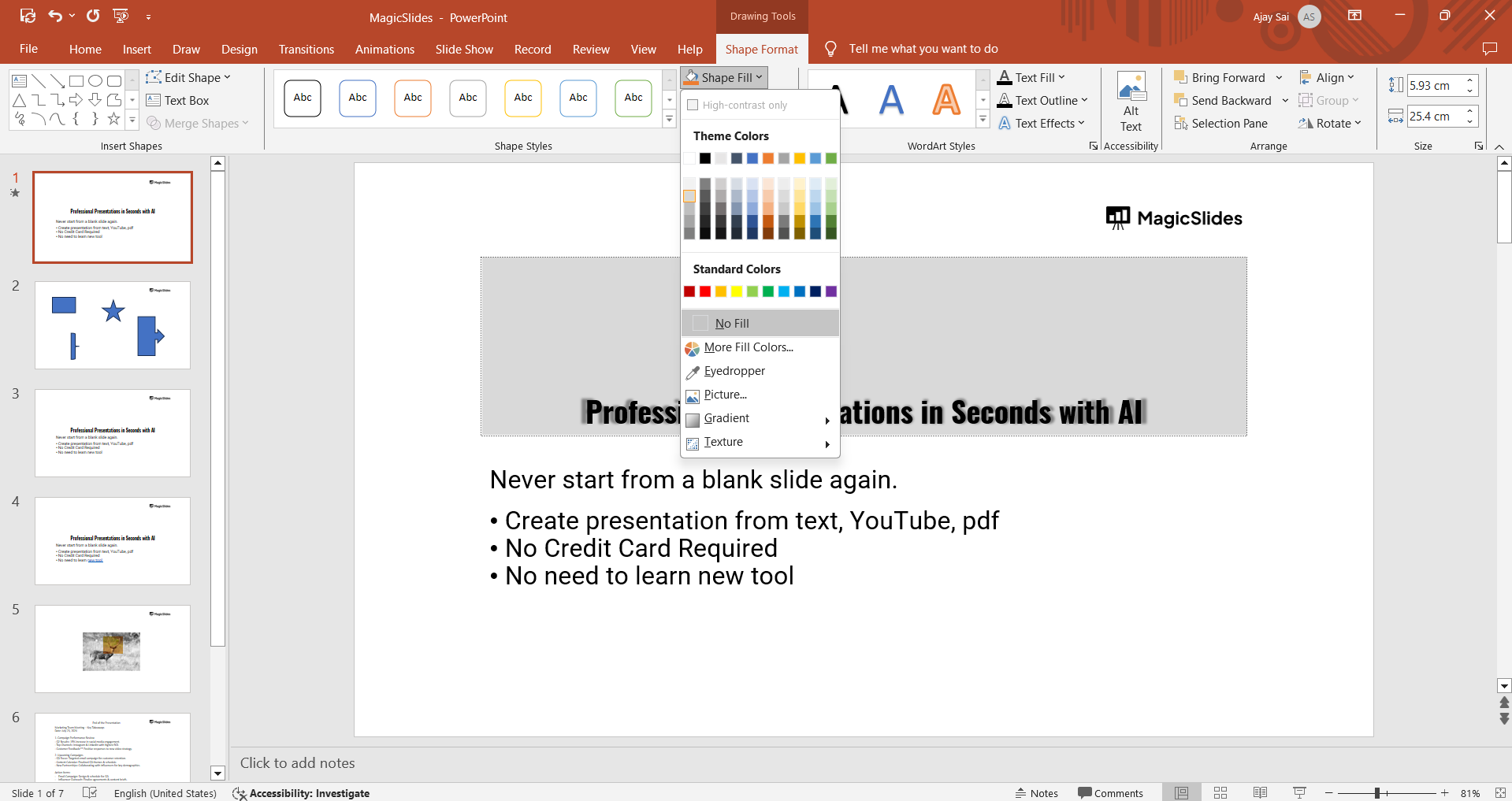
- Click on the "Shape Fill" option in the Format tab. This option allows you to change the fill color of the selected shape or text box.
- Select your desired color from the drop-down menu that appears. You can choose from theme colors, standard colors, or create a custom color by selecting "More Fill Colors."
- Apply the color by clicking on it. The text box or shape will be filled with the selected color.
Step 6: Preview and Adjust
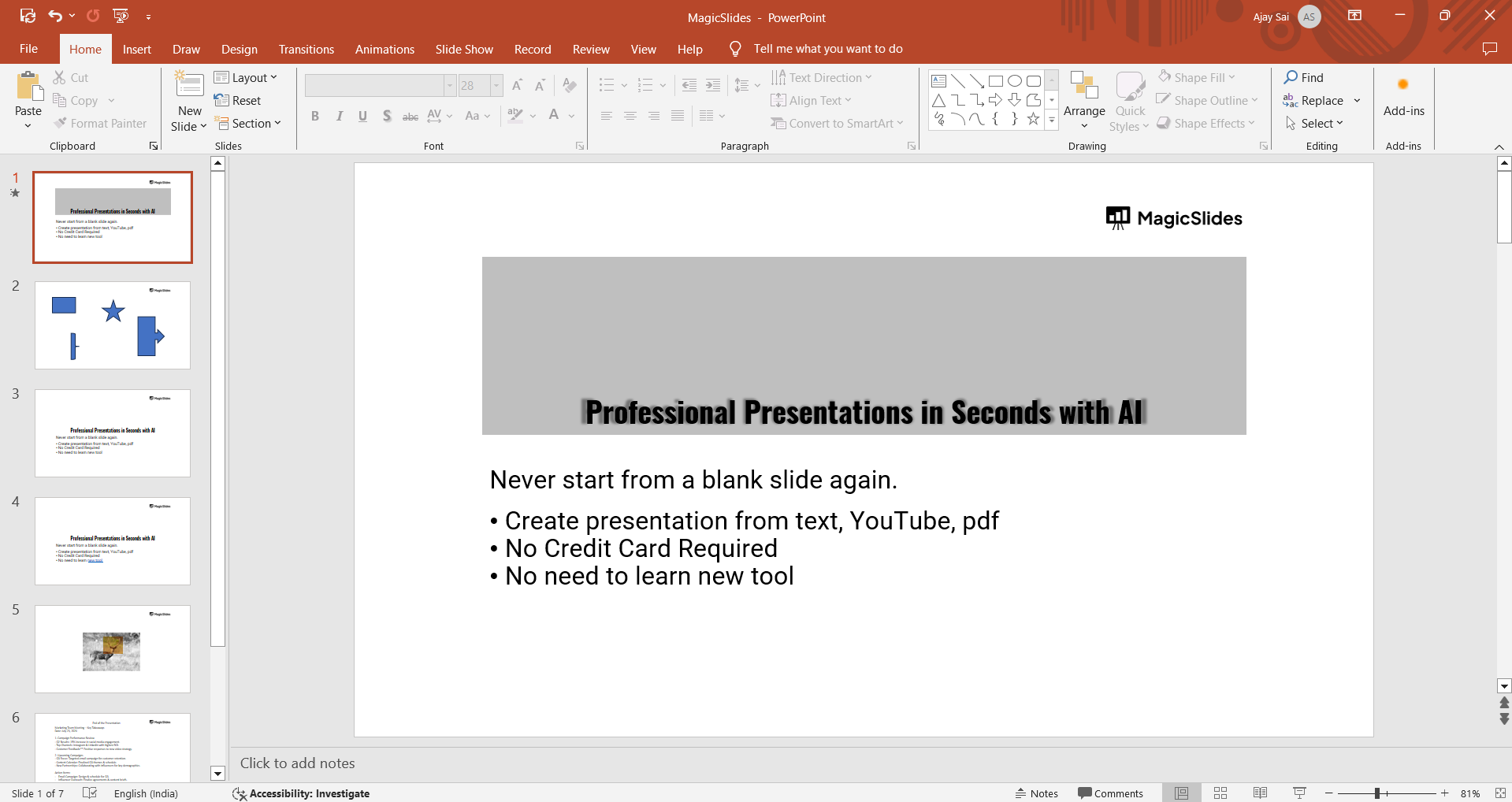
After making the changes, take a moment to preview how the new colors look on your slide.
If necessary, you can go back to the "Format" tab and make further adjustments to ensure the colors match your presentation's design.
Conclusion
Customizing the shadow text color and the color of text boxes or shapes in PowerPoint can significantly enhance the visual appeal of your presentation.
By following these simple steps, you can easily modify these elements to align with your design preferences and make your slides stand out.
Tired of maing presentations? what if we tell you you can make presentation with just a prompt, convert YouTube videos to PPTs, convert website content to PPTs? Yes! checkout magicslides.app that does all and enjoy the free credits to make presentations in seconds.
FAQs that come come handy!
Can I remove the shadow effect from text or shapes in PowerPoint?
Yes, you can remove the shadow effect by selecting the text or shape, going to the "Text Effects" or "Shape Effects" option in the "Format" tab, and choosing "No Shadow."
How can I apply the same shadow color to multiple text elements?
After applying the shadow color to one text element, you can use the "Format Painter" tool in the "Home" tab to copy the formatting to other text elements.
Can I save my custom color as a default for future use in PowerPoint?
While PowerPoint doesn't allow saving custom colors as a default directly, you can save a slide with your preferred colors as a template or theme for future presentations.


