How to Quickly Summarize Meeting Agendas for PPT Presentations


Learn efficient meeting agenda summarization for impactful PPT presentations. Streamline content with our guide for concise, compelling presentations. Boost engagement now!
Meetings are a cornerstone of effective collaboration, and turning their agendas into concise, visually appealing PowerPoint presentations can greatly enhance communication and understanding. In this guide, we’ll walk you through the process of quickly summarizing meeting agendas for PPT presentations using the powerful MagicSlides GPT tool.
How to Quickly Summarize Meeting Agendas for PPT Presentations
Visit Google Slides
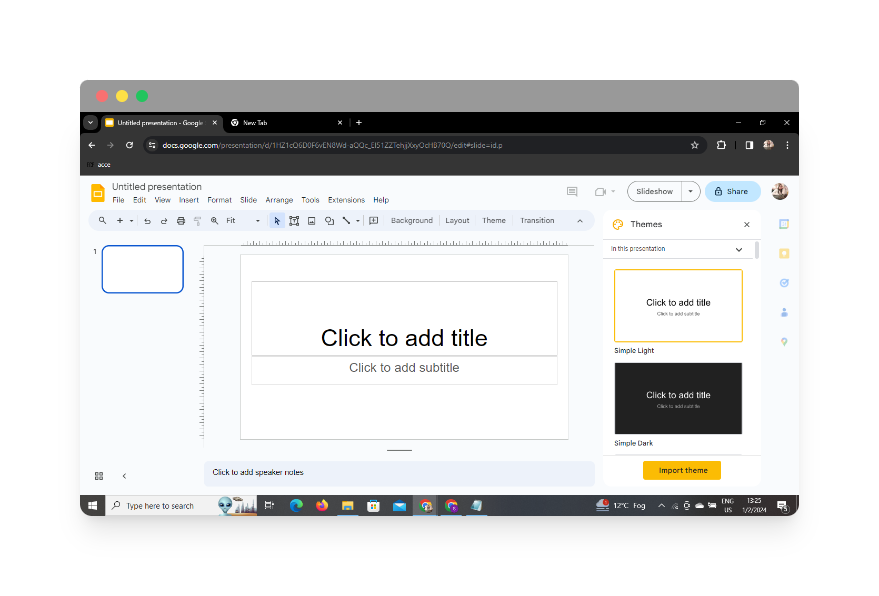
To initiate the process, navigate to Google Slides, Google’s cloud-based presentation platform. If you don’t have an account, you’ll need to sign up to get started.
Sign In with Google to Google Slides
Log in to your Google account to access the full suite of Google Slides features. This ensures that your work is seamlessly saved to the cloud and can be accessed from any device.
Using MagicSlides GPT
In Extensions, Click on MagicSlides GPT (If Downloaded)
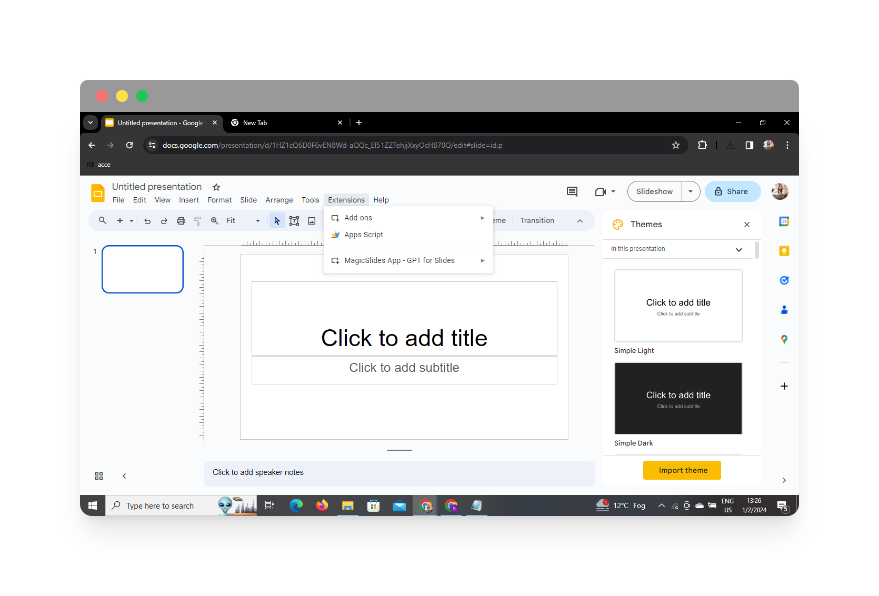
If you’ve already downloaded the MagicSlides GPT extension, locate it in the extensions menu of your browser. Click on it to activate the tool within Google Slides.
If Not Downloaded, First Download MagicSlides GPT as an Extension, Then Open
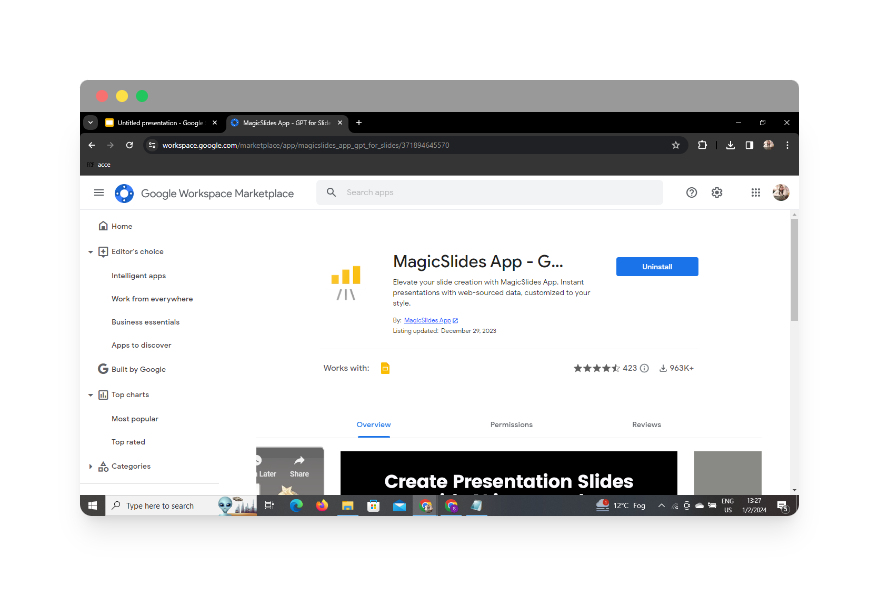
If you haven’t downloaded the MagicSlides GPT extension, visit the Chrome Web Store or the relevant extension store for your browser. Download the extension and open it to integrate with Google Slides.
Click on ‘Generate PPT’ in MagicSlides GPT
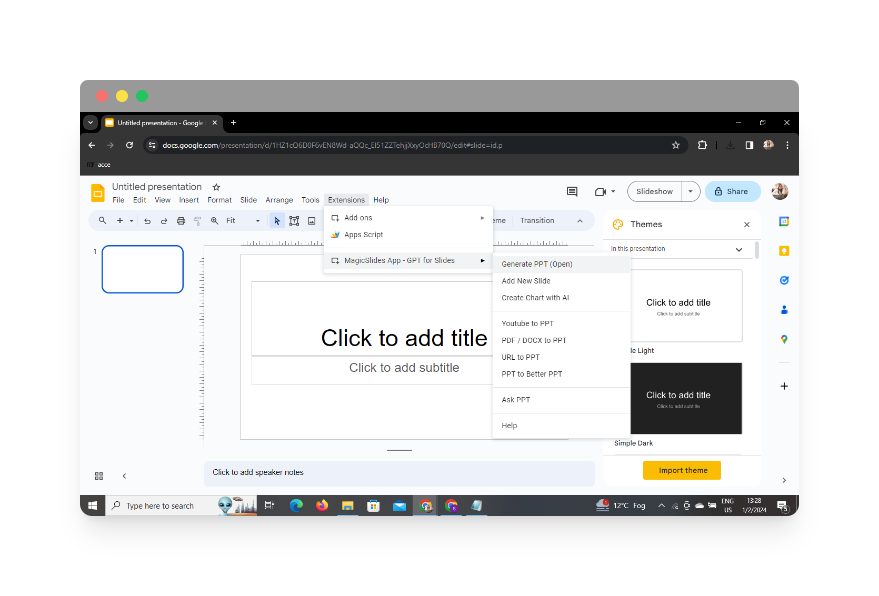
With MagicSlides GPT activated, you’ll find the ‘Generate PPT’ option within Google Slides. Click on it to access the features that will facilitate the summarization process.
Click on ‘Summarize’ Option
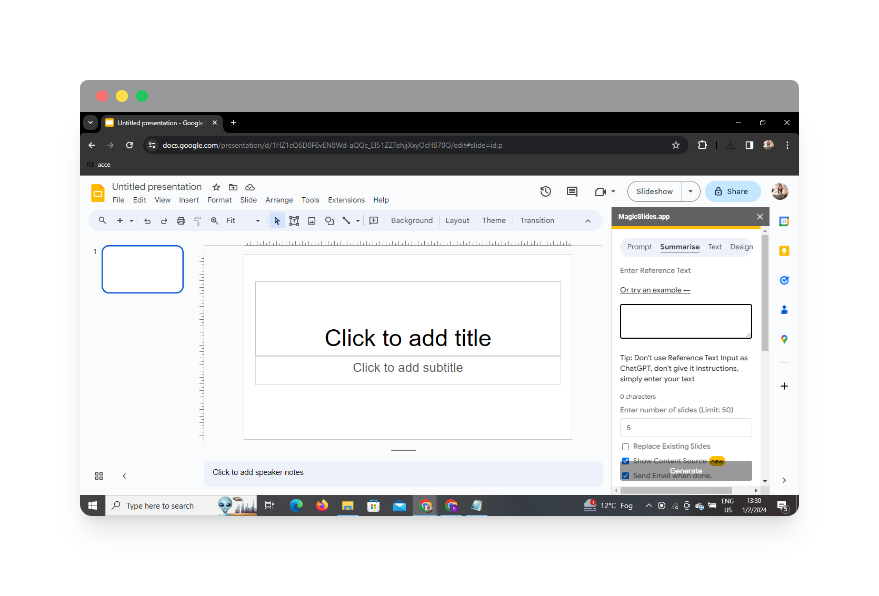
Within the MagicSlides GPT interface, locate and click on the ‘Summarize’ option. This will enable the tool to condense your meeting agenda into a concise summary that can be translated into PowerPoint slides.
Paste Your Meeting Agenda
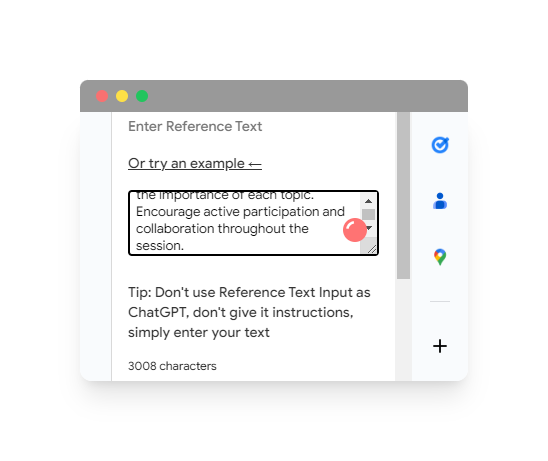
Copy your meeting agenda and paste it into the designated area within MagicSlides GPT. The tool will use its advanced language processing capabilities to generate a condensed version suitable for presentation.
Select the Number of Slides
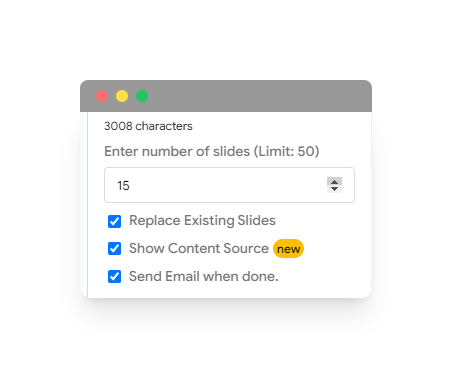
Choose the desired number of slides for your presentation. MagicSlides GPT allows you to customize the length of your presentation based on your preferences and the complexity of your meeting agenda.
Click on ‘Generate Presentation’
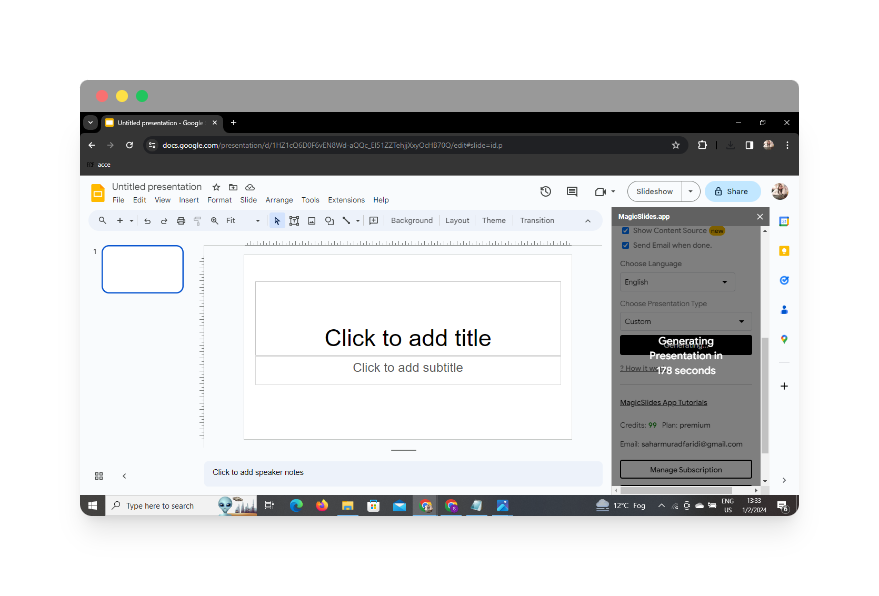
Once you’ve configured your settings and pasted the meeting agenda, click on ‘Generate Presentation.’ MagicSlides GPT will work its magic, transforming the textual content into visually appealing PowerPoint slides.
Your Presentation is ready
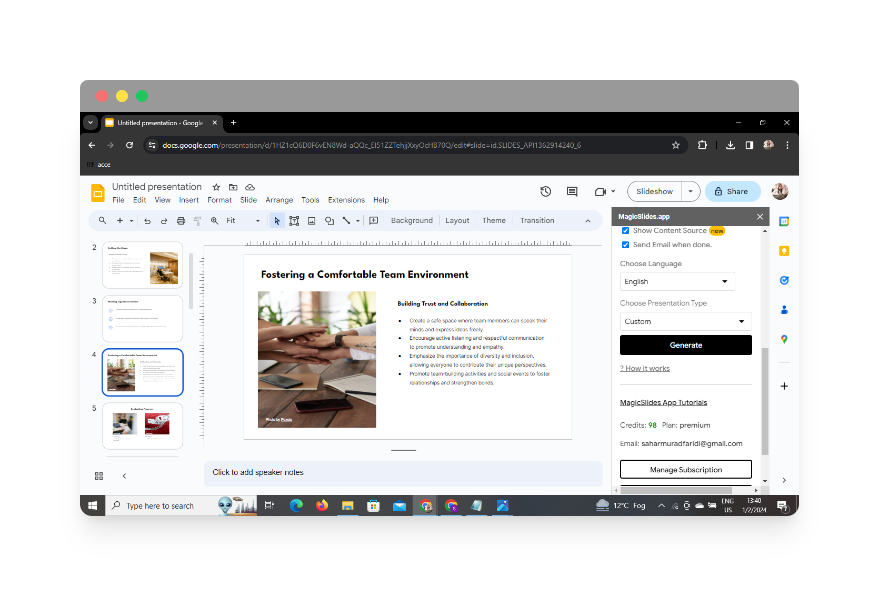
MagicSlides GPT will show you your summarized presentation, which is now complete. Your condensed and visually enhanced PowerPoint presentation is now ready for review and further customization.
Conclusion
By following these steps, you can streamline the process of summarizing meeting agendas for PowerPoint presentations. MagicSlides GPT enhances efficiency and ensures that your presentations are not only informative but also engaging.
Frequently Asked Questions (FAQs)
Can I use MagicSlides GPT on other browsers?
As of now, MagicSlides GPT is primarily available as an extension for Chrome. However, check the official website for updates on compatibility with other browsers.
Is MagicSlides GPT free to use?
Yes, MagicSlides GPT offers a free version with basic features. However, there may be premium versions with additional functionalities.
Can I customize the design of the generated slides?
MagicSlides GPT provides some customization options, such as selecting the number of slides. For more advanced customization, consider using additional design tools within Google Slides.
How secure is MagicSlides GPT with sensitive meeting information?
MagicSlides GPT prioritizes user security. However, exercise caution with sensitive information and consider reviewing the tool’s privacy policy for more details.
Can I edit the generated slides after using MagicSlides GPT?
Absolutely! Once MagicSlides GPT generates the slides, you can further edit and customize them within Google Slides to meet your specific needs.
Have a look @these informative blogs by us:
- How To Create PPTs For Seminar Topics From Website URL: https://www.magicslides.app/blog/how-to-create-ppts-for-seminar-topics-from-website-url
- How To Convert A Research Paper PDF To PowerPoint Slides?: https://www.magicslides.app/blog/how-to-convert-a-research-paper-pdf-to-powerpoint-slides
- How To Remove An App From Slack: https://www.magicslides.app/blog/how-to-remove-an-app-from-slack
- How To Convert Blog Post To Presentations: https://www.magicslides.app/blog/how-to-convert-blog-post-to-presentations


